
1. හැඳින්වීම
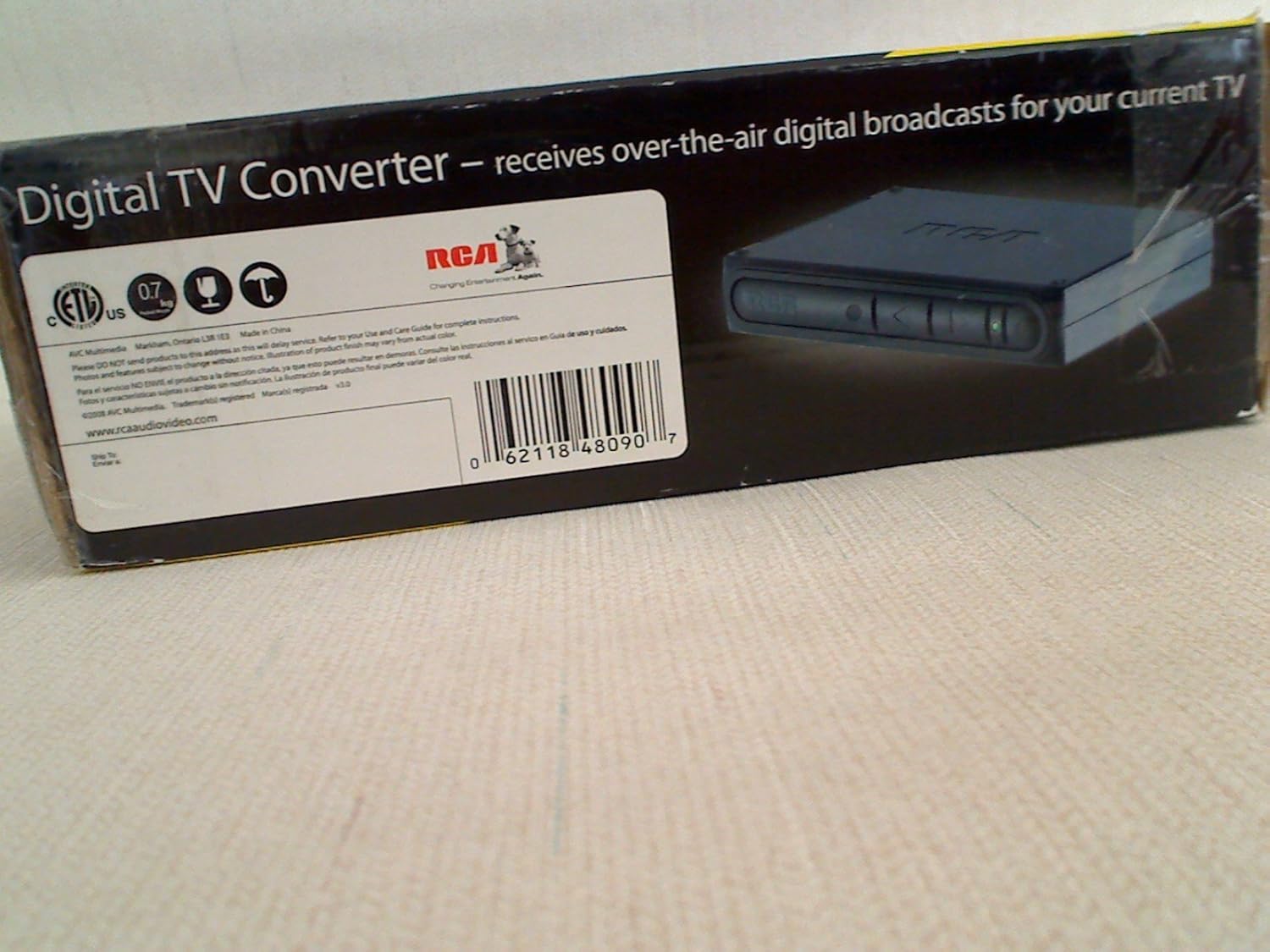
The RCA DTA809 DTV Digital TV Converter Box is designed to enable analog television sets to receive over-the-air digital television broadcasts. This device converts digital signals into an analog format, making them compatible with older analog TVs. It features an Electronic Programming Guide (EPG) for easy program selection and a smart antenna interface for improved signal reception.
Please read this manual thoroughly before operating your converter box to ensure proper setup and use.
2. පැකේජ අන්තර්ගතය
පහත ලැයිස්තුගත කර ඇති සියලුම අයිතම ඔබේ පැකේජයට ඇතුළත් කර ඇති බව තහවුරු කරගන්න:
- RCA DTA809 DTV Digital TV Converter Box
- දුරස්ථ පාලකය
- බල ඇඩැප්ටරය
- RCA User Manual (this document)
- ඉක්මන් ආරම්භක මාර්ගෝපදේශය
- AAA බැටරි (දුරස්ථ පාලකය සඳහා)
- කොක්සියල් කේබල්

රූපය 2.1: Package contents of the RCA DTA809 DTV Digital TV Converter Box. This image displays the converter box, remote control, power adapter, user manual, quick start guide, AAA batteries, and a coaxial cable.
3. සැකසුම් උපදෙස්
Follow these steps to connect your RCA DTA809 converter box to your analog television and antenna.
- ඇන්ටෙනාව සම්බන්ධ කරන්න: Connect your over-the-air antenna to the "ANT IN" port on the back of the RCA DTA809 converter box.
- රූපවාහිනියට සම්බන්ධ වන්න: Use the coaxial cable provided to connect the "TO TV" (RF Out) port on the converter box to the "ANT IN" or "RF IN" port on your analog television. Alternatively, if your TV has RCA composite video/audio inputs, you can use RCA cables (not included) to connect the "VIDEO OUT" and "AUDIO OUT (L/R)" ports on the converter box to the corresponding inputs on your TV.
- සම්බන්ධක බලය: Plug the power adapter into the "DC IN" port on the converter box, then plug the other end into a standard electrical outlet.
- දුරස්ථ පාලකයට බැටරි ඇතුළු කරන්න: Open the battery compartment on the back of the remote control and insert the two AAA batteries, ensuring correct polarity (+/-).
- බල ගැන්වීම: Turn on your television and select the correct input source (e.g., TV, Video 1, AV) that corresponds to where you connected the converter box. Then, press the Power button on the converter box or its remote control.
- මූලික නාලිකා ස්කෑන් කිරීම: Upon first power-on, the converter box will likely prompt you to perform an automatic channel scan. Follow the on-screen instructions to scan for available digital channels. This process may take several minutes.
රූපය 3.1: Front panel of the RCA DTA809 converter box, showing control buttons and indicator lights.
4. මෙහෙයුම් උපදෙස්
Once setup is complete, you can begin using your RCA DTA809 converter box to watch digital television.
4.1 මූලික මෙහෙයුම
- බලය සක්රිය / අක්රිය: ඔබන්න බලය button on the remote control or the front panel of the converter box.
- නාලිකා තේරීම: භාවිතා කරන්න CH+ / CH- buttons to change channels sequentially, or enter the channel number directly using the numeric keypad on the remote.
- ශබ්ද පාලනය: භාවිතා කරන්න VOL+ / VOL- buttons on the remote control to adjust the audio volume.
- නිශ්ශබ්ද කරන්න: ඔබන්න නිශ්ශබ්ද කරන්න ශ්රව්ය තාවකාලිකව නිහඬ කිරීමට බොත්තම. ප්රතිසාධනය කිරීමට නැවත ඔබන්න.
4.2 Electronic Programming Guide (EPG)
The EPG provides a schedule of current and upcoming programs. To access the EPG:
- ඔබන්න මාර්ගෝපදේශය ඔබගේ දුරස්ථ පාලකයේ බොත්තම.
- ඊතල බොත්තම් භාවිතා කරන්න (UP, පහළට, වම, හරි) to navigate through channels and program listings.
- ඔබන්න OK or තෝරන්න දක්වා view details about a selected program.
- ඔබන්න පිටවීම to leave the EPG.
4.3 මෙනු සංචලනය
The menu allows you to adjust settings, perform channel scans, and configure other features.
- ඔබන්න මෙනුව ප්රධාන මෙනුවට ප්රවේශ වීමට දුරස්ථ පාලකයේ බොත්තම.
- Use the arrow buttons to navigate through menu options.
- ඔබන්න OK or තෝරන්න උප මෙනුවක් ඇතුළු කිරීමට හෝ තේරීමක් තහවුරු කිරීමට.
- ඔබන්න පිටවීම to return to the previous menu or exit the menu system.
5. නඩත්තු කිරීම
Proper care and maintenance will ensure the longevity of your RCA DTA809 converter box.
- පිරිසිදු කිරීම: Disconnect the power before cleaning. Use a soft, dry cloth to wipe the exterior of the converter box. Do not use liquid cleaners, aerosols, or abrasive materials.
- වාතාශ්රය: Ensure the converter box is placed in a well-ventilated area. Do not block any ventilation openings.
- පරිසරය: Avoid exposing the unit to extreme temperatures, humidity, direct sunlight, or dusty environments.
- විදුලි රැහැන්: කිසියම් හානියක් සඳහා විදුලි රැහැන නිතිපතා පරීක්ෂා කරන්න. හානි සිදුවුවහොත්, භාවිතය නවතා පාරිභෝගික සහාය අමතන්න.
6. දෝශ නිරාකරණය
If you encounter issues with your RCA DTA809, refer to the following common problems and solutions.
| ගැටලුව | විය හැකි හේතුව / විසඳුම |
|---|---|
| බලය නැත |
|
| No Signal / Black Screen |
|
| දුරස්ථ පාලකය ක්රියා නොකරයි |
|
| Poor Picture Quality / Freezing |
|
7. පිරිවිතර
Technical specifications for the RCA DTA809 DTV Digital TV Converter Box.
- වෙළඳ නාමය: RCA
- ආකෘතිය: DTA809
- අතුරුමුහුණත වර්ගය: RCA
- ද්රව්ය වර්ගය: ඉලෙක්ට්රොනික සංරචක, ප්ලාස්ටික්
- UPC: 062118480907
- අයිතමයේ බර: Approximately 0.01 Ounces (Note: This weight seems unusually low and might be a data entry error. Refer to product packaging for accurate weight.)
- නාලිකා ගණන: 100 (Digital TV channels)
- සවිකිරීමේ වර්ගය: මතුපිට සවි කිරීම
8. වගකීම් සහ සහාය
For warranty information, technical support, or service inquiries, please refer to the warranty card included with your product or visit the official RCA support webඅඩවිය.
ඔබට වැඩිදුර තොරතුරු සහ සහාය සම්පත් සොයා ගත හැක RCA Brand Store on Amazon.