

හැඳින්වීම
The mophie Power Boost XXL is a high-capacity portable power pack designed to charge your mobile devices on the go. With a 20,800 mAh internal battery and dual USB-A charging ports, it provides extended power for smartphones, tablets, and other USB-enabled devices. This manual will guide you through the proper use and care of your Power Boost XXL.
පෙට්ටියේ ඇති දේ
- mophie Power Boost XXL Power Pack
- USB-A to Micro USB Charging Cable
- ඉක්මන් ආරම්භක මාර්ගෝපදේශය (සවිස්තරාත්මක උපදෙස් සඳහා මෙම අත්පොත බලන්න)
සැලසුම
Charging Your Power Boost XXL
Before initial use, fully charge your mophie Power Boost XXL. This ensures optimal battery performance and longevity.
- Connect the included USB-A to Micro USB charging cable to the Micro USB input port on the Power Boost XXL.
- Plug the USB-A end of the cable into a compatible USB wall adapter (not included) or a computer's USB port.
- The integrated four-light LED power indicator will illuminate to show the charging status. All four LEDs will be solid when the Power Boost XXL is fully charged.
Charging time may vary depending on the power source. A full charge can take several hours.
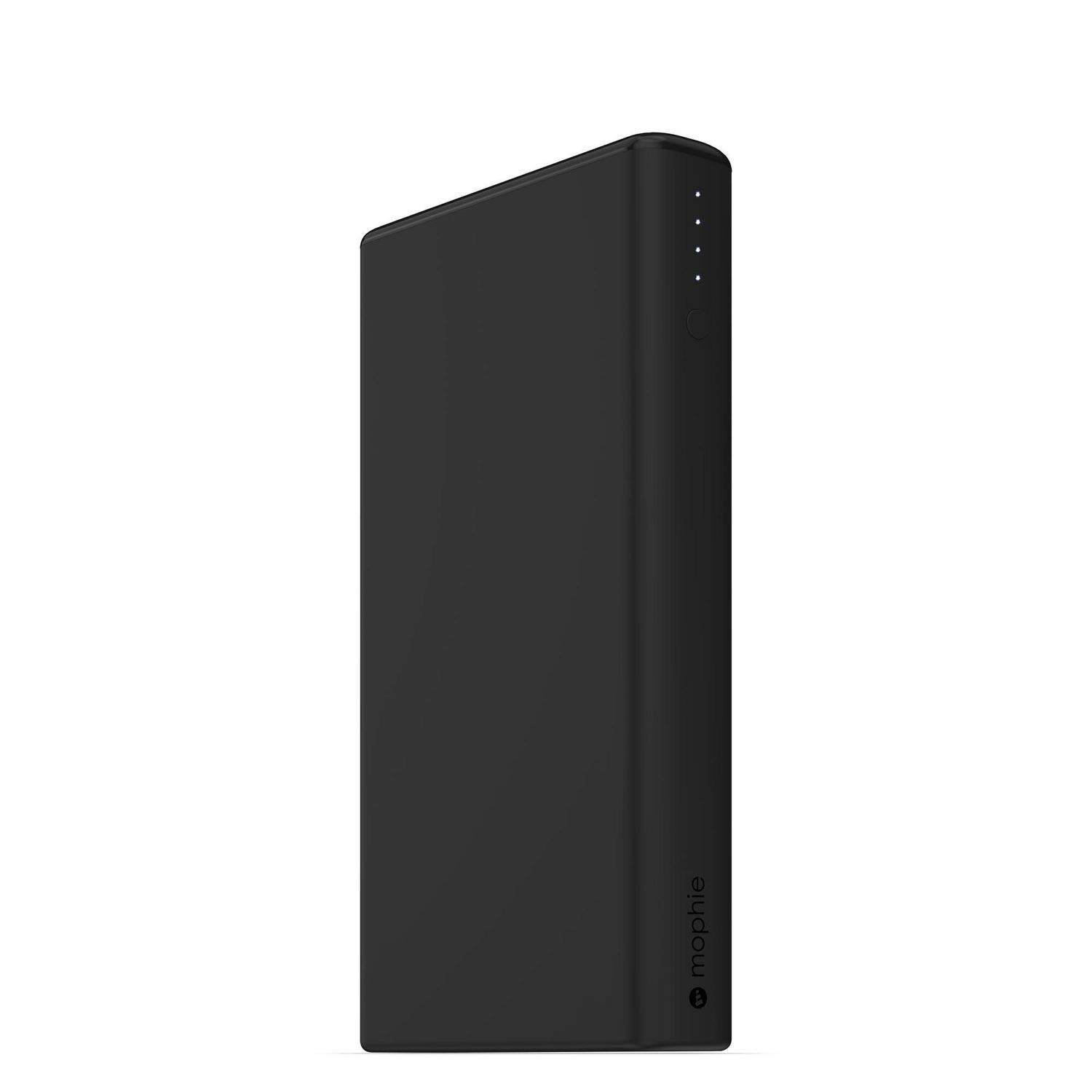
Image: mophie Power Boost XXL showing LED power indicators.
මෙහෙයුම් උපදෙස්
ඔබගේ උපාංග ආරෝපණය කිරීම
The Power Boost XXL features dual USB-A output ports, allowing you to charge two devices simultaneously.
- Connect your device's charging cable (USB-A end) to one of the USB-A output ports on the Power Boost XXL.
- Connect the other end of your device's charging cable to your smartphone, tablet, or other USB-enabled device.
- The Power Boost XXL will automatically begin charging your device. If charging does not start, press the power button on the Power Boost XXL once.
- The LED power indicator lights will show the remaining battery life of the Power Boost XXL during charging.
The Power Boost XXL provides up to 2.1A output per port for efficient charging.
බැටරි මට්ටම පරීක්ෂා කිරීම
To check the remaining battery level of your Power Boost XXL, simply press the power button once. The LED indicators will light up, with each light representing approximately 25% of the battery capacity.
- LED 4: 75-100% අය කෙරේ
- LED 3: 50-75% අය කෙරේ
- LED 2: 25-50% අය කෙරේ
- 1 LED: 0-25% ක් අය කෙරේ (ඉක්මනින් නැවත ආරෝපණය කරන්න)
නඩත්තු කිරීම
- Keep the Power Boost XXL dry and away from moisture.
- උපාංගය අධික උෂ්ණත්වයන්ට (උණුසුම් හෝ සීතල) නිරාවරණය නොකරන්න.
- මෘදු වියළි රෙද්දකින් උපාංගය පිරිසිදු කරන්න. දරුණු රසායනික ද්රව්ය හෝ උල්ෙල්ඛ ද්රව්ය භාවිතා කිරීමෙන් වළකින්න.
- Store the Power Boost XXL in a cool, dry place when not in use.
- For optimal battery health, fully charge the Power Boost XXL at least once every three months if stored for extended periods.
දෝෂගවේෂණය
Power Boost XXL Not Charging
- Ensure the Micro USB cable is securely connected to both the Power Boost XXL and the power source.
- Try using a different USB wall adapter or computer USB port.
- Verify that the power source is active and providing power.
- Check the Micro USB cable for any damage. Try a different cable if available.
Device Not Charging from Power Boost XXL
- Ensure your device's charging cable is securely connected to both the Power Boost XXL and your device.
- Press the power button on the Power Boost XXL once to initiate charging.
- Check if the Power Boost XXL has sufficient charge (refer to "Checking Battery Level").
- Try using a different USB-A output port on the Power Boost XXL.
- Ensure your device's charging cable is not damaged.
- ඔබගේ උපාංගය USB ආරෝපණය සමඟ අනුකූල බව තහවුරු කරන්න.
මන්දගාමී ආරෝපණය
- ඔබ උසස් තත්ත්වයේ ආරෝපණ කේබලයක් භාවිතා කරන බවට වග බලා ගන්න.
- If charging the Power Boost XXL, use a wall adapter with a higher output (e.g., 2.1A or higher) for faster charging.
- If charging a device, ensure the device's cable supports fast charging if applicable.
පිරිවිතර
| විශේෂාංගය | විස්තර |
|---|---|
| අභ්යන්තර බැටරි ධාරිතාව | 20,800 mAh |
| ප්රතිදාන වරායන් | 2 x USB-A (up to 2.1A per port, 4.2A total) |
| ආදාන වරාය | මයික්රෝ USB |
| මානයන් | අඟල් 3.35 x 0.87 x 6.1 |
| බර | රාත්තල් 1ක් |
| ආදර්ශ අංකය | 4061_PWR-BOOST-20.8K-BLK |

Image: mophie Power Boost XXL with labeled dimensions (1.25" H x 7.25" L x 4.25" W).
වැදගත් ආරක්ෂක තොරතුරු
- Do not attempt to disassemble the Power Boost XXL.
- Avoid dropping, puncturing, or exposing the device to strong impacts.
- Keep away from fire, water, and corrosive materials.
- Do not use if the device is damaged or swollen.
- Dispose of the battery pack according to local environmental regulations.
වගකීම් සහ සහාය
mophie products are designed for durability and performance. For warranty information, product registration, and customer support, please visit the official mophie webවෙබ් අඩවියට හෝ ඔවුන්ගේ පාරිභෝගික සේවයට සෘජුවම සම්බන්ධ වන්න.
Official mophie webඅඩවිය: www.mophie.com
නිෂ්පාදන වීඩියෝව
දෘශ්ය විවරණයක් සඳහා මෙම වීඩියෝව නරඹන්නview of the mophie Power Boost XXL.
Video: mophie Power Boost XXL Universal External Battery - 8 Charges (20,800mAh) - Black. This video provides a customer's perspective on the product's features and performance.