
හැඳින්වීම
This manual provides detailed instructions for the MONODEAL MD-ANC5 Active Noise Cancelling Headphones. Please read this manual thoroughly before using the product to ensure proper operation and to maximize your listening experience. This document covers setup, operation, maintenance, troubleshooting, and product specifications.
පැකේජයේ අන්තර්ගතය
- MONODEAL MD-ANC5 Active Noise Cancelling Headphones
- USB ආරෝපණ කේබලය
- රැගෙන යන බෑගය
- Airplane Adapter (two-pin)
- පරිශීලක අත්පොත (මෙම ලේඛනය)
නිෂ්පාදනය අවසන්view
The MONODEAL MD-ANC5 headphones are designed for comfort and effective noise reduction, making them suitable for travel and daily use. They feature active noise cancelling technology, a built-in microphone, and a foldable design for portability.
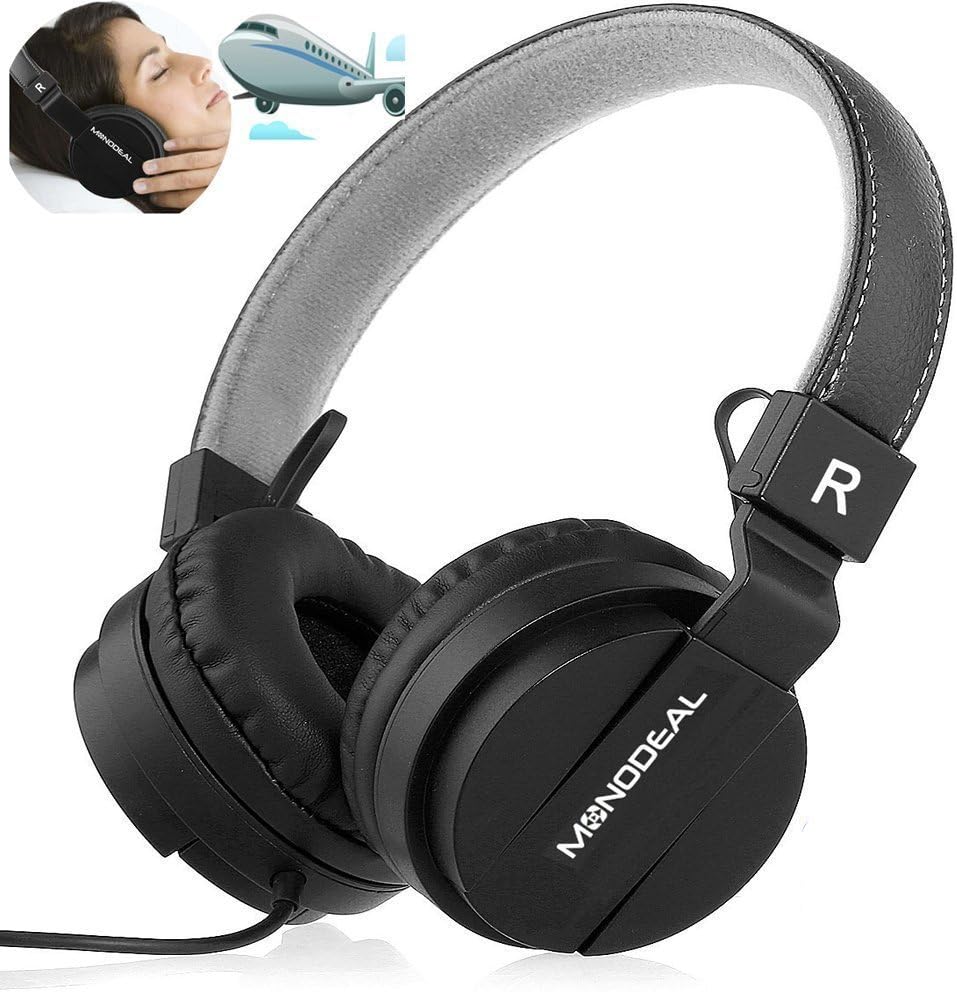
A pair of black MONODEAL MD-ANC5 on-ear headphones, showcasing their design and the brand logo on the earcups. An inset image shows a person wearing headphones on an airplane, illustrating their use for travel and noise reduction.
ප්රධාන ලක්ෂණ
- ක්රියාකාරී ශබ්ද අවලංගු කිරීම (ANC): Reduces ambient noise by up to 85%, ideal for environments with low-frequency sounds like airplane engines or traffic.
- බිල්ට් මයික්රෆෝනය: Enables hands-free phone calls.
- නම්යශීලී නිර්මාණය: Allows for compact storage and portability, accompanied by a carrying bag.
- Adjustable Headband & Comfortable Ear Cushions: Ensures a snug and comfortable fit for various head shapes.
- දිගු බැටරි ආයු කාලය: Up to 20 hours of playtime per charge for ANC function.
- රැහැන්ගත සම්බන්ධතාවය: Standard 3.5mm audio jack for wide compatibility.
- Airplane Adapter: Included for in-flight entertainment systems.

The MONODEAL MD-ANC5 headphones are shown in a folded configuration, highlighting their space-saving design for easy portability. An inset image shows a person resting with headphones on an airplane, demonstrating their suitability for travel.

An illustration detailing the battery life of the MONODEAL MD-ANC5 headphones, indicating up to 20 hours for music playback, 20 hours for phone calls, and 250 hours of standby time.
සැලසුම
මූලික ආරෝපණය
පළමු භාවිතයට පෙර, හෙඩ්ෆෝන් සම්පූර්ණයෙන්ම ආරෝපණය කරන්න.
- Connect the small end of the provided USB charging cable to the USB Charging Port on the headphone's inline controller.
- Connect the larger end of the USB cable to a powered USB port (e.g., computer, USB wall adapter).
- The Noise Cancelling Indicator Light will illuminate during charging.
- Charging typically takes approximately 2 hours for a full charge. The indicator light may change or turn off when fully charged.
ශ්රව්ය මූලාශ්රය වෙත සම්බන්ධ වෙමින්
- Insert the 3.5mm Audio Plug into the audio jack of your device (smartphone, tablet, computer, MP3 player, etc.).
- The headphones are wired and do not require Bluetooth pairing for audio playback.
මෙහෙයුම් උපදෙස්
සක්රීය ශබ්ද අවලංගු කිරීම (ANC)
To activate the Active Noise Cancellation feature:
- Locate the "Noise Cancelling On/Off" switch on the inline controller.
- Slide the switch to the "ON" position.
- The Noise Cancelling Indicator Light will illuminate, indicating ANC is active.
- To deactivate ANC, slide the switch to the "OFF" position.
සටහන: ANC primarily reduces low-frequency ambient noise. It may not completely eliminate human voices or sudden high-frequency sounds. The ANC function requires battery power. If the battery is depleted, the headphones can still be used for audio playback without ANC.
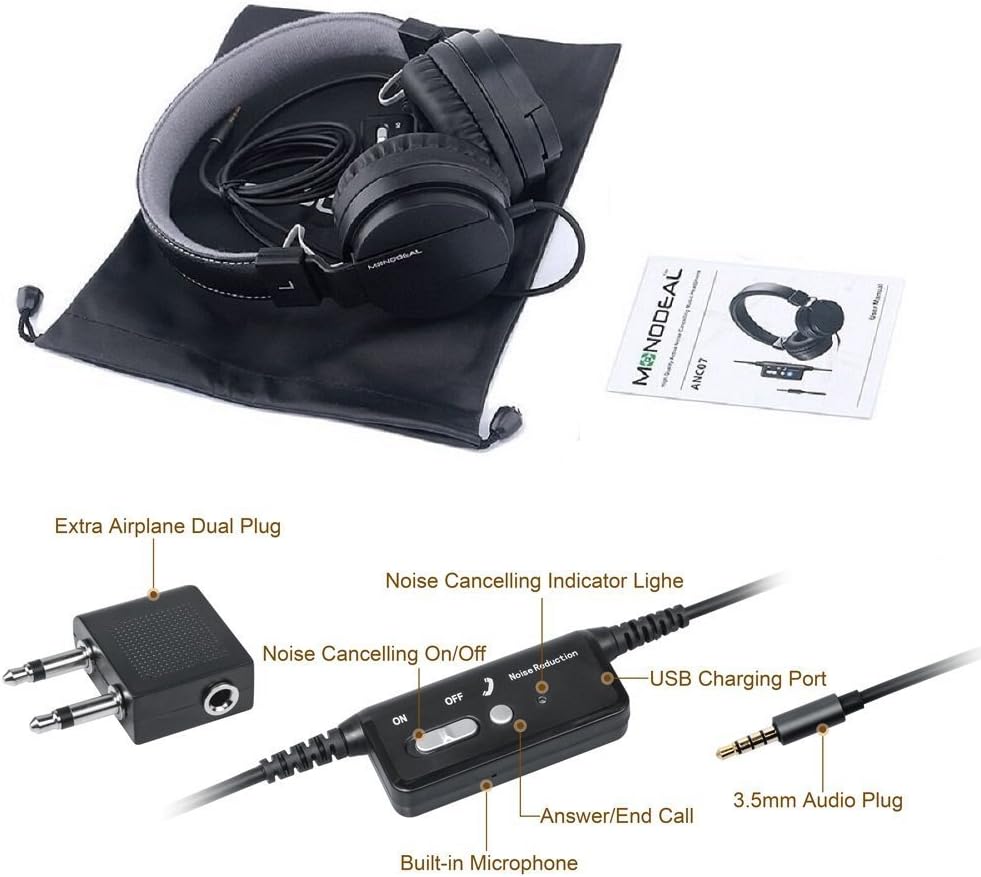
සමීප රූපයක් view of the inline controller for the MONODEAL MD-ANC5 headphones, showing the Noise Cancelling On/Off switch, the Noise Cancelling Indicator Light, the USB Charging Port, the Built-in Microphone, and the 3.5mm Audio Plug. An 'Extra Airplane Dual Plug' adapter is also visible.
Using the Microphone/Controller
The inline controller includes a built-in microphone and an "Answer/End Call" button.
- ඇමතුම්වලට පිළිතුරු දීම / අවසන් කිරීම: Press the "Answer/End Call" button once to answer an incoming call. Press it again to end an active call.
- සංගීත නැවත ධාවනය පාලනය: This model primarily focuses on ANC and basic call functions. For music control (play/pause, track skip), use your connected device.
Using the Airplane Adapter
For in-flight entertainment systems that use a dual-pin audio jack:
- Connect the 3.5mm Audio Plug of your headphones into the single input of the Airplane Adapter.
- Insert the dual pins of the Airplane Adapter into the corresponding jacks on the airplane's armrest.
නඩත්තු කිරීම
- පිරිසිදු කිරීම: හෙඩ්ෆෝන් පිරිසිදු කිරීම සඳහා මෘදු වියළි රෙද්දක් භාවිතා කරන්න. දියර පිරිසිදු කරන්නන් හෝ ද්රාවක භාවිතා නොකරන්න.
- ගබඩා: When not in use, fold the headphones and store them in the provided carrying bag to protect them from dust and damage.
- බැටරි සත්කාර: බැටරි ආයු කාලය දීර්ඝ කිරීම සඳහා, බැටරිය නිතර නිතර සම්පූර්ණයෙන්ම විසර්ජනය කිරීමෙන් වළකින්න. දිගු කාලයක් භාවිතා නොකළත්, හෙඩ්ෆෝන් නිතිපතා ආරෝපණය කරන්න.
- ආන්තික තත්වයන් වළක්වා ගන්න: හෙඩ්ෆෝන් අධික උෂ්ණත්වයන්ට, ආර්ද්රතාවයට හෝ සෘජු හිරු එළියට නිරාවරණය නොකරන්න.
- ජල ප්රතිරෝධය: මෙම හෙඩ්ෆෝන් ජලයට ඔරොත්තු නොදේ. ද්රව සමඟ සම්බන්ධ වීමෙන් වළකින්න.
දෝෂගවේෂණය
| ගැටලුව | විය හැකි හේතුව | විසඳුම |
|---|---|---|
| ශබ්දයක් නැත | හෙඩ්ෆෝන් ප්ලග් එක සම්පූර්ණයෙන්ම ඇතුළත් කර නැත. | Ensure the 3.5mm audio plug is securely inserted into both the headphones and the audio source. |
| ශබ්දයක් නැත | ශ්රව්ය මූලාශ්ර ශබ්දය ඉතා අඩු හෝ නිහඬ කර ඇත. | Increase the volume on your connected device. Check if the device is muted. |
| ANC ක්රියා නොකරයි | ANC switch is off. | Slide the "Noise Cancelling On/Off" switch to the "ON" position. |
| ANC ක්රියා නොකරයි | Headphone battery is low or depleted. | හෙඩ්ෆෝන් පැය 2ක් පමණ ආරෝපණය කරන්න. |
| මයික්රෆෝනය ක්රියා නොකරයි | Microphone port blocked or damaged. | Ensure the microphone is not obstructed. Test with another device if possible. |
| Poor sound quality with ANC on | ANC can sometimes alter sound profile. | If preferred, turn off ANC for music listening, especially if sound quality is a priority over noise reduction. |
| හෙඩ්ෆෝන් අපහසුයි | Headband or earcups not adjusted. | Adjust the headband for a comfortable fit. Ensure ear cushions sit properly on the ears. |
වැඩිදුර සහාය සඳහා, කරුණාකර වගකීම් සහ සහාය අංශය බලන්න.
පිරිවිතර
| විශේෂාංගය | විස්තර |
|---|---|
| ආදර්ශ අංකය | MD-ANC5 |
| වෙළඳ නාමය | මොනෝඩියල් |
| සම්බන්ධතා තාක්ෂණය | රැහැන් සහිත (3.5 මි.මී. ජැක්) |
| ශබ්ද පාලනය | ක්රියාකාරී ශබ්ද අවලංගු කිරීම |
| කන් ස්ථානගත කිරීම | කණ මත |
| ආකෘති සාධකය | කණ මත |
| Battery Life (ANC) | පැය 20 දක්වා |
| ආරෝපණ කාලය | ආසන්න වශයෙන්. පැය 2 යි |
| සංඛ්යාත ප්රතිචාරය | හර්ට්ස් 20 - හර්ට්ස් 20000 |
| අයිතමයේ බර | අවුන්ස 6.5 (ග්රෑම් 184) |
| නිෂ්පාදන මානයන් | අඟල් 7.87 x 6.3 x 2.36 |
| ද්රව්ය | ෆෝක්ස් හම් |
| විශේෂ ලක්ෂණය | Foldable, Rechargeable, Built-in Microphone |
| ගැළපෙන උපාංග | Smartphones, Tablets, Laptops, MP3/MP4 Players |
| ඇතුළත් සංරචක | Carrying Bag, USB Charging Cable, Airplane Adapter |
වගකීම් සහ සහාය
The MONODEAL MD-ANC5 headphones come with an 18-month warranty.
For any questions, issues, or warranty claims, please contact MONODEAL customer support.
සම්බන්ධතා ඊමේල්: amzus@monodeal.net
Important Warning: Prolonged listening at high volume levels may cause hearing damage. It is recommended to take breaks every 1-2 hours to relax your ears and ensure a better listening experience.