
හැඳින්වීම
The GENAI Wireless Bluetooth Headset B112 provides a convenient and hands-free communication experience. This manual offers detailed instructions for setting up, operating, maintaining, and troubleshooting your headset to ensure optimal performance and longevity.
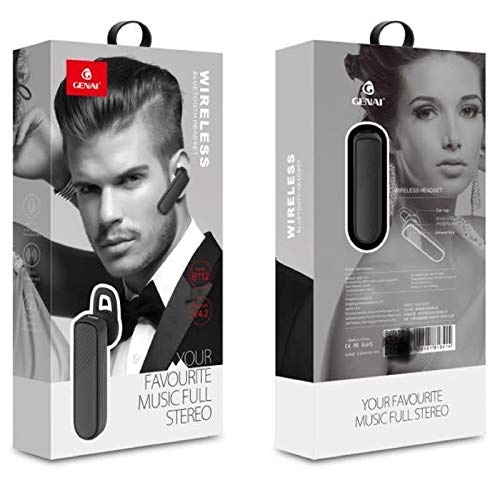
Image: GENAI Wireless Bluetooth Headset B112, main unit with ear hook.
පෙට්ටියේ ඇති දේ
නිෂ්පාදන පැකේජයට පහත අයිතම ඇතුළත් වේ:
- GENAI Wireless Bluetooth Headset B112
- කන් කුෂන්
- ආරෝපණ කේබලය (මයික්රෝ USB)
සැලසුම
1. හෙඩ්සෙට් එක ආරෝපණය කිරීම
- Connect the Micro USB charging cable to the charging port on the headset.
- Connect the other end of the charging cable to a compatible USB power source (e.g., computer USB port, USB wall adapter).
- ආරෝපණය කිරීමේදී දර්ශක ආලෝකය දැල්වෙනු ඇත.
- සම්පූර්ණ ආරෝපණයක් සඳහා සාමාන්යයෙන් ආසන්න වශයෙන් ගතවේ පැය 2 යි.
- Once fully charged, the indicator light may change color or turn off, depending on the model. Disconnect the charging cable.
2. බ්ලූටූත් උපාංගයක් සමඟ යුගල කිරීම
- හෙඩ්සෙට් එක සම්පුර්ණයෙන්ම ආරෝපණය වී ඇති බව සහතික කර ගන්න.
- බල ගැන්වීම: Press and hold the multi-function button (usually the main button) on the headset until the indicator light flashes, typically alternating blue and red, indicating pairing mode.
- බ්ලූටූත් සක්රිය කරන්න: ඔබගේ ජංගම දුරකථනයේ හෝ වෙනත් බ්ලූටූත් සක්රීය උපාංගයක, බ්ලූටූත් සැකසුම් වෙත ගොස් බ්ලූටූත් සක්රිය කර ඇති බව සහතික කර ගන්න.
- ඒ සඳහා සොයන්න උපාංග: Your device will scan for available Bluetooth devices. Look for "B112" or "GENAI B112" in the list.
- සම්බන්ධ කරන්න: Select "B112" or "GENAI B112" to initiate the pairing process. If prompted for a password, enter "0000" (four zeros).
- Once successfully paired, the indicator light on the headset will typically flash blue slowly, and you may hear a voice prompt confirming the connection.
3. හෙඩ්සෙට් එක පැළඳීම
The GENAI B112 headset is designed for comfortable wear. Attach the ear hook if desired, and adjust it to fit securely over your ear. The ear cushions can be changed for a better fit.
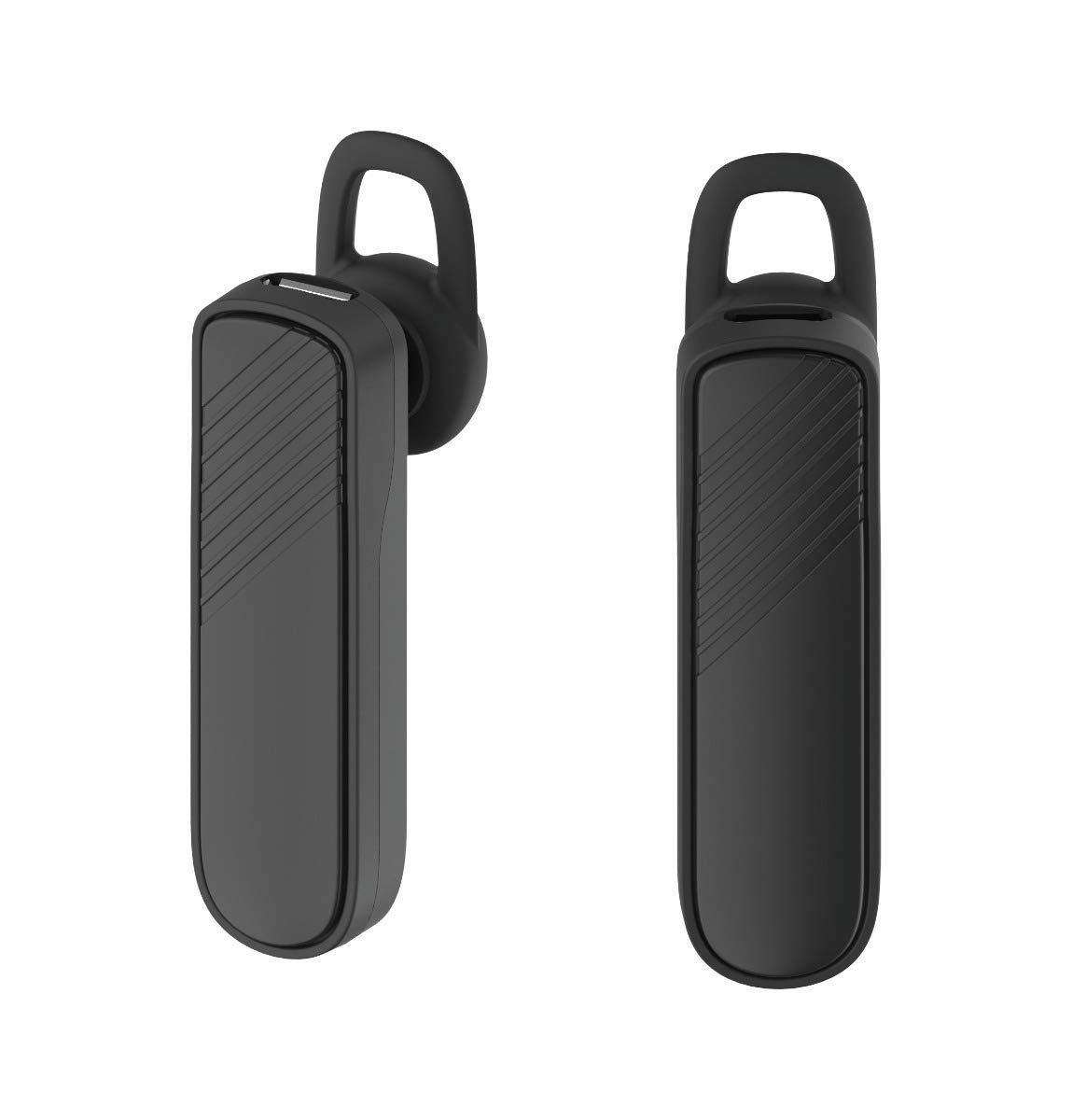
රූපය: දෙක views of the GENAI Wireless Bluetooth Headset B112, illustrating its design.
මෙහෙයුම් උපදෙස්
- බලය සක්රිය / අක්රිය: Press and hold the multi-function button for approximately 3-5 seconds to power on or power off the headset. A voice prompt will confirm the action.
- ඇමතුම්වලට පිළිතුරු දීම / අවසන් කිරීම: Press the multi-function button once to answer an incoming call. Press it again to end an active call.
- ඇමතුම් ප්රතික්ෂේප කිරීම: එන ඇමතුමක් ප්රතික්ෂේප කිරීමට බහුකාර්ය බොත්තම ඔබාගෙන තත්පර 2ක් පමණ අල්ලාගෙන සිටින්න.
- අවසාන අංකය නැවත අමතන්න: අවසන් වරට ඩයල් කළ අංකය නැවත ඩයල් කිරීමට බහුකාර්ය බොත්තම දෙවරක් ඔබන්න.
- ශබ්ද පාලනය: Use the dedicated volume buttons (if present) or the multi-function button (depending on model variation) to adjust the call or music volume. Refer to your device's manual for specific button functions.
- සංගීත වාදනය: When connected, you can play music from your paired device. The multi-function button may also control play/pause.
- හඬ විමසුම්: The headset provides voice alerts for power on/off and pairing status.
නඩත්තු කිරීම
- පිරිසිදු කිරීම: Use a soft, dry, lint-free cloth to clean the headset. Do not use harsh chemicals, cleaning solvents, or strong detergents.
- ගබඩා: When not in use, store the headset in a cool, dry place, away from extreme temperatures and direct sunlight.
- බැටරි සත්කාර: බැටරි ආයු කාලය දීර්ඝ කිරීම සඳහා, බැටරිය නිතර නිතර සම්පූර්ණයෙන්ම විසර්ජනය කිරීමෙන් වළකින්න. දිගු කාලයක් භාවිතා නොකළත්, හෙඩ්සෙට් එක නිතිපතා ආරෝපණය කරන්න.
- ජල නිරාවරණය: This headset is not waterproof. Avoid exposure to water, moisture, or rain.
දෝෂගවේෂණය
- Headset does not power on:
- හෙඩ්සෙට් එක සම්පූර්ණයෙන්ම ආරෝපණය වී ඇති බවට වග බලා ගන්න. එය බල ප්රභවයකට සම්බන්ධ කර නැවත බලය ක්රියාත්මක කිරීමට පෙර අවම වශයෙන් විනාඩි 30ක් ආරෝපණය වීමට ඉඩ දෙන්න.
- මගේ උපාංගය සමඟ හෙඩ්සෙට් එක යුගල කළ නොහැක:
- Ensure the headset is in pairing mode (indicator light flashing blue/red).
- ඔබගේ උපාංගයේ බ්ලූටූත් සබල කර ඇති බවට වග බලා ගන්න.
- Keep the headset and your device within close proximity (within 1 meter) during pairing.
- Turn off and on both the headset and your device, then try pairing again.
- If previously paired, try "forgetting" or "unpairing" the headset from your device's Bluetooth list and then re-pair.
- ශබ්දයක් නැත හෝ අඩු පරිමාවක්:
- Check the volume levels on both the headset and your paired device.
- Ensure the headset is properly connected to your device. Sometimes, the audio output might switch to the phone speaker.
- උපාංග දෙකම නැවත ආරම්භ කිරීමට උත්සාහ කරන්න.
- හෙඩ්සෙට් එක නිතර විසන්ධි වේ:
- Ensure there are no obstacles between the headset and your device.
- බාධා අඩු කිරීමට ඔබගේ යුගල කළ උපාංගයට සමීප වන්න.
- Check for other active Bluetooth devices that might be causing interference.
- හෙඩ්සෙට් එක ප්රමාණවත් ලෙස ආරෝපණය වී ඇති බවට වග බලා ගන්න.
පිරිවිතර
| මාදිලියේ නම | B112 |
| සම්බන්ධතා තාක්ෂණය | බ්ලූටූත් V4.2 |
| ආරෝපණ වරාය | මයික්රෝ USB |
| ආරෝපණ කාලය | ආසන්න වශයෙන් පැය 2 යි |
| කතා කාලය | පැය 20 දක්වා |
| සංගීත වාදනය කාලය | ආසන්න වශයෙන් පැය 20 යි |
| පොරොත්තු කාලය | පැය 1000 දක්වා |
| අයිතමයේ බර | 30 ග්රෑම් |
| ද්රව්ය | ප්ලාස්ටික් |
| විශේෂ ලක්ෂණය | ඉයර්හුක් |
| ඇතුළත් සංරචක | කන් කුෂන් |
| ගැළපෙන උපාංග | Android, iOS, Mi devices (Bluetooth-enabled smartphones) |
වගකීම් තොරතුරු
This GENAI Wireless Bluetooth Headset B112 comes with a මාස 3 ආදේශන වගකීම් from the date of purchase. Please retain your proof of purchase for warranty claims. This warranty covers manufacturing defects. Please note that this warranty does not include refunds.
සහාය
For further assistance, technical support, or warranty claims, please contact your retailer or the GENAI customer service department. Refer to the product packaging or the official GENAI webසම්බන්ධතා විස්තර සඳහා අඩවිය.