
1. හැඳින්වීම
This manual provides instructions for the ZdalaMit XRT136 Replacement Remote Control. This remote is designed to function as a direct replacement for your original Vizio Smart TV remote without requiring any programming or pairing.
Compatible Vizio Smart TV Models:
- M657-G0
- M557-G0
- PX65-G1
- P659-G1
- P759-G1
- D60-F3
2. පැකේජ අන්තර්ගතය
සියලුම අයිතම පැකේජයේ ඇති බවට වග බලා ගන්න:
- 1 x ZdalaMit XRT136 Replacement Remote Control
3. පිහිටුවීම
3.1 බැටරි ස්ථාපනය
The remote control requires two (2) AAA alkaline batteries (not included) for operation.
- දුරස්ථ පාලකයේ පිටුපස බැටරි මැදිරිය සොයා ගන්න.
- එය විවෘත කිරීමට බැටරි මැදිරි කවරය පහළට තල්ලු කරන්න.
- Insert two new AAA batteries, ensuring the positive (+) and negative (-) terminals align correctly with the markings inside the compartment.
- බැටරි මැදිරි කවරය ආරක්ෂිතව ක්ලික් කරන තුරු එය නැවත එම ස්ථානයට තල්ලු කරන්න.

රූපය: ආපසු view of the XRT136 remote control, illustrating the battery compartment location.
Once batteries are installed, the remote is ready for use. No programming or pairing is required.
4. මෙහෙයුම් උපදෙස්
To operate your Vizio Smart TV, point the ZdalaMit XRT136 remote control directly at the television's infrared receiver. Press the desired buttons to control your TV's functions.

රූපය: ඉදිරිපස view of the XRT136 remote control, displaying the layout of all buttons.
4.1 යතුරු ශ්රිත අවසන්view
The remote features standard television control buttons, including:
- බල බොත්තම: රූපවාහිනිය ක්රියාත්මක හෝ අක්රිය කරයි.
- ආදාන බොත්තම: Selects video input sources (HDMI, AV, etc.).
- සංචාලන පෑඩ් (ඉහළ, පහළ, වම, දකුණ, හරි): මෙනු සංචාලනය සහ තේරීම සඳහා.
- ශබ්දය වැඩි/පහළ: රූපවාහිනී පරිමාව සකසයි.
- නාලිකාව ඉහළ/පහළ: රූපවාහිනී නාලිකා මාරු කරනවා.
- නිශ්ශබ්ද බොත්තම: Silences the television audio.
- අංක පෑඩ් (0-9): සෘජු නාලිකා ප්රවේශය සඳහා.
- ආපසු/පිටවීමේ බොත්තම්: Navigates back in menus or exits current functions.
- Menu/Info Buttons: Accesses TV menus and displays information.
- කැපවූ යෙදුම් බොත්තම්: Quick access to streaming services (e.g., VUDU, Netflix, Amazon, Xumo, Crackle, iHeartRadio).

Image: A user holding the XRT136 remote control, demonstrating typical usage by pointing it at a television.
5. නඩත්තු කිරීම
5.1 පිරිසිදු කිරීම
To clean the remote control, use a soft, dry cloth. Do not use liquid cleaners, sprays, or abrasive materials, as these may damage the remote's surface or internal components.
5.2 බැටරි සත්කාර
- Replace batteries when the remote's performance diminishes or stops working.
- පැරණි සහ නව බැටරි, හෝ විවිධ වර්ගයේ බැටරි මිශ්ර නොකරන්න.
- කාන්දු වීම වැළැක්වීම සඳහා දුරස්ථ පාලකය දිගු කාලයක් භාවිතා නොකරන්නේ නම් බැටරි ඉවත් කරන්න.
- දේශීය රෙගුලාසි වලට අනුව භාවිතා කරන ලද බැටරි බැහැර කරන්න.
6. දෝශ නිරාකරණය
6.1 දුරස්ථ පාලකය ප්රතිචාර නොදක්වයි
- බැටරි පරීක්ෂා කරන්න: නිවැරදි ධ්රැවීයතාවයෙන් (+/-) බැටරි නිවැරදිව ඇතුළු කර ඇති බවට වග බලා ගන්න.
- බැටරි ප්රතිස්ථාපනය කරන්න: If the batteries are old or depleted, replace them with two new AAA alkaline batteries.
- දර්ශන රේඛාව: Ensure there are no obstructions between the remote control and the TV's infrared receiver. Point the remote directly at the TV.
- දුර: Confirm you are within the effective operating range (up to 33 feet).
6.2 Limited Functionality
- Verify that your Vizio Smart TV model is listed under the compatible models in Section 1.
- Some advanced TV features or smart functions may require the original remote or specific TV settings. This remote is designed for primary control functions.
7. පිරිවිතර
| වෙළඳ නාමය | ZdalaMit |
| මාදිලියේ නම | XRT136 (Mfr Part Number: fghea-593) |
| ගැළපෙන උපාංග | Vizio Smart Televisions (M657-G0, M557-G0, PX65-G1, P659-G1, P759-G1, D60-F3) |
| සම්බන්ධතා තාක්ෂණය | අධෝරක්ත කිරණ |
| පාලක වර්ගය | බොත්තම් පාලනය |
| බොත්තම් ගණන | 18 |
| බල සැපයුම | 2 x 1.5V AAA ක්ෂාරීය බැටරි |
| උපරිම පරාසය | අඩි 33 (මීටර් 10) |
| අයිතම මානයන් (L x W x H) | 6.75" x 1.79" x 0.55" (17.15 සෙ.මී. x 4.55 සෙ.මී. x 1.4 සෙ.මී.) |
| අයිතමයේ බර | අවුන්ස 1.6 (ග්රෑම් 45) |
| විශේෂ ලක්ෂණය | Ergonomic නිර්මාණය |
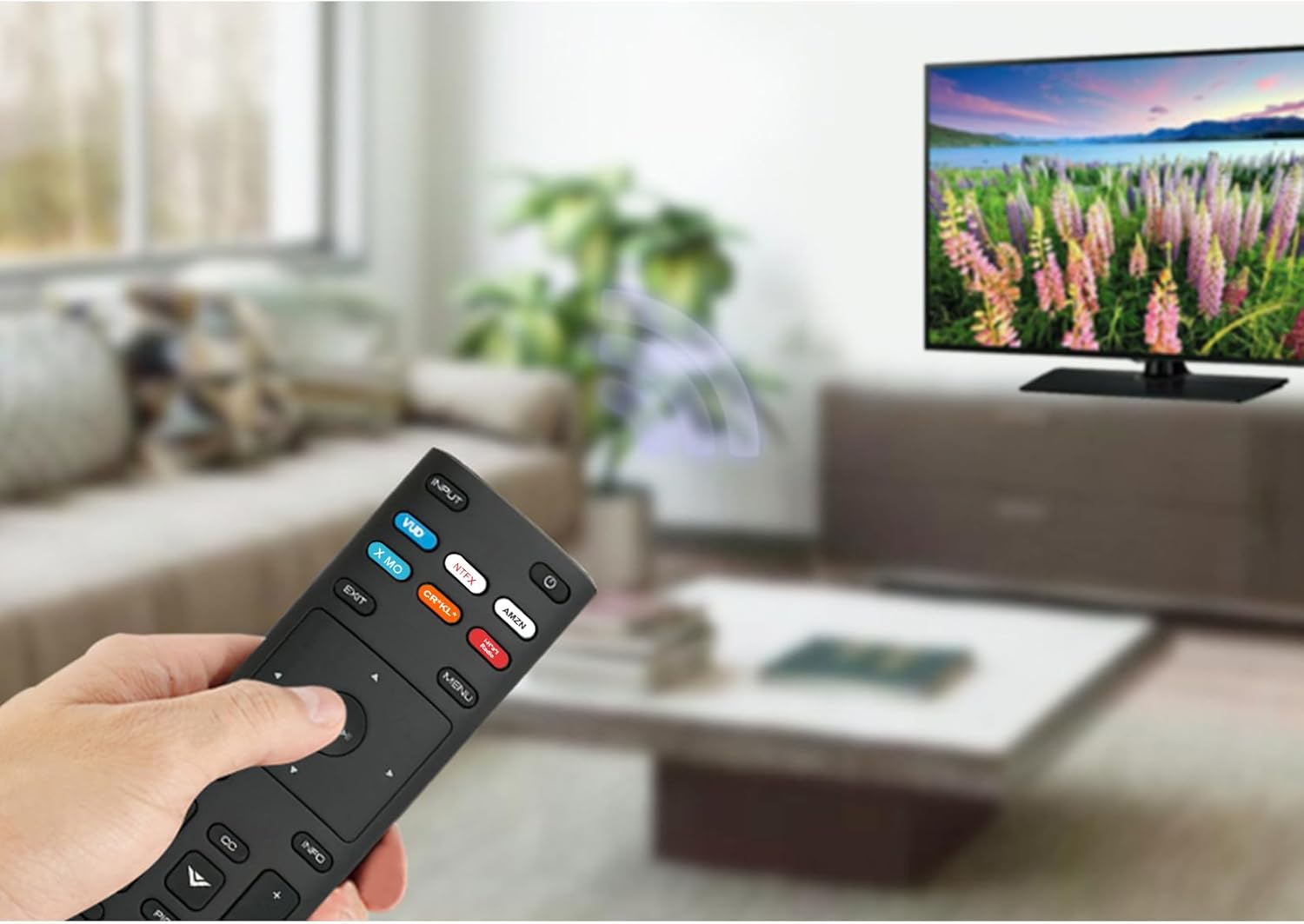
Image: The XRT136 remote control with its physical dimensions highlighted.
8. වගකීම් තොරතුරු
This ZdalaMit product comes with a වසර 1ක වගකීමක් මිලදී ගත් දින සිට. මෙම වගකීම් සහතිකය සාමාන්ය භාවිතය යටතේ නිෂ්පාදන දෝෂ ආවරණය කරයි. අනිසි භාවිතය, අනතුරු, අනවසර වෙනස් කිරීම් හෝ බැටරි කාන්දු වීම නිසා සිදුවන හානිය එය ආවරණය නොකරයි.
9. සහාය
If you encounter any issues or have questions regarding your ZdalaMit XRT136 Replacement Remote Control that are not addressed in this manual, please contact the seller or manufacturer for assistance. Provide your product model (XRT136) and a detailed description of the issue for efficient support.