
හැඳින්වීම
The Lenovo ThinkPad X1 Carbon is a high-performance ultrabook designed for productivity and durability. This flagship notebook series is known for its lightweight design, robust construction, and advanced features. This manual provides essential information for setting up, operating, maintaining, and troubleshooting your device.

සැලසුම
මුලික බලය සක්රිය
To power on your ThinkPad X1 Carbon for the first time, ensure it is connected to a power source using the provided AC adapter. Press the power button, typically located on the side or top right of the keyboard deck. Follow the on-screen prompts to complete the initial operating system setup.
ජාලයකට සම්බන්ධ වීම
Your ThinkPad X1 Carbon supports WiFi 6 (802.11AX) for fast and reliable wireless connections. To connect to a Wi-Fi network:
- පද්ධති තැටියේ (සාමාන්යයෙන් තිරයේ පහළ-දකුණු පස) ජාල නිරූපකය ක්ලික් කරන්න.
- ලැයිස්තුවෙන් ඔබට අවශ්ය Wi-Fi ජාලය තෝරන්න.
- විමසන්නේ නම් ජාල මුරපදය ඇතුළත් කරන්න.
- Click 'Connect'.
වරාය සහ සම්බන්ධතා
The ThinkPad X1 Carbon offers a variety of ports for connecting external devices:
- USB-C 3.2 (Gen 2) Intel Thunderbolt 3: Two ports for DisplayPort and high-speed data transfer.
- USB 3.2 (Gen 1): Two ports, one with Always On functionality for charging devices even when the laptop is off.
- HDMI1.4: බාහිර සංදර්ශක වෙත සම්බන්ධ වීම සඳහා.
- Ethernet/Network Extension: For side mechanical docking.
- හෙඩ්ෆෝන්/මයික්රොෆෝන් සංයුක්ත ජැක්: ශ්රව්ය ආදානය සහ ප්රතිදානය සඳහා.

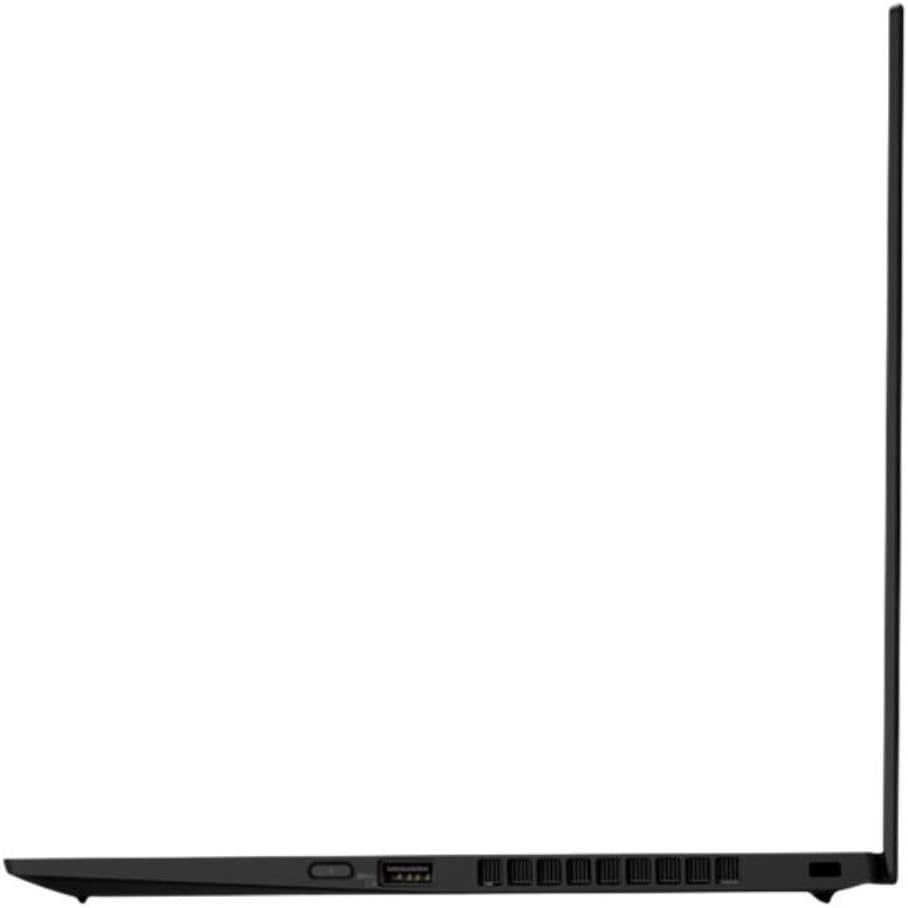
Operating Your ThinkPad X1 Carbon
යතුරු පුවරුව සහ ටච් පෑඩ්
The ThinkPad X1 Carbon features a backlit, spill-resistant US English QWERTY keyboard designed for comfortable and responsive typing. The touchpad provides smooth and precise cursor control. Ensure your hands are clean before use to maintain optimal performance.

ඇඟිලි සලකුණු කියවනය
For enhanced security and convenient login, your laptop includes a fingerprint reader. To set up biometric authentication, navigate to your operating system's security settings and follow the instructions to register your fingerprints.
Webcam සහ රහස්යතා ෂටරය
The integrated HD 720p webcam is equipped with a ThinkShutter privacy cover. This physical slider allows you to block the camera lens when not in use, ensuring your privacy. The laptop also features four 360-degree far-field microphones for clear audio during calls and recordings.

ශ්රව්ය පද්ධතිය
Experience rich audio with the Dolby Atmos speaker system. This technology enhances sound for an immersive listening experience, whether you're watching videos or participating in online meetings.
බැටරි සහ ආරෝපණය
The ThinkPad X1 Carbon features a long-lasting battery with Rapid Charge technology, allowing you to boost battery life up to 80% in approximately one hour. For optimal battery health, avoid frequently discharging the battery completely and store the device in a cool, dry place.
නඩත්තු කිරීම
පිරිසිදු කිරීම
To maintain the appearance and functionality of your laptop:
- Use a soft, lint-free cloth to wipe the screen and chassis.
- මුරණ්ඩු ලකුණු සඳහා, dampen the cloth slightly with water or a screen-safe cleaner.
- Avoid harsh chemicals, abrasive materials, and excessive moisture.
- Regularly clean the keyboard and touchpad to prevent debris buildup.
මෘදුකාංග යාවත්කාලීන
Keep your operating system and drivers updated to ensure optimal performance, security, and compatibility. Check for updates regularly through your operating system's settings or Lenovo's official support webඅඩවිය.
දෝෂගවේෂණය
පොදු ගැටළු
- බලය නැත: Ensure the AC adapter is securely connected to both the laptop and a working power outlet. Try a different outlet or adapter if available.
- Wi-Fi සම්බන්ධතාවයක් නැත: Verify that Wi-Fi is enabled in your operating system settings. Restart your router and the laptop. Check if other devices can connect to the network.
- මන්දගාමී කාර්ය සාධනය: Close unnecessary applications. Check for background processes consuming high resources. Ensure your system is updated and free of malware.
- සංදර්ශක ගැටළු: If the screen is blank or flickering, try connecting an external monitor to determine if the issue is with the laptop's display or graphics card. Restart the laptop.
- යතුරුපුවරුව/ස්පර්ශ පෑඩය ප්රතිචාර නොදක්වයි: Restart the laptop. Ensure no external devices are interfering. Check device manager for driver issues.
තාක්ෂණික පිරිවිතර
| විශේෂාංගය | පිරිවිතර |
|---|---|
| වෙළඳ නාමය | ලෙනොවෝ |
| මාදිලියේ නම | X1 Carbon 8th Generation (20U9005MUS) |
| තිර ප්රමාණය | අඟල් 14 |
| දේශීය විභේදනය | 1920x1080 Pixels (LCD) |
| CPU ආකෘතිය | Intel Core i7-10510U (10th Generation) |
| CPU වේගය | 1.8 GHz (Max 4.9 GHz) |
| RAM මතක ප්රමාණය | 16 GB DDR |
| දෘඩ තැටි ධාරිතාව | 1000 GB SSD |
| Graphics Hardware | Integrated Intel UHD Graphics |
| මෙහෙයුම් පද්ධතිය | Android 10 (Note: This specification might be an error in the source data, as ThinkPads typically run Windows. Please verify.) |
| රැහැන් රහිත සම්බන්ධතාව | Wi-Fi 6 AX201 (802.11AX), Bluetooth 5.2 |
| වරායන් | 2x USB-C 3.2 (Gen 2) Thunderbolt 3, 2x USB 3.2 (Gen 1), 1x HDMI 1.4, Ethernet Extension, Headphone/Mic Combo |
| Webකැම් | HD 720p with ThinkShutter privacy cover |
| ජෛවමිතික සත්යාපනය | ඇඟිලි සලකුණු කියවනය |
| ශ්රව්ය විශේෂාංග | Dolby Atmos Speaker System, 4x 360-degree far-field microphones |
| බැටරි ආයු කාලය | Up to 19 Hours (13.5 Hours standby) |
| අයිතමයේ බර | රාත්තල් 2.5 (දළ වශයෙන් කිලෝග්රෑම් 1.13) |
| මානයන් (LxWxH) | 32.3 x 21.7 x 1.5 සෙ.මී |
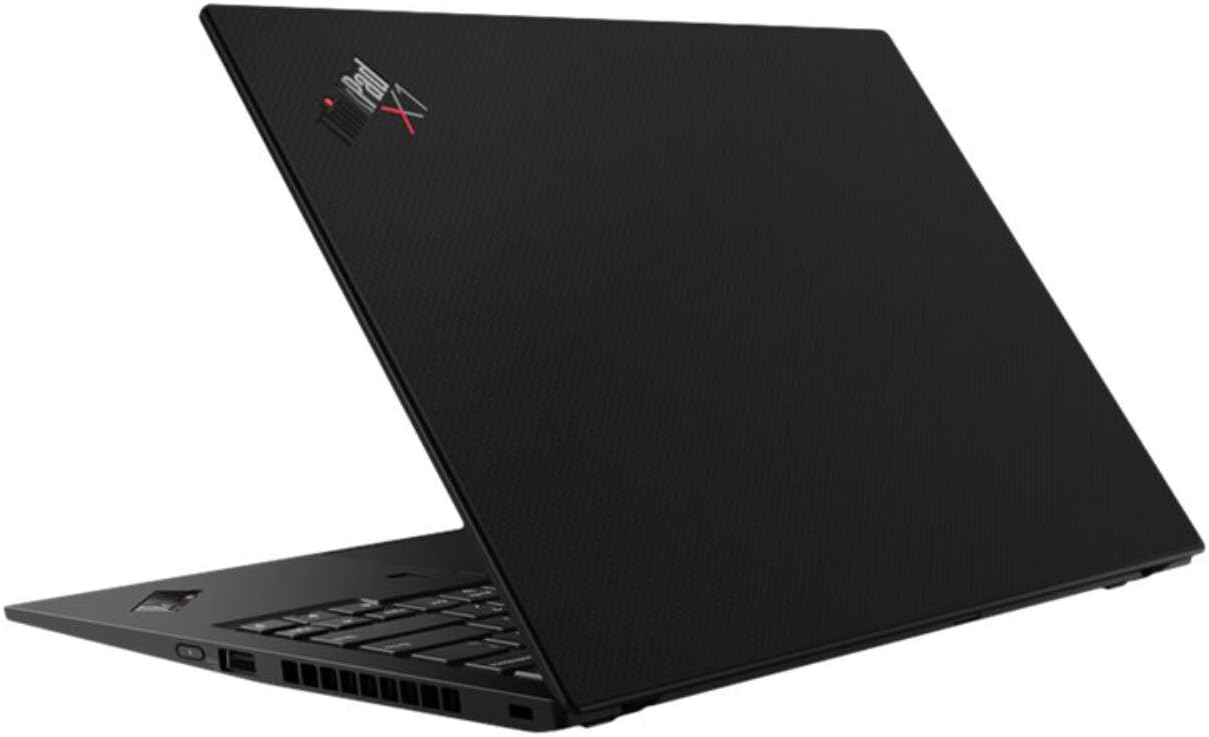
වගකීම් තොරතුරු
Your Lenovo ThinkPad X1 Carbon is covered by a standard manufacturer's warranty. The specific terms and duration of the warranty may vary by region and purchase date. Please refer to the warranty card included with your product or visit the official Lenovo support webඔබගේ වගකීම් ආවරණය පිළිබඳ සවිස්තර තොරතුරු සඳහා අඩවිය.
පාරිභෝගික සහාය
For technical assistance, troubleshooting, or service requests, please contact Lenovo customer support. You can find contact information, FAQs, and driver downloads on the official Lenovo support website. Have your product's serial number ready when contacting support to expedite the process.
ලෙනොවෝ සහාය Webඅඩවිය: support.lenovo.com