
1. වැදගත් ආරක්ෂක උපදෙස්
මෙම නිෂ්පාදනය එකලස් කර භාවිතා කිරීමට පෙර කරුණාකර සියලු උපදෙස් කියවා තේරුම් ගන්න. මෙම උපදෙස් අනුගමනය කිරීමට අපොහොසත් වීමෙන් විදුලි කම්පනය, ගින්නක් හෝ බරපතල තුවාල සිදුවිය හැක.
- Do not connect electricity until the lamp සම්පූර්ණයෙන්ම එකලස් කර ඇත.
- Ensure the power cord is not pinched or damaged during assembly.
- නිශ්චිත බල්බ වර්ගය සහ වොට් පමණක් භාවිතා කරන්නtage (E26 base, Max 150W).
- එල් තබා ගන්නamp ජලය සහ තෙතමනය සිට දුරින්.
- l වෙනස් කිරීමට හෝ අලුත්වැඩියා කිරීමට උත්සාහ නොකරන්න.amp yourself. Contact qualified service personnel.
- l පේනුව ගලවන්නamp from the power outlet before cleaning or changing the bulb.
- මෙම නිෂ්පාදනය ගෘහස්ථ භාවිතය සඳහා පමණක් අදහස් කෙරේ.
2. පැකේජ අන්තර්ගතය
එකලස් කිරීම ආරම්භ කිරීමට පෙර සියලුම සංරචක පවතින බව තහවුරු කර ගන්න:
- මහල එල්amp රාමුව
- Lampසෙවන
- 9W LED බල්බය
- Charging Station (integrated)
- පරිශීලක අත්පොත
- Plastic Clips for cord management
3. එකලස් කිරීමේ උපදෙස්
Assembly is quick and requires no additional tools. Follow these steps:
- සියලුම සංරචක ප්රවේශමෙන් ඉවත් කර පිරිසිදු, පැතලි මතුපිටක් මත තබන්න.
- Attach the bottom shelf to the base frame, ensuring all connections are secure.
- Connect the vertical support poles, stacking the shelves one by one.
- Secure the top frame, which includes the light socket and charging station.
- l ස්ථාපනය කරන්නampshade onto the top frame.
- Screw the provided 9W LED bulb into the lamp සොකට්.
- Use the included plastic clips to neatly secure the power cord along one of the vertical poles.
For a visual guide, please watch the assembly video:
Video: How to Assemble the OUTON Shelf Floor Lamp. This video demonstrates the step-by-step assembly process for the lamp.

Image: Illustration showing two people easily assembling the floor lamp, highlighting the simple process.

Image: The assembled floor lamp පෙන්වන්නasing its three open shelves, ideal for storage and display.
4. මෙහෙයුම් උපදෙස්
4.1 Power On/Off and Color Temperature Adjustment
එල්amp features a convenient pull chain switch and offers three color temperature settings:
- අදින්න දාම ස්විචය: Pull the chain once to turn the lamp ON. Pull it again to cycle through the three color temperatures (Warm, Cool White, Daylight). Pull it a fourth time to turn the lamp අක්රියයි.
- මතක කාර්යය: එල්amp will remember your last selected color temperature setting when turned off and will resume that setting when turned back on.

Image: A person reading next to the floor lamp, illustrating the pull chain switch and memory function for easy control.

Image: Three scenes demonstrating the different color temperature options: Warm White, Natural White, and Daylight, suitable for various scenarios.
4.2 ආරෝපණ ස්ථානය
The integrated charging station allows you to power multiple devices simultaneously:
- 1 වර්ගය-C වේගවත් ආරෝපණ වරාය: අනුකූල උපාංග සඳහා.
- 1 5V/2A USB පෝට් එක: සම්මත USB ආරෝපණය සඳහා.
- 1 AC Outlet: For plugging in other electronic devices.
The charging station functions whether the lamp is on or off, helping to reduce cable clutter.
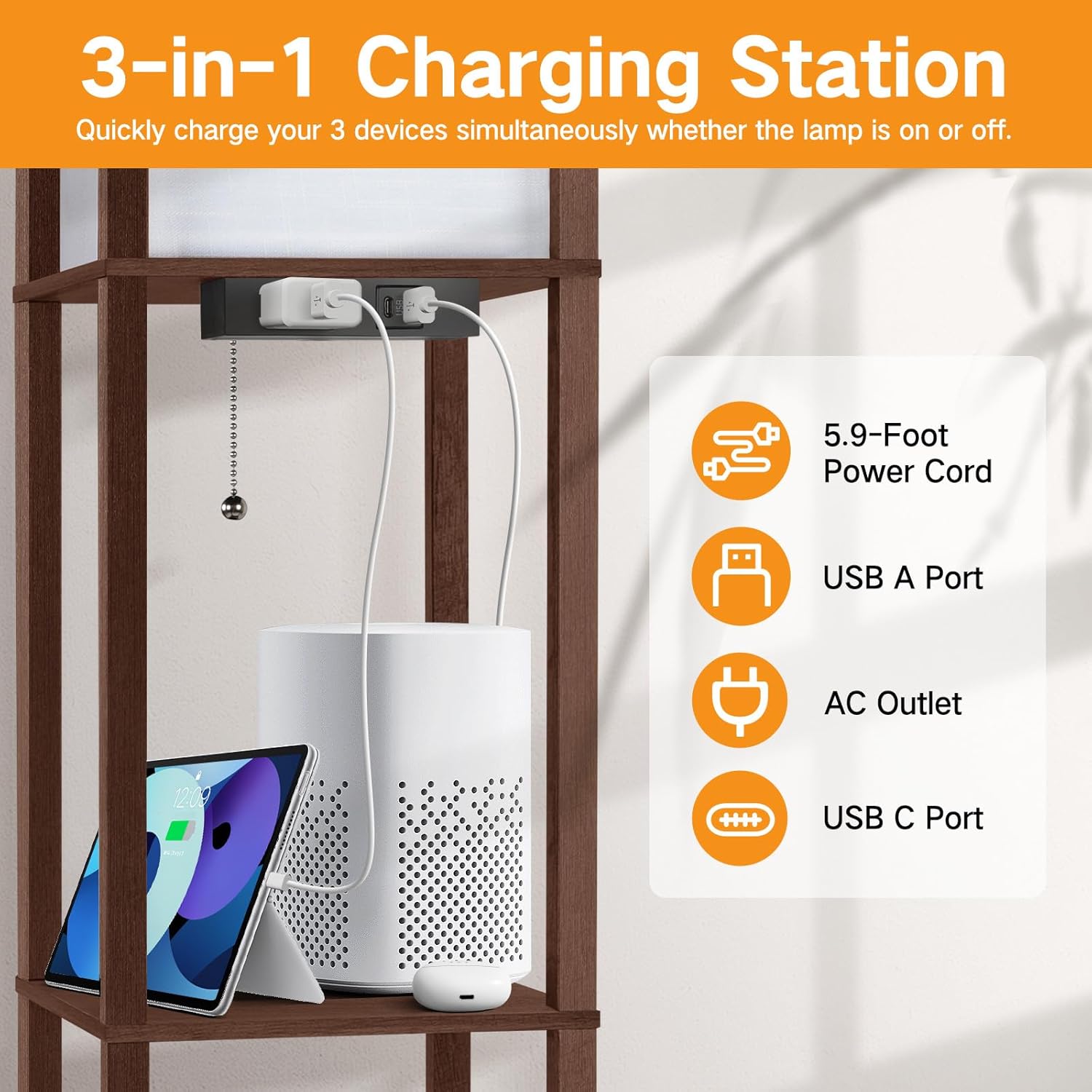
Image: A close-up of the integrated charging station with a Type-C port, USB port, and AC outlet, showing devices being charged.
5. නඩත්තු කිරීම
5.1 පිරිසිදු කිරීම
- සෑම විටම l පේනුව ගලවන්නamp පිරිසිදු කිරීමට පෙර.
- Wipe the wooden frame and shelves with a soft, dry cloth.
- එල් සඳහාampshade, use a soft, lint-free cloth or a feather duster to remove dust. Do not use liquid cleaners on the lampසෙවන.
5.2 බල්බ ආදේශ කිරීම
- l සහතික කරන්නamp is unplugged and the bulb has cooled down before attempting to replace it.
- පැරණි බල්බය වාමාවර්තව ගලවන්න.
- Screw in a new E26 base bulb clockwise. The maximum wattage බල්බය සඳහා 150W වේ.

Image: Various E26 standard bulbs, illustrating the compatibility of the lamp with different bulb types.
6. දෝශ නිරාකරණය
- Lamp ක්රියාත්මක නොවේ:
- විදුලි රැහැන ආරක්ෂිතව වැඩ කරන අලෙවිසැලකට සම්බන්ධ කර ඇත්දැයි පරීක්ෂා කරන්න.
- Ensure the bulb is screwed in correctly and is not burnt out. Replace if necessary.
- Verify that the pull chain switch is functioning by pulling it multiple times.
- Charging ports are not working:
- එල් තහවුරු කරන්නamp's main power cord is plugged in.
- Test with different devices and cables to rule out device/cable issues.
- Ensure the devices are compatible with the charging port specifications (e.g., Type-C fast charging, 5V/2A USB).
- Lamp is unstable/wobbles:
- Check that all screws and connections made during assembly are tightened.
- l සහතික කරන්නamp පැතලි, සමතලා මතුපිටක් මත තබා ඇත.
7. පිරිවිතර
| විශේෂාංගය | විස්තර |
|---|---|
| වෙළඳ නාමය | OUTON |
| ආකෘතිය | B08R896XS2 |
| නිෂ්පාදන මානයන් | 10.25"D x 10.25"W x 63.7"H |
| අයිතමයේ බර | පවුම් 12.1ක් |
| අවසන් වර්ගය | Walnut Painted |
| මූලික ද්රව්ය | ලී |
| සෙවන ද්රව්ය | ලී |
| බල්බ පදනම | E26 |
| වට්tage (Included Bulb) | වොට් 9 |
| මැක්ස් වොට්tage (Compatible Bulb) | වොට් 150 |
| වර්ණ උෂ්ණත්වය | Warm, Cool White, Daylight |
| මාරු වර්ගය | චේන් අදින්න |
| ආරෝපණ වරායන් | 1 Type-C, 1 5V/2A USB, 1 AC Outlet |
| අමතර විශේෂාංග | Memory Function, Energy Efficient |
| ගෘහස්ථ / එළිමහන් භාවිතය | ගෘහස්ථ |
8. වගකීම් සහ සහාය
For warranty information or technical support, please refer to the contact details provided with your purchase documentation or visit the official OUTON webඅඩවිය. වගකීම් හිමිකම් සඳහා ඔබේ මිලදී ගැනීමේ රිසිට්පත තබා ගන්න.