
හැඳින්වීම
Thank you for choosing the MEDION MD 10319 Tower Fan. This manual provides essential information for the safe and efficient operation of your new fan. Please read these instructions carefully before use and keep them for future reference.
වැදගත් ආරක්ෂක උපදෙස්
ගින්න, විදුලි කම්පනය සහ පුද්ගලයින්ට සිදුවන තුවාල අවම කිරීම සඳහා විදුලි උපකරණ භාවිතා කරන විට සෑම විටම මූලික ආරක්ෂක පියවරයන් අනුගමනය කරන්න.
- බල සැපයුම් පරිමාව සහතික කරන්නtage විදුලි පංකාවේ ශ්රේණිගත කිරීමේ ලේබලයට ගැලපේ.
- හානි වූ ලණුවකින් හෝ ප්ලග් එකකින් විදුලි පංකාව ක්රියාත්මක නොකරන්න. ලණුවට හානි සිදුවී ඇත්නම්, අනතුරක් වළක්වා ගැනීම සඳහා නිෂ්පාදකයා, එහි සේවා නියෝජිතයා හෝ ඒ හා සමාන සුදුසුකම් ලත් පුද්ගලයින් විසින් එය ප්රතිස්ථාපනය කළ යුතුය.
- විදුලි පංකාව ජලයෙන් හෝ වෙනත් ද්රව වලින් ඈත් කර තබන්න. විදුලි පංකාව ජලයේ ගිල්වන්න එපා.
- විදුලි පංකාව ක්රියාත්මක වන අතරතුර ඇඟිලි හෝ විදේශීය වස්තූන් ග්රිල් එකට ඇතුළු නොකරන්න.
- භාවිතයේ නොමැති විට, එක් ස්ථානයක සිට තවත් ස්ථානයකට ගෙන යන විට සහ පිරිසිදු කිරීමට පෙර විදුලි පංකාව විදුලි පංකාවෙන් විසන්ධි කරන්න.
- මෙම උපකරණය ඔවුන්ගේ ආරක්ෂාව සඳහා වගකිව යුතු පුද්ගලයෙකු විසින් උපාංගය භාවිතා කිරීම සම්බන්ධයෙන් අධීක්ෂණය හෝ උපදෙස් ලබා දී ඇත්නම් මිස, අඩු ශාරීරික, සංවේදී හෝ මානසික හැකියාවන් හෝ අත්දැකීම් සහ දැනුම නොමැති පුද්ගලයින් (ළමයින් ඇතුළුව) භාවිතා කිරීමට අදහස් නොකෙරේ.
- ළමයින් උපකරණය සමඟ සෙල්ලම් නොකරන බව සහතික කිරීම සඳහා ඔවුන් අධීක්ෂණය කළ යුතුය.
- විදුලි පංකාව පෙරළීම වැළැක්වීම සඳහා ස්ථාවර, පැතලි මතුපිටක් මත තබන්න.
පැකේජයේ අන්තර්ගතය
Please check the package for the following components:
- MEDION MD 10319 Tower Fan
- පාදම (අර්ධ දෙකක්)
- නට් සුරක්ෂිත කිරීම
- 4 Mounting Screws for Base
- Remote Control (with 2 x AAA batteries)
- උපදෙස් අත්පොත
එකලස් කිරීම සහ සැකසීම
ඔබේ කුළුණු විදුලි පංකාව එකලස් කිරීමට මෙම පියවර අනුගමනය කරන්න:
- ඇසුරුම්කරණයෙන් සියලුම සංරචක ප්රවේශමෙන් ඉවත් කරන්න.
- Assemble the two halves of the base by interlocking them.
- Align the assembled base with the bottom of the fan unit. Ensure the power cord passes through the designated slot in the base.
- Secure the base to the fan unit using the 4 mounting screws provided.
- Tighten the securing nut from underneath the base to firmly attach it to the fan body.
- Insert the 2 AAA batteries into the remote control, observing polarity.
- විදුලි පංකාව ස්ථිර, සමතලා මතුපිටක් මත තබන්න.
- විදුලි රැහැන සුදුසු විදුලි අලෙවිසැලකට (220V) සම්බන්ධ කරන්න.
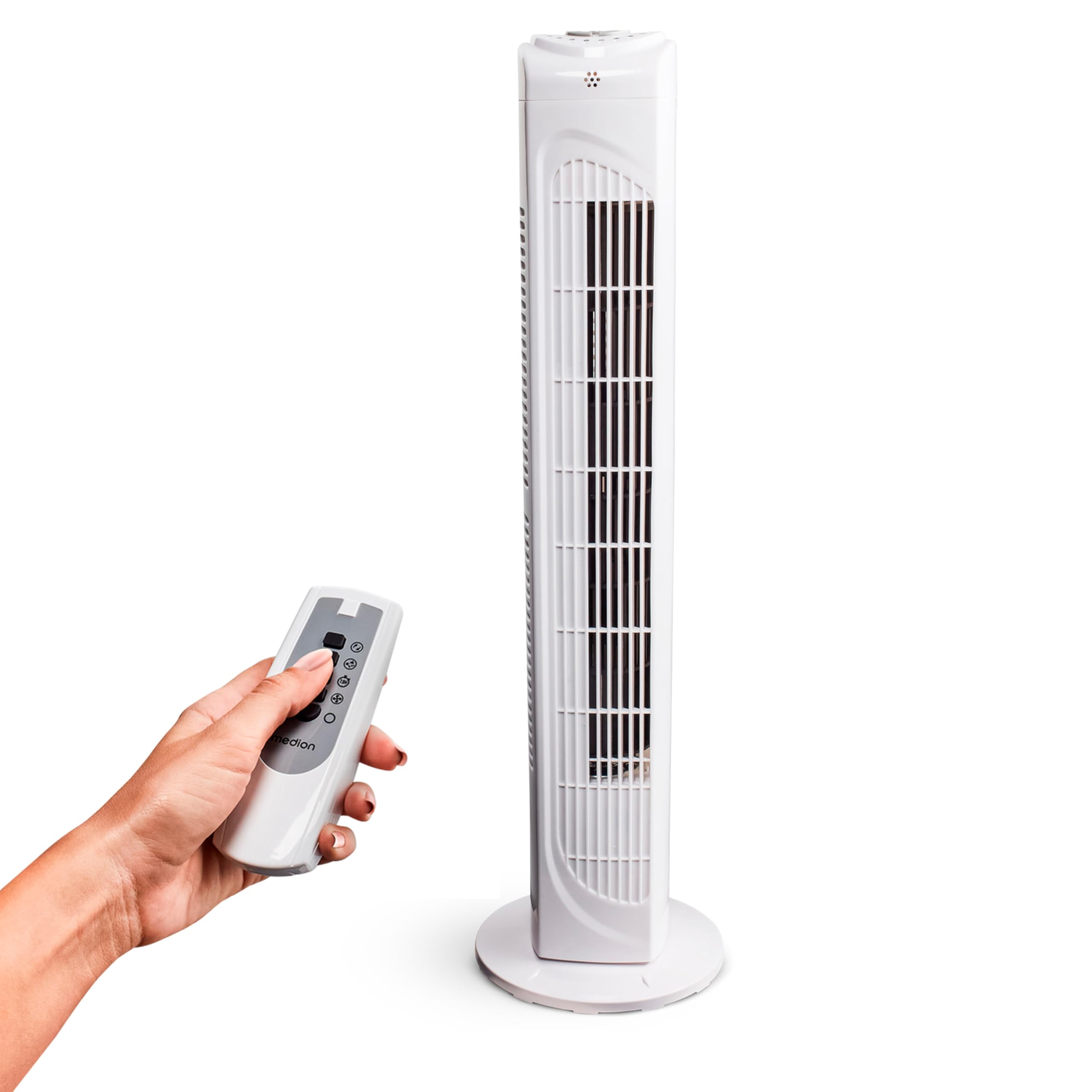
Image: The MEDION MD 10319 Tower Fan, fully assembled with its base, ready for use.

Image: A hand demonstrating the integrated carrying handle on top of the fan for easy portability.
නිෂ්පාදනය අවසන්view
පාලන පුවරුව
The control panel is located on the top of the fan unit. It features buttons for power, speed, oscillation, and timer functions.

රූපය: විස්තරාත්මක view of the fan's top control panel, showing buttons for power, speed settings (3 levels), timer, and oscillation.
දුරස්ථ පාලකය
The included remote control allows you to operate all fan functions from a distance.
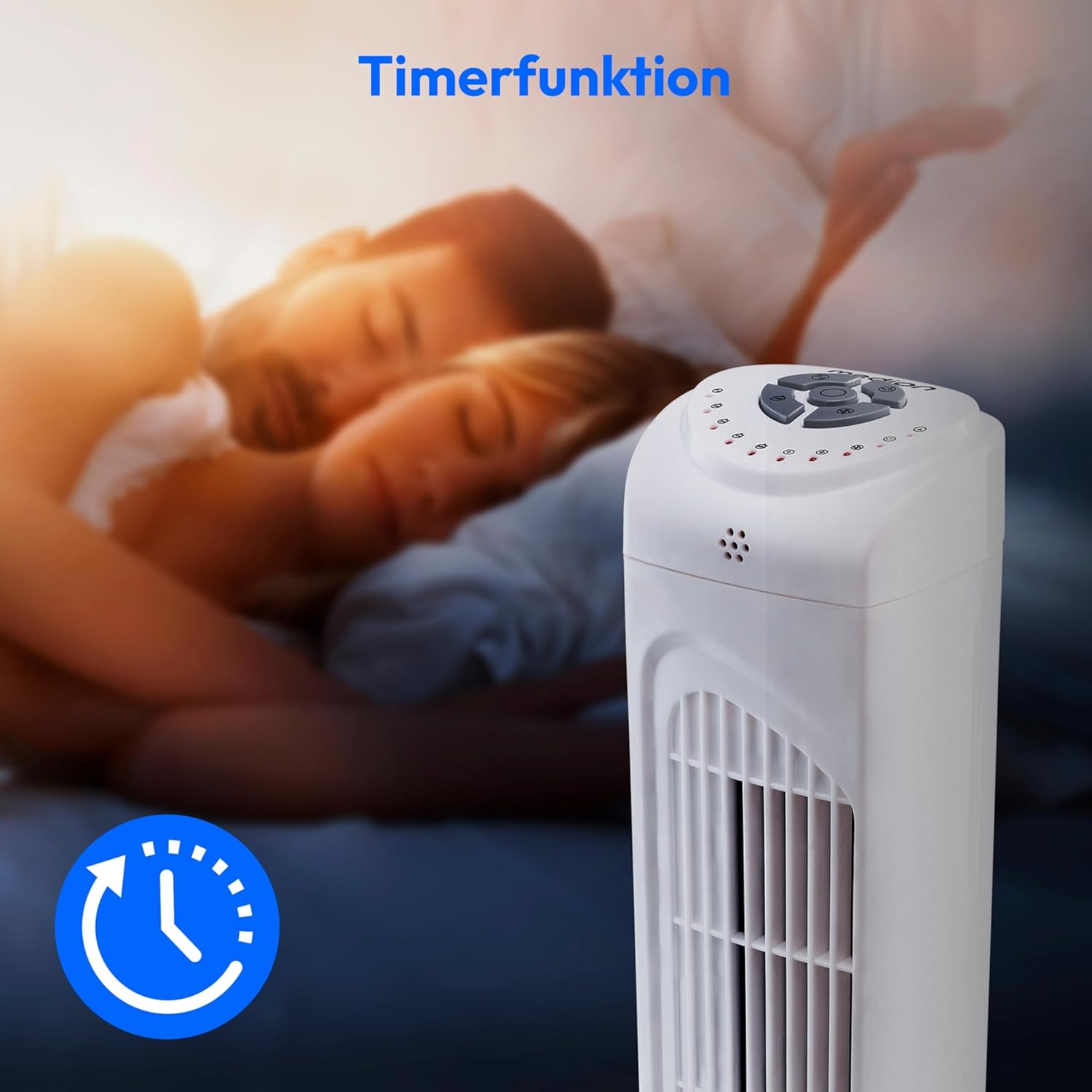
Image: A hand holding the remote control, which features buttons for power, speed, oscillation, and timer, mirroring the main control panel.
මෙහෙයුම් උපදෙස්
බලය සක්රිය / අක්රිය
- ඔබන්න බලය button on the control panel or remote control to turn the fan ON.
- ඔබන්න බලය විදුලි පංකාව අක්රිය කිරීමට නැවත බොත්තම ඔබන්න.
විදුලි පංකාවේ වේගය සකස් කිරීම
විදුලි පංකාවේ වේග සැකසුම් 3ක් ඇත: අඩු, මධ්යම සහ ඉහළ.
- ඔබන්න වේගය button repeatedly to cycle through the speed settings.
- The current speed level will be indicated by LED lights on the control panel.
දෝලනය කිරීමේ කාර්යය
The oscillation function allows the fan to rotate horizontally, distributing air over a wider area.
- ඔබන්න OSC button on the control panel or remote control to activate oscillation. The fan will rotate approximately 60 degrees.
- ඔබන්න OSC button again to stop oscillation. The fan will stop in its current position.

Image: The tower fan oscillating, indicated by blue arrows showing a 60-degree rotation for wider air distribution.
ටයිමර් කාර්යය
The timer function allows you to set the fan to automatically turn off after a specified period, up to 7.5 hours.
- ඔබන්න ටයිමර් button repeatedly to set the desired operating time (e.g., 0.5h, 1h, 2h, 4h, up to 7.5h).
- The selected timer duration will be indicated by LED lights on the control panel.
- To cancel the timer, cycle through the settings until no timer LEDs are illuminated, or turn the fan off.

Image: The fan with a timer icon, illustrating its use for setting automatic shut-off, ideal for use during sleep.
නඩත්තු කිරීම
Regular cleaning will help maintain the performance and extend the lifespan of your fan.
- පිරිසිදු කිරීමට පෙර සෑම විටම විදුලි පංකාව විදුලි බලාගාරයෙන් විසන්ධි කරන්න.
- මෘදු, ඩී භාවිතා කරන්නamp විදුලි පංකාවේ බාහිර පෘෂ්ඨයන් පිස දැමීමට රෙදි. උල්ෙල්ඛ පිරිසිදු කරන්නන් හෝ ද්රාවක භාවිතා නොකරන්න.
- වාතය ලබා ගන්නා සහ පිටවන ග්රිල් වලින් දූවිලි මෘදු ලෙස ඉවත් කිරීම සඳහා බුරුසු ඇමිණුම් සහිත වැකුම් ක්ලීනර් භාවිතා කරන්න.
- Do not allow water to drip into the interior of the fan.
- දිගු කාලයක් භාවිතයේ නොමැති විට විදුලි පංකාව සිසිල් වියළි ස්ථානයක ගබඩා කරන්න.
දෝෂගවේෂණය
If you encounter any issues with your MEDION MD 10319 Tower Fan, please refer to the following common problems and solutions:
| ගැටලුව | විය හැකි හේතුව | විසඳුම |
|---|---|---|
| විදුලි පංකාව ක්රියාත්මක නොවේ. | බල සැපයුමක් නැත. බල බොත්තම ඔබා නැත. | විදුලි රැහැන ආරක්ෂිතව වැඩ කරන අලෙවිසැලකට සම්බන්ධ කර ඇත්දැයි පරීක්ෂා කරන්න. Press the POWER button on the fan or remote. |
| දුරස්ථ පාලකය ක්රියා නොකරයි. | බැටරි අක්රිය වී හෝ වැරදි ලෙස ඇතුළත් කර ඇත. දුරස්ථ පාලකය සහ විදුලි පංකාව අතර අවහිරතාවයක්. | බැටරි (2 x AAA) ප්රතිස්ථාපනය කර නිවැරදි ධ්රැවීයතාව සහතික කරන්න. සංඥා මාර්ගය අවහිර කරන ඕනෑම වස්තුවක් ඉවත් කරන්න. ඔබ පරාසය තුළ සිටින බවට වග බලා ගන්න. |
| විදුලි පංකාව අසාමාන්ය ශබ්දයක් නිකුත් කරයි. | විදුලි පංකාව සමතලා මතුපිටක නැත. Obstruction in the fan grille. | විදුලි පංකාව ස්ථාවර, පැතලි මතුපිටක් මත තබන්න. Unplug the fan and carefully check for any foreign objects in the grilles. |
| Oscillation function is not working. | දෝලන බොත්තම සක්රිය කර නැත. | Press the OSC button on the control panel or remote control. |
පිරිවිතර
| විශේෂාංගය | විස්තර |
|---|---|
| වෙළඳ නාමය | මාධ්යය |
| මාදිලියේ නම | MD 10319 |
| ටයිප් කරන්න | Tower Fan / Floor Fan |
| වර්ණය | සුදු |
| බලශක්ති ප්රභවය | රැහැන්ගත විදුලි |
| වට්tage | 45 ඩබ්ලිව් |
| වෙළුමtage | වෝල්ට් 220 |
| වේග ගණන | 3 |
| විශේෂ ලක්ෂණ | Oscillating, Timer Function |
| දෝලන කෝණය | 60° |
| ටයිමර් කාර්යය | පැය 7.5 දක්වා |
| පාලන ක්රමය | දුරස්ථ, ඒකකයේ බොත්තම් |
| ශබ්ද මට්ටම | ඩෙසිබල් 50 යි |
| නිෂ්පාදන මානයන් (D x W x H) | 28 cm x 28 cm x 79 cm |
| අයිතමයේ බර | කිලෝ ග්රෑම් 2.5 යි |
| ද්රව්ය | ප්ලාස්ටික් |
| ප්රධාන බල සම්බන්ධක වර්ගය | CEE 7/7 (Schuko) |

Image: The MEDION MD 10319 Tower Fan with its height (79 cm) and base width (28 cm) clearly indicated.
වගකීම් සහ සහාය
Your MEDION MD 10319 Tower Fan comes with a manufacturer's warranty. Please refer to the warranty card included in your package for detailed terms and conditions, including the warranty period and coverage.
For technical support, service, or spare parts, please contact MEDION customer service. Contact information can typically be found on the MEDION official webවෙබ් අඩවිය හෝ වගකීම් ලේඛනයේ.