
හැඳින්වීම
Thank you for choosing the Tronsmart Battle Wireless Gaming Earbuds. These earbuds are designed to provide an immersive audio experience for gaming and everyday listening, featuring low-latency mode, touch controls, and a durable design. This manual will guide you through the setup, operation, and maintenance of your new earbuds.

Image: User enjoying gaming with Tronsmart Battle Wireless Gaming Earbuds.
සැලසුම
1. පැකේජ අන්තර්ගතය
සියලුම අයිතම පැකේජයේ ඇති බවට වග බලා ගන්න:
- 2 x Tronsmart Battle Wireless Gaming Earbuds
- 1 x ආරෝපණ නඩුව
- 1 x USB Type-C Charging Cable
- 1 x පරිශීලක අත්පොත
2. ඉයර්බඩ් සහ කේස් ආරෝපණය කිරීම
පළමු භාවිතයට පෙර, ඉයර්බඩ් සහ ආරෝපණ පෙට්ටිය සම්පූර්ණයෙන්ම ආරෝපණය කරන්න.
- ඉයර්බඩ් ආරෝපණ පෙට්ටියට දමන්න.
- Connect the USB Type-C cable to the charging port on the case and to a power source.
- The indicator lights on the case will show charging status. A full charge takes approximately 2 hours.
The charging case provides up to 20 hours of total playtime, with earbuds offering up to 5 hours on a single charge.

Image: Battery life details for Tronsmart Battle Earbuds and Charging Case.
3. බ්ලූටූත් යුගලනය
ඔබගේ ඉයර්බඩ් උපාංගයකට සම්බන්ධ කිරීමට:
- ආරෝපණ පෙට්ටිය විවෘත කරන්න. ඉයර්බඩ් ස්වයංක්රීයව යුගල කිරීමේ ප්රකාරයට ඇතුළු වනු ඇත.
- ඔබගේ උපාංගයේ (ස්මාර්ට්ෆෝන්, ටැබ්ලටය, ලැප්ටොප්) බ්ලූටූත් සක්රීය කරන්න.
- ඒ සඳහා සොයන්න "Tronsmart Battle" in the list of available Bluetooth devices.
- Select "Tronsmart Battle" to connect. Once connected, you will hear an audio prompt.
The earbuds use Bluetooth v5.0 for a stable connection up to 10 meters (33 feet).
මෙහෙයුම් උපදෙස්
ස්පර්ශ පාලන
The Tronsmart Battle earbuds feature intuitive touch controls on each earbud. Refer to the following table for common functions:
| ක්රියාව | කාර්යය |
|---|---|
| තනි තට්ටු කිරීම (වම/දකුණ) | සංගීතය වාදනය කරන්න/විරාම කරන්න, ඇමතුමට පිළිතුරු දෙන්න/අවසන් කරන්න |
| දෙවරක් තට්ටු කරන්න (වම) | පෙර ධාවන පථය |
| දෙවරක් තට්ටු කරන්න (දකුණ) | ඊළඟ ධාවන පථය |
| ත්රිත්ව තට්ටු කිරීම (වම/දකුණ) | Toggle Gaming Mode / Music Mode |
| Long Press (2 seconds, Left/Right) | Voice Assistant (Siri, Google Assistant) සක්රිය කරන්න |
| Long Press (3 seconds, Left/Right) | ඇමතුම ප්රතික්ෂේප කරන්න |
ක්රීඩා ප්රකාරය (අඩු ප්රමාදය)
The earbuds feature a dedicated low-latency gaming mode for synchronized audio and visuals, providing an immersive experience with accurate sound cues like gunshots and footsteps.
- To activate Gaming Mode: Triple tap either earbud.
- To switch back to Music Mode: Triple tap either earbud again.

Image: Illustration of the Ultra Low Latency Gaming Mode for immersive audio.
Sound Quality and Driver
Equipped with 13mm drivers, the Tronsmart Battle earbuds deliver expansive sound with refined high-quality audio, optimized for gaming and music listening.
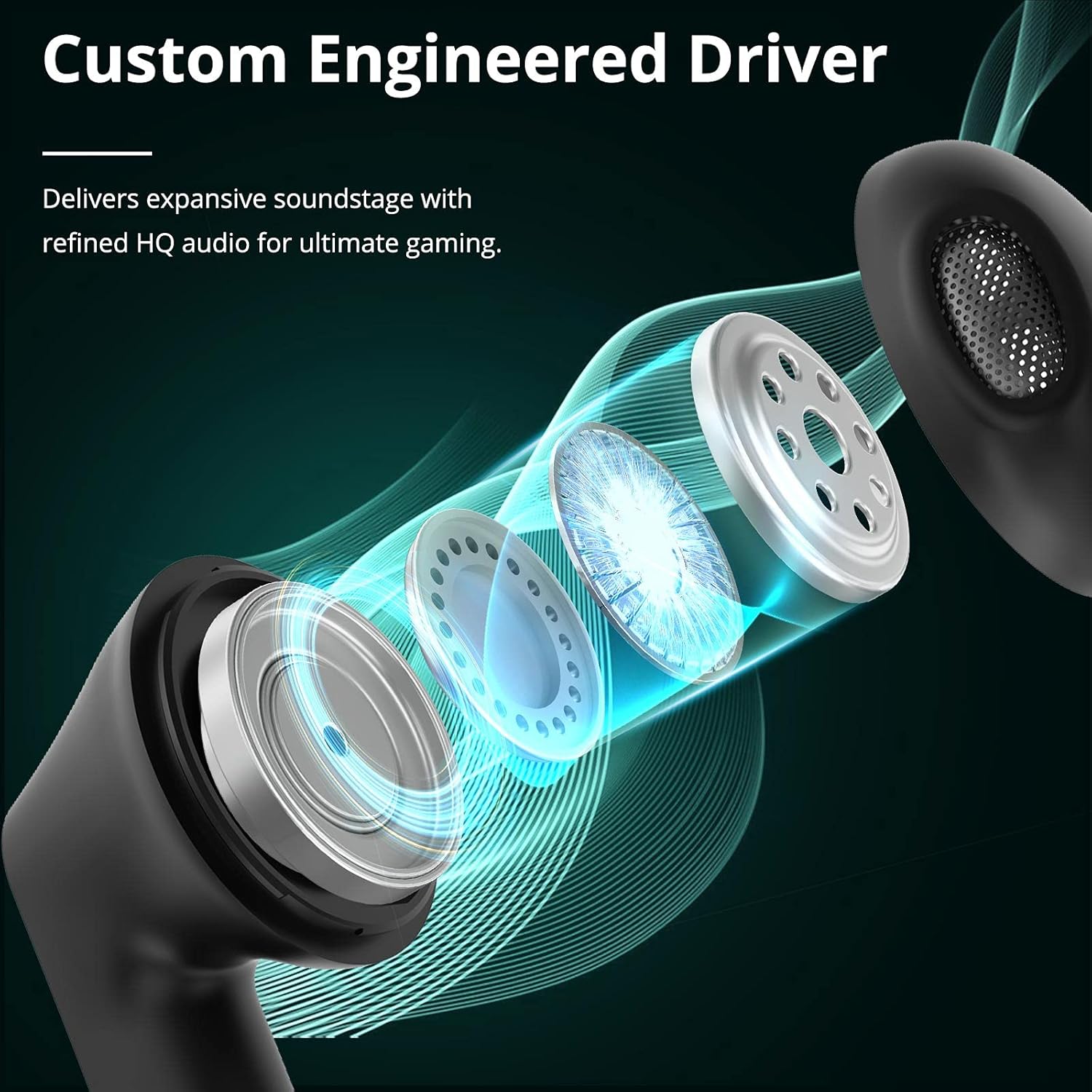
Image: Custom Engineered Driver for enhanced sound quality.
ආලෝකකරණ බලපෑම
The charging case features dynamic lighting effects that enhance the gaming aesthetic and can also serve as a stress-relief feature by rotating the case.

Image: Charging case with integrated lighting effects.
නඩත්තු කිරීම
පිරිසිදු කිරීම
නිතිපතා පිරිසිදු කිරීම ප්රශස්ත කාර්ය සාධනය සහ සනීපාරක්ෂාව පවත්වා ගැනීමට උපකාරී වේ:
- ඉයර්බඩ් සහ ආරෝපණ පෙට්ටිය පිස දැමීමට මෘදු, වියලි, ලින්ට් රහිත රෙද්දක් භාවිතා කරන්න.
- උල්ෙල්ඛ පිරිසිදු කරන්නන්, මධ්යසාර හෝ රසායනික ද්රාවක භාවිතා නොකරන්න.
- Gently clean the earbud mesh and charging contacts with a dry cotton swab if necessary.
ජල ප්රතිරෝධය (IPX5)
The Tronsmart Battle earbuds are rated IPX5 water-resistant, meaning they can withstand splashes and sweat. They are not designed for submersion in water. Avoid exposing them to heavy rain or showering.
ගබඩා කිරීම
භාවිතයේ නොමැති විට, ඉයර්බඩ් ආරක්ෂා කර ගැනීමට සහ ආරෝපණය කර තබා ගැනීමට ඒවායේ ආරෝපණ පෙට්ටියේ ගබඩා කරන්න. අධික උෂ්ණත්වයන්ගෙන් ඈත්ව සිසිල් වියළි ස්ථානයක ගබඩා කරන්න.
දෝෂගවේෂණය
If you encounter issues with your Tronsmart Battle earbuds, try the following solutions:
- ඉයර්බඩ් යුගල නොවේ:
- ඉයර්බඩ් දෙකම ආරෝපණ පෙට්ටියේ ඇති බවත් සම්පූර්ණයෙන්ම ආරෝපණය වී ඇති බවත් සහතික කර ගන්න.
- Remove "Tronsmart Battle" from your device's Bluetooth list and try pairing again.
- Restart your device's Bluetooth function.
- එක ඉයර්බඩ් එකකින් ශබ්දයක් නැත:
- ඉයර්බඩ් දෙකම නැවත ආරෝපණ පෙට්ටියට දමා, පියන වසා, පසුව ඒවා නැවත පිටතට ගන්න.
- ඉයර්බඩ් දෙකම ආරෝපණය කර ඇති බව සහතික කර ගන්න.
- Try resetting the earbuds (refer to the full Tronsmart support webඅවශ්ය නම් නිශ්චිත යළි පිහිටුවීමේ උපදෙස් සඳහා අඩවිය).
- ආරෝපණ ගැටළු:
- Check the USB Type-C cable and power adapter for damage.
- ඉයර්බඩ් සහ කේස් එකේ ආරෝපණ සම්බන්ධතා පිරිසිදු බවත් සුන්බුන් වලින් තොර බවත් සහතික කර ගන්න.
- වෙනත් ආරෝපණ කේබලයක් හෝ බල ප්රභවයක් උත්සාහ කරන්න.
- අඩු ශබ්දය හෝ දුර්වල ශබ්ද ගුණාත්මකභාවය:
- ඔබගේ උපාංගයේ සහ ඉයර්බඩ් දෙකෙහිම ශබ්දය සකසන්න.
- ඉයර්බඩ් ඔබේ කන්වල නිසි ලෙස සවි කර ඇති බවට වග බලා ගන්න.
- ඉයර්බඩ් දැලෙන් ඕනෑම සුන්බුන් පිරිසිදු කරන්න.
තාක්ෂණික පිරිවිතර
| විශේෂාංගය | පිරිවිතර |
|---|---|
| මාදිලියේ නම | Tronsmart Battle |
| ආදර්ශ අංකය | 52325 |
| බ්ලූටූත් අනුවාදය | 5.0 |
| බ්ලූටූත් ප්රෝfiles | AVRCP, A2DP, HFP |
| සම්ප්රේෂණ පරාසය | මීටර් 10 (අඩි 33) දක්වා |
| රියදුරු ප්රමාණය | 13 මි.මී |
| සම්බාධනය | 16 ඕම් |
| Earbud බැටරි ධාරිතාව | 35 mAh (එක් එක්) |
| ආරෝපණ කේස් බැටරි ධාරිතාව | 500 mAh |
| ඉයර්බඩ් ක්රීඩා කාලය (තනි ආරෝපණය) | පැය 5 දක්වා |
| මුළු ක්රීඩා කාලය (ආරෝපණ නඩුව සමඟ) | පැය 20 දක්වා |
| ආරෝපණ කාලය | Approx. 2 hours (earbuds & case) |
| ආරෝපණ වරාය | USB Type-C |
| ජල ප්රතිරෝධක ශ්රේණිගත කිරීම | IPX5 |
| මයික්රෆෝනය | බිල්ට්-ඉන් |
| මානයන් (ආරෝපණ නඩුව) | 59 x 60.93 x 31.79 මි.මී |
| බර (මුළු) | 41 ග්රෑම් |
| වර්ණය | කළු |
වගකීම් තොරතුරු
According to the product information, a specific warranty description is not applicable. Please refer to the retailer's return policy or contact Tronsmart customer support for details regarding any applicable guarantees or consumer rights in your region.
පාරිභෝගික සහාය
For further assistance, technical support, or inquiries about your Tronsmart Battle Wireless Gaming Earbuds, please visit the official Tronsmart webවෙබ් අඩවියට හෝ ඔවුන්ගේ පාරිභෝගික සේවයට සෘජුවම සම්බන්ධ වන්න.
නිල Webඅඩවිය: www.tronsmart.com