
Final ZE3000
අවසාන ZE3000 සත්ය රැහැන් රහිත ඉයර්බඩ්ස් පරිශීලක අත්පොත
Model: ZE3000
හැඳින්වීම
Thank you for choosing the Final ZE3000 True Wireless Earbuds. This manual provides essential information for the proper setup, operation, and maintenance of your earbuds to ensure an optimal audio experience. Please read this manual thoroughly before use.
පෙට්ටියේ ඇති දේ
- Final ZE3000 True Wireless Earbuds (Left and Right)
- අයකිරීමේ නඩුව
- USB-C ආරෝපණ කේබලය
- පරිශීලක අත්පොත (මෙම ලේඛනය)
- කන් ඉඟි (විවිධ ප්රමාණ)

Image: Final ZE3000 True Wireless Earbuds and their charging case, displayed in black.
නිෂ්පාදනය අවසන්view
The Final ZE3000 earbuds are designed for high-fidelity sound reproduction with a focus on comfort and stable wireless connectivity. Each earbud features a touch control panel and an LED indicator.

රූපය: සමීප රූපය view of the Final ZE3000 earbuds, highlighting their unique geometric design and audiophile-level quality.

Image: The Final ZE3000 charging case, showcasing its premium SHIBO textured finish.
සැලසුම
1. ඉයර්බඩ් සහ කේස් ආරෝපණය කිරීම
Before first use, fully charge the earbuds and charging case. Connect the supplied USB-C cable to the charging port on the case and a USB power source. The LED indicator on the case will show charging status. A full charge takes approximately 1.5 hours.

Image: Final ZE3000 earbuds placed inside their charging case.
2. උපාංගයක් සමඟ යුගල කිරීම
- Open the charging case. The earbuds will automatically enter pairing mode, and the LED indicators on the earbuds will flash.
- ඔබගේ උපාංගයේ (ස්මාර්ට්ෆෝන්, ටැබ්ලටය, ආදිය), බ්ලූටූත් සක්රීය කරන්න.
- ඒ සඳහා සොයන්න available Bluetooth devices and select "ZE3000" from the list.
- සම්බන්ධ වූ පසු, ඉයර්බඩ් වල LED දර්ශක දැල්වීම නවත්වනු ඇත.
The ZE3000 uses Bluetooth 5.2 for a stable connection up to 10 meters.

Image: A smartphone screen showing the 'ZE3000' listed as an available Bluetooth device for pairing.
3. ඉයර්බඩ් සවි කිරීම
Proper fit is crucial for sound quality and comfort. Choose the eartips that provide the best seal and comfort for your ears. Gently insert the earbuds into your ear canals and twist slightly until they feel secure.
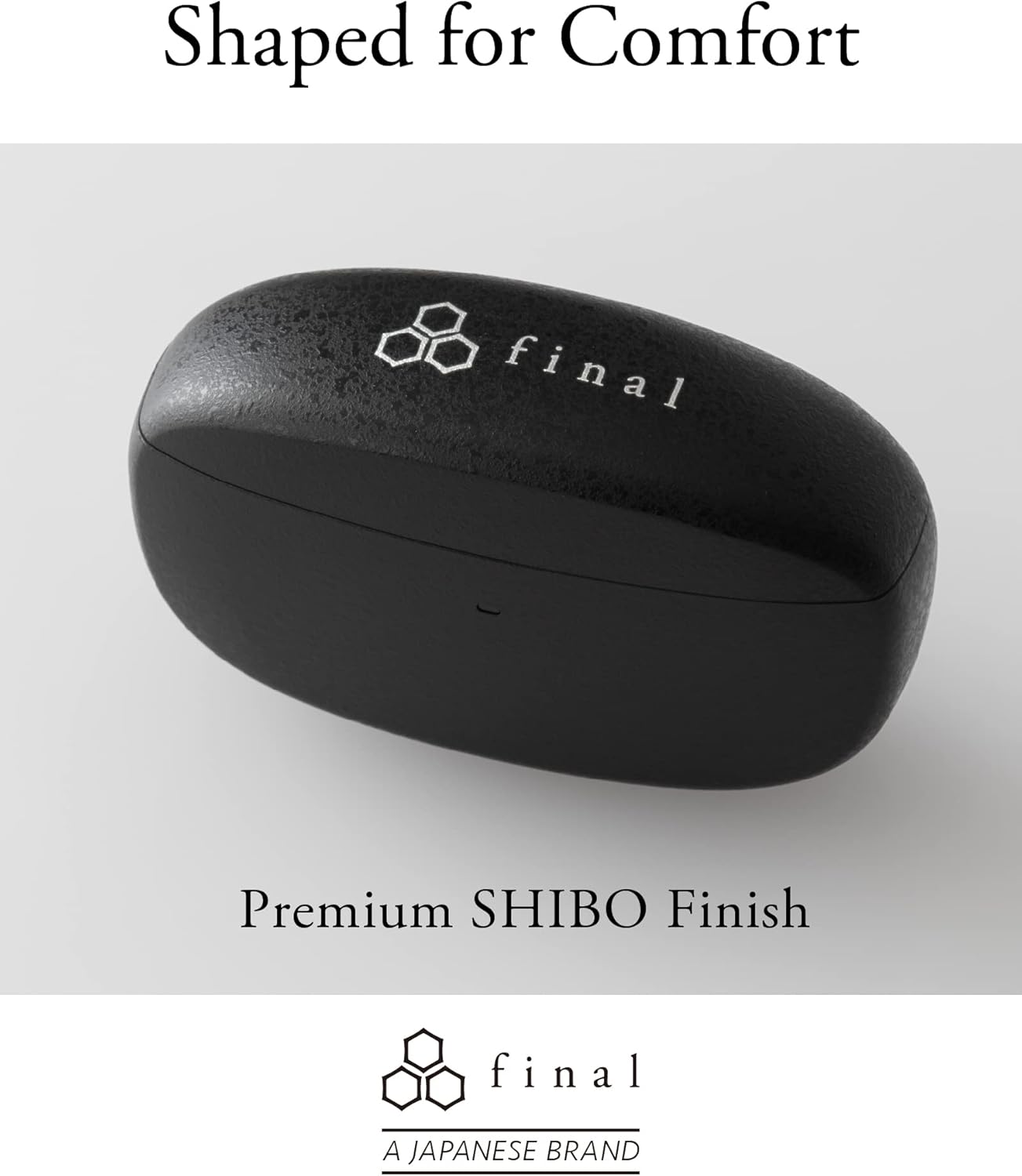
Image: A person demonstrating the correct way to wear the Final ZE3000 earbuds for a secure and comfortable fit.
මෙහෙයුම් උපදෙස්
ස්පර්ශ පාලන
The ZE3000 earbuds feature intuitive touch controls on the outer surface of each earbud.

Image: Diagram illustrating the location of the touch control panel, microphone, and LED indicator on the earbud.
| ක්රියාව | කාර්යය |
|---|---|
| තනි තට්ටු කිරීම (වම/දකුණ) | සංගීතය වාදනය කරන්න/විරාම කරන්න, පිළිතුරු දෙන්න/ඇමතුම අවසන් කරන්න |
| දෙවරක් තට්ටු කරන්න (දකුණ) | ඊළඟ ධාවන පථය |
| දෙවරක් තට්ටු කරන්න (වම) | පෙර ධාවන පථය |
| තුන් වරක් තට්ටු කරන්න (දකුණට) | ශබ්දය වැඩි කරන්න |
| තුන් වරක් තට්ටු කරන්න (වම) | Volume Down |
| දිගු ඔබන්න (වම/දකුණ) | හඬ සහායක සක්රිය කරන්න |
බලය සක්රිය / අක්රිය
- බල ගැන්වීම: ආරෝපණ පෙට්ටිය විවෘත කරන්න, එවිට ඉයර්බඩ් ස්වයංක්රීයව ක්රියාත්මක වී අවසන් යුගල කළ උපාංගයට සම්බන්ධ වේ.
- විදුලිය විසන්ධි කිරීම: ඉයර්බඩ් නැවත ආරෝපණ පෙට්ටියට දමා පියන වසා දමන්න. ඒවා ස්වයංක්රීයව ක්රියා විරහිත වී ආරෝපණය වීමට පටන් ගනී.
නඩත්තු කිරීම
පිරිසිදු කිරීම
Regularly clean your earbuds and charging case to maintain performance and hygiene.
- ඉයර්බඩ් සහ ආරෝපණ පෙට්ටිය පිස දැමීමට මෘදු, වියලි, ලින්ට් රහිත රෙද්දක් භාවිතා කරන්න.
- කන් ඉඟි ඉවත් කර මෘදු සබන් හා වතුරෙන් පිරිසිදු කරන්න, පසුව නැවත සවි කිරීමට පෙර හොඳින් වියළා ගන්න.
- ඉයර්බඩ් සහ කේස් දෙකෙහිම ආරෝපණ සම්බන්ධතා වියළි කපු පුළුන් කැබැල්ලකින් මෘදු ලෙස පිරිසිදු කරන්න.
ගබඩා කිරීම
භාවිතයේ නොමැති විට, ඉයර්බඩ් ආරක්ෂා කර ගැනීමට සහ ඒවා ආරෝපණය වී ඇති බව සහතික කිරීමට ඒවායේ ආරෝපණ පෙට්ටියේ ගබඩා කරන්න.
ජල ප්රතිරෝධය (IPX4)
The Final ZE3000 earbuds are IPX4 water-resistant, meaning they are protected against splashing water from any direction. They are not designed for submersion in water. Avoid exposing them to heavy rain, showering, or swimming.
දෝෂගවේෂණය
- ශබ්ද/සම්බන්ධතා ගැටළු නොමැත:
- ඉයර්බඩ් ආරෝපණය කර ඇති බව සහතික කර ගන්න.
- ඔබගේ උපාංගයේ බ්ලූටූත් සක්රීය කර ඇති බවත් ඉයර්බඩ් තෝරාගෙන ඇති බවත් තහවුරු කරන්න.
- ඔබේ උපාංගය සමඟ ඉයර්බඩ් යුගල ඉවත් කර නැවත යුගල කිරීමට උත්සාහ කරන්න.
- ඉයර්බඩ් වලට වෙනත් උපාංග සක්රියව සම්බන්ධ වී නොමැති බවට වග බලා ගන්න.
- එක් ඉයර්බඩ් එකක් ක්රියා නොකරයි:
- Place both earbuds back in the case, close the lid, wait a few seconds, then open again.
- Check charging contacts for debris.
- ස්පර්ශ පාලන ප්රතිචාර නොදක්වයි:
- ඔබේ ඇඟිලි පිරිසිදුව හා වියලිව තබා ගන්න.
- ඉයර්බඩ් කේස් එකට දමා පියන වසා නැවත ආරම්භ කිරීමට උත්සාහ කරන්න.
පිරිවිතර
| විශේෂාංගය | විස්තර |
|---|---|
| ආදර්ශ අංකය | ZE3000 |
| සම්බන්ධතා තාක්ෂණය | බ්ලූටූත් 5.2 |
| රැහැන් රහිත සන්නිවේදනය | බ්ලූටූත් |
| ශ්රව්ය ධාවක වර්ගය | ගතික ධාවකය |
| සංඛ්යාත පරාසය | හර්ට්ස් 20 - හර්ට්ස් 20,000 |
| බැටරි ආයු කාලය (ඉයර්බඩ්) | පැය 7 දක්වා |
| මුළු පසුධාවන කාලය (අවස්ථාව සමඟ) | පැය 35 දක්වා |
| ආරෝපණ කාලය | ආසන්න වශයෙන්. පැය 1.5 යි |
| පාලන වර්ගය | ස්පර්ශ පාලනය |
| ජල ප්රතිරෝධක මට්ටම | IPX4 (ජල ප්රතිරෝධී) |
| බ්ලූටූත් පරාසය | මීටර් 10 |
| අයිතමයේ බර | ග්රෑම් 42 (මුළු) |
| නිෂ්පාදන මානයන් | අඟල් 1.38 x 2.76 x 0.98 |
සහාය
For further assistance or inquiries, please visit the official Final store or contact customer support.
Ask a question about this manual
Ask about setup, troubleshooting, compatibility, parts, safety, or missing instructions. Manuals+ will review the question and use this page’s manual context to help answer it.