
Jectse Jectseb1khrxqgn71182
Jectse Air Mouse User Manual
2.4GHz Keyboard with USB Receiver and Cable
නිෂ්පාදනය අවසන්view
The Jectse Air Mouse is a versatile 2.4GHz wireless device that combines the functionalities of a keyboard, multimedia controller, and an air mouse. It is designed for intuitive control across various platforms, offering a seamless user experience for PC, TV, set-top boxes, network media players, tablet PCs, and gaming consoles.

රූපය 1: ඉවරයිview of the Jectse Air Mouse, including the remote control unit, USB receiver, and USB charging cable.
පැකේජයේ අන්තර්ගතය
- 1 x Jectse Air Mouse
- 1 x USB ලබන්නා
- 1 x USB ආරෝපණ කේබලය
- 1 x පරිශීලක අත්පොත (මෙම ලේඛනය)
සැකසුම සහ ස්ථාපනය
The Jectse Air Mouse is designed for plug-and-play operation, requiring minimal setup. Follow these steps to begin using your device.
1. Charging the Air Mouse
Before first use, ensure the air mouse is fully charged. Connect the provided USB charging cable to the air mouse's charging port and the other end to a standard USB power source (e.g., computer USB port, USB wall adapter). The LED indicator light will show charging status and turn off when fully charged.

රූපය 2: The USB receiver and charging cable. Use the cable to charge the air mouse.
2. USB ග්රාහකය සම්බන්ධ කිරීම
Locate an available USB 2.0 port on your target device (PC, Smart TV, set-top box, etc.). Insert the provided USB receiver into the USB port. The device will automatically detect and install the necessary drivers. No manual driver installation is typically required.
රූපය 3: The Jectse Air Mouse, USB receiver, and charging cable. The USB receiver is essential for wireless connectivity.
Once the receiver is connected, the air mouse is ready for use. The 2.4GHz wireless connection provides a working distance of approximately 10 meters (11 yards).
මෙහෙයුම් උපදෙස්
The Jectse Air Mouse offers intuitive control through its dual-sided design, featuring a remote control interface on one side and a full QWERTY keyboard on the other.
එයාර් මවුස් ක්රියාකාරීත්වය
The air mouse utilizes a three-axis sensor and three-axis gyroscope for 360° space motion recognition. To activate the air mouse function, simply hold the device and move your wrist. The cursor on your screen will follow your hand movements. Press the "OK" button to click or select items.
රූපය 4: The Jectse Air Mouse held in hand, illustrating its comfortable grip for air mouse control.
යතුරුපුවරු භාවිතය
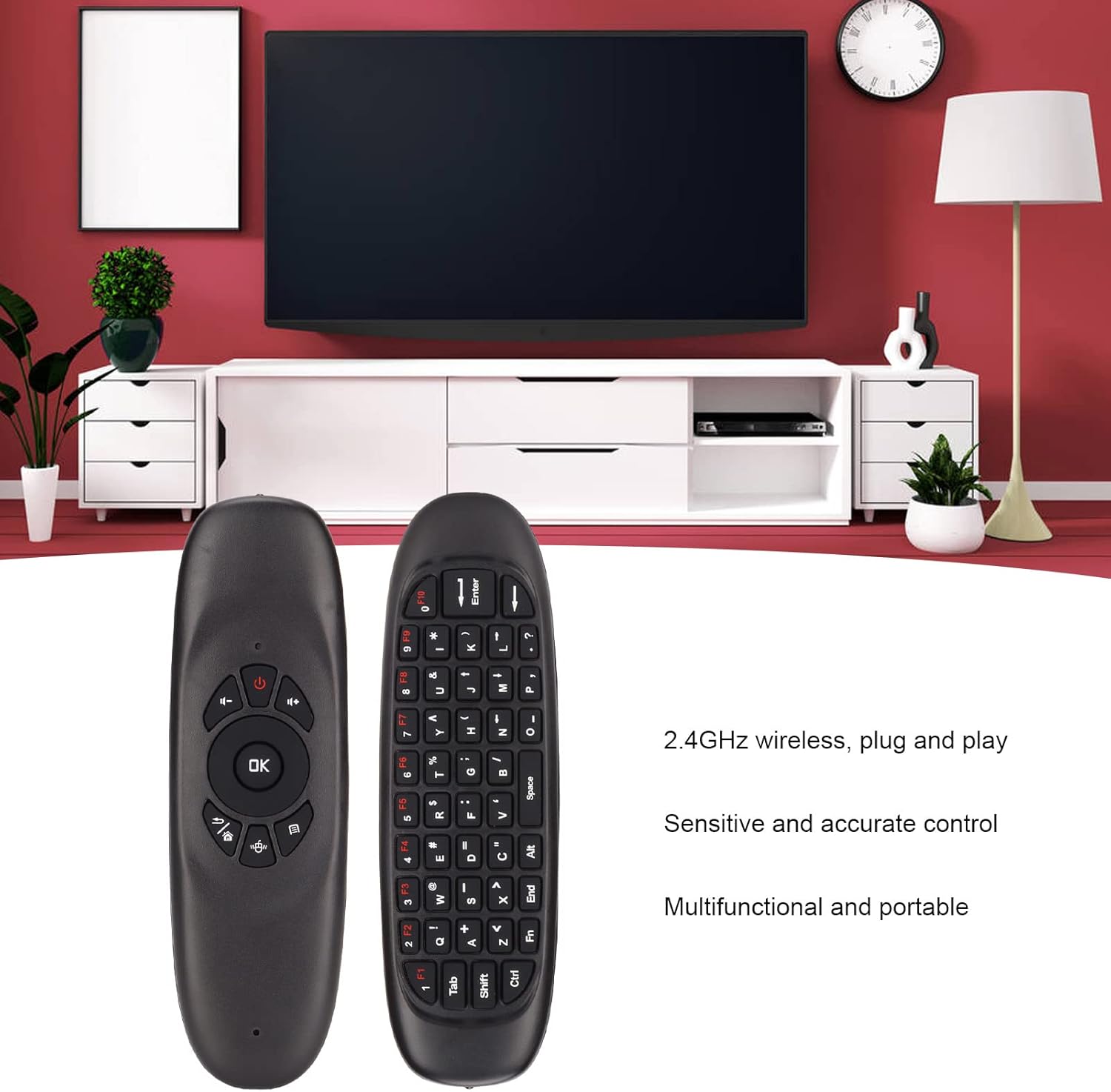
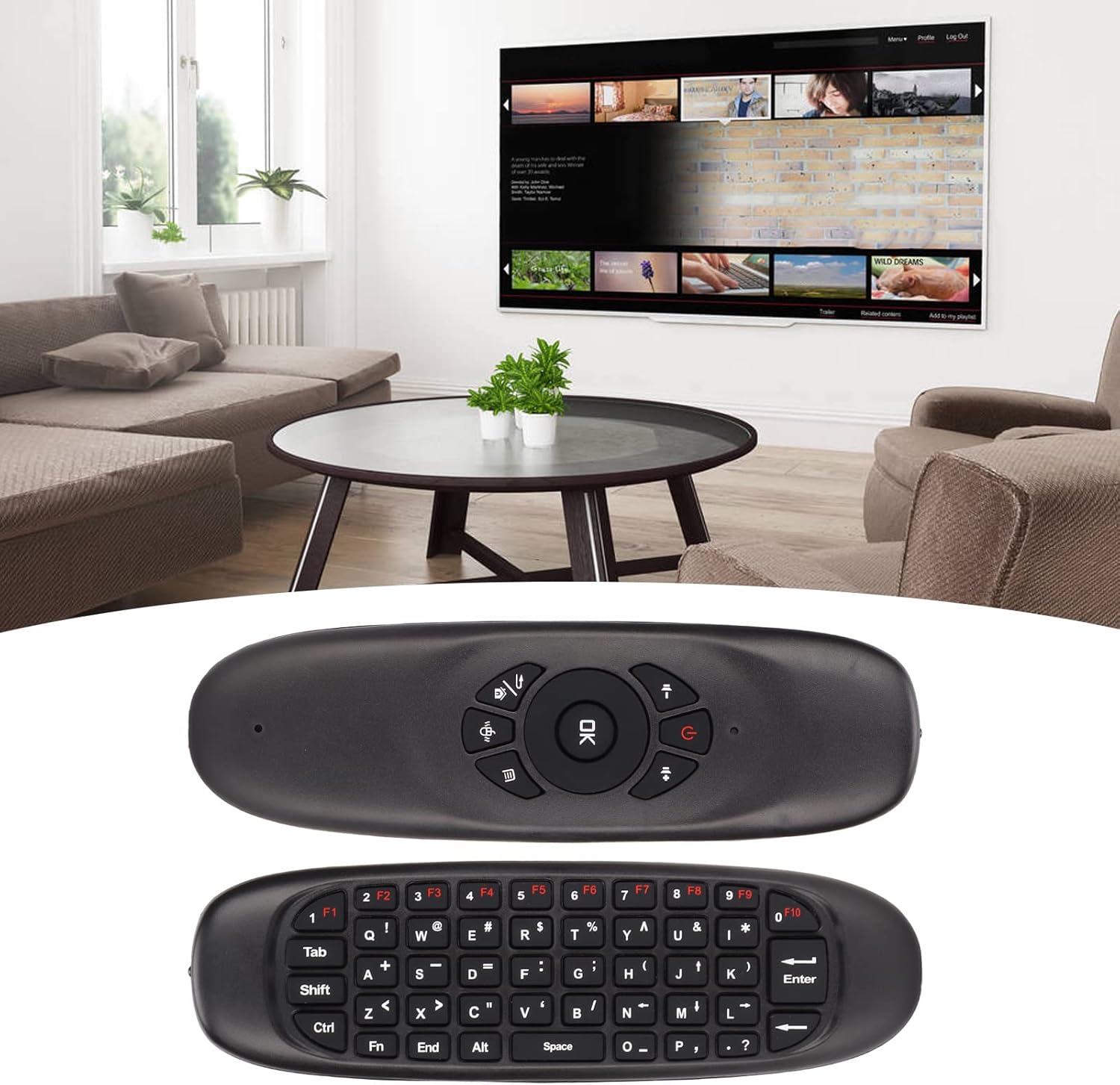
Flip the air mouse over to access the full QWERTY keyboard. This allows for easy text input, searching, and navigation within applications. The keyboard includes function keys (F1-F10) and standard alphanumeric keys.

රූපය 5: The two sides of the Jectse Air Mouse, highlighting the remote control interface and the full QWERTY keyboard.
බහුමාධ්ය පාලනය
The remote side of the air mouse features dedicated multimedia control buttons, including volume up/down, mute, and navigation keys, for convenient media playback management.
ගැළපුම
The Jectse Air Mouse is compatible with a wide range of operating systems, including:
- Windows (Win)
- OS X (macOS)
- ලිනක්ස්
- ඇන්ඩ්රොයිඩ්
It is widely used with personal computers, televisions, set-top boxes, network media players, tablet PCs, and game consoles.
නඩත්තු කිරීම
Proper care and maintenance will ensure the longevity and optimal performance of your Jectse Air Mouse.
බැටරි සත්කාර
The air mouse is equipped with a 500mAh rechargeable lithium-ion battery. To maximize battery life:
- පළමු භාවිතයට පෙර උපාංගය සම්පූර්ණයෙන්ම ආරෝපණය කරන්න.
- බැටරිය නිතර නිතර සම්පූර්ණයෙන්ම බැස යාමෙන් වළකින්න.
- දිගු කාලයක් භාවිතා නොකළහොත් උපාංගය සිසිල් වියළි ස්ථානයක ගබඩා කරන්න.
- ආරෝපණය කිරීම සඳහා ලබා දී ඇති USB කේබලය පමණක් භාවිතා කරන්න.
පිරිසිදු කිරීම
To clean the air mouse, gently wipe its surface with a soft, dry, or slightly damp cloth. Do not use harsh chemicals, abrasive cleaners, or excessive moisture, as this may damage the device.
ගබඩා කිරීම
When not in use, store the air mouse and its USB receiver in a safe place to prevent loss or damage. Avoid exposing the device to extreme temperatures, direct sunlight, or high humidity.
දෝෂගවේෂණය
If you encounter issues with your Jectse Air Mouse, refer to the following common problems and their solutions.
Device Not Responding / Not Loading
- බැටරිය පරීක්ෂා කරන්න: Ensure the air mouse is sufficiently charged. Connect it to a power source using the USB cable and allow it to charge for at least 30 minutes.
- Verify USB Receiver Connection: Make sure the USB receiver is securely plugged into a working USB port on your device. Try a different USB port if available.
- උපාංගය නැවත ආරම්භ කරන්න: Sometimes, restarting the connected PC, TV, or set-top box can resolve connectivity issues.
- Re-pair (if applicable): While typically plug-and-play, if the connection is lost, try unplugging and re-plugging the USB receiver.
Mouse Cursor Jumps or is Unstable
- Recalibrate Gyroscope: If the cursor is erratic, try recalibrating the gyroscope. This is usually done by placing the air mouse on a flat, stable surface for a few seconds until the cursor stabilizes. Refer to the device's specific instructions if a dedicated calibration button or sequence exists (not explicitly mentioned in provided data, but common for air mice).
- බාධා කිරීම් සඳහා පරීක්ෂා කරන්න: Other 2.4GHz wireless devices or strong electromagnetic fields nearby can cause interference. Try moving the air mouse closer to the USB receiver or away from other wireless devices.
- පිරිසිදු සංවේදකය: Ensure the optical sensor (if visible) is clean and free from dust or debris.
Keyboard Input Not Working
- Ensure Correct Side Up: Make sure the keyboard side of the air mouse is facing upwards when attempting to type.
- සම්බන්ධතාවය පරීක්ෂා කරන්න: Confirm the air mouse is connected to the USB receiver as described above.
පිරිවිතර
| අයිතමයේ වර්ගය | වායු මූසිකය |
| වෙළඳ නාමය | ජෙක්ට්සේ |
| ආදර්ශ අංකය | Jectseb1khrxqgn71182 |
| ද්රව්ය | ABS |
| ත්වරණ සංවේදකය | Three Axis Sensor |
| ගයිරෝස්කෝප් සංවේදකය | Three Axis Gyroscope |
| සන්නිවේදනය | RF 2.4 GHz |
| වැඩ කරන දුර | Approx. 10 Meters / 11 Yards |
| සංඛ්යාතය | 2.400 සිට 2.483 GHz |
| මෙහෙයුම් ධාරාව | <20mA |
| බැටරි | 500mAh Lithium Ion Battery (Rechargeable) |
| දර්ශකය | LED දර්ශක ආලෝකය |
| නිෂ්පාදන ප්රමාණය (L x W x H) | දළ වශයෙන් 151 x 45 x 14mm / 5.94 x 1.77 x 0.55in |
| අයිතමයේ බර | අවුන්ස 2.82 කි |
| ග්රාහක ප්ලග් | USB2.0 |
| පද්ධති අනුකූලතාව | Win, OS X, Linux, Android |
| ගැළපෙන උපාංග | Gaming Console, Television, Personal Computer, Tablet |
වගකීම් සහ සහාය
For warranty information and technical support, please refer to the official Jectse webවෙබ් අඩවියට හෝ ඔවුන්ගේ පාරිභෝගික සේවයට සෘජුවම සම්බන්ධ වන්න. නිශ්චිත වගකීම් කොන්දේසි කලාපය සහ සිල්ලර වෙළෙන්දා අනුව වෙනස් විය හැකිය.
Jectse Official Store: Visit Jectse Store on Amazon
Ask a question about this manual
Ask about setup, troubleshooting, compatibility, parts, safety, or missing instructions. Manuals+ will review the question and use this page’s manual context to help answer it.