
Virpilo VV110
Virpilo VV110 Digital Voice Recorder User Manual
Model: VV110 | Brand: Virpilo
1. හැඳින්වීම
This user manual provides comprehensive instructions for the operation and maintenance of your Virpilo VV110 Digital Voice Recorder. Designed for extended recording sessions, this portable device is ideal for lectures, classes, interviews, and meetings. Please read this manual thoroughly to ensure proper usage and to maximize the device's capabilities.
2. පෙට්ටියේ ඇති දේ
පැකේජය විවෘත කිරීමෙන් පසු, පහත සඳහන් සියලු අයිතම ඇතුළත් කර ඇති බවට වග බලා ගන්න:
- Virpilo VV110 Digital Voice Recorder
- USB කේබලය
- ඉයර්ෆෝන්
- පරිශීලක අත්පොත
Video: Unboxing the Virpilo VV110 Digital Voice Recorder, showing the device, USB cable, earphones, and user manual.
3. නිෂ්පාදන අවසන්view
The Virpilo VV110 is a compact and powerful voice recorder designed for ease of use and high-quality audio capture. It features a sleek design with an intuitive interface.
3.1 උපාංග පිරිසැලසුම
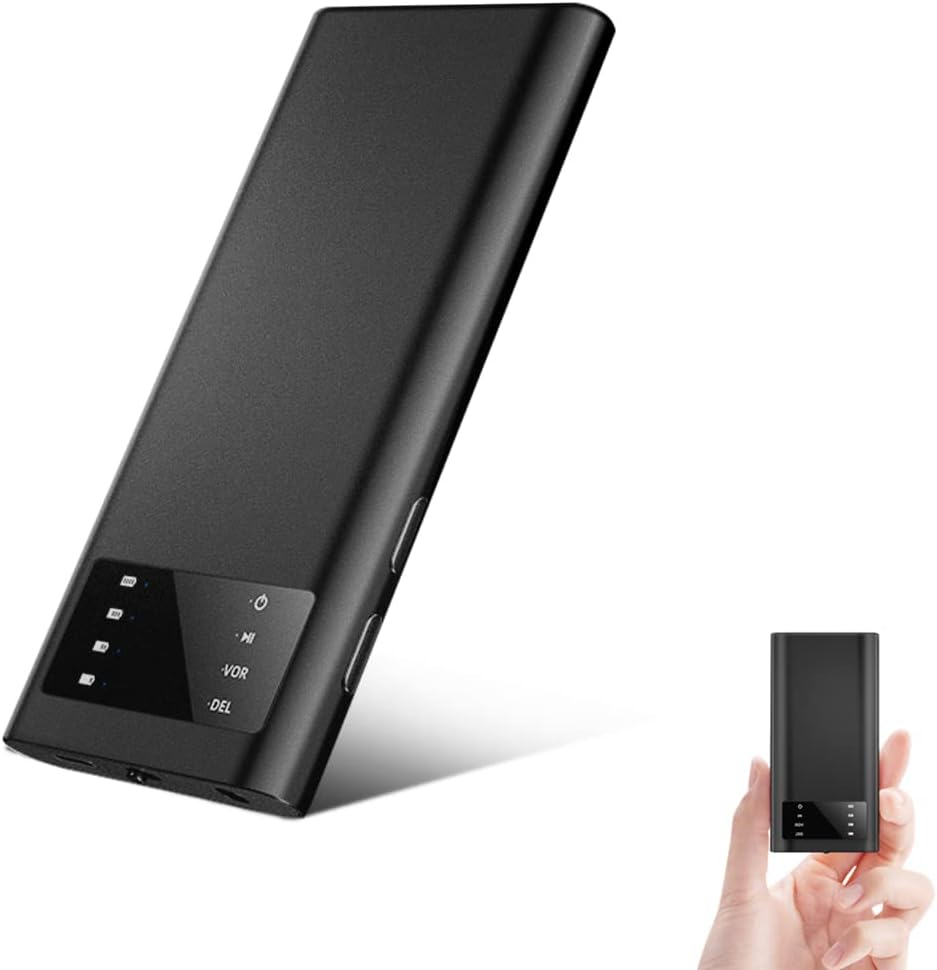
රූපය: ඉදිරිපස view of the Virpilo VV110 Digital Voice Recorder, highlighting its compact size and LCD screen.
The recorder features a minimalist design with essential controls and indicators on its front panel and sides. The LCD screen provides status information, while side buttons control recording, playback, and settings.
3.2 ප්රධාන ලක්ෂණ
- දිගු පටිගත කිරීමේ කාලය: 1500mAh බැටරියකින් සමන්විත වන අතර, පැය 125ක් දක්වා අඛණ්ඩ පටිගත කිරීමක් සපයයි.
- විශාල ගබඩා ධාරිතාව: Built-in 16GB flash memory, expandable up to 128GB via SD card (not included).
- හඬ සක්රිය පටිගත කිරීම (VOR): Automatically starts recording when sound is detected and pauses during silence, conserving memory.
- එක්-යතුරු මෙහෙයුම: Simple one-button control for recording and saving.
- කාලරාමුවamp කාර්යය: පටිගත කිරීම files are automatically named by date and time (YY-MM-DD-HH-MM-SS) for easy organization.
- Magnetic Side: Allows the device to be securely attached to iron surfaces for discreet placement.
- Multiple Playback Methods: Playback directly via earphones, or connect to a computer (Windows/Mac) or Android smartphone (via OTG) for file කළමනාකරණය.
- Automatic Saving: Recordings are automatically saved when the battery is low to prevent data loss.

Image: Illustrates the compact dimensions (4.1 x 1.94 x 0.37 inches) and weight (70g) of the recorder, along with icons representing 16GB flash memory, 1500mAh battery, voice control, and indicator display.

Image: Highlights the 125-hour battery life and storage options: 16GB built-in flash memory and support for up to 128GB TF (microSD) card.

Image: Demonstrates the "One-Click Delete" feature, allowing users to long-press a button to delete the currently paused recording when headphones are connected.
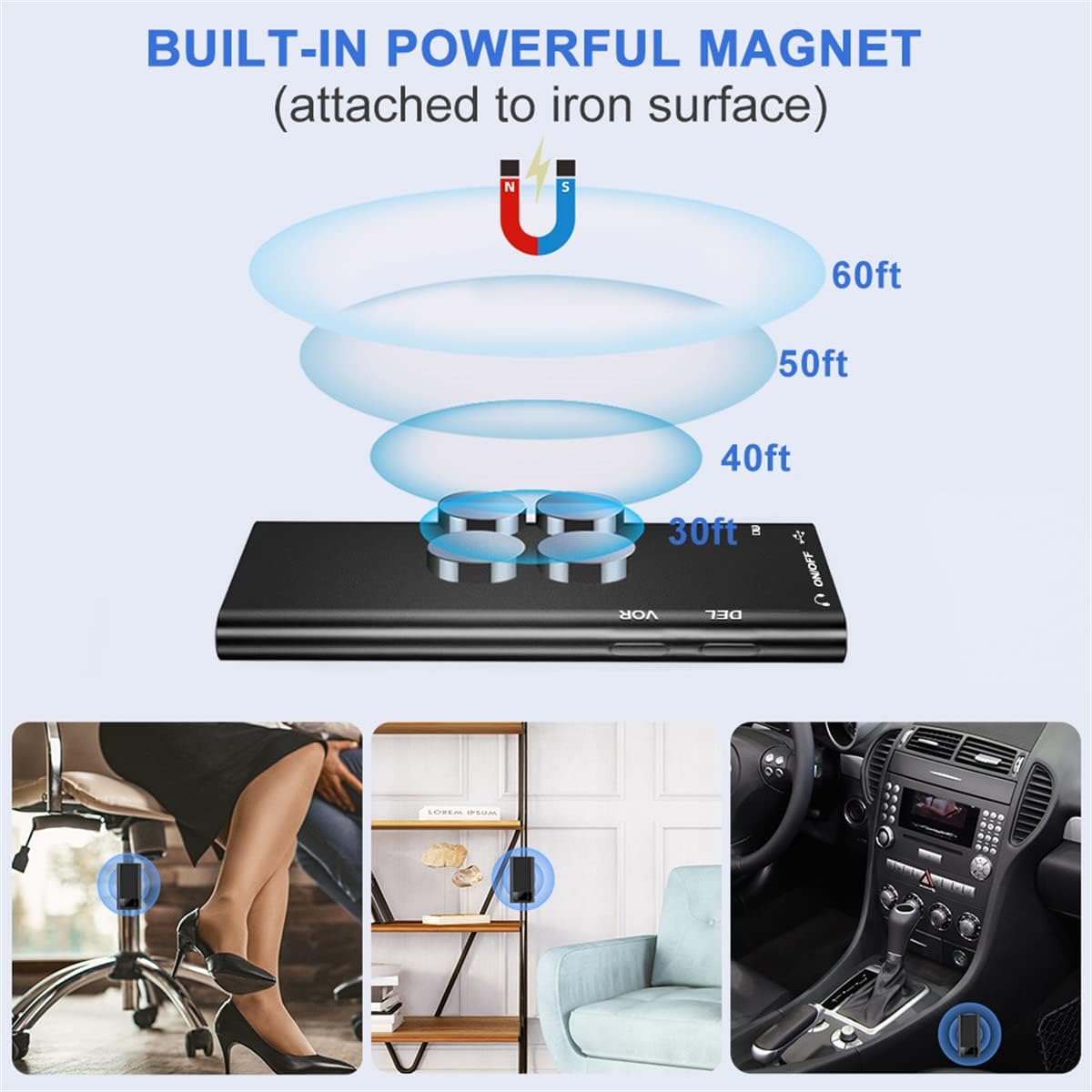
Image: Shows the built-in magnet and its magnetic field, indicating effective recording distances (30ft, 40ft, 50ft, 60ft). Examples of use include attaching to an office chair, bookshelf, or car interior.

Image: Illustrates various playback methods: directly via headphones, connecting to a Windows/Mac computer, or connecting to an Android phone (version 4.3 and above) using an OTG adapter.
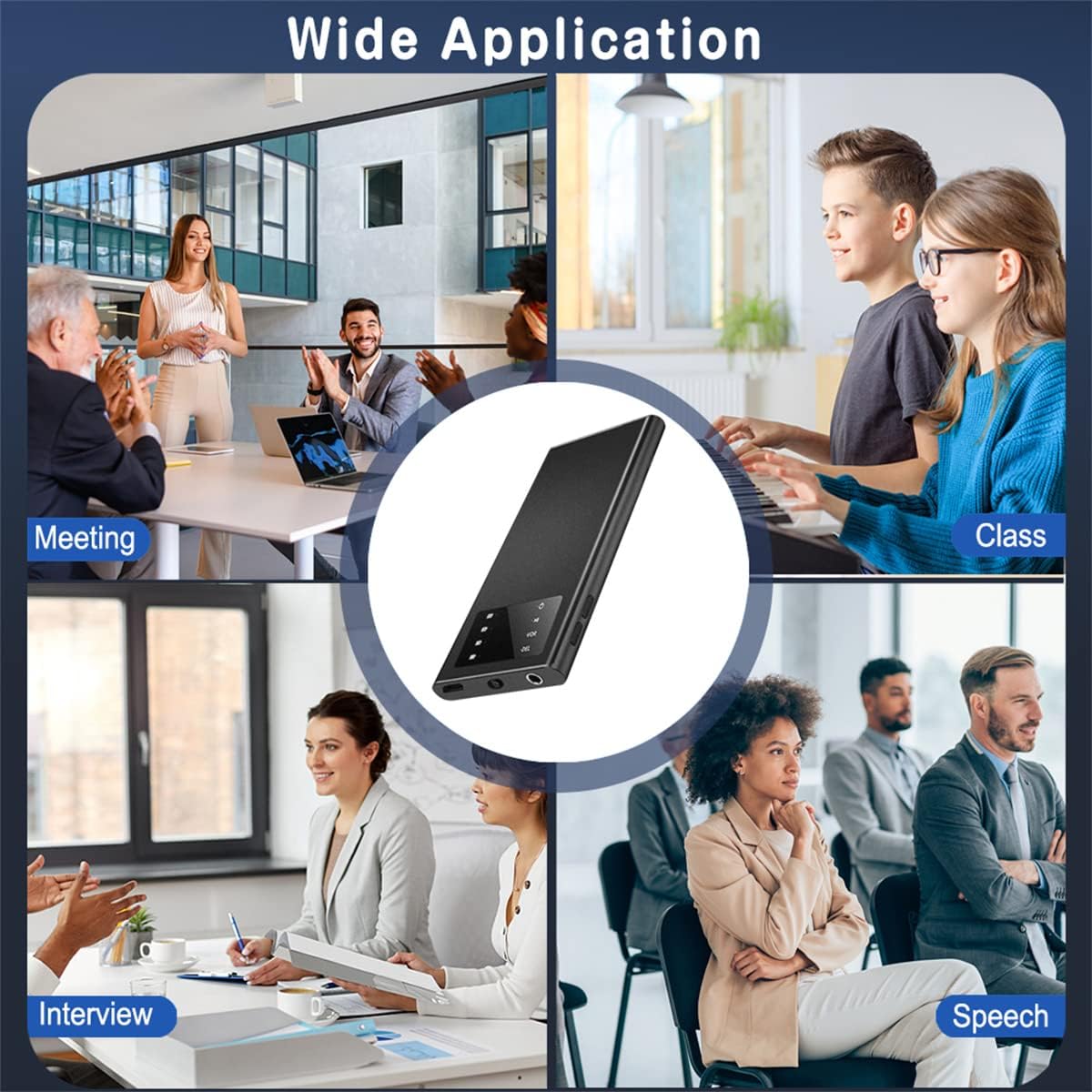
Image: Depicts various scenarios where the voice recorder can be used, including meetings, classes, interviews, and speeches.
4. සැකසුම් මාර්ගෝපදේශය
4.1 උපාංගය ආරෝපණය කිරීම
Before first use, fully charge the voice recorder. Connect the provided USB cable to the device's charging port and plug the other end into a USB power adapter (not included) or a computer's USB port. The battery indicator on the LCD screen will show charging progress. A full charge typically takes a few hours.

Image: Illustrates the power display on the device, showing battery levels (100%, 75%, 50%, 25%) and icons for low power, auto save, and turn off.
4.2 බල ගැන්වීම සක්රිය / අක්රිය කිරීම
To power on the device, slide the power switch to the "ON" position. To power off and save recordings, slide the switch to the "OFF" position. The device will automatically save any active recording before shutting down.

Image: Shows the one-key switch for recording, indicating "ON" to record and "OFF" to save.
4.3 Setting Timestamp
It is crucial to set the correct timestamp before the first use. Connect the recorder to a computer. The device will appear as a removable disk. Locate and run the time synchronization tool (usually a small executable file or a text file with instructions) on the device's storage. This ensures that your recording files are named by Year/Month/Day/Hour/Minute/Second, facilitating easy management and retrieval.

Image: Illustrates how recording files are named by timestamp (YY-MM-DD-HH-MM-SS) when viewපරිගණකයක ed.
5. මෙහෙයුම් උපදෙස්
5.1 පටිගත කිරීම
To start recording, simply slide the power switch to the "ON" position. The device will begin recording automatically. To stop recording and save the file, slide the switch to the "OFF" position. Ensure the device is kept steady during recording for optimal sound quality.
5.2 Voice Activated Recording (VOR)
The device features a Voice Activated Recording (VOR) mode. To activate or deactivate VOR, press the dedicated VOR button. When VOR is active, the recorder will only record when sound is detected, pausing during periods of silence. This helps to conserve storage space and battery life by avoiding recording blank audio.
5.3 නැවත ධාවනය
There are several ways to play back your recordings:
- Via Earphones: Connect the included earphones to the device's headphone jack. Use the device's controls to navigate and play recordings.
- පරිගණකයේ: Connect the recorder to your computer using the USB cable. The device will appear as a removable drive. Open the recording folder (usually named "RECORD" or similar) and play the WAV files using your computer's default media player (e.g., Windows Media Player, VLC Media Player).
- On Smartphone (OTG): For Android smartphones (version 4.3 and above), you can use an OTG adapter (not included) to connect the recorder directly to your phone. This allows you to access and manage fileඔබගේ ස්මාර්ට් ජංගම දුරකතනයේ ඇත.

Image: Demonstrates connecting the voice recorder to an Android smartphone via an OTG adapter to access and manage recording files.
5.4 Managing Recordings
To manage your recordings (backup, delete, rename), connect the device to a computer. Ensure the recorder is turned off before connecting. You can then copy files to your computer for backup or delete unwanted files directly from the device's storage. Files are named according to the timestamp පහසු හඳුනා ගැනීම සඳහා.

Image: Shows the voice recorder connected to a laptop via USB, illustrating how to manage recordings on a computer.
The device supports segment recording, which can be adjusted from 30 to 240 minutes. This feature automatically generates a new file after a set duration (e.g., every 60 minutes), making long recordings easier to manage.
6. නඩත්තු කිරීම
- මෘදු වියළි රෙද්දකින් පිස දැමීමෙන් උපාංගය පිරිසිදුව තබා ගන්න. දියර පිරිසිදු කරන්නන් හෝ උල්ෙල්ඛ ද්රව්ය භාවිතා කිරීමෙන් වළකින්න.
- Store the recorder in a cool, dry place away from direct sunlight, extreme temperatures, and humidity.
- අභ්යන්තර සංරචක වලට හානි කළ හැකි බැවින්, උපාංගය බිම හෙළීමෙන් හෝ දැඩි බලපෑම්වලට ලක්වීමෙන් වළකින්න.
- When recording, ensure the device is placed on a stable surface and not rubbed during recording to prevent unwanted noise in your recordings.
7. දෝශ නිරාකරණය
If you encounter issues with your Virpilo VV110 Digital Voice Recorder, please refer to the following common problems and solutions:
| ගැටලුව | විය හැකි හේතුව / විසඳුම |
|---|---|
| උපාංගය බලගන්වන්නේ නැත. | Battery may be depleted. Charge the device fully using the provided USB cable. |
| Recordings are not saving or are inconsistent. |
|
| Cannot play recordings on computer/smartphone. |
|
| Poor sound quality or background noise. |
|
| Device is difficult to use or navigate. | Refer to the "Operating Instructions" section of this manual. For advanced settings, connecting to a computer may be necessary as some functions are managed via software. |
8. පිරිවිතර
| විශේෂාංගය | විස්තර |
|---|---|
| ආදර්ශ අංකය | VV110 |
| නිෂ්පාදන මානයන් | අඟල් 4.1 x 1.94 x 0.37 |
| අයිතමයේ බර | අවුන්ස 2.47 (ග්රෑම් 70) |
| අභ්යන්තර මතකය | 16 GB |
| පුළුල් කළ හැකි මතකය | Supports up to 128GB TF (MicroSD) card (not included) |
| බැටරි වර්ගය | 1 ලිතියම් පොලිමර් බැටරි (ඇතුළත්) |
| බැටරි ධාරිතාව | 1500mAh |
| පටිගත කිරීමේ කාලය | පැය 125 දක්වා (අඛණ්ඩ) |
| පසුධාවන කාලය | පැය 90 දක්වා |
| පටිගත කිරීමේ ආකෘතිය | ඩබ්ලිව්.ඒ.වී |
| මයික්රෆෝනය | Built-In omnidirectional capacitor microphone |
| හෙඩ්ෆෝන් ජැක් | මිලිමීටර් 3.5 කි |
| දෘඩාංග අතුරුමුහුණත | USB, ආරක්ෂිත ඩිජිටල් කාඩ්පත |
| ගැළපෙන උපාංග | Laptop, Computer, Smartphone (with OTG) |
| තිර ප්රමාණය | සෙන්ටිමීටර 1.6 (දෘශ්යමාන තිර විකර්ණය: 1" / 2 සෙ.මී.) |
| නිෂ්පාදකයා | වර්පිලෝ |
| මුල් රට | චීනය |
9. වගකීම් සහ සහාය
The Virpilo VV110 Digital Voice Recorder comes with a one-year hardware warranty මිලදී ගත් දින සිට. මෙම වගකීම් සහතිකය සාමාන්ය භාවිතය යටතේ නිෂ්පාදන දෝෂ සහ ද්රව්ය දෝෂ ආවරණය කරයි.
For technical support, warranty claims, or further assistance, please contact Virpilo customer service through the retailer's platform or visit the official Virpilo store page on Amazon. Please have your product model number (VV110) and purchase details ready when contacting support.
වැඩිදුර තොරතුරු සඳහා, ඔබට පිවිසිය හැක Virpilo Store on Amazon.