1. හැඳින්වීම
This manual provides detailed instructions for the setup, operation, and maintenance of your ORIA Digital Alarm Clock (Model OUS-HY-WA109B). Please read this manual thoroughly before using the product to ensure proper function and safety.
1.1 පැකේජයේ අන්තර්ගතය
- ORIA Digital Alarm Clock (Model OUS-HY-WA109B)
- USB බල කේබලය
- පරිශීලක අත්පොත

Figure 1: Package contents including the ORIA Digital Alarm Clock, USB cable, and user manual.
2 ආරක්ෂිත තොරතුරු
- උපාංගය අධික උෂ්ණත්වයන්ට, සෘජු හිරු එළියට හෝ අධික ආර්ද්රතාවයට නිරාවරණය නොකරන්න.
- උපාංගය ජලය හෝ වෙනත් දියර වලින් ඈත් කරන්න.
- Use only the provided USB cable or a certified equivalent for power.
- උපාංගය ඔබම විසුරුවා හැරීමට හෝ අලුත්වැඩියා කිරීමට උත්සාහ නොකරන්න. සහාය සඳහා පාරිභෝගික සහාය අමතන්න.
- දේශීය රෙගුලාසිවලට අනුව බැටරි බැහැර කරන්න.
3. පිහිටුවීම
3.1 උපාංගය බල ගැන්වීම
The ORIA Digital Alarm Clock offers dual power options:
- DC Cable Power (Recommended): Connect the provided USB power cable to the DC 5V port on the back of the clock and plug the other end into a USB power adapter (not included) or a USB port. The display will remain continuously on.
- Battery Power (Backup/Power Saving Mode): Insert 3 AAA batteries (not included) into the battery compartment on the back of the clock. In battery mode, the screen will automatically turn off after 8 seconds to conserve power. Touch the top button to wake up the screen for 8 seconds.
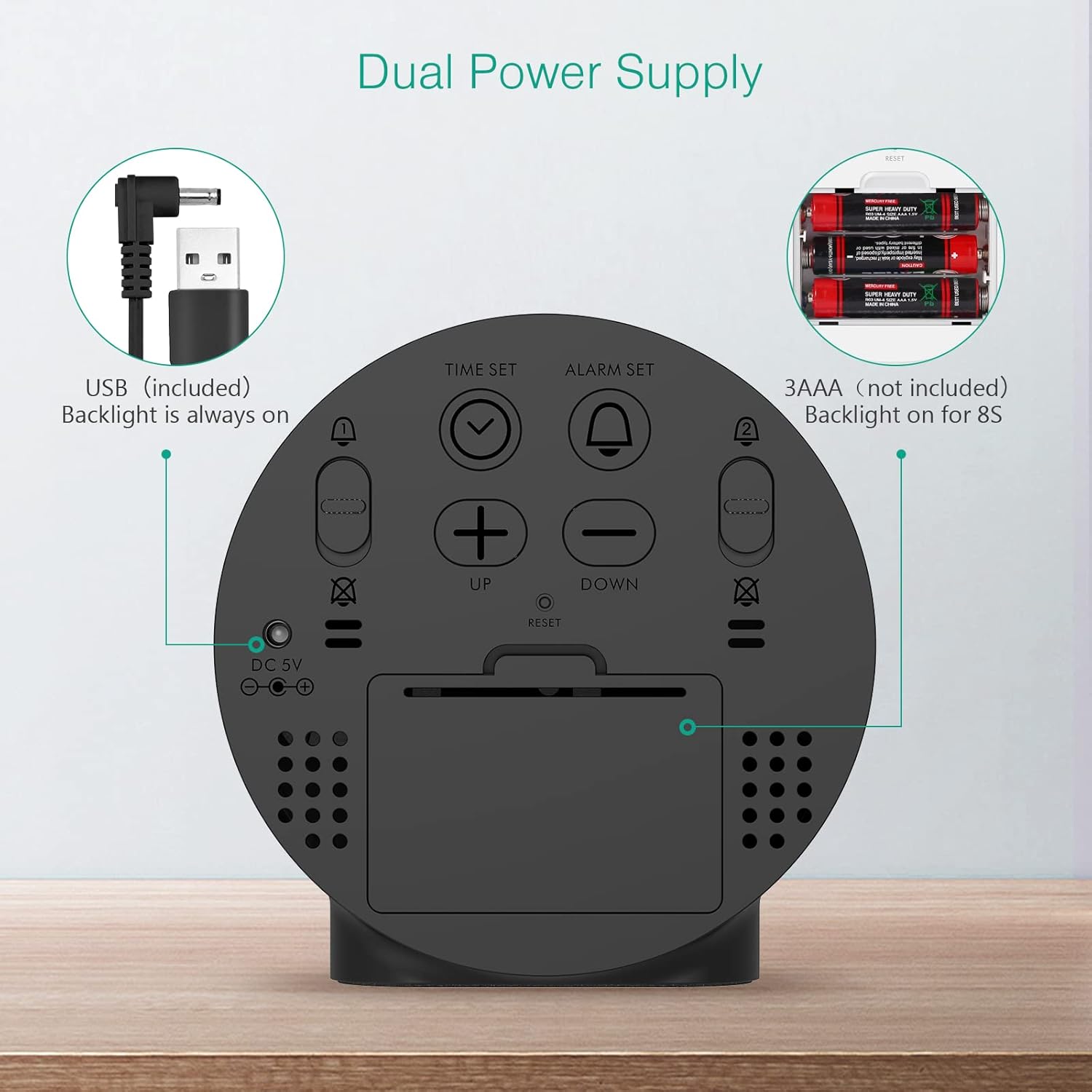
Figure 2: Back panel illustrating the USB power input and battery compartment for dual power supply.
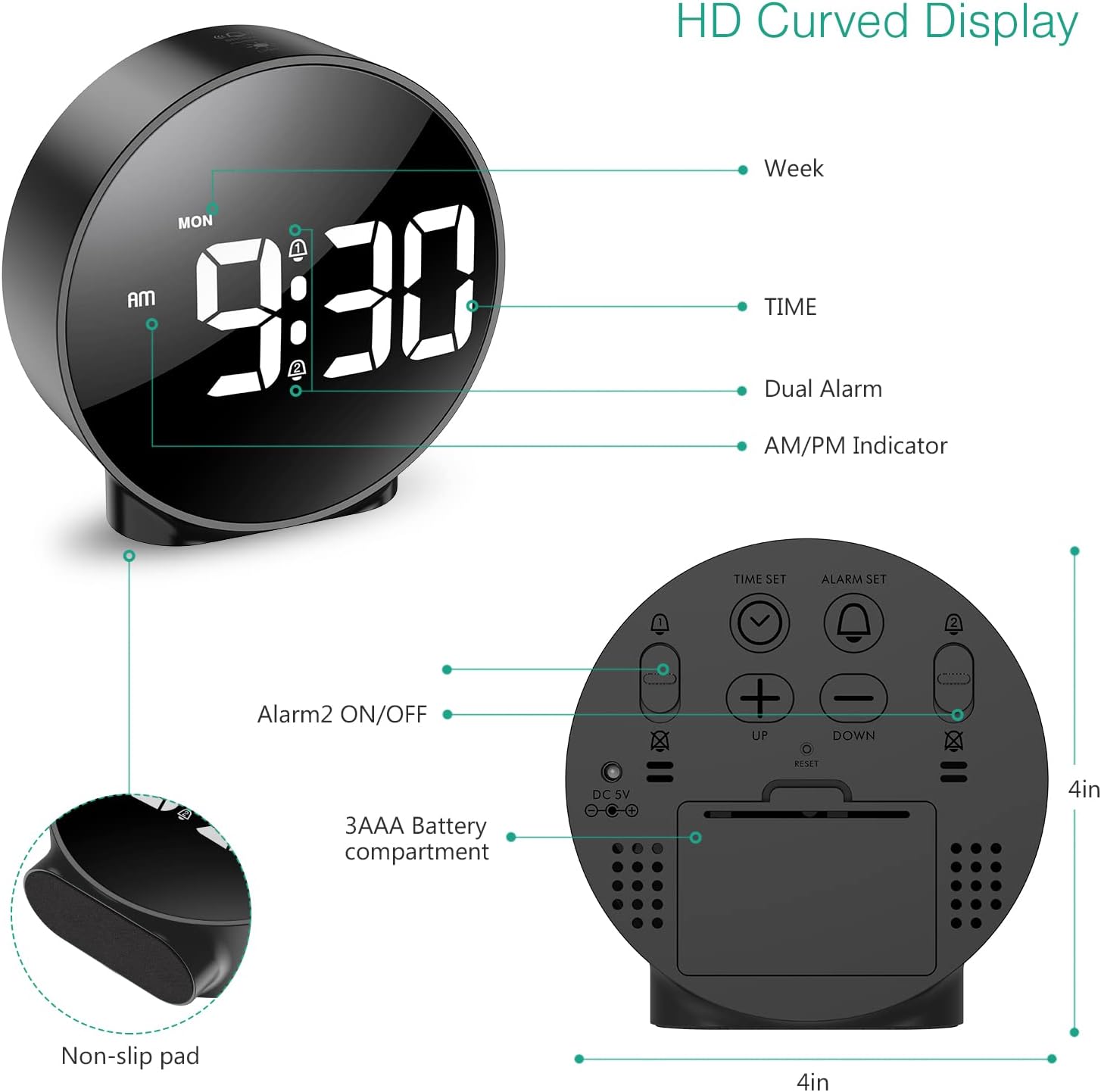
රූපය 3: සවිස්තරාත්මක view of the clock's back panel, highlighting the DC 5V input, battery compartment, and control buttons.
4. මෙහෙයුම් උපදෙස්
4.1 Setting the Time (12/24Hr Format)
- ඔබා අල්ලාගෙන සිටින්න ටයිම් සෙට් button on the back of the clock for 3 seconds to enter time setting mode. The hour digits will start flashing.
- භාවිතා කරන්න UP or පහළට පැය සකස් කිරීමට බොත්තම්.
- ඔබන්න ටයිම් සෙට් පැය තහවුරු කර මිනිත්තු සැකසුම වෙත යාමට නැවතත්. මිනිත්තු ඉලක්කම් දැල්වෙනු ඇත.
- භාවිතා කරන්න UP or පහළට මිනිත්තුව සකස් කිරීමට බොත්තම්.
- ඔබන්න ටයිම් සෙට් again to confirm the minute and exit time setting mode.
- පැය 12 සහ පැය 24 ආකෘතිය අතර මාරු වීමට, ඔබන්න 12/24HR බොත්තම.
4.2 Setting Alarms (Dual Alarms)
The clock supports two independent alarms (Alarm 1 and Alarm 2) with 5 alarm modes.
- ඔබා අල්ලාගෙන සිටින්න අනතුරු ඇඟවීමේ කට්ටලය බොත්තම (එලාම් 1 සඳහා) හෝ එලාම 2 ක්රියාත්මක/අක්රිය button (for Alarm 2) for 3 seconds to enter alarm setting mode. The hour digits will flash.
- භාවිතා කරන්න UP or පහළට අනතුරු ඇඟවීමේ වේලාව සකස් කිරීමට බොත්තම්.
- අදාළ ඔබන්න අනතුරු ඇඟවීමේ කට්ටලය or එලාම 2 ක්රියාත්මක/අක්රිය පැය තහවුරු කර මිනිත්තු සැකසුම වෙත යාමට නැවත බොත්තම ඔබන්න. මිනිත්තු ඉලක්කම් දැල්වෙනු ඇත.
- භාවිතා කරන්න UP or පහළට අනතුරු ඇඟවීමේ මිනිත්තුව සකස් කිරීමට බොත්තම්.
- අදාළ ඔබන්න අනතුරු ඇඟවීමේ කට්ටලය or එලාම 2 ක්රියාත්මක/අක්රිය button again to confirm the minute and select the alarm mode. The display will show the current mode (e.g., "1-1" for one day).
- භාවිතා කරන්න UP or පහළට buttons to cycle through the 5 alarm modes:
- 1-1: Alarm sounds once.
- 1-5: Alarm sounds Monday to Friday.
- 1-6: Alarm sounds Monday to Saturday.
- 1-7: Alarm sounds Monday to Sunday.
- 6-7: Alarm sounds Saturday to Sunday.
- අදාළ ඔබන්න අනතුරු ඇඟවීමේ කට්ටලය or එලාම 2 ක්රියාත්මක/අක්රිය button one last time to confirm the alarm mode and exit alarm setting.
- To turn an alarm ON or OFF, short press the respective අනතුරු ඇඟවීමේ කට්ටලය or එලාම 2 ක්රියාත්මක/අක්රිය button. An alarm icon will appear on the display when activated.
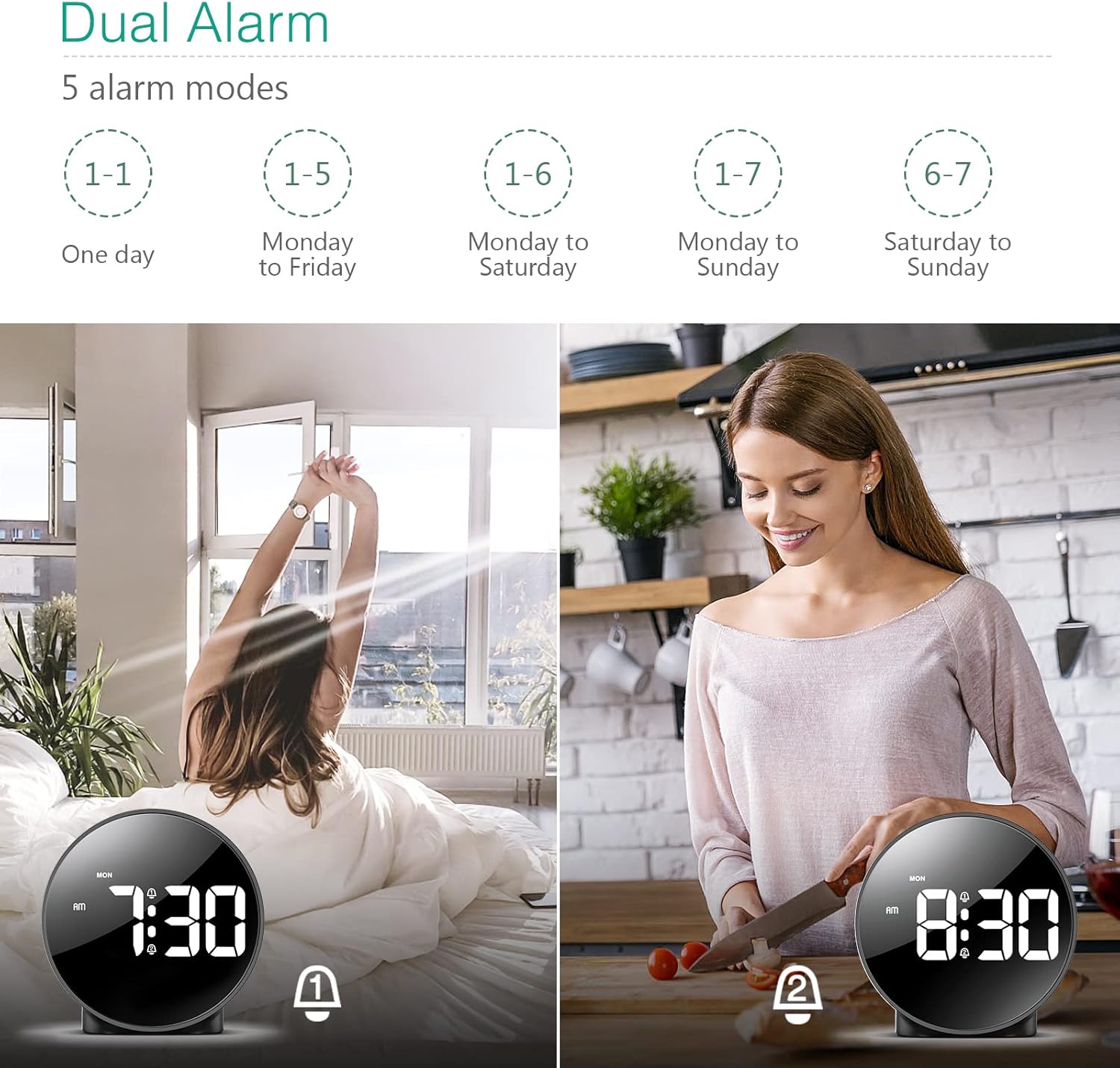
Figure 4: Illustration of the dual alarm functionality with various scheduling modes.
4.3 ස්නූස් කිරීමේ ක්රියාවලිය
අනතුරු ඇඟවීමක් ඇසෙන විට, විශාල බොත්තම ඔබන්න SNOOZE / LIGHT button on the top of the clock to activate the snooze function. The alarm will pause for 5 minutes and then sound again. You can repeat this process multiple times.

Figure 5: Activating the snooze function by touching the top of the clock.
4.4 දීප්තිය සකස් කිරීම
The clock features 4 levels of adjustable brightness. Short press the SNOOZE / LIGHT button on the top of the clock to cycle through the brightness levels (100%, 80%, 60%, and 0% (off)).

Figure 6: Visual representation of the four adjustable brightness levels of the clock display.
4.5 දිවා ආලෝකය ඉතිරි කිරීමේ කාලය (DST)
The clock supports Daylight Saving Time adjustment. Refer to the included mini-manual for specific instructions on how to activate or deactivate DST.
5. විශේෂාංග
- HD LED Display: Large, high-definition curved display for clear time reading.
- Dual Alarms with 5 Modes: Set two independent alarms with flexible scheduling options (one-day, weekdays, weekends, or every day).
- වෙනස් කළ හැකි දීප්තිය: Four levels of display brightness, including an off mode, to suit various environments and preferences.
- මඳක් නිදි කිරීමේ කාර්යය: Provides an additional 5 minutes of sleep with a simple touch.
- 12/24 පැය ආකෘතිය: Easily switch between standard and military time displays.
- ද්විත්ව බල සැපයුම: Operates via USB cable for continuous display or AAA batteries for power-saving mode (display turns off after 8 seconds).
- සංයුක්ත නිර්මාණය: Suitable for various locations such as bedrooms, living rooms, offices, or for travel.
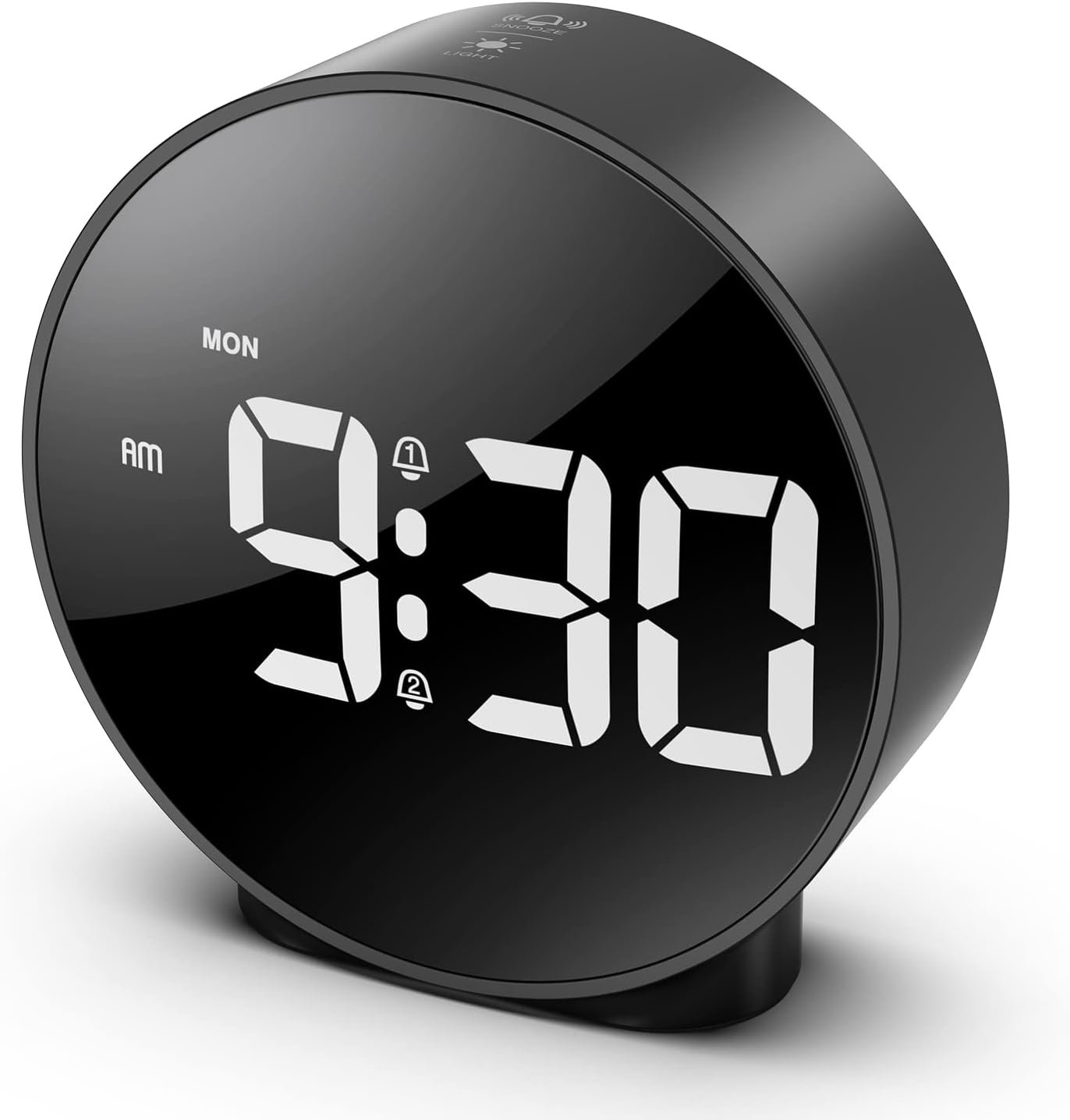
Figure 7: The ORIA Digital Alarm Clock showcasing its clear HD LED display.
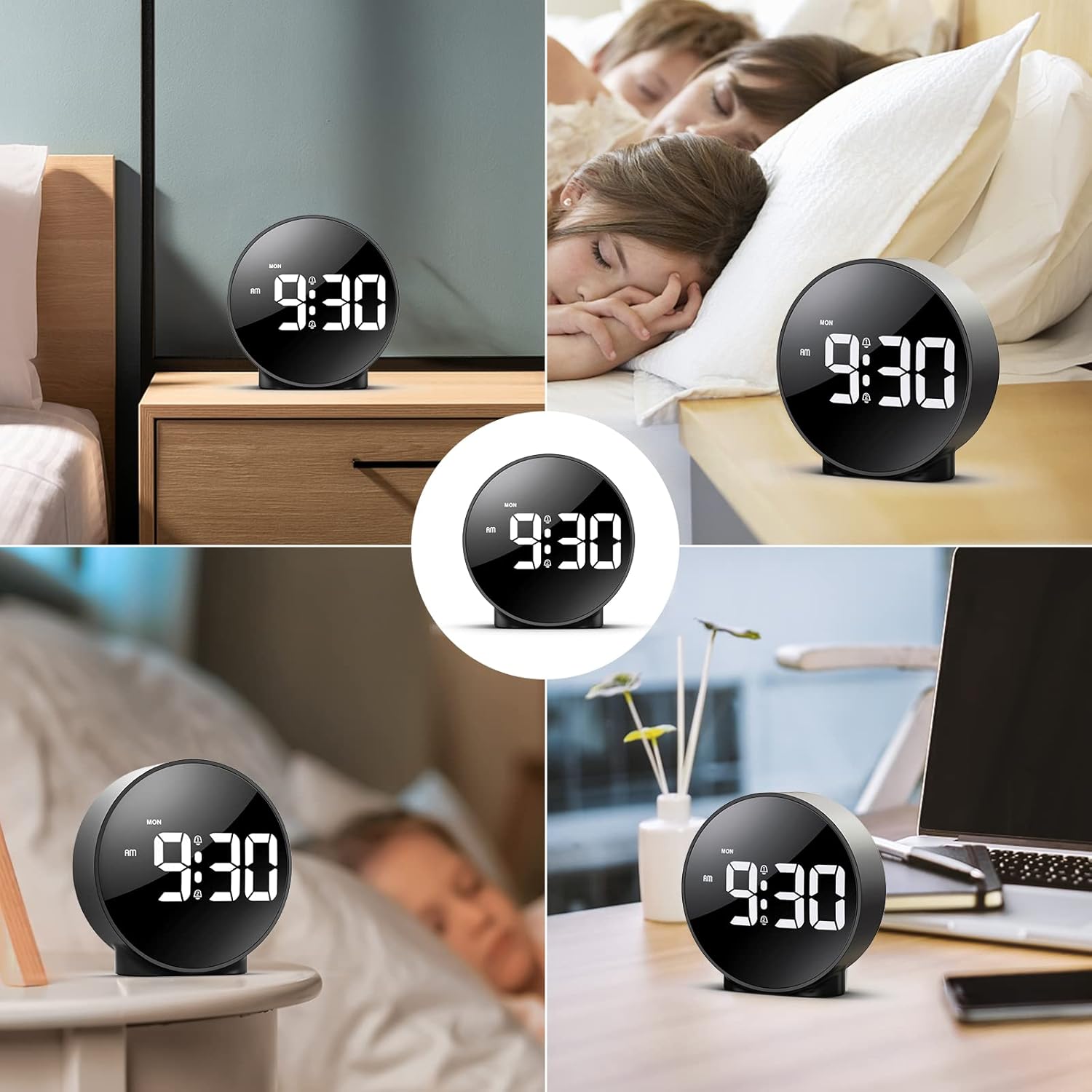
Figure 8: The versatile ORIA Digital Alarm Clock integrated into different environments like a bedroom, office, and living room.
6. නඩත්තු කිරීම
- මෘදු වියළි රෙද්දකින් ඔරලෝසුව පිරිසිදු කරන්න. උල්ෙල්ඛ පිරිසිදු කරන්නන් හෝ ද්රාවක භාවිතා නොකරන්න.
- දිගු කාලයක් භාවිතයේ නොමැති නම්, කාන්දු වීම වැළැක්වීම සඳහා බැටරි ඉවත් කරන්න.
7. දෝශ නිරාකරණය
- Display is off in battery mode: This is normal for power saving. Touch the top button to activate the display for 8 seconds. For continuous display, use the USB power cable.
- ප්රතිචාර නොදක්වන බොත්තම්: Try resetting the clock by pressing the small යළි පිහිටුවන්න button located on the back panel using a thin object (e.g., a paperclip).
- එලාම් නාද නොවේ: Ensure the alarm is activated (alarm icon visible on display) and the volume is not set to zero.
- වැරදි වේලාව/දිනය: Re-enter time setting mode and adjust the time and date as per Section 4.1.
8. පිරිවිතර
| වෙළඳ නාමය | ORIA |
| ආදර්ශ අංකය | OUS-HY-WA109B |
| වර්ණය | Black Case & White Digit |
| සංදර්ශක වර්ගය | ඩිජිටල් LED |
| නිෂ්පාදන මානයන් | 4.29"W x 4.8"H |
| අයිතමයේ බර | අවුන්ස 5.9 (කිලෝග්රෑම් 0.17) |
| බලශක්ති ප්රභවය | Corded Electric & Battery Powered (3x AAA, not included) |
| ද්රව්ය | ප්ලාස්ටික් |
| විශේෂ ලක්ෂණ | Alarm, LED Display, Adjustable Brightness, Dual Alarms, Snooze |
9. වගකීම් සහ සහාය
- වසර 1ක වගකීමක්: නිෂ්පාදිතය වසර 1ක සීමිත වගකීමකින් ආවරණය කෙරේ.
- 90-Day Free Replacements: Enjoy free replacements for eligible issues within 90 days of purchase.
- දින 30ක නොමිලේ ප්රතිලාභ: Returns are accepted within 30 days of purchase.
- 24/7 පාරිභෝගික සහාය: For any inquiries or assistance, please contact ORIA customer support.
- ජීවිත කාලය තාක්ෂණික සහාය: Benefit from lifetime technical support for your product.
වැඩිදුර සහාය සඳහා, කරුණාකර පිවිසෙන්න ORIA Store on Amazon.