
1. හැඳින්වීම
This manual provides detailed instructions for the proper use, setup, and maintenance of your Jectse BH M97 Single Ear Headset. Please read this manual thoroughly before using the product to ensure optimal performance and longevity. Keep this manual for future reference.
2. පැකේජ අන්තර්ගතය
පහත ලැයිස්තුගත කර ඇති සියලුම අයිතම ඔබේ නිෂ්පාදන පැකේජයේ ඇති බව තහවුරු කර ගන්න:
- Jectse BH M97 Single Ear Headset
- ආරෝපණ පදනම
- ආරෝපණ කේබලය
- උපදෙස් අත්පොත (මෙම ලේඛනය)
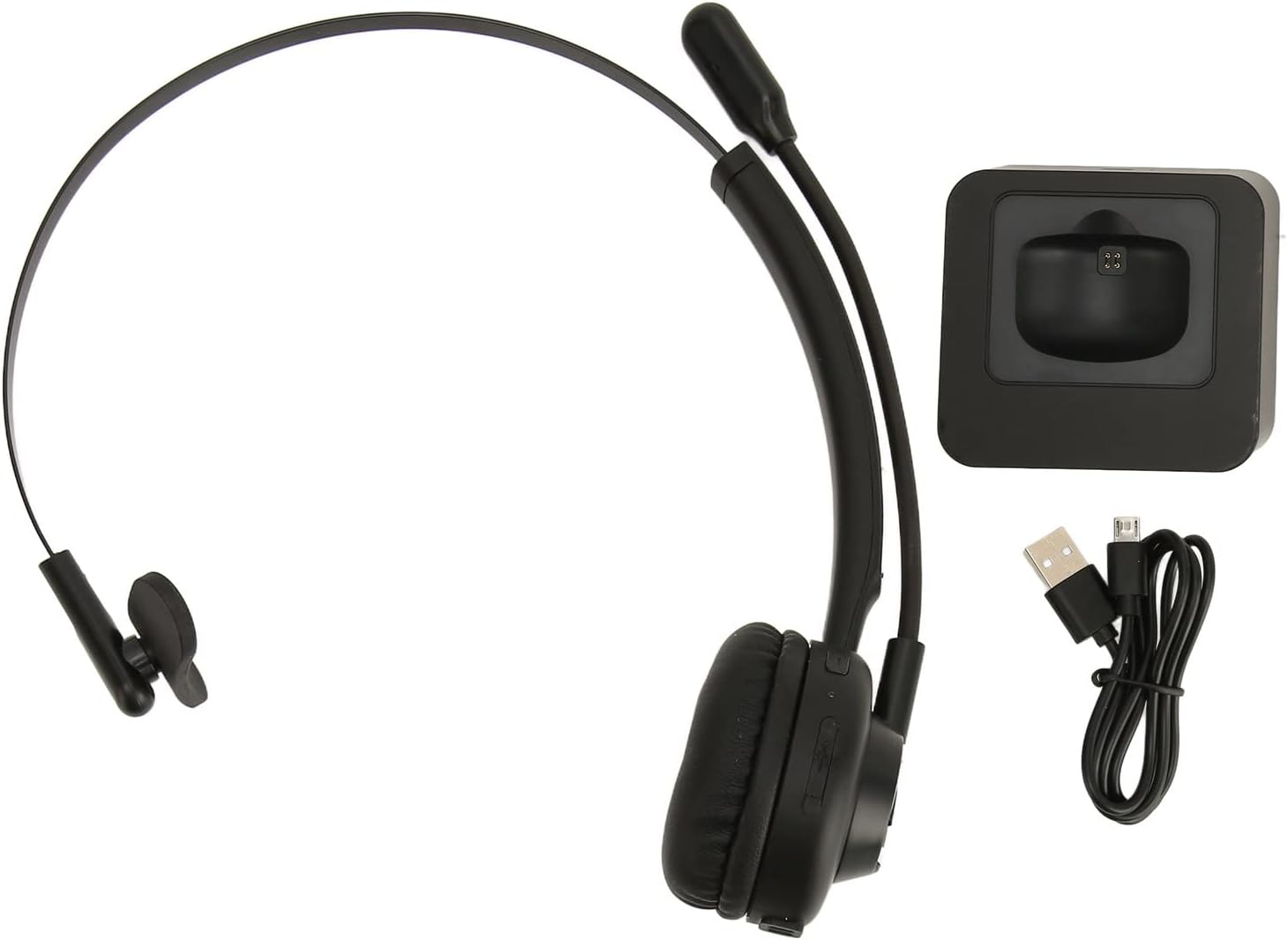
Image: The Jectse BH M97 headset, its dedicated charging base, and the USB charging cable.
3. නිෂ්පාදන අවසන්view
The Jectse BH M97 is a single-ear Bluetooth headset designed for clear communication in various environments. It features a rotatable microphone and a comfortable on-ear design.
3.1 හෙඩ්සෙට් සංරචක
- කන් කුෂන්: දීර්ඝ භාවිතයේදී සුවපහසුව සඳහා පෑඩ් කර ඇත.
- නම්යශීලී හෙඩ්බෑන්ඩ්: ආරක්ෂිත ගැළපීමක් සඳහා සකස් කළ හැකිය.
- කරකැවිය හැකි මයික්රෆෝනය: Can be adjusted to accurately capture your voice and positioned on either side.
- පාලන බොත්තම්: (Specific button functions are typically detailed in the 'Operating Instructions' section.)
- ආරෝපණ සම්බන්ධතා: Located on the earcup for use with the charging base.

Image: The Jectse BH M97 headset securely placed on its charging base.

රූපය: සවිස්තරාත්මක view of the headset's padded ear cushion and the charging contacts.
4. පිහිටුවීම
4.1 හෙඩ්සෙට් එක ආරෝපණය කිරීම
- Connect the charging cable to the charging base and a USB power source (e.g., computer USB port, wall adapter).
- Place the headset onto the charging base, ensuring the charging contacts align.
- The headset's indicator light will typically show charging status (e.g., red for charging, blue/off for fully charged).
- A full charge takes approximately 2 hours. The headset provides up to 17 hours of talk time and 200 hours of standby time on a full charge.
4.2 බල ගැන්වීම සක්රිය / අක්රිය කිරීම
- බල ගැන්වීමට: Press and hold the Multi-function Button (MFB) for approximately 3-5 seconds until the indicator light flashes blue.
- බලය අක්රිය කිරීමට: Press and hold the MFB for approximately 3-5 seconds until the indicator light flashes red and then turns off.
4.3 බ්ලූටූත් යුගල කිරීම
The headset uses Bluetooth 5.0 for stable and efficient connection.
- හෙඩ්සෙට් එක ක්රියා විරහිත කර ඇති බවට සහතික වන්න.
- Press and hold the MFB for approximately 5-7 seconds until the indicator light flashes red and blue alternately. This indicates pairing mode.
- On your device (smartphone, PC, tablet), enable Bluetooth and search for available devices.
- Select "BH M97" from the list of found devices.
- Once paired, the headset's indicator light will typically flash blue slowly or turn off.
- මුරපදයක් ඉල්ලා සිටියහොත්, "0000" ඇතුළත් කරන්න.

Image: The headset illustrating its rotatable microphone, comfortable design, and Bluetooth 5.0 capabilities for stable transmission.
5. මෙහෙයුම් උපදෙස්
5.1 හෙඩ්සෙට් එක පැළඳීම
- Adjust the flexible headband to fit comfortably over your head.
- කන් කුෂන් එක කනක් මත තබන්න.
- Rotate the microphone boom to bring the microphone close to your mouth for optimal voice capture. The microphone can be worn on either the left or right side.

Image: A user wearing the Jectse BH M97 headset, demonstrating its practical application in a professional environment.
5.2 ඇමතුම් කළමනාකරණය
- පිළිතුරු ඇමතුම: ඇමතුමක් පැමිණි විට MFB කෙටියෙන් ඔබන්න.
- ඇමතුම අවසන් කරන්න: ඇමතුමක් අතරතුර MFB කෙටි ඔබන්න.
- ඇමතුම ප්රතික්ෂේප කරන්න: Press and hold the MFB for approximately 2 seconds when a call comes in.
- අවසාන අංකය නැවත අමතන්න: Double-press the MFB when not on a call.
5.3 වෙළුම් පාලනය
Use the volume buttons (typically '+' and '-') on the headset to adjust the listening volume. Alternatively, adjust the volume directly on your connected device.
6. නඩත්තු කිරීම
නිසි නඩත්තුව ඔබේ හෙඩ්සෙට් එකේ ආයු කාලය සහ ප්රශස්ත ක්රියාකාරිත්වය සහතික කරයි.
- පිරිසිදු කිරීම: Use a soft, dry cloth to wipe the headset and charging base. Do not use abrasive cleaners or solvents.
- ගබඩා: භාවිතයේ නොමැති විට, හෙඩ්සෙට් එක සෘජු හිරු එළියෙන් සහ අධික උෂ්ණත්වයන්ගෙන් ඈත්ව සිසිල් වියළි ස්ථානයක ගබඩා කරන්න.
- බැටරි සත්කාර: Avoid fully discharging the battery frequently. Charge the headset regularly, even if not in constant use, to maintain battery health.
- තෙතමනය වළක්වා ගන්න: හෙඩ්සෙට් එක ජලයට හෝ අධික තෙතමනයට නිරාවරණය නොකරන්න.
7. දෝශ නිරාකරණය
If you encounter issues with your Jectse BH M97 headset, refer to the following common solutions:
- හෙඩ්සෙට් ක්රියාත්මක නොවේ: Ensure the headset is fully charged. Connect it to the charging base and allow it to charge for at least 30 minutes before attempting to power on again.
- උපාංගය සමඟ යුගල කළ නොහැක:
- Ensure the headset is in pairing mode (flashing red and blue alternately).
- ඔබගේ උපාංගයේ බ්ලූටූත් සබල කර ඇති බවට වග බලා ගන්න.
- හෙඩ්සෙට් එක ඔබගේ උපාංගයට සමීපව ගෙන යන්න (මීටර් 10ක් ඇතුළත).
- Turn off and on your device's Bluetooth, then try pairing again.
- If previously paired, try deleting the headset from your device's Bluetooth list and re-pairing.
- ශබ්දයක් නැත හෝ අඩු පරිමාවක්:
- හෙඩ්සෙට් එකේ සහ ඔබේ සම්බන්ධිත උපාංගයේ ශබ්ද මට්ටම් පරීක්ෂා කරන්න.
- හෙඩ්සෙට් එක ඔබගේ උපාංගයට නිසි ලෙස සම්බන්ධ වී ඇති බවට වග බලා ගන්න.
- Verify that the correct audio output device is selected on your computer or phone.
- මයික්රෆෝනය ක්රියා නොකරයි:
- මයික්රෆෝන බූම් එක ඔබේ මුඛය අසල නිවැරදිව ස්ථානගත කර ඇති බවට වග බලා ගන්න.
- හෙඩ්සෙට් එක ආදාන උපාංගය ලෙස තෝරාගෙන ඇති බව සහතික කර ගැනීමට ඔබගේ සම්බන්ධිත උපාංගයේ මයික්රෆෝන සැකසුම් පරීක්ෂා කරන්න.
- Ensure the microphone is not muted (if a mute function is available on the headset or device).
If the issue persists after trying these steps, please refer to the warranty and support information.
8. පිරිවිතර
| විශේෂාංගය | පිරිවිතර |
|---|---|
| ආකෘතිය | BH M97 |
| සම්බන්ධතාවය | බ්ලූටූත් 5.0 (රැහැන් රහිත) |
| රැහැන් රහිත පරාසය | මීටර් 10 (අඩි 32.8) දක්වා |
| බැටරි ධාරිතාව | ඉදිකළ 180mAh ලිතියම් බැටරිය |
| කතා කාලය | පැය 17 දක්වා |
| පොරොත්තු කාලය | පැය 200 දක්වා |
| ආරෝපණ කාලය | ආසන්න වශයෙන් පැය 2 කි |
| ද්රව්ය | ABS, ප්ලාස්ටික් |
| කන් ස්ථානගත කිරීම | On Ear (Single Ear) |
| මයික්රෆෝනය | Rotatable, Noise Canceling |
| ගැළපෙන උපාංග | Cellphones, Tablets, Laptops, PCs |
| මානයන් (පාර්සලය) | 18 x 17 x 6 සෙ.මී |
| බර (පාර්සලය) | 329 ග්රෑම් |
9. වගකීම් සහ සහාය
For warranty information and customer support, please refer to the documentation included with your purchase or visit the official Jectse webවෙබ් අඩවිය. වගකීම් හිමිකම් සඳහා ඔබේ මිලදී ගැනීමේ සාක්ෂි තබා ගන්න.