
1. හැඳින්වීම
This manual provides detailed instructions for the proper use and maintenance of your HOCO BS45 Deep Sound Sports Wireless Speaker. Please read this manual thoroughly before operating the device to ensure optimal performance and longevity. The HOCO BS45 is a portable wireless speaker featuring Bluetooth V5.0 connectivity, FM radio, and TF card support, designed for versatile audio playback.
2. පැකේජ අන්තර්ගතය
- HOCO BS45 Wireless Speaker
- USB ආරෝපණ කේබලය
- පරිශීලක අත්පොත
3. නිෂ්පාදන අවසන්view
The HOCO BS45 speaker features a compact, spherical design with a durable mesh fabric finish. It incorporates a single speaker unit and intuitive controls for various functions.
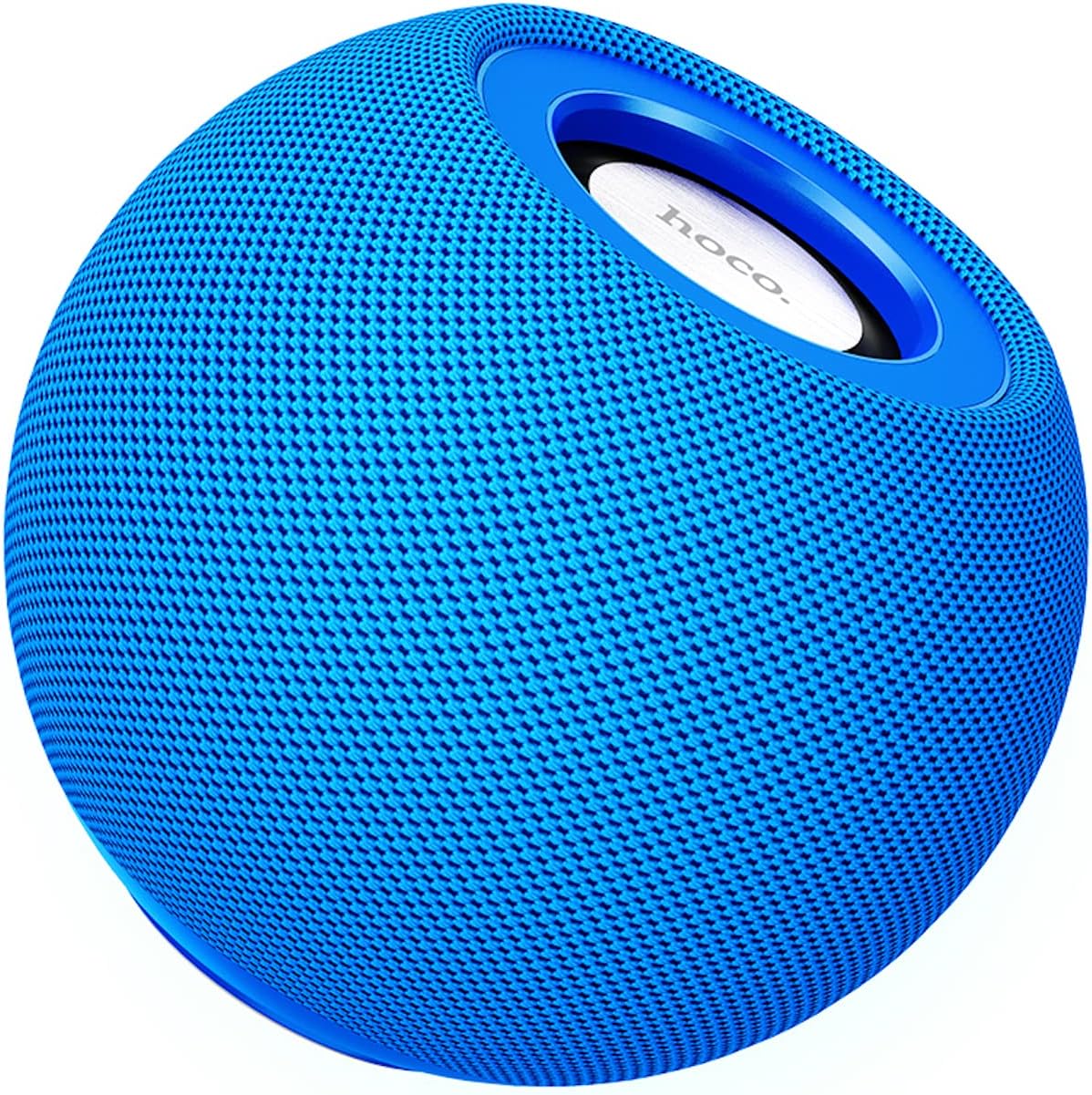
රූපය 3.1: ඉදිරිපස view of the HOCO BS45 speaker, showcasing its blue mesh exterior and top-mounted control area with the HOCO logo.
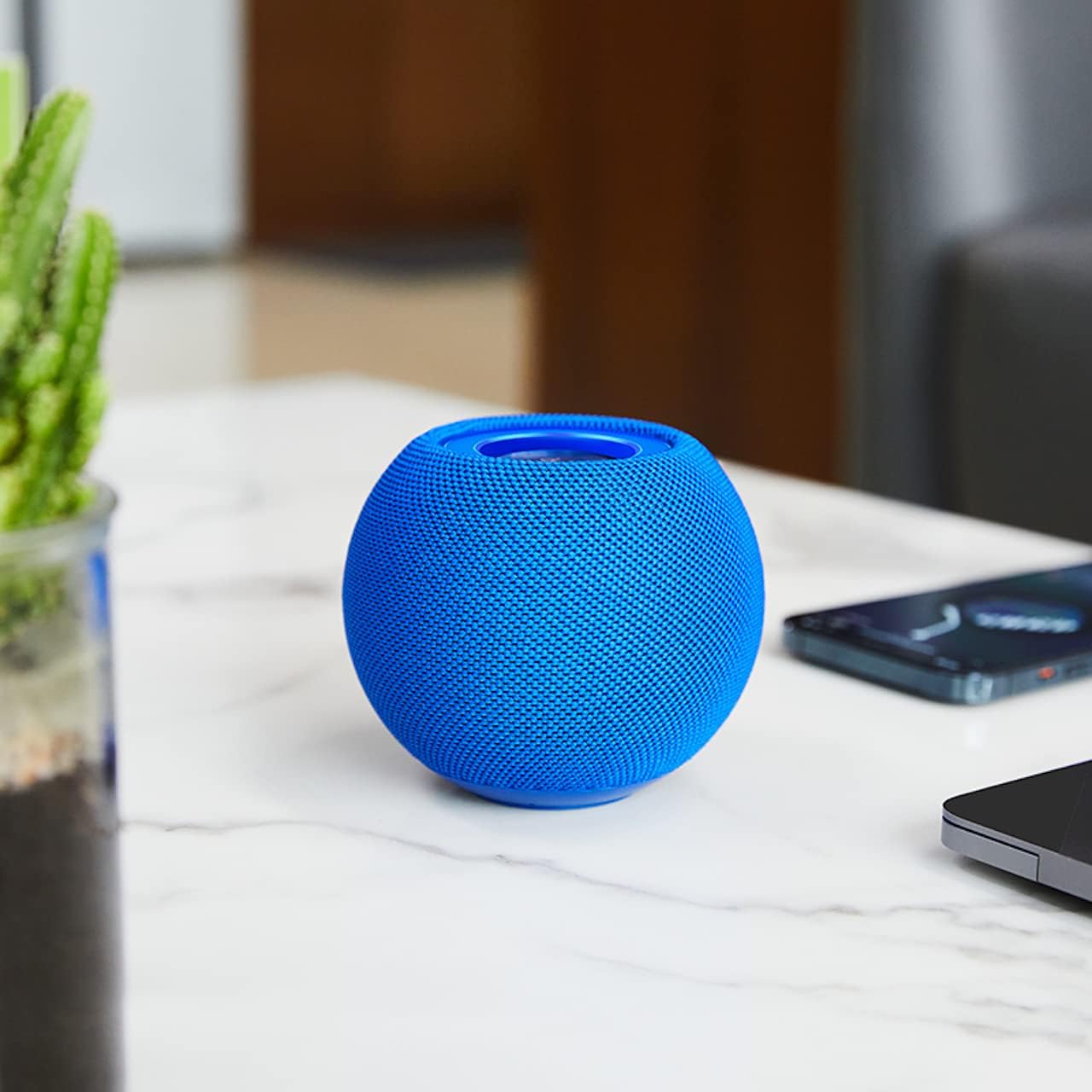
රූපය 3.2: The HOCO BS45 speaker positioned on a tabletop, illustrating its compact size relative to a smartphone and a small plant, suitable for various indoor settings.

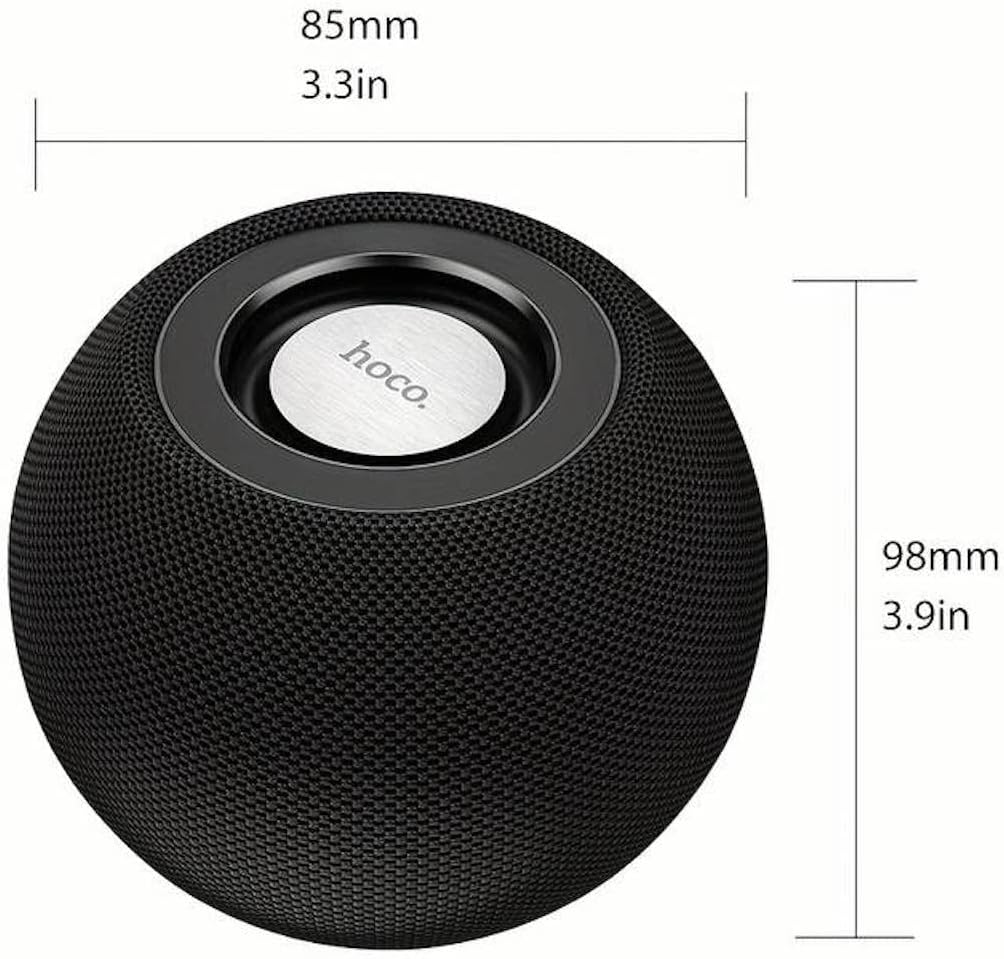
රූපය 3.3: Technical diagram indicating the dimensions of the HOCO BS45 speaker: 85mm (3.3 inches) in width and 98mm (3.9 inches) in height.
4. පිහිටුවීම
4.1 කථිකයා ආරෝපණය කිරීම
- ලබා දී ඇති USB ආරෝපණ කේබලය ස්පීකරයේ ආරෝපණ තොටට සම්බන්ධ කරන්න.
- USB කේබලයේ අනෙක් කෙළවර අනුකූල USB බල ඇඩැප්ටරයකට (ඇතුළත් කර නැත) හෝ පරිගණකයේ USB පෝට් එකකට සම්බන්ධ කරන්න.
- ආරෝපණය කිරීමේදී ආරෝපණ දර්ශක ආලෝකය දැල්වෙනු ඇත.
- සම්පූර්ණ ආරෝපණයක් සඳහා ආසන්න වශයෙන් පැය 1.5 ක් ගතවේ. ආරෝපණය සම්පූර්ණ වූ පසු දර්ශක ආලෝකය වෙනස් වේ හෝ නිවී යයි.
The speaker has a built-in 500mAh battery, providing approximately 2 hours of talk or music playback time on a full charge.
4.2 බලය සක්රිය / අක්රිය
- To power on, press and hold the Power button (location not specified, typically a multi-function button) for a few seconds until you hear an audible prompt or see an indicator light.
- To power off, press and hold the Power button again for a few seconds until you hear an audible prompt or the indicator light turns off.
4.3 බ්ලූටූත් යුගල කිරීම
- Ensure the speaker is powered on and in Bluetooth pairing mode (indicated by a flashing LED light, if present).
- ඔබගේ ජංගම උපාංගයේ (ස්මාර්ට්ෆෝන්, ටැබ්ලටය, ලැප්ටොප්) බ්ලූටූත් සක්රීය කරන්න.
- ඒ සඳහා සොයන්න available Bluetooth devices. The speaker will appear as "HOCO BS45" or similar.
- Select "HOCO BS45" from the list to connect.
- Once successfully paired, you will hear a confirmation sound, and the LED indicator will typically stop flashing and remain solid.
The HOCO BS45 uses Bluetooth 5.0 technology for a stable and reliable connection.
4.4 TWS (සත්ය රැහැන් රහිත ස්ටීරියෝ) යුගලනය
To achieve a stereo sound experience, you can pair two HOCO BS45 speakers together.
- Ensure both HOCO BS45 speakers are powered on and not connected to any other Bluetooth device.
- On one of the speakers (this will be the primary speaker), press and hold the TWS pairing button (if available, or a multi-function button) until you hear a pairing prompt.
- ස්පීකර් දෙක ස්වයංක්රීයව එකිනෙකා සොයමින් සම්බන්ධ වනු ඇත. තහවුරු කිරීමේ ශබ්දයක් සාර්ථක TWS යුගලනය පෙන්නුම් කරයි.
- Once TWS paired, connect your mobile device to the primary speaker via Bluetooth as described in Section 4.3.
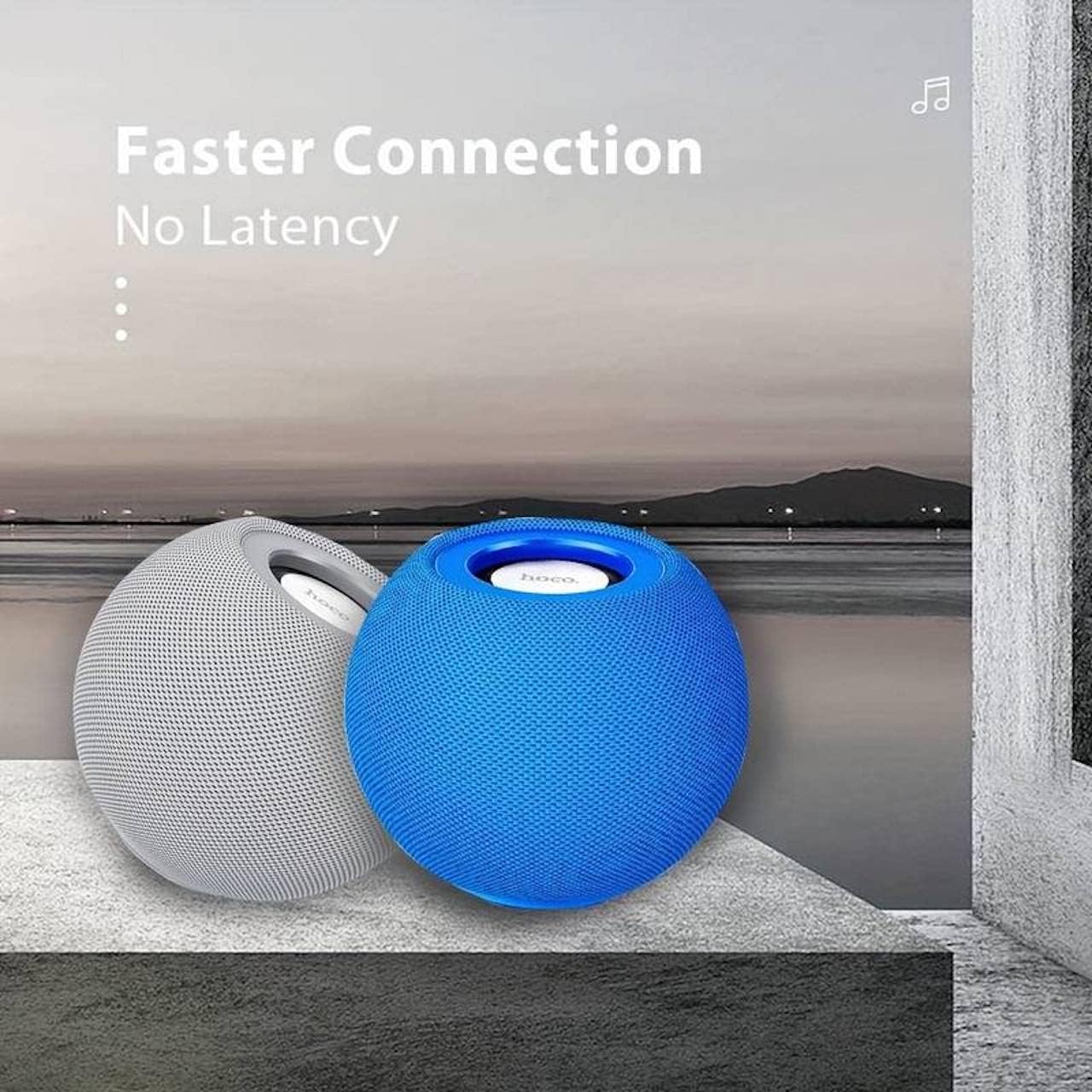
රූපය 4.1: Two HOCO BS45 speakers, one grey and one blue, shown together to illustrate the True Wireless Stereo (TWS) pairing capability for enhanced audio.
5. මෙහෙයුම් මාතයන්
5.1 බ්ලූටූත් ප්රකාරය
After successful Bluetooth pairing (Section 4.3), you can play audio from your connected device. Use your device's media player to control playback (play, pause, skip tracks) and volume. Some speaker models may also support these controls directly via integrated buttons.
5.2 FM රේඩියෝ මාදිලිය
- Press the Mode button (if available) to switch to FM Radio mode.
- Press the Play/Pause button to initiate an automatic scan for FM stations. The speaker will save available stations.
- සුරකින ලද FM මධ්යස්ථාන අතර සැරිසැරීමට ඊළඟ/පෙර ධාවන පථ බොත්තම් භාවිතා කරන්න.
5.3 TF කාඩ් මාදිලිය
- ශ්රව්ය සහිත TF (microSD) කාඩ්පතක් ඇතුළු කරන්න files into the designated TF card slot on the speaker.
- The speaker should automatically switch to TF Card mode and begin playing music. If not, press the Mode button to select TF Card mode.
- Use the speaker's control buttons (e.g., Play/Pause, Next/Previous) to manage playback.
6. පාලන
The HOCO BS45 speaker features integrated controls for easy operation. While specific button layouts may vary, common functions include:
- බල බොත්තම: බලය සක්රිය / අක්රිය කිරීමට ඔබා අල්ලාගෙන සිටින්න.
- වාදනය/විරාම බොත්තම: Press to play or pause audio. In FM mode, press to auto-scan.
- ශබ්දය වැඩි කිරීම/ඊළඟ ඛණ්ඩය: ශබ්දය වැඩි කිරීමට කෙටි ඔබන්න, ඊළඟ ධාවන පථය සඳහා දිගු ඔබන්න.
- වෙළුම පහළට/පෙර ඛණ්ඩය: ශබ්දය අඩු කිරීමට කෙටි ඔබන්න, පෙර ධාවන පථය සඳහා දිගු ඔබන්න.
- මාදිලි බොත්තම: Press to switch between Bluetooth, FM Radio, and TF Card modes.
- Call Siri / Voice Assistant: Some models support touch operation to activate voice assistants.

රූපය 6.1: A black HOCO BS45 speaker, illustrating its high power capacity and support for various controls including song switching and voice assistant activation via touch operation.
7. නඩත්තු කිරීම
- ස්පීකරය වියළිව තබා ගන්න. එය ජලයට හෝ අධික තෙතමනයට නිරාවරණය නොකරන්න.
- මෘදු වියළි රෙද්දකින් ස්පීකරය පිරිසිදු කරන්න. උල්ෙල්ඛ පිරිසිදු කරන්නන් හෝ ද්රාවක භාවිතා නොකරන්න.
- Avoid extreme temperatures. Store the speaker in a cool, dry place.
- ස්පීකරය ඔබම විසුරුවා හැරීමට හෝ අලුත්වැඩියා කිරීමට උත්සාහ නොකරන්න. මෙය වගකීම් අවලංගු කරයි.
8. දෝශ නිරාකරණය
| ගැටලුව | විය හැකි හේතුව | විසඳුම |
|---|---|---|
| ස්පීකරය ක්රියාත්මක නොවේ. | අඩු බැටරි. | අවම වශයෙන් පැය 1.5ක්වත් ස්පීකරය ආරෝපණය කරන්න. |
| බ්ලූටූත් හරහා යුගල කළ නොහැක. | ස්පීකරය යුගල කිරීමේ ආකාරයෙන් නොමැත; උපාංගය බ්ලූටූත් අක්රියයි; උපාංගයෙන් බොහෝ දුරයි. | Ensure speaker is in pairing mode. Enable Bluetooth on your device. Move speaker closer to device (within 10 meters). |
| ශබ්දයක් නැත. | Volume too low; speaker not connected; incorrect mode. | Increase volume on both speaker and connected device. Re-pair Bluetooth. Ensure correct operating mode (Bluetooth, FM, TF card). |
| FM රේඩියෝ පිළිගැනීම දුර්වලයි. | දුර්වල සංඥාව; පාරිසරික බාධා. | Move the speaker to a location with better signal. Avoid obstructions. |
9. පිරිවිතර
- ආකෘතිය: BS45
- බ්ලූටූත් අනුවාදය: 5.0 (Chip: JL AC6965)
- බැටරි ධාරිතාව: 500mAh
- ආරෝපණ කාලය: ආසන්න වශයෙන් පැය 1.5 කි
- කතා/සංගීත වේලාව: ආසන්න වශයෙන් පැය 2 කි
- කථානායක ඒකකය: 57mm * 1
- ස්පීකර් බල ප්රතිදානය: 5W*1
- සම්බන්ධතා තාක්ෂණය: Bluetooth, FM, TF card, TWS
- ශ්රව්ය ප්රතිදාන ප්රකාරය: වටකරගන්න
- සවිකිරීමේ වර්ගය: ටැබ්ලටය
- ස්පීකර් වර්ගය: එළිමහන්
- නිෂ්පාදන මානයන්: 9.8 x 8.5 x 8.5 cm (3.9 x 3.3 x 3.3 අඟල්)
- නිෂ්පාදන බර: 242 ග්රෑම්
- ගැළපෙන උපාංග: ඩෙස්ක්ටොප්, ලැප්ටොප්, MP3 ප්ලේයර්, ස්මාර්ට්ෆෝන්, ටැබ්ලටය
රූපය 9.1: A display of four HOCO BS45 speakers in various colors (black, blue, red, grey), emphasizing core specifications such as Bluetooth 5.0, 2 hours of music playback, and a 500mAh battery capacity.
10 ආරක්ෂිත තොරතුරු
- කථිකයා අධික උෂ්ණත්වයන්ට, සෘජු හිරු එළියට හෝ විවෘත ගිනිදැල්වලට නිරාවරණය නොකරන්න.
- කථිකයා ප්රබල බලපෑම්වලට වැටීමෙන් හෝ යටත් කිරීමෙන් වළකින්න.
- ළමයින් සහ සුරතල් සතුන්ගෙන් ස්පීකරය ඈත් කර තබන්න.
- Use only the provided or a certified charging cable.
- Do not operate the speaker in wet environments or near water.
- දේශීය රෙගුලාසිවලට අනුව වගකීමෙන් යුතුව භාණ්ඩය බැහැර කරන්න.
11. වගකීම් සහ සහාය
Specific warranty details for the HOCO BS45 speaker may vary by region and retailer. Please refer to your purchase documentation or contact your point of sale for warranty information. For technical support or inquiries, please visit the official HOCO webවෙබ් අඩවිය හෝ ඔවුන්ගේ පාරිභෝගික සේවාව අමතන්න.