
WUIPET WP02
කැමරා පරිශීලක අත්පොත සහිත WUIPET කුරුළු පෝෂක
ආකෘතිය: WP02
1. නිෂ්පාදන අවසන්view
The WUIPET Bird Feeder with Camera (Model WP02) is an innovative device designed to enhance your bird watching experience. It features a built-in 1080P HD camera with AI recognition capabilities, allowing you to capture close-up images and videos of visiting birds and identify over 10,000 species. The feeder is equipped with a solar panel for continuous power and sends instant notifications to your mobile phone upon bird detection.
ප්රධාන ලක්ෂණ:
- 1080P HD කැමරාව: Captures clear and vivid images and videos.
- AI පිළිගැනීම: Identifies over 10,000 bird species (paid subscription, first month free).
- ක්ෂණික දැනුම්දීම්: Sends HD snapshots and alerts to your phone when birds are detected.
- සූර්ය බලශක්තිය: Equipped with a solar panel for continuous charging and operation.
- 2.0L විශාල ධාරිතාව: Reduces the frequency of refilling birdseed.
- IP65 ජල ආරක්ෂිත: විවිධ කාලගුණික තත්ත්වයන්ට ඔරොත්තු දෙන පරිදි නිර්මාණය කර ඇත.
- බහු සවි කිරීම් විකල්ප: Can be mounted on trees, poles, walls, or fences.
- 2.4G Wi-Fi Connectivity: Stable connection for real-time viewing (5.0G Wi-Fi not supported).
පැකේජයේ අන්තර්ගතය:
- WUIPET Bird Feeder with Camera
- සූර්ය පැනලය
- Mounting Accessories (screws, straps, pole mounts)
- Hummingbird Nectar Feeders (2)
- Jelly Feeder / Fruit Holder
- පරිශීලක අත්පොත (මෙම ලේඛනය)

Image: The WUIPET Bird Feeder with Camera, showing the main unit, solar panel, two hummingbird feeders, and various mounting hardware.
2. සැකසුම් මාර්ගෝපදේශය
2.1 Unboxing and Initial Inspection:
Carefully remove all components from the packaging. Inspect for any damage. Ensure all listed package contents are present.
වීඩියෝ: ඉවරයිview of the WUIPET Bird Feeder with Camera, demonstrating its features and components. This video provides a good visual guide for initial setup and understanding the product.
2.2 සංරචක හඳුනාගැනීම:
Familiarize yourself with the main parts of the bird feeder, including the camera module, seed reservoir, perches, and the solar panel connection port.

රූපය: ඉදිරිපස view of the WUIPET Bird Feeder, highlighting the transparent seed reservoir and the integrated camera module.
2.3 සවි කිරීමේ විකල්ප:
The feeder offers versatile mounting options to suit your backyard environment:
- Tree Mounting: Use the provided strap to secure the feeder to a tree trunk.
- පොල්ල සවි කිරීම: Attach the feeder to a pole using the included pole mount and clamps.
- Wall/Fence Mounting: Use screws and anchors to fix the feeder to a wall or fence.
පැහැදිලි ආලෝකයක් ලබා දෙන ස්ථානයක් තෝරන්න. view of potential bird activity and receives ampසූර්ය පැනලය සඳහා le හිරු එළිය.
Video: Demonstration of various mounting methods for the WUIPET Bird Feeder, including attachment to a tree and a fence post. This helps visualize the installation process.
2.4 Solar Panel Connection:
Connect the solar panel cable to the charging port on the bird feeder. Position the solar panel in a location that receives maximum direct sunlight throughout the day to ensure optimal battery charging.

Image: The WUIPET Bird Feeder with its solar panel connected, illustrating how the panel provides power to the unit.
2.5 App Installation and Wi-Fi Connection:
Download the official WUIPET app from your smartphone's app store. Follow the in-app instructions to create an account and connect your bird feeder to your home's 2.4G Wi-Fi network. සටහන: 5.0G Wi-Fi සඳහා සහය නොදක්වයි.

Image: A smartphone displaying the WUIPET app interface, showcasing the AI bird recognition feature and event list.
3. මෙහෙයුම
3.1 Filling the Feeder:
Open the top cover of the feeder and pour your preferred birdseed into the 2.0L capacity reservoir. Ensure the cover is securely closed to protect the seeds from weather and pests.
Image: The WUIPET Bird Feeder with its seed compartment clearly visible and filled with birdseed.
3.2 Real-time Bird Watching and Notifications:
Once connected, the camera will automatically detect and record visiting birds. You will receive instant notifications and HD snapshots on your mobile phone. Open the app to view සජීවී footage හෝ review වාර්තාගත සිදුවීම්.
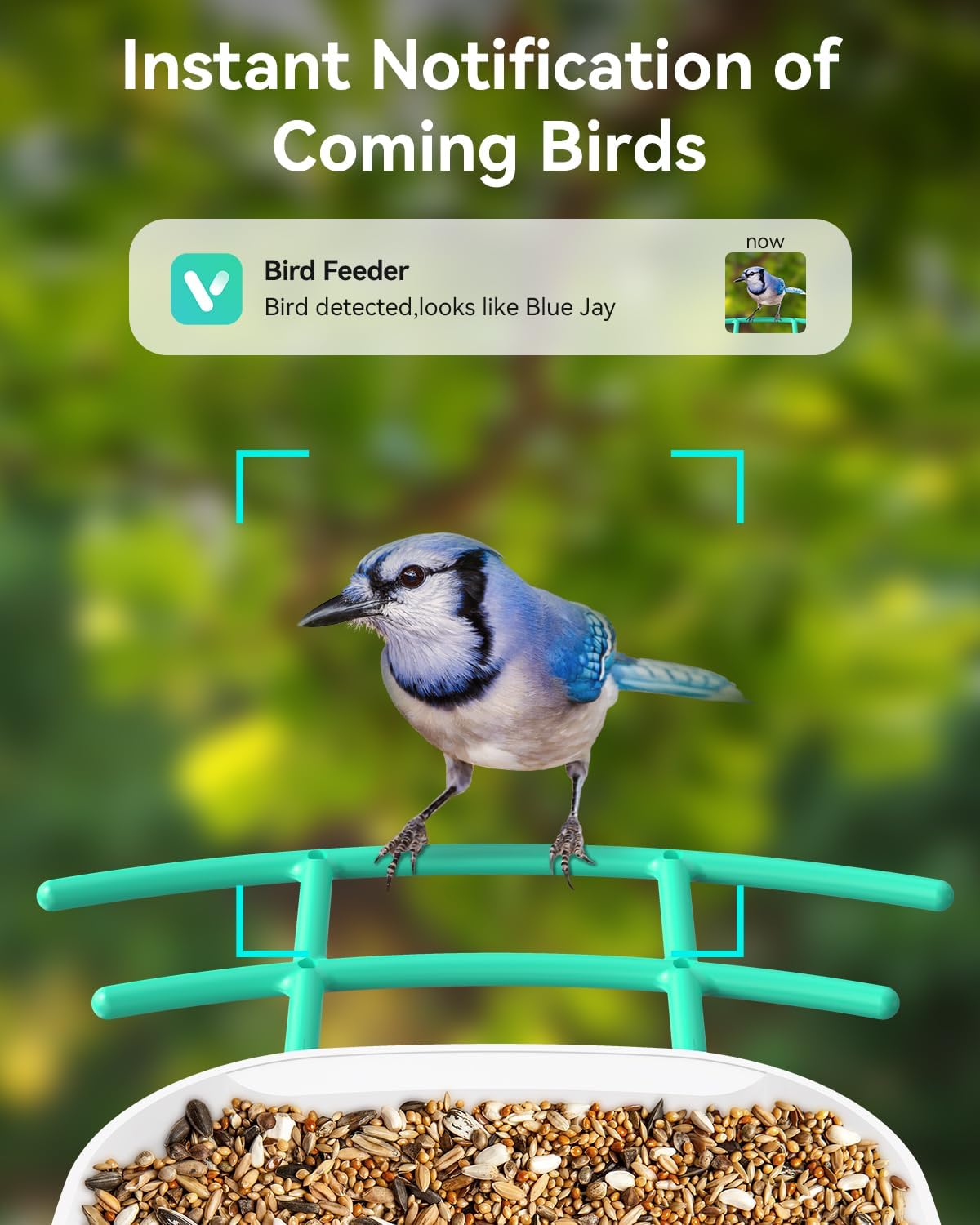
Image: A smartphone screen displaying an instant notification from the WUIPET app, indicating a bird has been detected at the feeder.
Video: A short clip showing two birds visiting the smart bird feeder, demonstrating the real-time capture capability.
3.3 AI Recognition and Bird Album:
The AI feature identifies bird species and provides detailed information. You can save photos and videos of your bird visitors directly within the app, creating a personalized wild bird album.
Video: A brief demonstration of the WUIPET smart bird feeder's AI identification feature, highlighting its ability to recognize different bird species.
3.4 Sharing Features:
Share your captured bird moments with friends and family directly from the app or through social media platforms.

Image: People viewing and sharing bird watching content on their mobile devices, illustrating the sharing capabilities of the app.
4. නඩත්තු කිරීම
4.1 Cleaning the Feeder:
Regular cleaning is essential to prevent mold and bacteria growth, ensuring a healthy environment for birds. Disassemble the feeder components and wash them with warm, soapy water. Rinse thoroughly and allow to dry completely before reassembling.
4.2 Refilling Birdseed:
Monitor the seed level regularly. Refill the birdseed as needed to ensure a continuous supply for visiting birds. Use high-quality, fresh birdseed appropriate for local bird species.
4.3 Battery and Solar Panel Care:
Keep the solar panel clean and free of debris (dust, leaves, snow) to maximize charging efficiency. Ensure the panel is positioned to receive direct sunlight for several hours daily. In prolonged cloudy periods or winter, you may need to manually charge the camera battery using a DC5V/1.5A adapter (not included).
5. දෝශ නිරාකරණය
| කලාපය | විය හැකි හේතුව | විසඳුම |
|---|---|---|
| Wi-Fi සම්බන්ධතාවයක් නැත | Incorrect Wi-Fi password; 5.0G Wi-Fi network; weak signal. | Ensure correct 2.4G Wi-Fi password. Move feeder closer to router. Check router settings. |
| බැටරිය ඉක්මනින් බැස යයි | Insufficient sunlight for solar panel; frequent motion detection; extreme temperatures. | Relocate solar panel to a sunnier spot. Clean solar panel. Adjust motion detection sensitivity in app. Manual charge if necessary. |
| No bird detection/notifications | Motion detection disabled; low battery; camera lens obstructed; app notification settings. | Check app settings for motion detection. Ensure battery is charged. Clean camera lens. Verify app notifications are enabled on your phone. |
| දුර්වල වීඩියෝ ගුණාත්මකභාවය | Dirty lens; low light conditions; weak Wi-Fi signal. | Clean camera lens. Ensure adequate lighting. Improve Wi-Fi signal strength. |
| AI recognition not working | Subscription expired; poor image clarity. | Check AI subscription status in the app. Ensure clear images for recognition. |
6. නිෂ්පාදන පිරිවිතර
| විශේෂාංගය | විස්තර |
|---|---|
| වෙළඳ නාමය | WUIPET |
| ආදර්ශ අංකය | WP02 |
| කැමරා විභේදනය | 1080P HD, 2 Megapixels |
| බලශක්ති ප්රභවය | සූර්ය බලයෙන් ක්රියාත්මක (ලිතියම් අයන බැටරි 1ක් ඇතුළත්) |
| Wi-Fi සම්බන්ධතාව | 2.4G Wi-Fi (5.0G not supported) |
| ධාරිතාව | 2.0 Liters (seed) |
| ද්රව්ය | ප්ලාස්ටික් |
| නිෂ්පාදන මානයන් | 8"අඟල් x 8"අඟල් x 11"උ |
| අයිතමයේ බර | රාත්තල් 6.67 කි |
| ජල ආරක්ෂිත ශ්රේණිගත කිරීම | IP65 |
| Operating Temperature (Camera) | -10°C සිට 50°C (14°F සිට 122°F) |
| Operating Temperature (Solar Panel) | -20.5°C සිට 48.5°C (-5°F සිට 120°F) |
7. වගකීම් සහ පාරිභෝගික සහාය
WUIPET products are designed for durability and performance. For specific warranty details, please refer to the warranty card included in your product packaging or visit the official WUIPET webඅඩවිය.
For technical support, troubleshooting assistance, or any product-related inquiries, please contact WUIPET customer support through the following channels:
- විද්යුත් තැපෑල: support@wuipet.com (example)
- Webඅඩවිය: Visit the WUIPET Store on Amazon
ඔබට නිල පරිශීලක අත්පොත PDF ද සොයාගත හැකිය. මෙතන.