
හැඳින්වීම
Thank you for choosing the Yunseity Portable Voice Amplifier. This device is designed to provide clear and stable sound amplification for various applications such as teaching, presentations, meetings, and outdoor activities. Please read this manual carefully before using the product to ensure proper operation and to maximize its lifespan.
නිෂ්පාදනය අවසන්view
The Yunseity Portable Voice Amplifier is a compact and versatile device. Familiarize yourself with its components and controls.

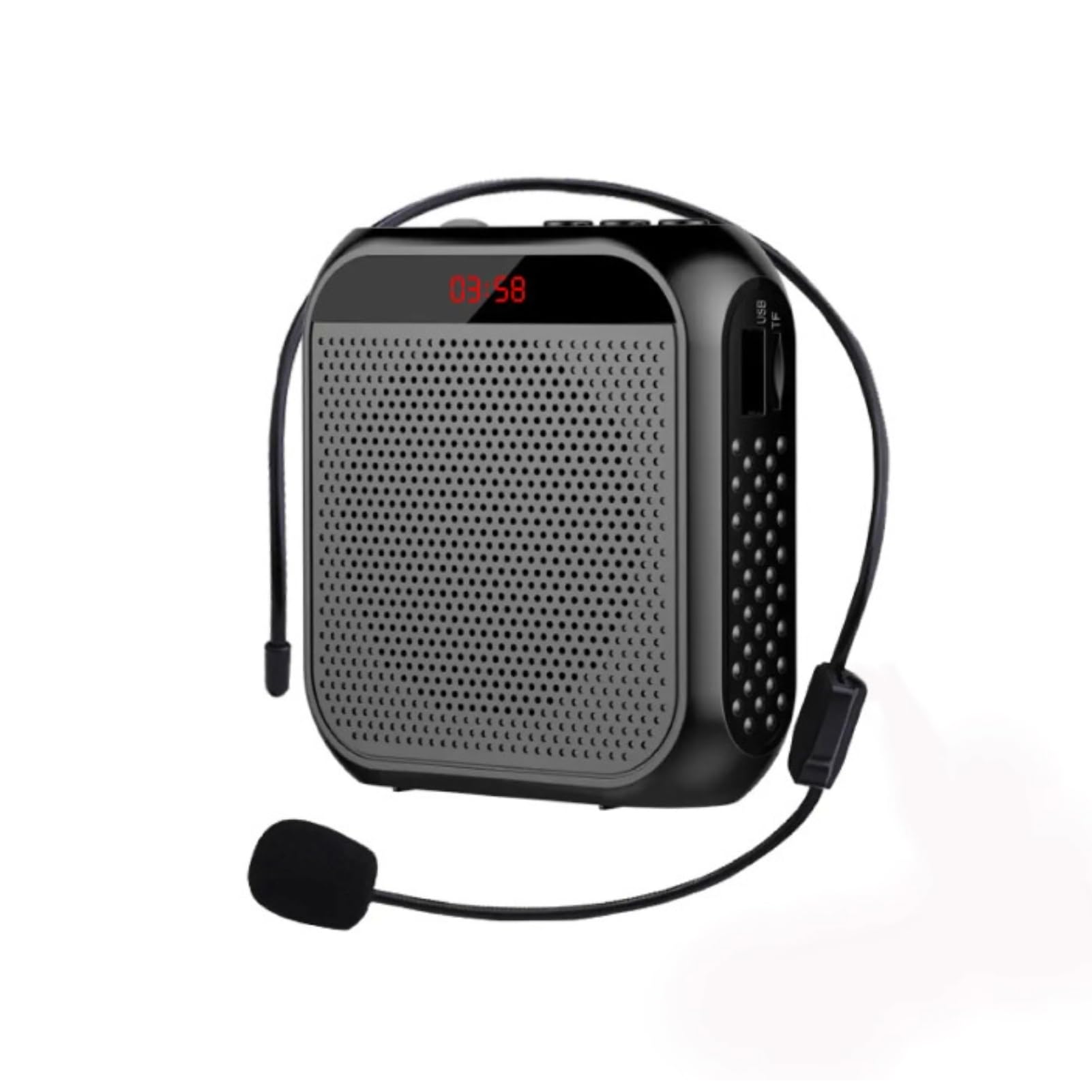
Image: The voice amplifier unit shown with its accompanying headset microphone, waistband strap, and USB charging cable.
ප්රධාන සංරචක:
- හඬ Ampලිෆයර් ඒකකය: The main speaker and control unit.
- හෙඩ්සෙට් මයික්රෆෝනය: For hands-free voice input.
- Waistband Strap: පහසු අතේ ගෙන යා හැකි හැකියාව සඳහා.
- USB ආරෝපණ කේබලය: අභ්යන්තර බැටරිය නැවත ආරෝපණය කිරීම සඳහා.
පාලක පැනලය සහ වරායන්:

Image: A labeled diagram indicating the location and function of each button, knob, and port on the ampජීවිතාරක්ෂකයා.
- 3.5mm මයික්රොෆෝන් ජැක්: Connect the headset microphone here.
- වෙළුම් බොත්තම: සකස් කිරීමට කරකවන්න ampලිෆිකේෂන් පරිමාව.
- ආරෝපණ වරාය: USB ආරෝපණ කේබලය මෙතැනට සම්බන්ධ කරන්න.
- පෙර ගීත බොත්තම: Press to go to the previous track (when playing media).
- වාදනය/විරාම බොත්තම: Tap to play or pause media. Long press to turn the device on or off.
- ඊළඟ ගීත බොත්තම: Press to go to the next track. Long press to switch between single song loop and list loop.
- U Disk Interface: මාධ්ය නැවත ධාවනය සඳහා USB ෆ්ලෑෂ් ධාවකයක් ඇතුළු කරන්න.
- මතක කාඩ්පත් තව්: Insert a Memory Card (TF card) for media playback.
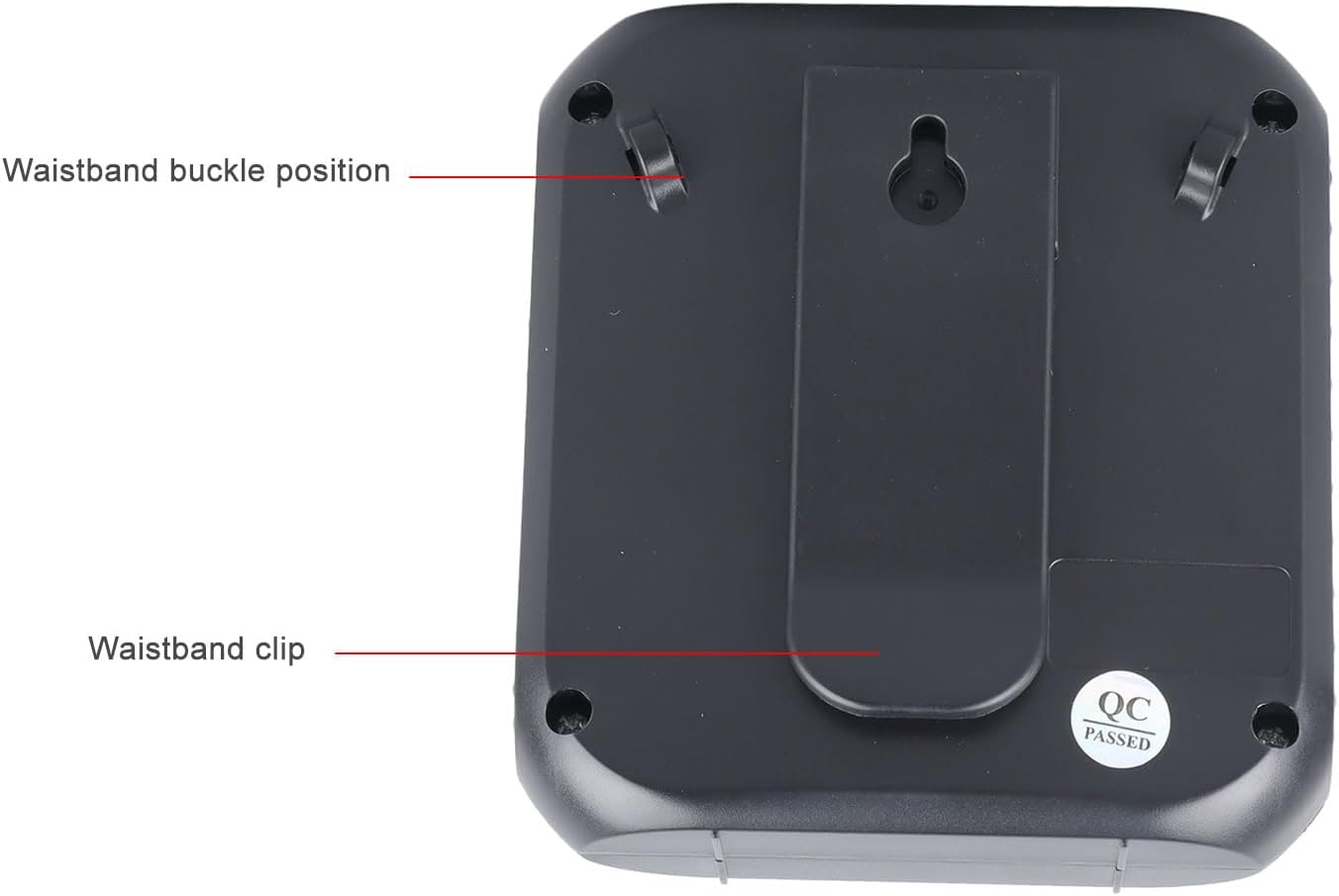
Image: The back of the amplifier, highlighting the attachment points for the waistband strap.
- Waistband Buckle Positions: Slots for attaching the waistband strap.
- Waistband Clip: For direct attachment to clothing or a belt.
සැලසුම
- මූලික ගාස්තුව: Before first use, fully charge the amplifier. Connect the USB charging cable to the charging port on the amplifier and to a standard USB power adapter (not included) or computer USB port. The charging indicator will illuminate.
- මයික්රෆෝනය සම්බන්ධ කරන්න: Insert the 3.5mm plug of the headset microphone into the microphone jack on the amplifier. Ensure it is securely connected.
- Wear Microphone: Position the headset microphone comfortably on your head, ensuring the microphone element is close to your mouth for optimal voice pickup.
- අමුණන්න Ampජීවිත කාලය: Use the waistband strap by threading it through the buckle positions on the back of the amplifier, or use the integrated clip to attach the amplifier to your belt or clothing.
මෙහෙයුම් උපදෙස්
- බලය සක්රිය / අක්රිය: දිගු ඔබන්න වාදනය / විරාමය හැරවීමට බොත්තම amplifier on or off. A voice prompt will indicate the power status.
- පරිමාව සකසන්න: කරකවන්න වෙළුම නොබ් clockwise to increase volume and counter-clockwise to decrease volume. Start with a low volume and gradually increase to avoid feedback.
- හඬ Ampඉසිලීම: Once powered on and the microphone is connected, speak into the headset microphone. Your voice will be ampකථිකයා හරහා ලිවීය.
- Media Playback (U Disk/Memory Card):
- Insert a U disk into the U disk interface or a Memory Card (TF card) into the Memory Card slot.
- ද amplifier will automatically detect and begin playing audio files.
- භාවිතා කරන්න පෙර ගීතය සහ ඊළඟ ගීතය පීලි සැරිසැරීමට බොත්තම්.
- තට්ටු කරන්න වාදනය / විරාමය නැවත ධාවනය කිරීමට හෝ නැවත ආරම්භ කිරීමට බොත්තම.
- දිගු ඔබන්න ඊළඟ ගීතය button to cycle through playback modes (single song loop, list loop).
- AUX ආදානය: Connect an external audio source (e.g., smartphone, MP3 player) to the amplifier's AUX input port (if available, typically shared with microphone jack or a separate port) using an AUX cable (not included). The amplifier will play audio from the connected device.
අයකිරීම
ද amplifier features a built-in 2200mAh rechargeable battery, providing extended usage time.
රූපය: දෘශ්ය නිරූපණය amplifier's long battery life and capacity.
- Connect the provided USB charging cable to the amplifier's charging port and a USB power source.
- ආරෝපණ දර්ශක ආලෝකය ආරෝපණ තත්ත්වය පෙන්වයි.
- A full charge can provide up to 10 days of playtime, depending on usage.
- When the battery is low, the device may emit an audible alert or the indicator light may change. Recharge promptly.
බහු යෙදුම්
This portable voice amplifier is suitable for a wide range of scenarios where clear and amplified voice is needed.
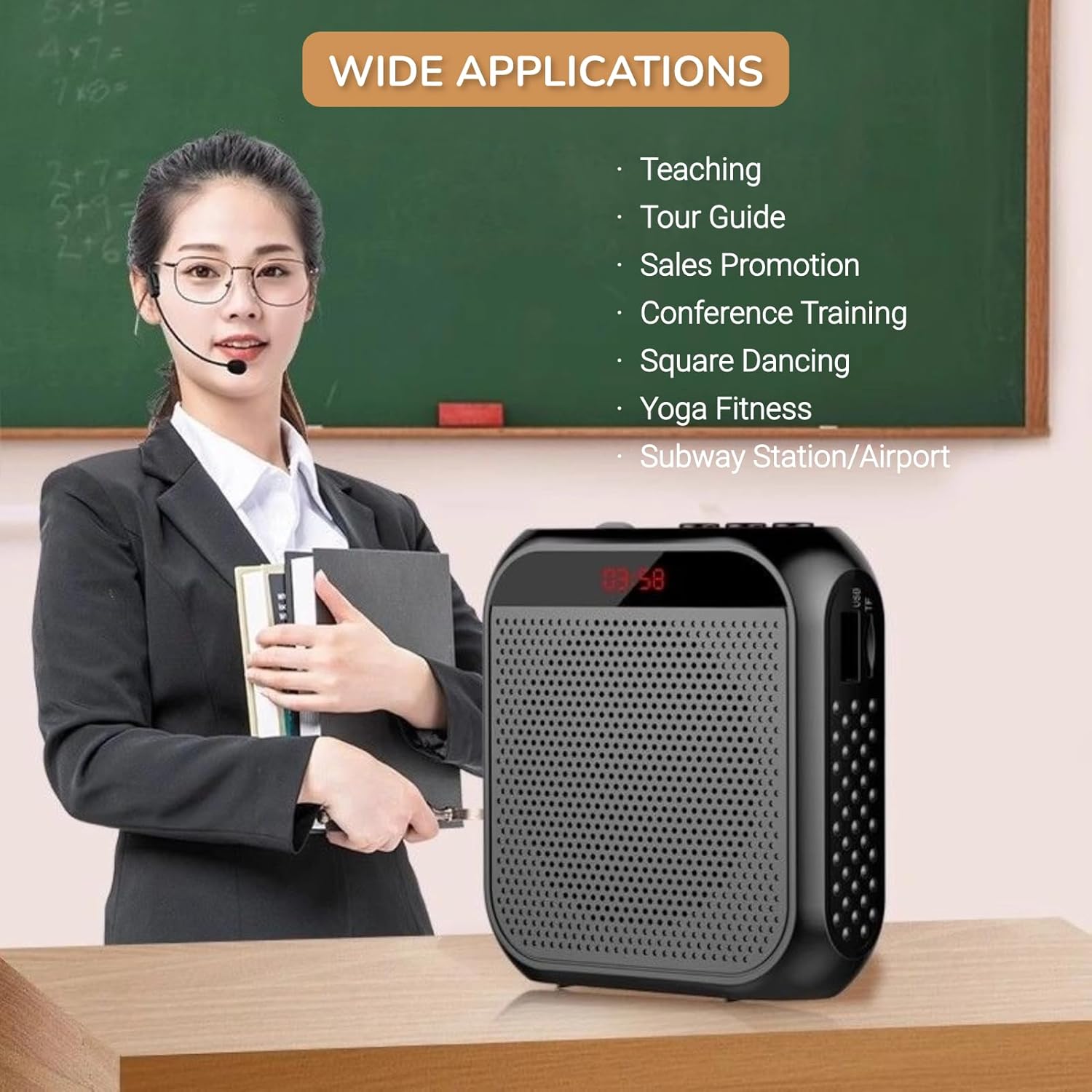
Image: A visual demonstrating various professional and recreational uses for the voice ampජීවිතාරක්ෂකයා.
- ඉගැන්වීම
- Tour Guiding
- Conference Training
- ඉදිරිපත් කිරීම්
- ප්රසිද්ධියේ කතා කිරීම
- එළිමහන් ක්රියාකාරකම්
පැළඳීමේ ක්රම
ද amplifier offers flexible wearing options for user comfort and convenience.

රූපය: උදාamples ආකාරය amplifier can be worn using the waistband strap or clip.
- Waistband: Attach the provided strap to the buckle positions on the amplifier and wear it around your waist or over your shoulder.
- පටි ක්ලිප්: Use the integrated clip on the back of the amplifier to secure it directly to your belt, pocket, or clothing.
පිරිවිතර
Key technical specifications of the Yunseity Portable Voice Ampජීවිතාරක්ෂකයා.

Image: Diagram showing the physical dimensions of the ampජීවිතාරක්ෂකයා.
| විශේෂාංගය | පිරිවිතර |
|---|---|
| වෙළඳ නාමය | යුන්සෙයිටි |
| ආදර්ශ අංකය | Yunseity07h6poqxat |
| සම්බන්ධතා තාක්ෂණය | AUX |
| වර්ණය | කළු |
| ගැළපෙන උපාංග | හෙඩ්සෙට් |
| සවිකිරීමේ වර්ගය | අතේ ගෙන යා හැකි, ටැබ්ලටය |
| බලශක්ති ප්රභවය | බැටරි බලයෙන් |
| සම්බන්ධක වර්ගය | Ax |
| නාලිකා ගණන | 1 |
| ශ්රව්ය ආදානය | USB, Memory Card, Auxiliary |
| සංවෘත ද්රව්ය | ප්ලාස්ටික් |
| බැටරි ධාරිතාව | 2200mAh |
| මානයන් (ආසන්න වශයෙන්) | 8.4cm x 2.8cm x 9.2cm (3.30in x 1.10in x 3.62in) |
නඩත්තු කිරීම
- පිරිසිදු කිරීම: පිස දමන්න amplifier with a soft, dry cloth. Do not use harsh chemicals or abrasive cleaners.
- ගබඩා: උපාංගය සෘජු හිරු එළියෙන් සහ අධික උෂ්ණත්වයන්ගෙන් ඈත්ව සිසිල් වියළි ස්ථානයක ගබඩා කරන්න.
- බැටරි සත්කාර: For optimal battery life, avoid fully discharging the battery frequently. Recharge the device regularly, even if not in use for extended periods.
- පරිස්සමින් හැසිරවීම: උපාංගය අතහැර දැමීමෙන් හෝ එය දැඩි බලපෑම්වලට ලක් කිරීමෙන් වළකින්න.
දෝෂගවේෂණය
If you encounter issues with your voice amplifier, please refer to the following common problems and solutions:
| ගැටලුව | විය හැකි හේතුව | විසඳුම |
|---|---|---|
| ශබ්දය හෝ අඩු පරිමාවක් නොමැත | Device is off; Volume is too low; Microphone not connected; Microphone faulty. | Long press Play/Pause to turn on; Rotate volume knob clockwise; Ensure microphone is fully plugged in; Test with another microphone if available. |
| Feedback/Whistling sound | Microphone too close to speaker; Volume too high; Microphone pointed at speaker. | Increase distance between microphone and amplifier; Reduce volume; Adjust microphone position away from the speaker. |
| උපාංගය ආරෝපණය නොවේ | Charging cable faulty; Power source faulty; Charging port damaged. | Try a different USB cable; Use a different USB power adapter/port; Contact customer support if port is damaged. |
| Media playback not working | U disk/Memory Card not inserted correctly; Incompatible file ආකෘතිය; දූෂිතයි files. | Reinsert U disk/Memory Card; Ensure files are in a supported format (e.g., MP3); Try different media files. |
වගකීම් සහ සහාය
This Yunseity product comes with a standard manufacturer's warranty. Please refer to the packaging or the seller's terms for specific warranty details and duration.
For technical support, warranty claims, or any questions regarding your product, please contact the seller or Yunseity customer service through the platform where you purchased the item. Provide your model number (Yunseity07h6poqxat) and purchase details for faster assistance.