
CelsusSound S800C
CelsusSound S800C Bone Conduction Headphones User Manual
Model: S800C | Brand: CelsusSound
හැඳින්වීම
Thank you for choosing CelsusSound S800C Bone Conduction Headphones. These open-ear Bluetooth headphones are designed to provide high-fidelity audio while maintaining situational awareness, making them ideal for sports and daily activities. This manual provides detailed instructions for setup, operation, and maintenance to ensure optimal performance and longevity of your device.

Image: CelsusSound S800C Bone Conduction Headphones, orange and black design.
පෙට්ටියේ ඇති දේ
- 1 x Bone Conduction Headphones (S800C)
- 1 x චුම්බක ආරෝපණ කේබලය
- 1 x පරිශීලක අත්පොත

Image: The contents of the product packaging, including the headphones, charging cable, and user manual.
නිෂ්පාදනය අවසන්view
The CelsusSound S800C headphones feature an ergonomic design for comfortable wear and intuitive controls for easy operation.

Image: A diagram illustrating the location and function of the three independent control buttons on the headphone unit: Magnetic charging port, Volume up/Next song, Power on/off/Play/Pause, and Volume down/Previous song.
ප්රධාන ලක්ෂණ:
- විවෘත කන් නිර්මාණය: Allows awareness of surroundings.
- බ්ලූටූත් 5.3: Stable and fast connection.
- IPX7 ජල-ප්රතිරෝධී: Suitable for workouts and light rain.
- දිගු බැටරි ආයු කාලය: Up to 8-10 hours of playback.
- Flexible Titanium Frame: Durable and comfortable fit.
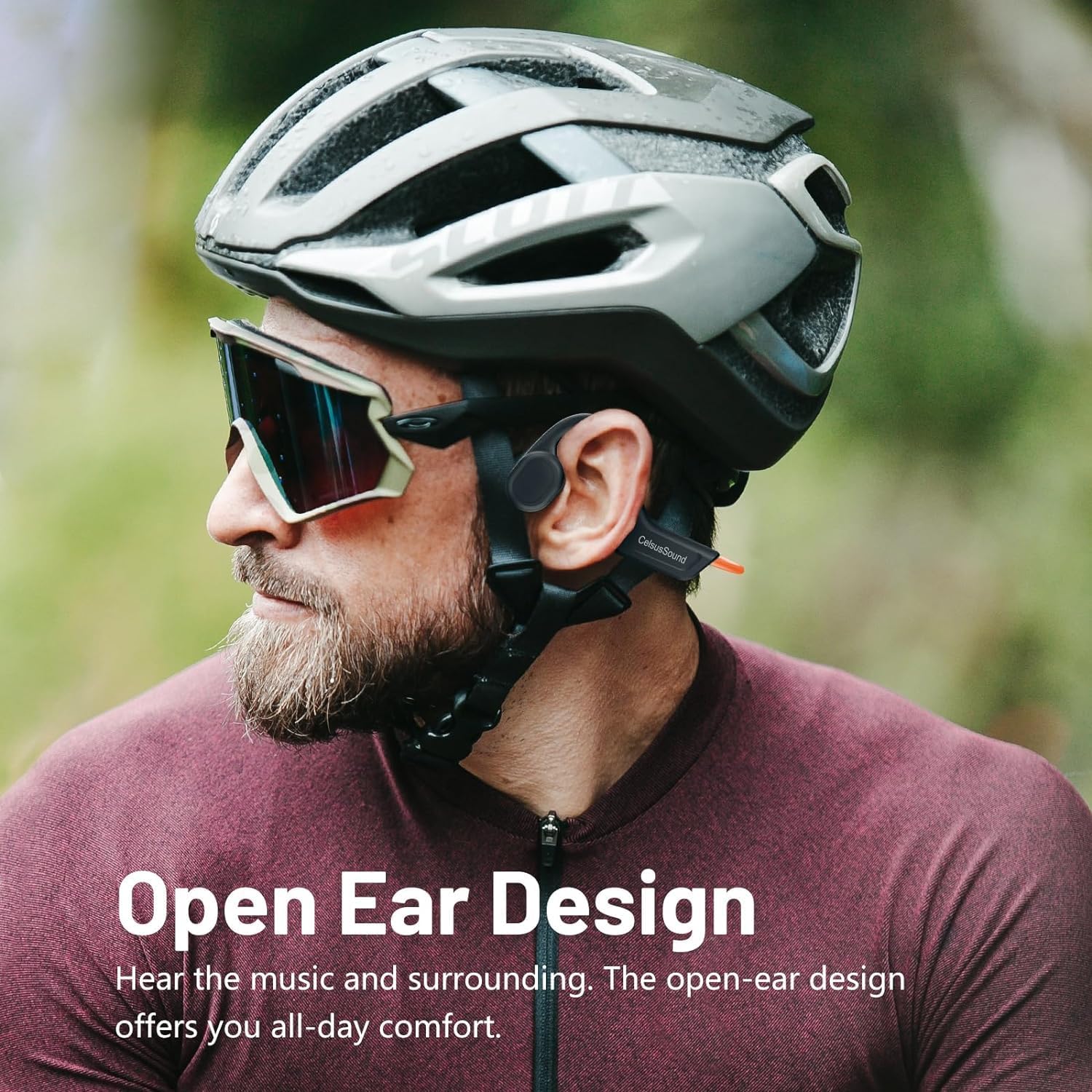
Image: A person wearing the CelsusSound S800C headphones, highlighting the open-ear design that allows ambient sound awareness.
සැලසුම
1. හෙඩ්ෆෝන් ආරෝපණය කිරීම
Before first use, fully charge your headphones. Use the provided magnetic charging cable. Connect the magnetic end to the charging port on the headphones and the USB end to a compatible power source (e.g., computer USB port, USB wall adapter).
- ආරෝපණ කාලය: සම්පූර්ණ ආරෝපණය සඳහා ආසන්න වශයෙන් පැය 1.5 ක්.
- බැටරි දර්ශකය: Refer to the LED indicator on the headphones for charging status.

රූපය: සමීප ඡායාරූපයක් view of the magnetic charging connection point on the headphones.
2. බල ගැන්වීම / අක්රිය කිරීම
- බල ගැන්වීම: Long press the Power button for 3 seconds until the LED indicator lights up and you hear a power-on prompt.
- විදුලිය විසන්ධි කිරීම: Long press the Power button for 3 seconds until the LED indicator turns off and you hear a power-off prompt.
3. බ්ලූටූත් යුගලනය
ඔබගේ හෙඩ්ෆෝන් උපාංගයකට සම්බන්ධ කිරීමට:
- හෙඩ්ෆෝන් ක්රියා විරහිත කර ඇති බවට සහතික වන්න.
- Long press the Power button for 3 seconds to power on. The headphones will automatically enter pairing mode, indicated by a flashing LED light.
- ඔබගේ උපාංගයේ (ස්මාර්ට්ෆෝන්, ටැබ්ලටය, පරිගණකය), බ්ලූටූත් සක්රීය කර පවතින උපාංග සොයන්න.
- Select "S800C" from the list of found devices to connect.
- Once connected, the LED indicator will stop flashing, and you will hear a connection confirmation.
Your headphones are now ready for use.
Video: A demonstration on how to operate the CelsusSound S800C Bluetooth Headphones, including powering on, connecting via Bluetooth, and basic music controls.
මෙහෙයුම් උපදෙස්
සංගීත වාදනය
- වාදනය/විරාමය: Click the Power button once.
- පරිමාව: Click the "+" button once.
- ශබ්දය පහළට: Click the "-" button once.
- ඊළඟ ගීතය: Long press the "+" button for 2 seconds.
- පෙර ගීතය: Long press the "-" button for 2 seconds.

Image: A visual guide detailing the functions of each button for music playback and call management, including single clicks and long presses.
ඇමතුම් කළමනාකරණය
- පිළිතුරු / ඇමතුම විසන්ධි කරන්න: Click the Power button once.
- ඇමතුම ප්රතික්ෂේප කරන්න: තත්පර 2 ක් සඳහා බල බොත්තම දිගු කාලයක් ඔබන්න.
නඩත්තු කිරීම
- පිරිසිදු කිරීම: මෘදු, d තුණ්ඩයකින් හෙඩ්ෆෝන් පිස දමන්න.amp cloth. Do not use abrasive cleaners or immerse in water for cleaning.
- ජල ප්රතිරෝධය: The headphones are IPX7 water-resistant, meaning they can withstand splashes, rain, and sweat. They are not suitable for swimming or prolonged submersion. Ensure the charging port is dry before charging.
- ගබඩා: Store the headphones in a cool, dry place away from direct sunlight and extreme temperatures. The flexible design allows for easy storage.

Image: A person holding the CelsusSound S800C headphones with water splashing, demonstrating their IPX7 waterproof and sweatproof capabilities.
දෝෂගවේෂණය
| ගැටලුව | විය හැකි හේතුව | විසඳුම |
|---|---|---|
| බලය සක්රිය කළ නොහැක | Low battery; Not pressing button long enough. | Charge the headphones fully. Long press the Power button for 3 seconds. |
| උපාංගය සමඟ යුගල කළ නොහැක | Bluetooth is off; Headphones not in pairing mode; Device too far. | Ensure Bluetooth is enabled on your device. Power on headphones to enter pairing mode. Keep devices within 10 meters. |
| ශබ්දය හෝ අඩු පරිමාවක් නොමැත | Volume too low; Not connected; Audio source issue. | Increase volume on headphones and device. Re-pair headphones. Check audio output settings on your device. |
| ශබ්ද තත්ත්ව ගැටළු | බාධාව; උපාංගය ඕනෑවට වඩා දුරයි; බැටරිය අඩුයි. | Move closer to the device. Charge headphones. Avoid strong electromagnetic interference. |
පිරිවිතර
- ආකෘතිය: S800C
- සම්බන්ධතා තාක්ෂණය: බ්ලූටූත් 5.3
- බ්ලූටූත් පරාසය: මීටර් 15 කි
- ශ්රව්ය ධාවක වර්ගය: අස්ථි සන්නායක ධාවකය
- බැටරි ධාරිතාව: 230mAh
- ආරෝපණ කාලය: පැය 1.5 යි
- පසුධාවන කාලය: 8-10 පැය
- පොරොත්තු කාලය: පැය 150 යි
- ජල ප්රතිරෝධක මට්ටම: IPX7 ජල ප්රතිරෝධක
- ද්රව්ය: ටයිටේනියම් මිශ්ර ලෝහය
- අයිතමයේ බර: 1 Ounce (approx. 33g)
- නිෂ්පාදන මානයන්: අඟල් 6.1 x 2.17 x 5.39
- සංඛ්යාත පරාසය: හර්ට්ස් 20 - හර්ට්ස් 20,000
- පාලන ක්රමය: ස්පර්ශය/බොත්තම
වගකීම් සහ සහාය
CelsusSound is committed to the quality of its products. We offer:
- ජීවිත කාලය තාක්ෂණික සහාය.
- A 12-month worry-free warranty.
- 24-hour customer service.
For any questions or assistance, please contact CelsusSound customer service.
Ask a question about this manual
Ask about setup, troubleshooting, compatibility, parts, safety, or missing instructions. Manuals+ will review the question and use this page’s manual context to help answer it.