
හැඳින්වීම
This manual provides essential instructions for the proper use, setup, and maintenance of your HOCO X89 Type-C to Lightning Charging Data Cable. Please read this manual thoroughly before using the product to ensure optimal performance and safety.
නිෂ්පාදනය අවසන්view
The HOCO X89 is a high-quality Type-C to Lightning cable designed for efficient charging and data transfer between compatible devices. It features a durable braided wire exterior and aluminum alloy joints for enhanced longevity.
ප්රධාන ලක්ෂණ:
- දිග: මීටර් 1 (අඩි 3.2)
- බර: ග්රෑම් 26 කි
- බාහිර ද්රව්ය: Braided wire for durability and tangle resistance.
- Joint Material: Aluminum alloy for robust connections.
- ආරෝපණ සහාය: Supports Power Delivery (PD) 20W fast charging for compatible Apple devices.
- සම්බන්ධතාවය: Type-C to Lightning connectors.
කොටුවේ ඇති දේ:
- 1 x HOCO X89 Type-C to Lightning Charging Data Cable
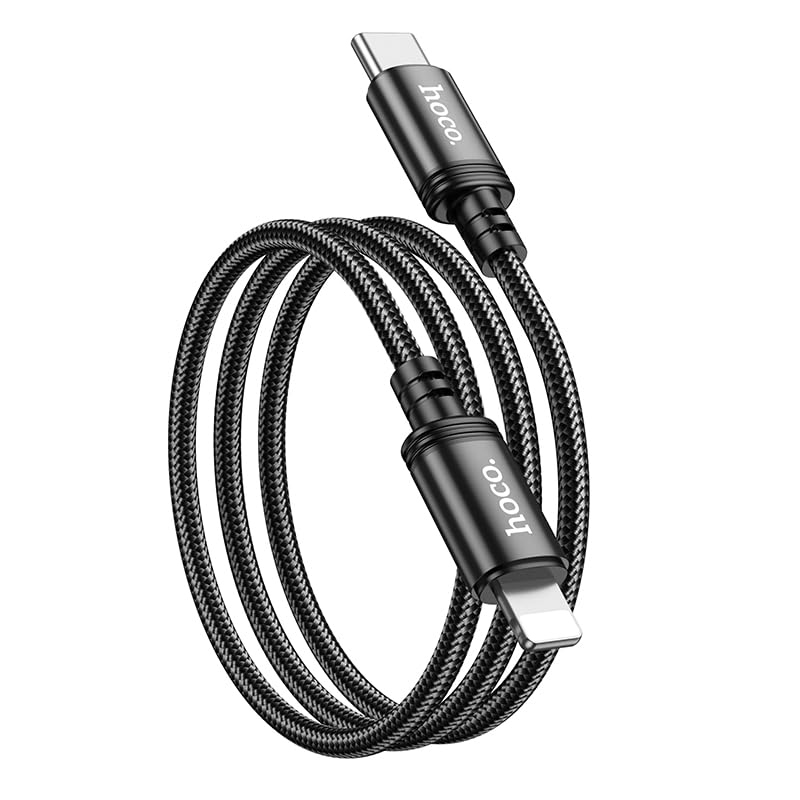
Image: The HOCO X89 cable, coiled, displaying both the Type-C connector and the Lightning connector.
සැලසුම
The HOCO X89 cable is designed for plug-and-play functionality. No software installation is required.
- සම්බන්ධක හඳුනා ගන්න: The cable has two distinct ends: a USB Type-C connector and a Lightning connector.
- Connect to Power Source/Data Port: Insert the USB Type-C end of the cable into a compatible power adapter (e.g., a PD-enabled wall charger) or a device with a Type-C port (e.g., a laptop, power bank).
- උපාංගයට සම්බන්ධ කරන්න: Insert the Lightning end of the cable into the charging/data port of your compatible Apple device (e.g., iPhone, iPad).
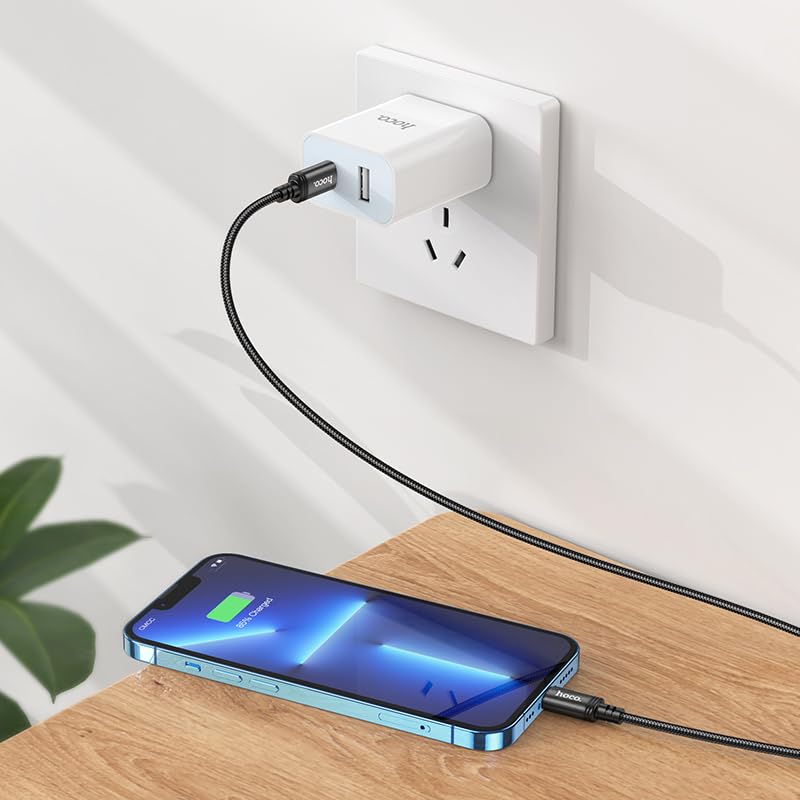
Image: The HOCO X89 cable in use, connecting an iPhone to a wall charger for charging.
මෙහෙයුම් උපදෙස්
ඔබගේ උපාංගය අය කිරීම:
- Ensure the Type-C end is connected to a power source (wall adapter, power bank, computer). For fast charging, use a Power Delivery (PD) compatible adapter.
- Connect the Lightning end to your Apple device.
- The device should indicate that it is charging. The HOCO X89 supports up to 20W PD charging, allowing for faster charging times on compatible devices.
දත්ත හුවමාරුව:
- Connect the Type-C end to a computer or laptop.
- Connect the Lightning end to your Apple device.
- Your computer should recognize the connected device, allowing you to transfer files, sync data, or perform backups. Follow your device's operating system instructions for data management.
නඩත්තු කිරීම සහ රැකවරණය
- පිරිසිදු කිරීම: Use a soft, dry cloth to wipe the cable and connectors. Avoid using liquids or abrasive cleaners.
- ගබඩා: සෘජු හිරු එළියෙන් සහ අධික උෂ්ණත්වයන්ගෙන් ඈත්ව සිසිල් වියළි ස්ථානයක කේබලය ගබඩා කරන්න. අභ්යන්තර හානිය වළක්වා ගැනීම සඳහා තියුණු කෝණවලින් කේබලය තදින් දඟර කිරීමෙන් හෝ නැමීමෙන් වළකින්න.
- හැසිරවීම: Always grasp the connector head when plugging or unplugging the cable, rather than pulling on the cable itself.
- හානි වළක්වන්න: Do not expose the cable to water, excessive force, or sharp objects.
දෝෂගවේෂණය
- උපාංගය ආරෝපණය නොවේ:
- කේබලයේ කෙළවර දෙකම ආරක්ෂිතව සම්බන්ධ කර ඇති බවට සහතික වන්න.
- Verify that the power adapter is functioning correctly and plugged into a live outlet.
- වෙනත් බල ඇඩැප්ටරයක් හෝ USB පෝට් එකක් උත්සාහ කරන්න.
- ඔබගේ උපාංගයේ ආරෝපණ තොට පිරිසිදුද සහ සුන්බුන් වලින් තොරද යන්න පරීක්ෂා කරන්න.
- මන්දගාමී ආරෝපණය:
- Ensure you are using a Power Delivery (PD) compatible wall adapter for fast charging.
- ඔබගේ උපාංගයේ අනවශ්ය යෙදුම් වසා දමන්න.
- Avoid using your device heavily while charging.
- දත්ත හුවමාරු ගැටළු:
- Ensure the Type-C end is connected to a data-enabled USB port on your computer.
- Restart both your computer and your Apple device.
- Check your device's settings for data transfer permissions.
- ඔබේ පරිගණකයේ වෙනත් USB පෝට් එකක් උත්සාහ කරන්න.
පිරිවිතර
| මාදිලියේ නම | X89_C To I |
| වෙළඳ නාමය | හොකෝ |
| සම්බන්ධක වර්ගය | USB Type-C to Lightning |
| කේබල් වර්ගය | අය කිරීම සහ දත්ත කේබලය |
| දිග | මීටර් 1 (අඩි 3.2) |
| බර | ග්රෑම් 26 |
| බාහිර ද්රව්ය | Braided Wire |
| Joint Material | ඇලුමිනියම් මිශ්ර ලෝහය |
| ආරෝපණ ප්රොටෝකෝලය | Supports Power Delivery (PD) 20W |
| ගැළපෙන උපාංග | iPhones (6/6S/7/7+/8/8+/10/11/12/13), iPads, and other Apple devices with Lightning port; Laptops and power adapters with Type-C port. |
| වර්ණය | කළු |
ආරක්ෂිත තොරතුරු
- කේබලය විසුරුවා හැරීමට හෝ වෙනස් කිරීමට උත්සාහ නොකරන්න.
- දරුවන්ට ළඟා විය නොහැකි ලෙස තබා ගන්න.
- Avoid extreme temperatures, humidity, and corrosive environments.
- If the cable appears damaged, discontinue use immediately.
- Use only with compatible and certified power adapters.
වගකීම් සහ සහාය
For warranty information and customer support, please refer to the product packaging or contact your retailer. HOCO products are designed for reliability and performance.