
හැඳින්වීම
Thank you for choosing the HOCO W40 Bluetooth Headphones. These wireless headphones are designed to provide a high-quality audio experience with deep bass, clear calls, and comfortable wear. This manual will guide you through the setup, operation, and maintenance of your new headphones.
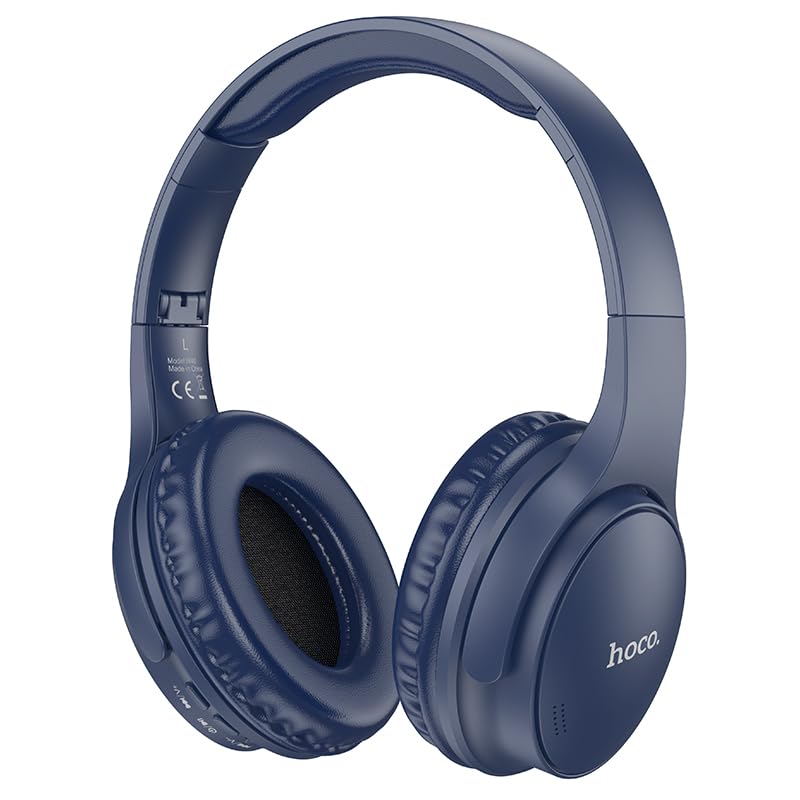
Image: HOCO W40 Bluetooth Headphones in a folded position, showcasing the earcups and headband. The headphones are blue.
පෙට්ටියේ ඇති දේ
සියලුම අයිතම පවතින බව සහතික කර ගැනීමට කරුණාකර ඔබේ පැකේජයේ අන්තර්ගතය පරීක්ෂා කරන්න:
- HOCO W40 Bluetooth Headphones
- කන් කුෂන්
- Headband (integrated with headphones)
The package includes the HOCO W40 Bluetooth Headphones, along with ear cushions and the integrated headband for comfortable use.
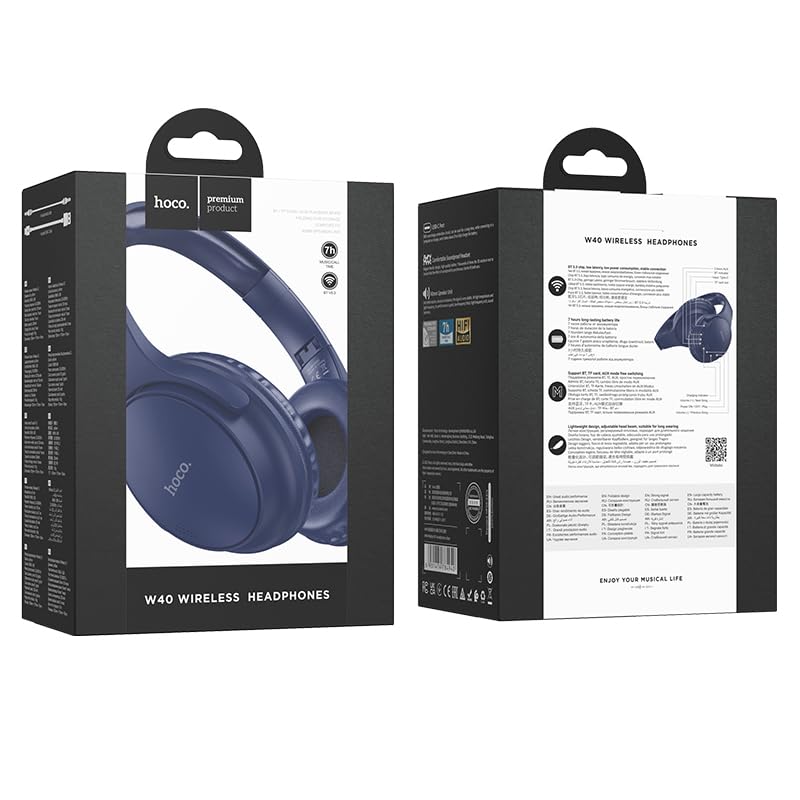
Image: Retail packaging for the HOCO W40 Wireless Headphones, showing the product image and some features on the box.
නිෂ්පාදනය අවසන්view
Familiarize yourself with the various parts and controls of your HOCO W40 headphones.
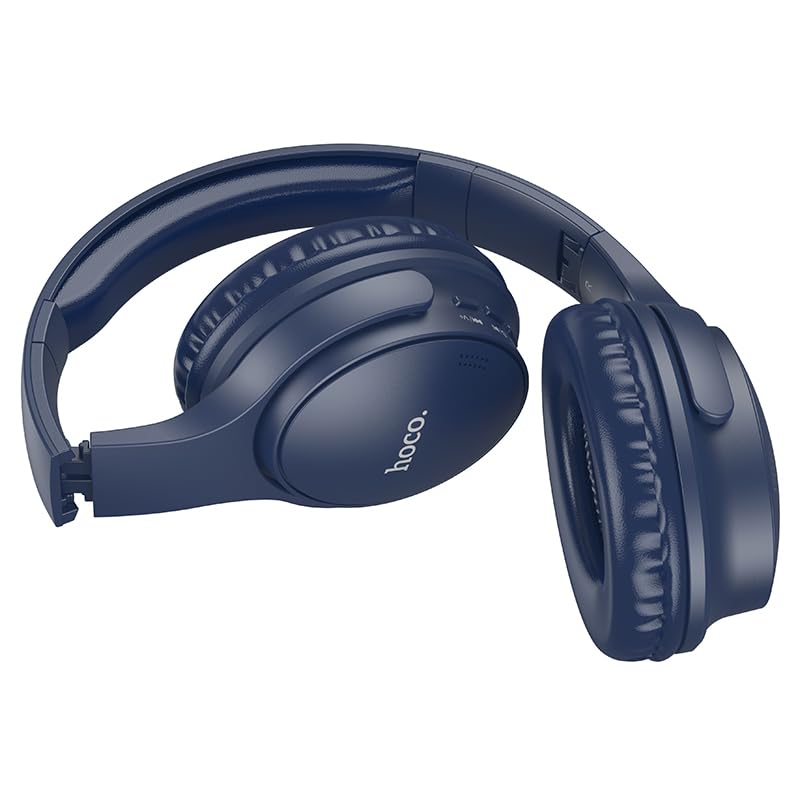
රූපය: පැත්ත view of the HOCO W40 Bluetooth Headphones, highlighting the earcup and headband design. The controls are visible on the right earcup.
පාලන සහ දර්ශක:
- බල බොත්තම: Used to power the headphones on/off and initiate pairing.
- ශබ්ද පාලනය: Adjusts the listening volume using touch controls.
- බහුකාර්ය බොත්තම (MFB): For play/pause, answer/end calls.
- මයික්රෆෝනය: හෑන්ඩ්ස්-ෆ්රී ඇමතුම් සඳහා බිල්ට්-ඉන්.
- ආරෝපණ වරාය: ආරෝපණ කේබලය සම්බන්ධ කිරීම සඳහා.
- LED දර්ශකය: බල තත්ත්වය, යුගල කිරීමේ මාදිලිය සහ ආරෝපණ තත්ත්වය පෙන්වයි.
The headphones feature touch controls for volume adjustment and other functions, along with a built-in microphone for clear communication.
සැලසුම
1. හෙඩ්ෆෝන් ආරෝපණය කිරීම
Before first use, fully charge your headphones. A full charge takes approximately පැය 1 යි.
- Connect the charging cable (not included in the JSON's 'whats_in_the_box' but typically provided) to the charging port on the headphones.
- කේබලයේ අනෙක් කෙළවර USB බල ප්රභවයකට සම්බන්ධ කරන්න (උදා: පරිගණකය, බිත්ති ඇඩැප්ටරය).
- The LED indicator will show the charging status (e.g., red while charging, blue/off when fully charged).
Once fully charged, the headphones provide up to පැය 12 යි of continuous playtime.
2. බ්ලූටූත් උපාංගයක් සමඟ යුගල කිරීම
The HOCO W40 headphones use Bluetooth 5.3 for stable and seamless connectivity. They are compatible with smartphones, tablets, laptops, and other Bluetooth-enabled devices (iOS, Android).
- හෙඩ්ෆෝන් ක්රියා විරහිත කර ඇති බවට සහතික වන්න.
- Press and hold the Power Button until the LED indicator flashes rapidly (usually blue and red alternately), indicating pairing mode.
- ඔබගේ උපාංගයේ, බ්ලූටූත් සබල කර පවතින උපාංග සඳහා සොයන්න.
- Select "HOCO W40" from the list of found devices.
- Once paired, the LED indicator will stop flashing and may turn solid blue or off, depending on the model.
- The headphones have a wireless range of up to මීටර් 10 කි.
If pairing is unsuccessful, turn off both devices, wait a few seconds, and repeat the steps.
මෙහෙයුම් උපදෙස්
බලය සක්රිය / අක්රිය
- බල ගැන්වීම: LED දර්ශකය දැල්වෙන තුරු බල බොත්තම තත්පර 3ක් පමණ ඔබාගෙන සිටින්න.
- විදුලිය විසන්ධි කිරීම: LED දර්ශකය ක්රියා විරහිත වන තුරු බල බොත්තම තත්පර 5ක් පමණ ඔබාගෙන සිටින්න.
සංගීත පාලනය
- වාදනය/විරාමය: Short press the Multi-function Button (MFB).
- පරිමාව: Tap the designated touch control area for volume up.
- ශබ්දය පහළට: Tap the designated touch control area for volume down.
- ඊළඟ ධාවන පථය: Double-tap the MFB or use the designated touch control.
- පෙර ධාවන පථය: Triple-tap the MFB or use the designated touch control.
Note: Specific touch control gestures may vary slightly. Refer to the quick start guide included with your product for precise details.
ඇමතුම් පාලනය
- පිළිතුර/අවසන් ඇමතුම: Short press the Multi-function Button (MFB).
- ඇමතුම ප්රතික්ෂේප කරන්න: තත්පර 2ක් MFB ඔබාගෙන සිටින්න.
- අවසාන අංකය නැවත අමතන්න: Double-press the MFB when not on a call.
නඩත්තු කිරීම
Proper care will extend the life of your HOCO W40 headphones.
- පිරිසිදු කිරීම: හෙඩ්ෆෝන් පිරිසිදු කිරීම සඳහා මෘදු වියළි රෙද්දක් භාවිතා කරන්න. උල්ෙල්ඛ පිරිසිදු කරන්නන් හෝ ද්රාවක භාවිතා නොකරන්න.
- ගබඩා: හෙඩ්ෆෝන් සෘජු හිරු එළියෙන් සහ අධික උෂ්ණත්වයන්ගෙන් ඈත්ව සිසිල් වියළි ස්ථානයක ගබඩා කරන්න.
- ජල ප්රතිරෝධය: The headphones are water resistant, making them suitable for workouts and outdoor activities. However, they are not designed for submersion in water. Avoid prolonged exposure to heavy rain or direct water jets.
- බැටරි සත්කාර: බැටරි ආයු කාලය ආරක්ෂා කර ගැනීම සඳහා, නිතර භාවිතා නොකළත්, හෙඩ්ෆෝන් නිතිපතා ආරෝපණය කරන්න. දිගු කාලයක් බැටරිය සම්පූර්ණයෙන්ම විසර්ජනය කිරීමෙන් වළකින්න.
දෝෂගවේෂණය
| ගැටලුව | හැකි විසඳුම |
|---|---|
| හෙඩ්ෆෝන් ක්රියාත්මක නොවේ. | Ensure the headphones are charged. Connect them to a power source and try again after a few minutes. |
| උපාංගය සමඟ යුගල කළ නොහැක. |
|
| ශබ්දයක් නැත හෝ අඩු පරිමාවක් නැත. |
|
| ඇමතුම් ගුණාත්මකභාවය දුර්වලයි. |
|
පිරිවිතර
| ආකෘතිය | W40 |
| වෙළඳ නාමය | හොකෝ |
| සම්බන්ධතා තාක්ෂණය | රැහැන් රහිත (බ්ලූටූත් 5.3) |
| බ්ලූටූත් පරාසය | මීටර් 10 |
| බැටරි ආයු කාලය | පැය 12 දක්වා |
| ආරෝපණ කාලය | ආසන්න වශයෙන් 1 පැය |
| ශ්රව්ය ධාවක වර්ගය | ගතික ධාවකය |
| ශබ්ද පාලනය | ශබ්ද හුදකලා කිරීම |
| ජල ප්රතිරෝධක මට්ටම | වතුර කාන්දු නොවන |
| පාලන වර්ගය | ශබ්ද පාලනය (ස්පර්ශ) |
| බිල්ට් මයික්රෆෝනය | Yes, for Hands-Free Calls |
| ගැළපෙන උපාංග | Smartphones, Tablets, Laptops (Universal Compatibility) |
| ද්රව්ය | ප්ලාස්ටික් |
| අයිතමයේ බර | 180 ග්රෑම් |
නිල නිෂ්පාදන වීඩියෝව
දෘශ්ය විවරණයක් සඳහා නිල නිෂ්පාදන වීඩියෝව නරඹන්නview of the HOCO W40 Bluetooth Headphones and their key features.
වීඩියෝ: නිල නිෂ්පාදනයක් අවසන්view of the HOCO W40 Bluetooth Headphones, demonstrating its features, battery life, design, and device compatibility.
වගකීම් සහ සහාය
For warranty information and customer support, please refer to the documentation included with your purchase or visit the official HOCO webවෙබ් අඩවිය. ඕනෑම වගකීම් හිමිකම් සඳහා ඔබේ මිලදී ගැනීමේ සාක්ෂි තබා ගන්න.
වැඩිදුර සහාය සඳහා, ඔබට භාණ්ඩය මිලදී ගත් සිල්ලර වෙළෙන්දා අමතන්න.