හැඳින්වීම
Thank you for choosing the WUIPET Smart Bird Feeder with Camera. This device allows you to observe and interact with wild birds in your backyard through a high-resolution camera, AI bird species identification, and instant notifications. This manual provides detailed instructions for the proper setup, operation, and maintenance of your bird feeder to ensure optimal performance and a rewarding bird-watching experience.
නිෂ්පාදනය අවසන්view
The WUIPET Smart Bird Feeder integrates a durable feeder design with advanced camera technology and a solar charging system. Key components include:
- Feeder Body: Main structure with a 2.0L capacity for birdseed.
- කැමරා මොඩියුලය: 1080P HD camera with 2 megapixels, motion detection, and AI recognition capabilities.
- සූර්ය පැනලය: External panel for continuous power supply, ensuring the camera battery remains charged.
- පර්චස්: Integrated perches for birds to rest while feeding.
- උපාංග: Includes hummingbird nectar feeders, fruit holders, and jelly feeders for attracting a wider variety of birds.
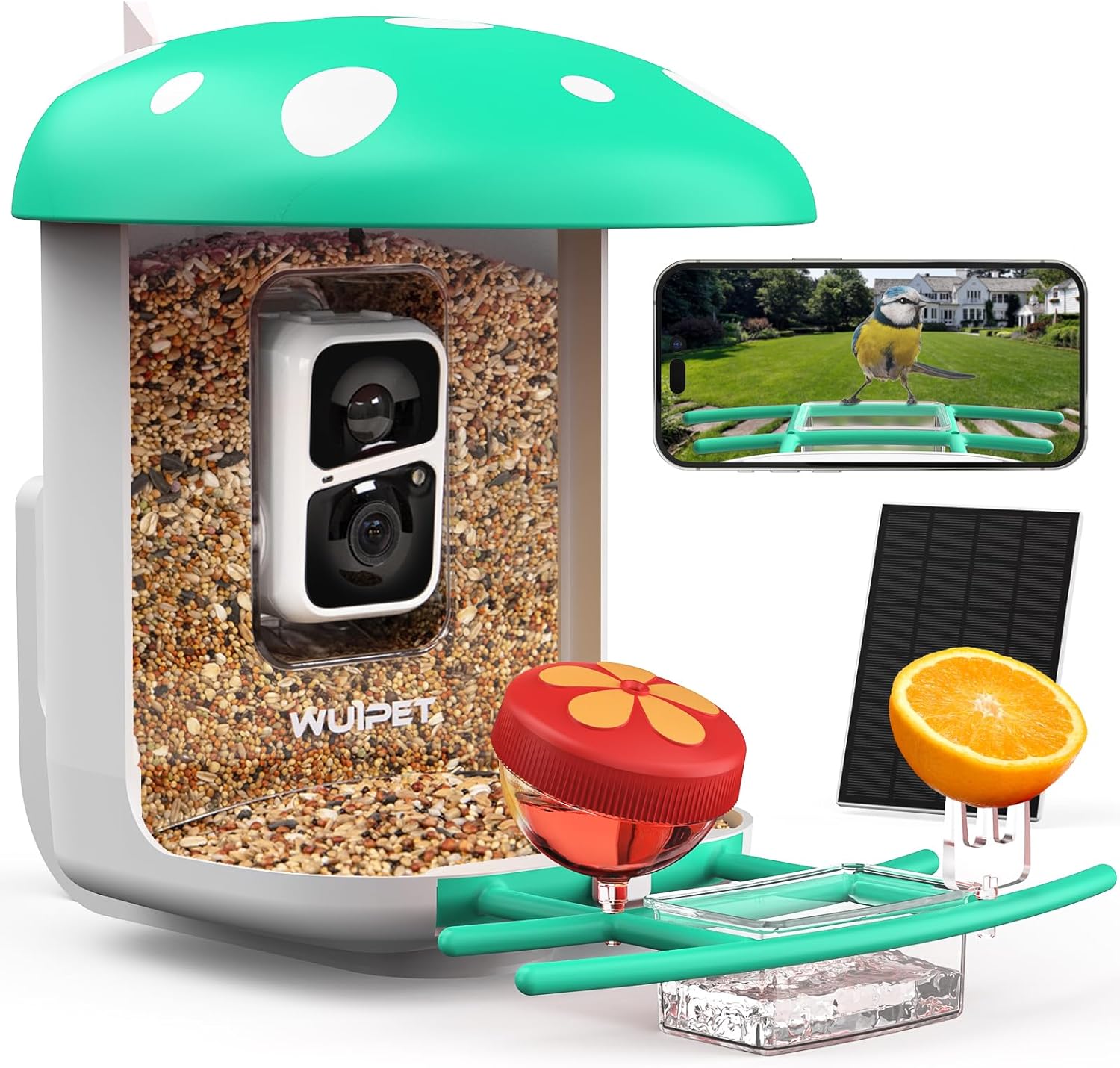
Image: The WUIPET Smart Bird Feeder with its integrated camera, solar panel, and various feeding accessories.

Image: All components included with the WUIPET Smart Bird Feeder, showing the feeder body, camera, solar panel, mounting hardware, and additional feeders.
සැකසුම සහ ස්ථාපනය
Follow these steps to set up your WUIPET Smart Bird Feeder:
1. පෙට්ටි ඉවත් කිරීම සහ සංරචක පරීක්ෂාව
Carefully unpack all items and verify that all components listed in the product overview පවතින සහ හානියට පත් නොවේ.
2. පෝෂකය සවි කිරීම
The feeder offers multiple mounting options. Choose a location that provides a clear view for the camera, is easily accessible for refilling, and receives adequate sunlight for the solar panel.
- Tree Mounting: Use the provided strap to secure the feeder to a tree trunk without causing damage.
- Pole/Wall/Fence Mounting: Utilize the included screws and anchors to fix the feeder securely to a pole, wall, or fence. Ensure the surface is stable enough to support the feeder's weight when full.

Image: Visual representation of the three main setup steps: 5-minute installation, connecting to 2.4GHz Wi-Fi, and watching birds on your phone.
3. සූර්ය පැනල සම්බන්ධතාවය
Connect the solar panel cable to the designated port on the camera module. Position the solar panel in an area that receives direct sunlight for most of the day to ensure continuous charging of the internal battery.

Image: Illustration of the adjustable solar panel for optimal sun exposure, ensuring non-stop power for the bird feeder camera.
4. යෙදුම් බාගත කිරීම සහ Wi-Fi සම්බන්ධතාවය
- Scan the QR code provided in the manual or on the product packaging to download the official WUIPET app from your device's app store.
- ගිණුමක් සාදා ලොග් වන්න.
- Follow the in-app instructions to add your new device. This typically involves powering on the camera and scanning a QR code displayed on your phone screen with the camera lens.
- Connect the feeder camera to your 2.4G Wi-Fi network. Note that 5.0G Wi-Fi is not supported. Ensure a strong Wi-Fi signal at the installation location.
මෙහෙයුම් උපදෙස්
1. Filling the Feeder
Open the top lid of the feeder and pour in your desired birdseed. The feeder has a 2.0L capacity, reducing the frequency of refills. Ensure the lid is securely closed after filling to protect the seed from weather and pests.
2. දැනුම්දීම් ලැබීම
Once connected, the camera's sensitive motion detection will automatically capture visiting birds and send instant notifications with HD snapshots to your mobile phone via the app.
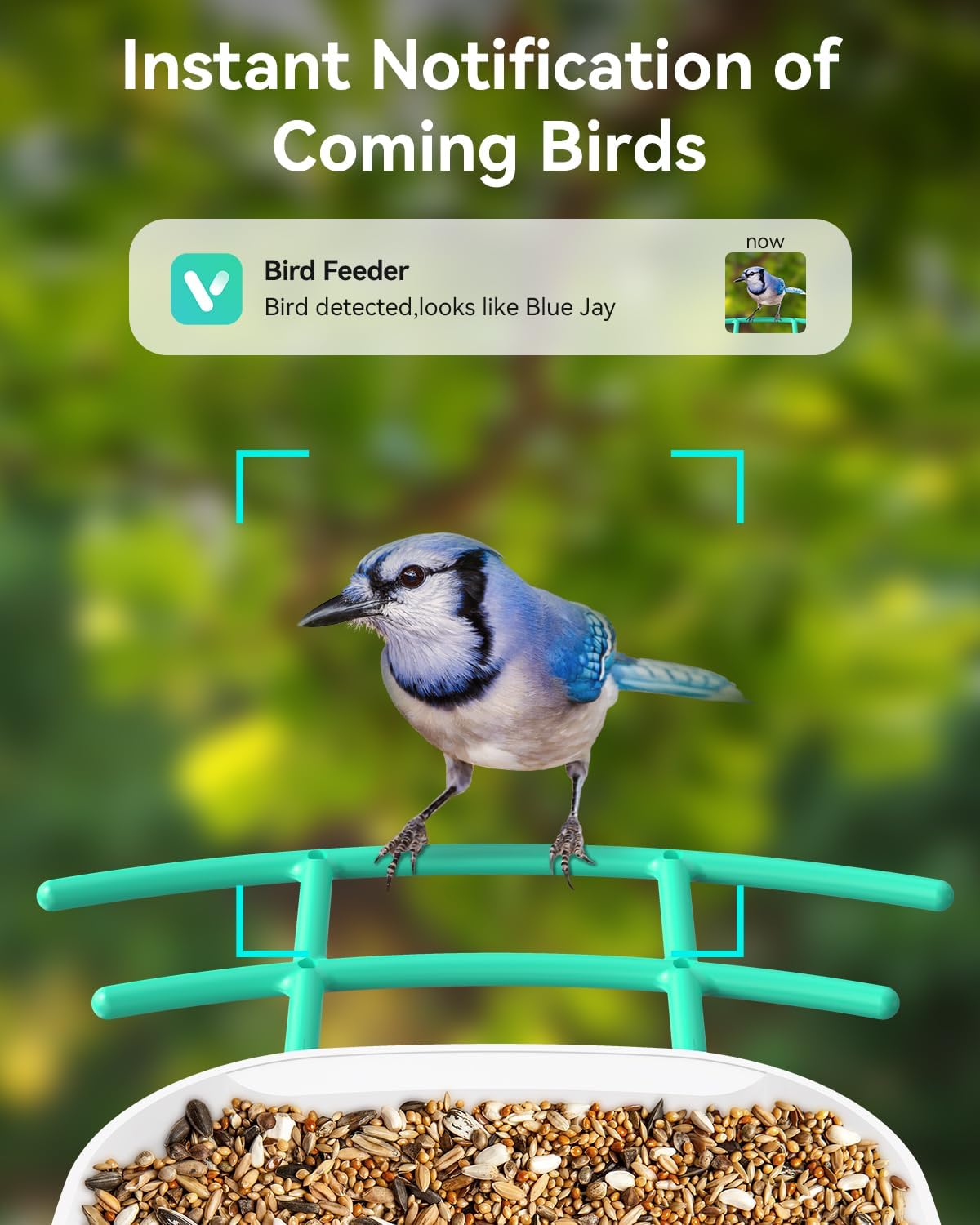
Image: A mobile phone screen displaying an instant notification from the bird feeder app, indicating a bird detection, with a Blue Jay shown.
3. සජීවී View සහ පටිගත කිරීම
Open the WUIPET app to view a live stream from the camera. The camera records videos in 1080P high resolution. You can save photos and videos directly to your phone, to the free cloud storage (3-day loop recording, lifetime trial), or to an optional SD card (up to 128GB, not included).

Image: A mobile phone screen showing the app interface for saving photos and videos, with icons for free cloud storage and SD card options.
4. AI Bird Species Identification
The camera features AI recognition that can identify over 10,000 bird species (paid subscription, first month free). The app provides detailed information about identified birds, helping you learn about your feathered visitors.

Image: A mobile phone screen displaying the AI recognition feature, showing a bird identified as an "Eurasian Blue Tit" with a confidence percentage.
5. Two-Way Audio and Sharing
The app supports two-way voice communication, allowing you to interact with the environment around the feeder. You can also share access to the camera with multiple users and share captured bird videos on social media platforms.
නඩත්තු කිරීම
Regular maintenance ensures the longevity and optimal performance of your bird feeder:
- Cleaning the Feeder: Periodically clean the birdseed compartment and perches to prevent mold and bacterial growth. Use mild soap and water, rinse thoroughly, and ensure it is completely dry before refilling.
- කැමරා කාච පිරිසිදු කිරීම: Gently wipe the camera lens with a soft, clean cloth to remove dust or smudges that may affect image clarity.
- සූර්ය පැනලය: Keep the solar panel clean and free of debris (leaves, dust) to maximize its charging efficiency.
- බැටරි අධීක්ෂණය: Monitor the battery level through the app. While the solar panel provides continuous charging, prolonged periods of low sunlight may require manual charging via USB if the battery level drops significantly.
- කාලගුණ ආරක්ෂණය: The feeder is IP65 waterproof, designed to withstand various weather conditions. However, during extreme weather events, consider bringing the feeder indoors if possible to prevent potential damage.
දෝෂගවේෂණය
If you encounter issues with your WUIPET Smart Bird Feeder, refer to the following common problems and solutions:
| ගැටලුව | විය හැකි හේතුව | විසඳුම |
|---|---|---|
| කැමරාව ක්රියාත්මක නොවේ. | Low battery; solar panel not charging; power button off. | Ensure solar panel is in direct sunlight. Check battery level in app. Manually charge via USB if needed. Press and hold the power button to turn on. |
| Wi-Fi වෙත සම්බන්ධ විය නොහැක. | Incorrect Wi-Fi password; 5.0G Wi-Fi network; weak signal; camera too far from router. | Verify Wi-Fi password. Ensure you are connecting to a 2.4G network. Move feeder closer to router or use a Wi-Fi extender. Restart camera and router. |
| දැනුම්දීම් ලැබී නැත. | App notifications disabled; motion detection sensitivity too low; poor Wi-Fi connection. | Check app settings to ensure notifications are enabled. Adjust motion detection sensitivity in the app. Verify stable Wi-Fi connection. |
| දුර්වල වීඩියෝ ගුණාත්මකභාවය. | අපිරිසිදු කාච; දුර්වල Wi-Fi සංඥා; අඩු ආලෝක තත්ත්වයන්. | Clean the camera lens. Improve Wi-Fi signal strength. Ensure adequate lighting for optimal video capture. |
| AI identification inaccurate. | Poor image clarity; unusual bird angle; new species not in database. | Ensure clear images. AI recognition improves with better lighting and clear views of the bird. Ensure your app and AI database are updated. |
පිරිවිතර
| විශේෂාංගය | විස්තර |
|---|---|
| ආදර්ශ අංකය | WP001 |
| කැමරා විභේදනය | 1080P HD, 2 Megapixels |
| Wi-Fi සම්බන්ධතාව | 2.4G Wi-Fi (5.0G not supported) |
| බලශක්ති ප්රභවය | Solar Powered (with internal battery) |
| ගබඩා විකල්ප | Free Cloud Storage (3-day loop), SD Card (up to 128GB, not included) |
| Birdseed Capacity | ලීටර් 2.0 |
| ද්රව්ය | ප්ලාස්ටික් |
| ජල ආරක්ෂිත ශ්රේණිගත කිරීම | IP65 |
| නිෂ්පාදන මානයන් | 23L x 37W x 32H සෙ.මී |
වගකීම් සහ සහාය
For warranty information, technical support, or any inquiries regarding your WUIPET Smart Bird Feeder, please refer to the contact information provided on the product packaging or visit the official WUIPET webඅඩවිය. වගකීම් හිමිකම් සඳහා ඔබේ මිලදී ගැනීමේ රිසිට්පත තබා ගන්න.