
1. හැඳින්වීම
The TNICER T3 Motorcycle Bluetooth Headset is designed to enhance your riding experience with advanced communication and audio features. This manual provides detailed instructions for installation, operation, and maintenance to ensure optimal performance and safety.
Key features include 8-way group intercom, audio multitasking, advanced noise reduction, three EQ sound effects, and universal pairing capabilities.
2. පැකේජ අන්තර්ගතය
කරුණාකර පහත අයිතම සඳහා පැකේජය පරීක්ෂා කරන්න:
- ඉන්ටර්කොම් ඒකකය
- Speaker & Boom Microphone
- Soft Tube Microphone
- Use Manual (this document)
- සවිකරන වරහන
- Type-C කේබල්
- 3M Single Sided Silicone Pad
- 3M Double Sided Silicone Pad
- Big Square Velcro
- Button Microphone
- Round Velcro
- ලෝහ ක්ලිප්

Figure 2.1: Included components in the TNICER T3 package.
3. නිෂ්පාදන අවසන්view
The TNICER T3 headset features a robust design with intuitive controls for easy operation while riding. It integrates a Qualcomm Bluetooth 5.0 dual chip for stable and efficient performance.

රූපය 3.1: අභ්යන්තර view highlighting the Qualcomm Bluetooth 5.0 dual chip architecture.
The dual chip design allows for audio multitasking, enabling simultaneous intercom communication and music or GPS navigation playback without interruption.
4. පිහිටුවීම සහ ස්ථාපනය
Proper installation is crucial for optimal performance and comfort. The T3 headset offers multiple mounting options to suit various helmet types.
4.1 Mounting the Intercom Unit
Choose between the metal clip or adhesive pads for mounting the intercom unit to your helmet. Ensure the chosen location allows for easy access to controls and does not obstruct helmet functionality.
- ක්ලිප් මවුන්ට්: Slide the metal clip between the helmet shell and the inner padding. Secure the intercom unit to the clip.
- ඇලවුම් සවිකිරීම: Clean the helmet surface thoroughly. Attach the 3M adhesive pad to the mounting bracket, then firmly press the bracket onto the desired location on the helmet. Allow sufficient time for the adhesive to cure before use.
4.2 ස්පීකර් සහ මයික්රෆෝනය ස්ථාපනය කිරීම
Position the speakers inside the helmet's ear pockets. For helmets without dedicated speaker pockets, careful placement is required to ensure comfort and clear audio. Route the microphone towards your mouth, ensuring it is close enough for clear voice pickup but does not interfere with helmet closure or comfort.
- Use the boom microphone for open-face or modular helmets.
- Use the soft tube microphone for full-face helmets.
- Secure all wires within the helmet padding to prevent discomfort or damage.
5. මෙහෙයුම් උපදෙස්
5.1 බලය සක්රිය / අක්රිය
- බල ගැන්වීම: දර්ශක ආලෝකය දැල්වෙන තුරු බල බොත්තම ඔබාගෙන සිටින්න.
- විදුලිය විසන්ධි කිරීම: දර්ශක ආලෝකය නිවී යන තුරු බල බොත්තම ඔබාගෙන සිටින්න.
5.2 Bluetooth Pairing (Mobile Phone)
To connect your T3 headset to your mobile phone:
- Ensure the T3 headset is powered off.
- Press and hold the Power button until the indicator light flashes red and blue, indicating pairing mode.
- On your mobile phone, enable Bluetooth and search for "TNICER T3".
- Select "TNICER T3" from the list of available devices to connect. The indicator light will turn blue when successfully paired.
5.3 Intercom Communication (8 Riders Group)
The T3 supports real-time intercom for up to 8 riders with a maximum effective communication distance of approximately 1000 meters in obstacle-free environments.

Figure 5.1: 8-way group intercom in action.
One-Click Auto-Pairing: The T3 features simplified pairing for multiple units. Refer to the quick start guide for specific button sequences for group pairing.
5.4 ශ්රව්ය බහු කාර්යය
The T3's audio multitasking technology allows you to listen to music or GPS navigation while simultaneously engaging in intercom conversations. Audio sources will overlay for a smooth listening experience without interruptions.
5.5 ශබ්දය අඩු කිරීම සහ ශබ්දයේ ගුණාත්මකභාවය
Equipped with CSR's CVC technology, high-power, high-definition headphones, and a professional wind-noise-proof microphone, the T3 provides clear audio even at speeds up to 120 km/h (75 mph). DSP+CVC noise reduction actively reduces ambient noise while allowing you to hear important environmental sounds for safety.

Figure 5.2: Noise reduction effectiveness.
5.6 Sound Effects (EQ)
Customize your audio experience with three switchable EQ sound effects:
- POP: Optimized for popular music.
- හඬ: Enhances clarity for spoken word and vocals.
- පාෂාණ: Boosts bass and treble for a dynamic rock music experience.
Refer to the quick start guide for instructions on how to switch between EQ modes.
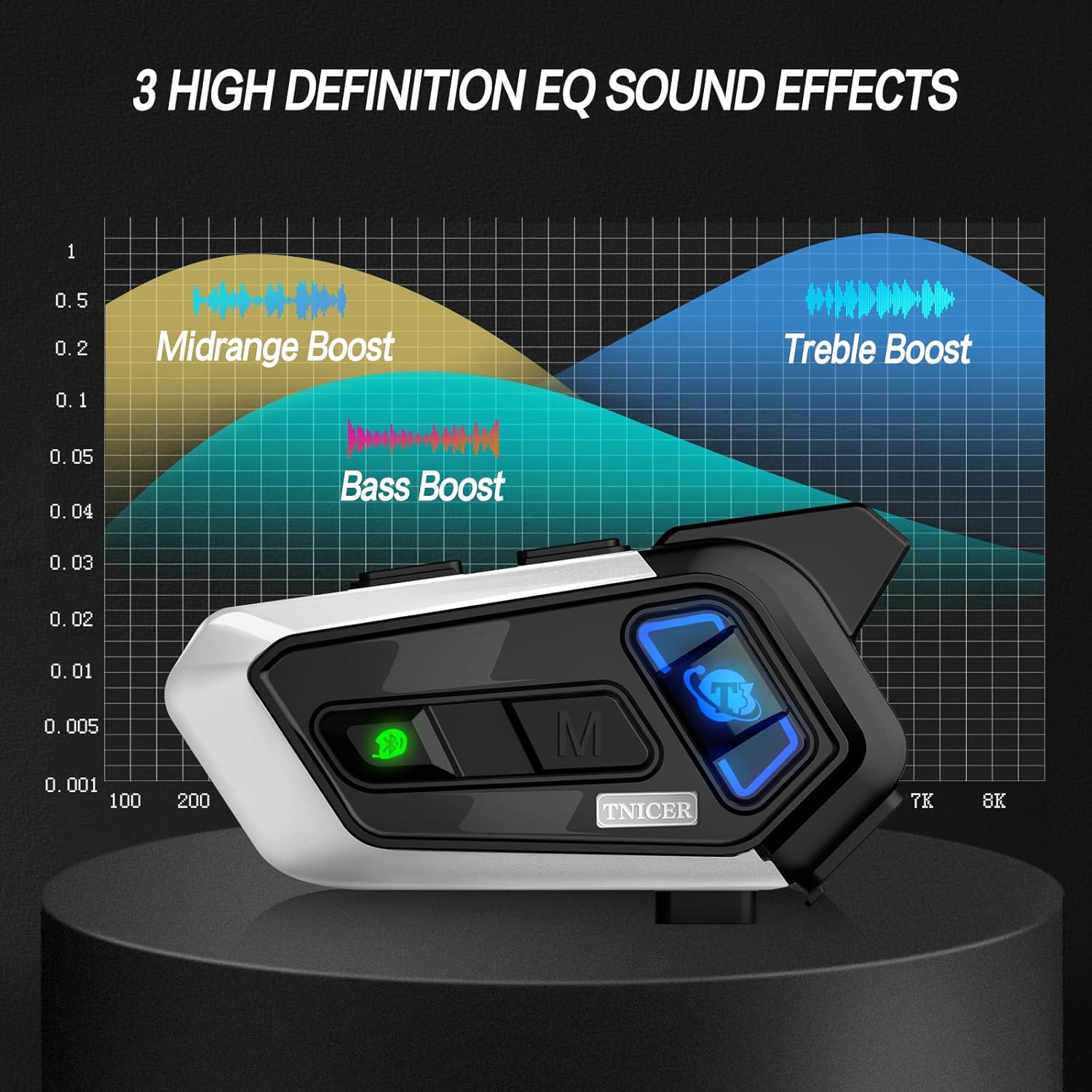
Figure 5.3: Visual representation of EQ sound effects.
5.7 සංගීත බෙදාගැනීම
Share your music with another rider. This feature is ideal for rider-passenger communication over shorter distances.
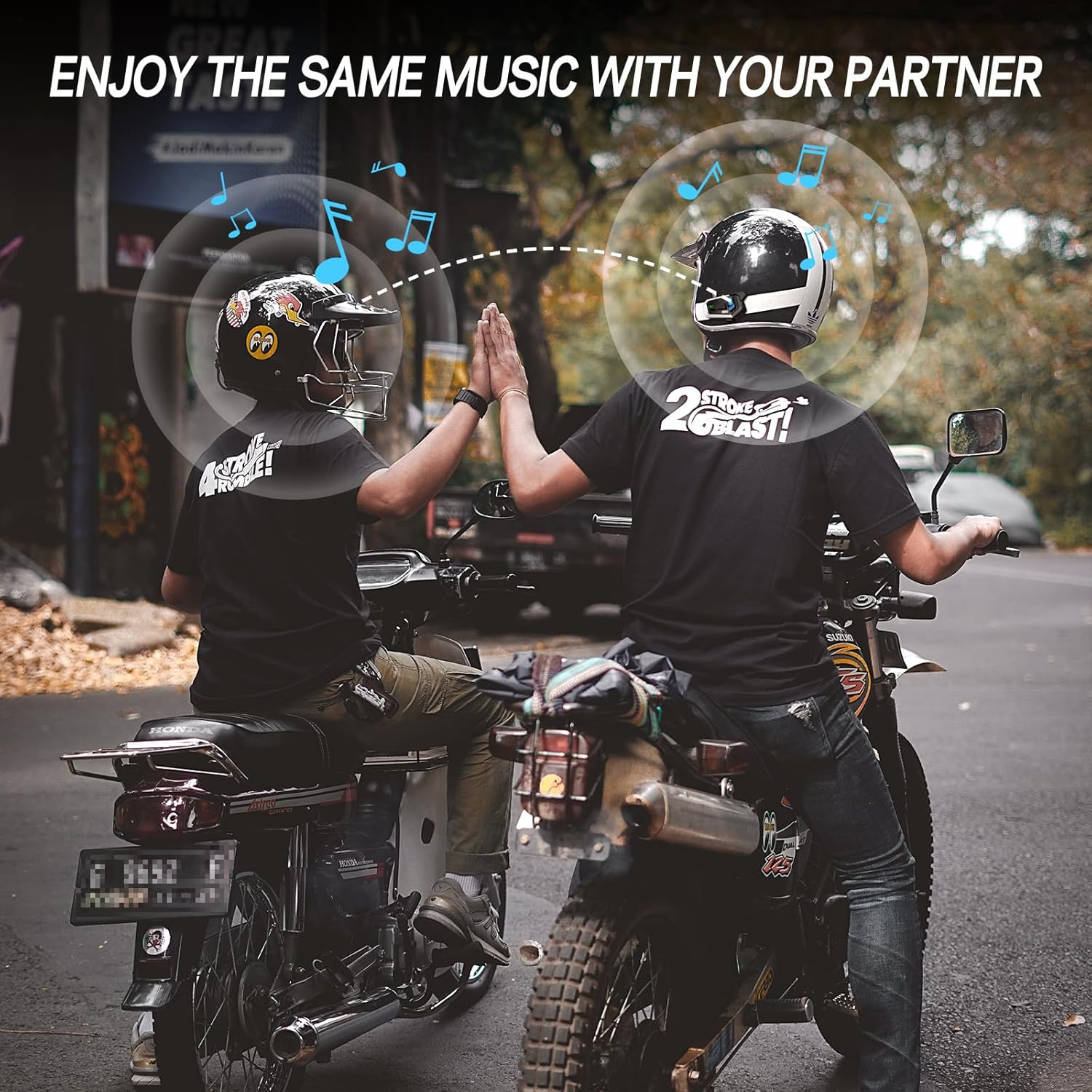
Figure 5.4: Music sharing between two riders.
5.8 Universal Pairing
The T3 headset supports open-source Bluetooth protocols, allowing it to pair with most other brands of helmet Bluetooth devices on the market.
5.9 Phone Calls and Voice Assistant
Once paired with your phone, you can manage calls and activate your phone's voice assistant (e.g., Siri, Google Assistant) directly from the headset. Refer to the quick start guide for specific button controls for these functions.
6. නඩත්තු කිරීම
6.1 බැටරිය ආරෝපණය කිරීම
The T3 is equipped with a 1000mAh Li-Polymer battery, providing up to 25 hours of music, 15 hours of intercom, and 350 hours of standby time. A full charge takes approximately 2.5 hours.
- Connect the headset to a power source using the provided Type-C cable.
- දර්ශක ආලෝකය ආරෝපණ තත්ත්වය පෙන්වයි (උදා: ආරෝපණය කිරීම සඳහා රතු, සම්පූර්ණයෙන්ම ආරෝපණය කිරීම සඳහා නිල්).

රූපය 6.1: බැටරි ආයු කාලය සහ ආරෝපණ විස්තර.
6.2 පිරිසිදු කිරීම
මෘදු, d රෙදි කැබැල්ලකින් හෙඩ්සෙට් එක පිස දමන්න.amp cloth. Do not use harsh chemicals or abrasive cleaners. Ensure the charging port cover is securely closed to maintain water resistance.
6.3 ජල ප්රතිරෝධය
The T3 headset is IP67 waterproof, meaning it is protected from dust and can withstand immersion in water up to 1 meter for 30 minutes. It is suitable for use in rainy conditions.

රූපය 6.2: IP67 ජල ආරක්ෂිත විශේෂාංගය.
6.4 ගබඩා කිරීම
Store the headset in a cool, dry place away from direct sunlight and extreme temperatures when not in use for extended periods.
7. දෝශ නිරාකරණය
If you encounter issues with your TNICER T3 headset, refer to the following common problems and solutions:
| ගැටලුව | විය හැකි හේතුව | විසඳුම |
|---|---|---|
| බලය නැත | බැටරිය ක්ෂය වී ඇත. | හෙඩ්සෙට් එක අවම වශයෙන් පැය 2.5ක් ආරෝපණය කරන්න. |
| දුරකථනය සමඟ යුගල කළ නොහැක | Headset not in pairing mode; Bluetooth off on phone; interference. | Ensure headset is in pairing mode (flashing red/blue). Turn phone's Bluetooth off and on. Move away from other Bluetooth devices. |
| Intercom Disconnects | Out of range; obstacles; low battery. | Move closer to other riders. Avoid large obstacles. Ensure sufficient battery charge. The unit should auto-reconnect when back in range. |
| දුර්වල ශ්රව්ය ගුණාත්මකභාවය / ශබ්දය | Microphone placement; speaker placement; high speed wind noise. | Adjust microphone closer to mouth. Ensure speakers are centered over ears. Check helmet's wind noise reduction. |
| බොත්තම් ප්රතිචාර නොදක්වයි | තාවකාලික මෘදුකාංග දෝෂයක්. | Perform a soft reset by powering off and on. If issue persists, contact support. |
8. පිරිවිතර
| විශේෂාංගය | විස්තර |
|---|---|
| මාදිලියේ නම | T3 |
| වෙළඳ නාමය | TNICER |
| සම්බන්ධතා තාක්ෂණය | රැහැන් රහිත (බ්ලූටූත්) |
| බ්ලූටූත් අනුවාදය | 5.0 |
| බැටරි ආයු කාලය (සංගීතය) | පැය 25 දක්වා |
| Battery Life (Intercom) | පැය 15 දක්වා |
| පොරොත්තු කාලය | පැය 350 දක්වා |
| ආරෝපණ කාලය | ආසන්න වශයෙන්. පැය 2.5 යි |
| බැටරි ධාරිතාව | 1000mAh ලි-පොලිමර් |
| ඉන්ටර්කොම් පරාසය | Up to 1000 meters (between two motorcycles, obstacle-free) |
| මැක්ස් ඉන්ටර්කොම් රයිඩර්ස් | 8 |
| ශබ්ද පාලනය | Passive Noise Cancellation (CVC Technology) |
| ජල ප්රතිරෝධක මට්ටම | IP67 ජල ආරක්ෂිත |
| පාලන වර්ගය | මාධ්ය පාලනය, දුරස්ථ පාලකය |
| විශේෂ ලක්ෂණය | Microphone Included, Audio Multitasking, 3 EQ Sound Effects, Universal Pairing |
| අයිතමයේ බර | අවුන්ස 13.4 කි |
9. වගකීම් සහ සහාය
For warranty information and technical support, please refer to the official TNICER webවෙබ් අඩවියට හෝ ඔවුන්ගේ පාරිභෝගික සේවයට සෘජුවම සම්බන්ධ වන්න. වගකීම් හිමිකම් සඳහා මිලදී ගැනීමේ සාක්ෂියක් ලෙස ඔබේ මිලදී ගැනීමේ රිසිට්පත තබා ගන්න.
මාර්ගගත සහාය: වෙත පිවිසෙන්න TNICER Store on Amazon for product information and contact options.