
1. නිෂ්පාදන අවසන්view
The Vakedy HW20 is a versatile wireless gaming headset designed for an immersive audio experience across multiple platforms. It features both 2.4GHz wireless connectivity via a USB dongle and Bluetooth 5.4, offering flexibility for various devices. The headset is equipped with 50mm dynamic drivers for clear stereo sound and an omnidirectional noise-canceling microphone for effective communication.

Image 1.1: The Vakedy HW20 Wireless Gaming Headset, featuring a black and green design with an included 2.4G USB dongle.
ප්රධාන ලක්ෂණ:
- ද්විත්ව සම්බන්ධතාවය: 2.4GHz wireless (USB dongle) and Bluetooth 5.4.
- පුළුල් අනුකූලතාව: Supports PC, PS5, PS4, Mac, Nintendo Switch (audio only), and mobile devices.
- අධි-විශ්වාසනීය ශ්රව්ය: 50mm dynamic coil drivers for detailed stereo sound.
- පැහැදිලි සන්නිවේදනය: Omnidirectional noise-canceling microphone with 360° rotation and one-button mute.
- දිගු බැටරි ආයු කාලය: එක් ආරෝපණයකින් පැය 50 ක් දක්වා ක්රීඩා කාලය.
- සුවපහසු නිර්මාණය: Lightweight construction with soft, breathable mesh ear pads and an adjustable headband.
2. පැකේජ අන්තර්ගතය
කරුණාකර සියලුම අයිතම පැකේජයේ ඇති බව තහවුරු කරගන්න:
- Vakedy Wireless Gaming Headset HW20
- 2.4GHz USB Dongle
- USB-C ආරෝපණ කේබලය
- පරිශීලක අත්පොත

Image 2.1: The side of the product packaging, indicating the included items: Wireless Headset, Type-C Cable, USB Dongle, and User Manual.
3. සැකසුම් උපදෙස්
3.1 හෙඩ්සෙට් එක ආරෝපණය කිරීම
- Connect the supplied USB-C charging cable to the headset's charging port.
- කේබලයේ අනෙක් කෙළවර USB බල ප්රභවයකට සම්බන්ධ කරන්න (උදා: පරිගණක USB පෝට් එක, USB බිත්ති ඇඩැප්ටරය).
- The headset's indicator light will show charging status. A full charge takes approximately 2.5 to 3 hours.
A fully charged headset provides up to 50 hours of playtime. A low battery alert will indicate when recharging is needed.

Image 3.1: Illustration showing the headset charging for 3 hours to provide 50 hours of use, highlighting the 900mAh battery capacity.
3.2 2.4GHz Wireless Connection (USB Dongle)
This mode is compatible with PC, PS5, PS4, and Mac. For Nintendo Switch, audio is supported, but the microphone is not functional in this mode.
- Insert the 2.4GHz USB dongle into an available USB port on your device (PC, PS5, PS4, Mac, or Nintendo Switch).
- Power on the Vakedy HW20 headset.
- The headset will automatically attempt to connect to the dongle. A successful connection is usually indicated by a stable light on the headset.
- On your device, ensure the Vakedy HW20 is selected as the audio output and input device in your sound settings.
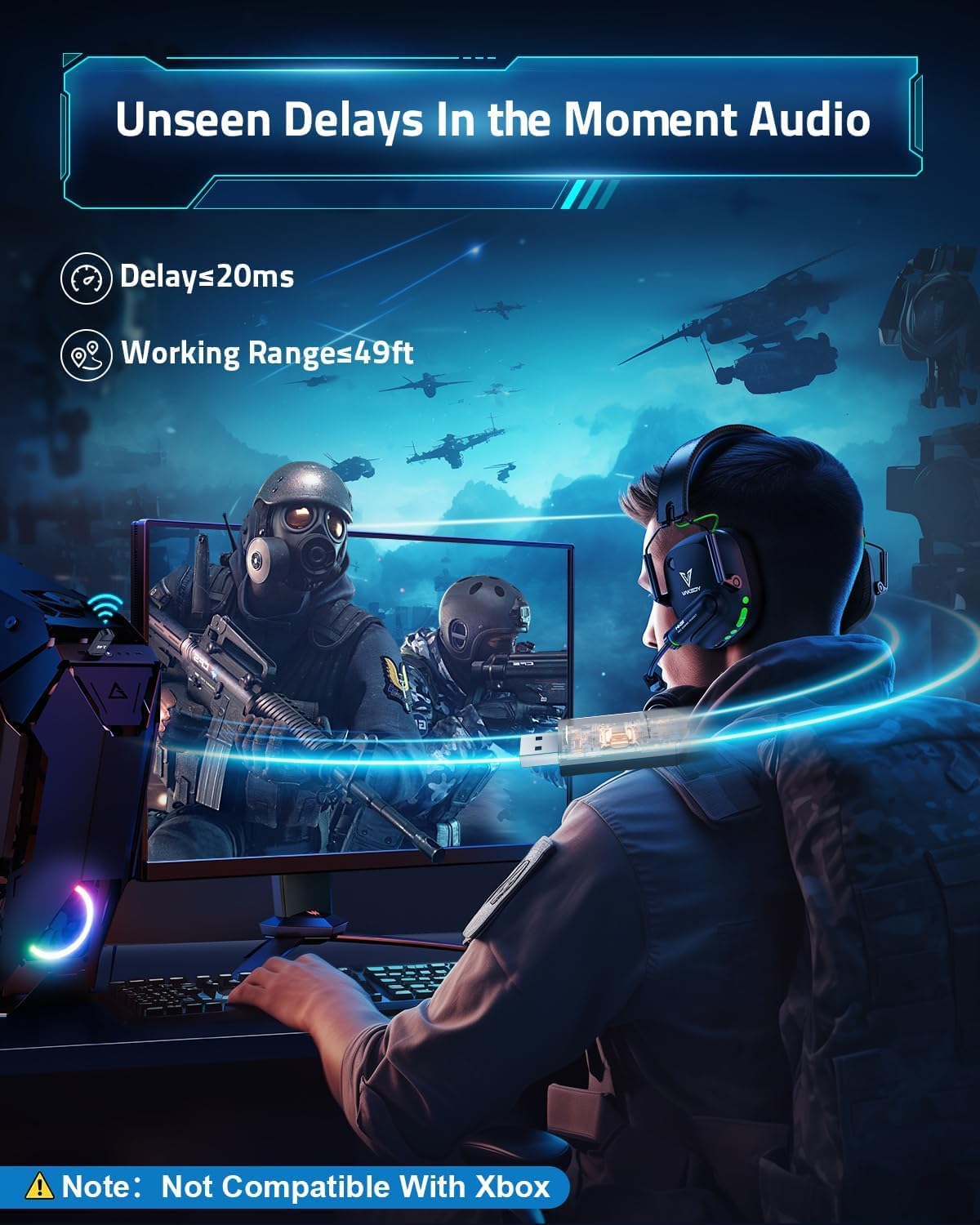
Image 3.2: A gamer using the headset with a 2.4G USB dongle connected to a PC, illustrating the low latency (≤20ms) and working range (49ft) of the wireless connection.
3.3 බ්ලූටූත් 5.4 සම්බන්ධතාවය
This mode is compatible with smartphones, tablets, iPads, and other smart devices. Note: Bluetooth mode is not compatible with PS4, PS5, or PC for gaming audio.
- Power on the Vakedy HW20 headset.
- Activate Bluetooth pairing mode on the headset (refer to the operating instructions for specific button presses).
- ඔබගේ ජංගම උපාංගයේ, බ්ලූටූත් සබල කර පවතින උපාංග සොයන්න.
- Select "Vakedy HW20" from the list of found devices to pair.
3.4 Compatibility Overview

Image 3.3: A detailed compatibility chart showing which features (video/audio and microphone) are supported across different devices (PC/Mac/Laptop, PS4/PS5, Switch, Mobile/Tablet) in both Dongle Mode (USB-A) and Bluetooth 5.3 Mode.
- Bluetooth connectivity is not compatible with PS4, PS5, or PC for gaming.
- The microphone is not supported when using the headset with Nintendo Switch.
- The headset is not compatible with all Xbox series consoles.
4. මෙහෙයුම් උපදෙස්
4.1 බලය සක්රිය / අක්රිය
Locate the power button on the headset. Press and hold the power button for approximately 3 seconds to turn the headset on or off. An audible cue or indicator light will confirm the status change.
4.2 වෙළුම් පාලනය
Use the volume up (+) and volume down (-) buttons, typically located on one of the earcups, to adjust the audio output level.
4.3 මයික්රෆෝන භාවිතය
The headset features an omnidirectional noise-canceling microphone. It can be rotated 360° for optimal positioning. A dedicated mute button allows you to quickly toggle the microphone on or off. When muted, the microphone's indicator light may change color.

Image 4.1: Diagram illustrating how the omnidirectional noise-canceling microphone effectively eliminates up to 95% of environmental noise, showing a 'Before' and 'After' sound wave comparison.
4.4 මාදිලිය මාරු කිරීම
The headset supports both 2.4GHz wireless and Bluetooth modes. A dedicated button or a combination of button presses allows you to switch between these modes. Refer to the headset's indicator lights for the active connection mode.
4.5 ආලෝකකරණ බලපෑම්
The headset features stylish breathing lights that activate when the headset is powered on. These lights enhance the aesthetic during use.
5. නඩත්තු කිරීම
Proper care and maintenance will extend the lifespan of your Vakedy HW20 headset.
- පිරිසිදු කිරීම: හෙඩ්සෙට් එක පිරිසිදු කිරීම සඳහා මෘදු වියළි රෙද්දක් භාවිතා කරන්න. රළු රසායනික ද්රව්ය හෝ උල්ෙල්ඛ ද්රව්ය භාවිතා කිරීමෙන් වළකින්න.
- ගබඩා: හෙඩ්සෙට් එක සෘජු හිරු එළියෙන් සහ අධික උෂ්ණත්වයන්ගෙන් ඈත්ව සිසිල් වියළි ස්ථානයක ගබඩා කරන්න.
- බැටරි සත්කාර: To maintain battery health, charge the headset regularly and avoid completely draining the battery for extended periods.
- හැසිරවීම: Handle the headset with care to prevent physical damage. Avoid excessive bending or twisting of the microphone arm.

රූපය 5.1: සමීප රූපය view of the headset highlighting its breathable soft earmuffs, adjustable headband, and rotatable earcup, all contributing to user comfort and durability.

රූපය 5.2: විස්තරාත්මක view of the breathable mesh ear pads, designed for extended use and to prevent sweat buildup during long gaming sessions.
6. දෝශ නිරාකරණය
If you encounter issues with your Vakedy HW20 headset, please refer to the following common solutions:
- ශබ්දයක් හෝ අඩු හඬක් නැත:
- හෙඩ්සෙට් එක ක්රියාත්මක කර සම්පූර්ණයෙන්ම ආරෝපණය කර ඇති බව සහතික කර ගන්න.
- හෙඩ්සෙට් එකේ සහ ඔබේ සම්බන්ධිත උපාංගයේ ශබ්ද මට්ටම් පරීක්ෂා කරන්න.
- Verify that the correct audio output device (Vakedy HW20) is selected in your device's sound settings.
- මයික්රෆෝනය ක්රියා නොකරයි:
- Ensure the microphone is not muted (check the mute button and its indicator light).
- Confirm that the Vakedy HW20 is selected as the input device in your device's sound settings.
- Remember that the microphone is not supported when connected to Nintendo Switch.
- 2.4GHz Wireless Connection Issues:
- USB ඩොන්ගලය ක්රියාකාරී USB පෝට් එකකට ආරක්ෂිතව ඇතුළු කර ඇති බවට වග බලා ගන්න.
- Power cycle both the headset and the connected device.
- Try using a different USB port for the dongle.
- Reduce the distance between the headset and the dongle, and remove any potential obstructions.
- බ්ලූටූත් සම්බන්ධතා ගැටළු:
- හෙඩ්සෙට් එක බ්ලූටූත් යුගල කිරීමේ මාදිලියේ ඇති බව සහතික කර ගන්න.
- ඔබගේ ජංගම උපාංගයේ බ්ලූටූත් අක්රිය කර නැවත සක්රිය කරන්න.
- Forget the device from your mobile device's Bluetooth settings and attempt to re-pair.
- Remember that Bluetooth mode is not compatible with PS4, PS5, or PC for gaming.
- Headset Not Compatible with Xbox:
- Please note that the Vakedy HW20 headset is not compatible with all Xbox series consoles.
7. පිරිවිතර
Detailed technical specifications for the Vakedy HW20 Wireless Gaming Headset:
| විශේෂාංගය | පිරිවිතර |
|---|---|
| මාදිලියේ නම | HW20 |
| සම්බන්ධතා තාක්ෂණය | රැහැන් රහිත (2.4GHz, බ්ලූටූත් 5.4) |
| ශ්රව්ය ධාවක ප්රමාණය | මිලිමීටර් 50 යි |
| බැටරි ආයු කාලය | පැය 50 යි |
| ආරෝපණ කාලය | පැය 3 යි |
| Wireless Range (2.4GHz) | අඩි 49 දක්වා (බාධක නොමැතිව) |
| බ්ලූටූත් පරාසය | අඩි 39 |
| ශ්රව්ය ගුප්ත විද්යාව | ≤20 Milliseconds |
| මයික්රෆෝන වර්ගය | Omnidirectional, Noise-Canceling |
| බර | අවුන්ස 12.3 කි |
| ද්රව්ය | ඇක්රිලෝනයිට්රයිල් බියුඩඩීන් ස්ටයිරීන් (ABS) |
| සම්බාධනය | 32 ඕම් |
| සංඛ්යාත ප්රතිචාරය | 20 KHz |
| සංඛ්යාත පරාසය | 10,000 Hz දක්වා |
| සංවේදීතාව | තත්පරයට මිලිමීටර් 20ක් |
8. වගකීම් සහ සහාය
Vakedy is committed to customer satisfaction and provides comprehensive support for your HW20 Wireless Gaming Headset.
- නොමිලේ ආදේශනය: The product includes a 365-day free replacement policy, covering manufacturing defects without requiring repairs.
- පාරිභෝගික සහාය: A professional support team is available to assist with any inquiries or after-sales support needs.
- අමතන්න: For assistance, please refer to the contact information provided with your purchase or visit the official Vakedy support channels.

Image 8.1: Information regarding Vakedy customer care, highlighting 12-hour fast support and a 365-day free replacement policy.