නිෂ්පාදනය අවසන්view
The Generic DG08M is a bone conduction Bluetooth headset designed for sports and active use. It transmits sound through bone vibrations, bypassing the eardrum, which allows users to remain aware of their surroundings. This headset features Bluetooth 5.0 for stable connectivity and an IPX6 waterproof rating, making it suitable for various environments.
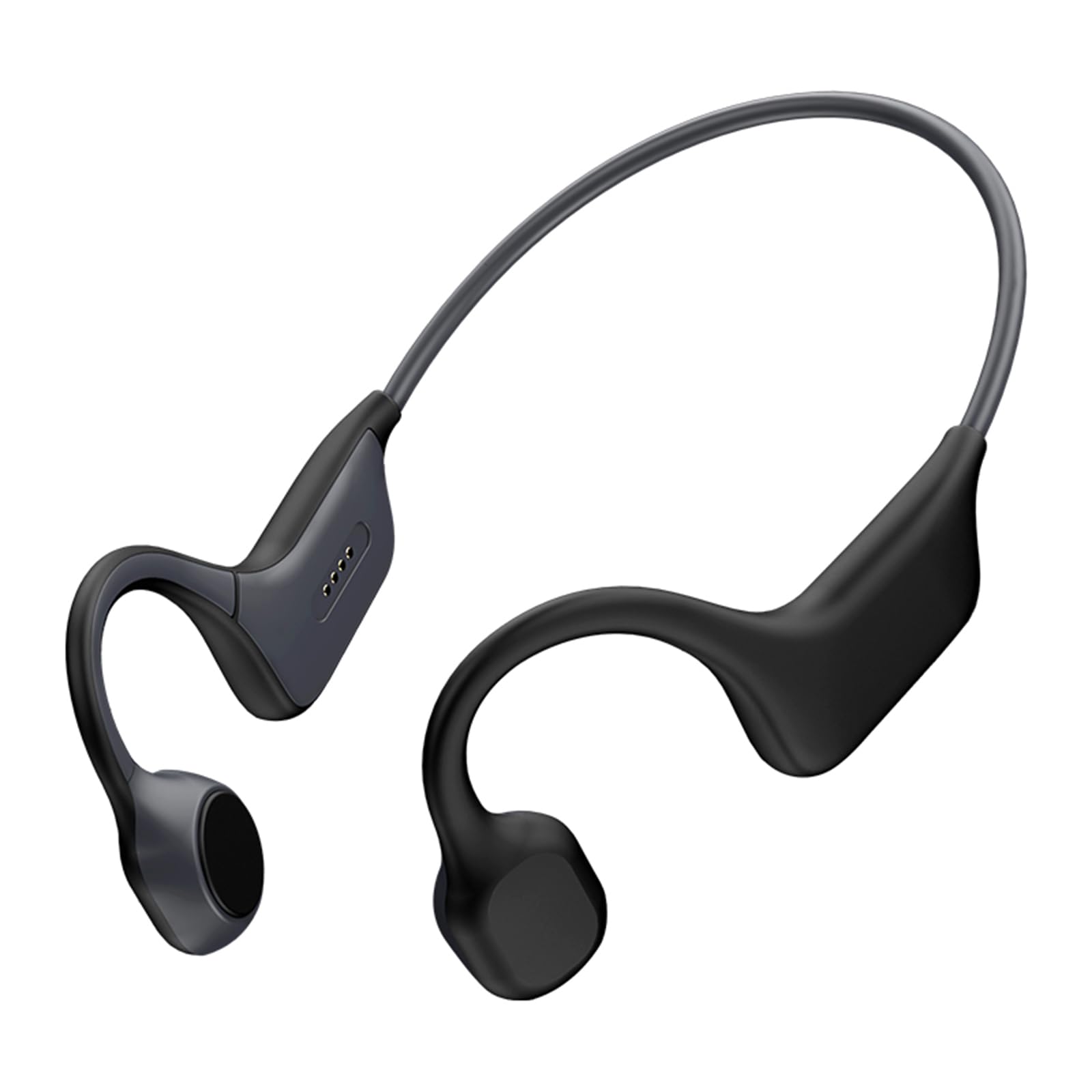
රූපය 1: ඉදිරිපස view of the DG08M Bone Conduction BT Headset.
ප්රධාන ලක්ෂණ:
- Bone Conduction Technology: Delivers sound through cheekbones, keeping ears open.
- Bluetooth 5.0: Ensures stable connection and low power consumption.
- IPX6 Waterproof: Resistant to sweat and rain.
- Lightweight Design: Weighs approximately 29g for comfortable wear.
- Long Battery Life: Up to 6 hours music playback, 10 days standby.
පැකේජයේ අන්තර්ගතය
සියලුම අයිතම පැකේජයේ ඇති බව තහවුරු කරගන්න:
- 1 x Bone Conduction Headphone (DG08M)
- 1 x Charging Cable (not explicitly listed but implied for a BT device)
- 1 x පරිශීලක අත්පොත (මෙම ලේඛනය)
සැලසුම
1. හෙඩ්සෙට් එක ආරෝපණය කිරීම
Before first use, fully charge the headset. Connect the charging cable to the charging port on the headset and plug the other end into a USB power source (e.g., computer USB port or wall adapter). The LED indicator will show charging status.

රූපය 2: පැත්ත view of the headset, highlighting the charging contacts.
2. බල ගැන්වීම / අක්රිය කිරීම
- බල ගැන්වීම: LED දර්ශකය දැල්වෙන තුරු බල බොත්තම තත්පර 3ක් පමණ ඔබාගෙන සිටින්න.
- විදුලිය විසන්ධි කිරීම: LED දර්ශකය ක්රියා විරහිත වන තෙක් බල බොත්තම තත්පර 5ක් පමණ ඔබාගෙන සිටින්න.
3. බ්ලූටූත් යුගලනය
To connect the headset to your device (smartphone, tablet, etc.):
- හෙඩ්සෙට් එක ක්රියා විරහිත කර ඇති බවට සහතික වන්න.
- යුගල කිරීමේ මාදිලිය දක්වමින් LED දර්ශකය රතු සහ නිල් පැහැයෙන් මාරුවෙන් මාරුවට දැල්වෙන තෙක් බල බොත්තම තත්පර 5-7ක් පමණ ඔබාගෙන සිටින්න.
- ඔබගේ උපාංගයේ, බ්ලූටූත් සබල කර පවතින උපාංග සඳහා සොයන්න.
- Select "DG08M" (or similar name) from the list of found devices.
- Once paired, the LED indicator on the headset will flash blue slowly.
මෙහෙයුම් උපදෙස්
සංගීත වාදනය
- වාදනය/විරාමය: බහු ක්රියාකාරී බොත්තම වරක් ඔබන්න.
- ඊළඟ ධාවන පථය: බහුකාර්ය බොත්තම දෙවරක් ඔබන්න.
- පෙර ධාවන පථය: බහුකාර්ය බොත්තම තුන් වරක් ඔබන්න.
ඇමතුම් කළමනාකරණය
- පිළිතුරු ඇමතුම: බහු ක්රියාකාරී බොත්තම වරක් ඔබන්න.
- ඇමතුම අවසන් කරන්න: ඇමතුමක් අතරතුර බහුකාර්ය බොත්තම එක් වරක් ඔබන්න.
- ඇමතුම ප්රතික්ෂේප කරන්න: බහුකාර්ය බොත්තම තත්පර 2ක් ඔබාගෙන සිටින්න.
- හ oice සහකාර: බහුකාර්ය බොත්තම තත්පර 2ක් ඔබාගෙන සිටින්න (ඇමතුමක නොමැති විට).
පරිමාව පාලනය
- පරිමාව: ශබ්දය වැඩි කිරීමේ (+) බොත්තම ඔබන්න.
- ශබ්දය පහළට: ශබ්දය අඩු කිරීමේ (-) බොත්තම ඔබන්න.
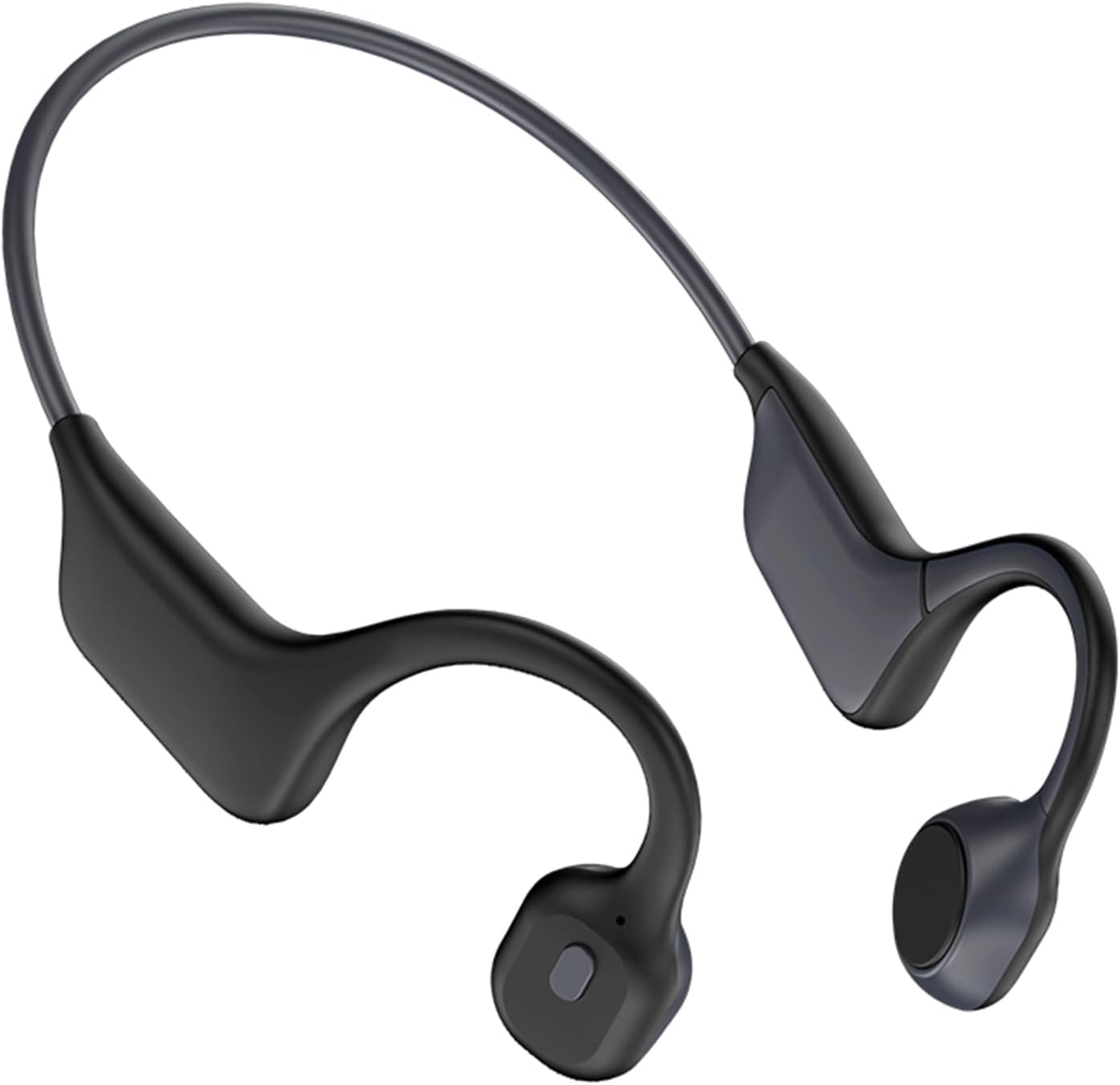
රූපය 3: පැත්ත view of the headset, indicating the location of control buttons.
නඩත්තු කිරීම
පිරිසිදු කිරීම
මෘදු, d රෙදි කැබැල්ලකින් හෙඩ්සෙට් එක පිස දමන්න.amp cloth. Do not use harsh chemicals or abrasive cleaners. Ensure the charging port is dry before charging.
ගබඩා කිරීම
හෙඩ්සෙට් එක සෘජු හිරු එළියෙන් සහ අධික උෂ්ණත්වයන්ගෙන් ඈත්ව සිසිල් වියළි ස්ථානයක ගබඩා කරන්න. හෙඩ්සෙට් එක මත බර වස්තූන් තැබීමෙන් වළකින්න.
ජල ප්රතිරෝධය (IPX6)
The DG08M headset is IPX6 rated, meaning it is protected against high-pressure water jets from any direction. It is suitable for use during workouts and in light rain. හෙඩ්සෙට් එක වතුරේ ගිල්වන්න එපා.

Figure 4: The headset demonstrating its IPX6 waterproof design, suitable for sports and wet conditions.
දෝෂගවේෂණය
- බලය නැත:
හෙඩ්සෙට් එක සම්පූර්ණයෙන්ම ආරෝපණය වී ඇති බව සහතික කර ගන්න. එය බල ප්රභවයකට සම්බන්ධ කර ආරෝපණ දර්ශකය පරීක්ෂා කරන්න.
- උපාංගය සමඟ යුගල කළ නොහැක:
Make sure the headset is in pairing mode (LED flashing red and blue). Turn off and on Bluetooth on your device. Try restarting both the headset and your device. Ensure the headset is not already connected to another device.
- ශබ්දයක් නැත:
Check the volume levels on both the headset and your connected device. Ensure the headset is properly paired and connected. Try playing audio from a different application or source.
- දුර්වල ශබ්ද තත්ත්වය:
Ensure there are no obstructions between the headset and your device. Move closer to your device to reduce interference. Check for any physical damage to the headset.
පිරිවිතර
| ආකෘතිය | DG08M |
| බ්ලූටූත් අනුවාදය | V5.0 |
| මෙහෙයුම් පරාසය | මීටර් 15 දක්වා |
| බැටරි ධාරිතාව | 180mAh |
| සංගීතය වාදනය කරන කාලය | Up to 6 hours (depends on music volume) |
| පොරොත්තු කාලය | දින 10 යි |
| ජල ආරක්ෂිත මට්ටම | IPX6 |
| ප්රධාන අයිතමයේ බර | ග්රෑම් 29 |
| අභ්යන්තර මතකය | 32GB (Note: Usage details not provided in product description) |
ආරක්ෂිත තොරතුරු
- නිෂ්පාදිතය විසුරුවා හැරීම, අලුත්වැඩියා කිරීම හෝ වෙනස් කිරීම නොකරන්න.
- Keep the headset away from extreme temperatures, humidity, and corrosive substances.
- ශ්රවණාබාධ වැලැක්වීම සඳහා අධික ශබ්ද මට්ටම්වලට දිගු කලක් නිරාවරණය වීමෙන් වළකින්න.
- දේශීය රෙගුලාසිවලට අනුව නිෂ්පාදනය සහ එහි බැටරිය වගකීමෙන් යුතුව බැහැර කරන්න.
- While designed for open-ear listening, always exercise caution and adhere to local traffic laws when using the headset in traffic or other potentially hazardous environments.
වගකීම් සහ සහාය
For warranty information or technical support, please refer to the retailer's return policy or contact the seller directly. Keep your purchase receipt for any warranty claims.
For further assistance, you may visit the product page on Amazon: ඇමසන් නිෂ්පාදන පිටුව