1. හැඳින්වීම
The DARAN NEO300 is a compact and versatile portable power station designed to provide reliable power for various applications, including home use, camping, emergencies, and travel. Featuring a durable LiFePO4 battery and multiple output ports, it offers a dependable energy source for your electronic devices and small appliances. This manual provides essential information for the safe and efficient operation, maintenance, and troubleshooting of your NEO300 power station.

The DARAN NEO300 is designed for easy portability, making it convenient to carry wherever power is needed.
2. ආරක්ෂිත උපදෙස්
Please read and understand all safety instructions before operating the DARAN NEO300. Failure to follow these instructions may result in electric shock, fire, or serious injury.
- ඒකකය විසුරුවා හැරීම, අළුත්වැඩියා කිරීම හෝ වෙනස් කිරීම නොකරන්න.
- Do not expose the unit to fire, direct sunlight, or extreme temperatures.
- ඒකකය ජලය, තෙතමනය සහ විඛාදන ද්රව්ය වලින් ඈත් කර තබන්න.
- අධික උනුසුම් වීම වැළැක්වීම සඳහා භාවිතයේදී සහ ආරෝපණය කිරීමේදී නිසි වාතාශ්රය සහතික කරන්න.
- මුල් හෝ සහතික කළ ආරෝපණ කේබල් සහ ඇඩැප්ටර පමණක් භාවිතා කරන්න.
- ළමයින්ට සහ සුරතල් සතුන්ට ළඟාවිය නොහැකි ලෙස තබා ගන්න.
- If the unit emits smoke, strange odors, or unusual noises, discontinue use immediately and contact customer support.
3. නිෂ්පාදන අවසන්view
The DARAN NEO300 features a robust design with multiple input and output ports to accommodate various devices. Familiarize yourself with the components and display indicators for optimal use.
3.1. සංරචක

The DARAN NEO300 portable power station with its main display and various output ports.
The NEO300 offers a versatile array of ports for simultaneous device charging.
3.2. සංදර්ශක දර්ශක
The integrated display provides real-time information about the power station's status.

පැහැදිලි ඉවරයක්view of the DARAN NEO300's display, providing essential information at a glance.
- බැටරි මට්ටමේ දර්ශකය: වත්මන් ආරෝපණ මට්ටම පෙන්වයි.
- Input/Output Indicator: Displays power flow into or out of the unit.
- AC/DC/USB/LED Indicators: Show which output ports are active.
- ශිශිරතා දර්ශකය: Indicates if hibernation mode is active.
- සූර්ය ආරෝපණ දර්ශකය: Lights up when solar input is detected.
- අනතුරු ඇඟවීමේ දර්ශකය: Alerts to potential issues (e.g., overload, temperature).
4. පිහිටුවීම
4.1. මූලික අයකිරීම
Before first use, it is recommended to fully charge the DARAN NEO300. This ensures optimal battery performance and longevity.
- සපයා ඇති AC ආරෝපණ කේබලය බලාගාරයේ ආදාන තොටට සම්බන්ධ කරන්න.
- AC ආරෝපණ කේබලයේ අනෙක් කෙළවර සම්මත බිත්ති අලෙවිසැලකට සම්බන්ධ කරන්න.
- සංදර්ශකය ආරෝපණ තත්ත්වය පෙන්වනු ඇත. බැටරි දර්ශකය 100% ක් පෙන්වන විට ඒකකය සම්පූර්ණයෙන්ම ආරෝපණය වේ.
Initial charging typically takes approximately 4 hours via AC wall outlet.
5. මෙහෙයුම් උපදෙස්
5.1. සක්රිය / අක්රිය කිරීම
- To turn on the unit, press and hold the main power button until the display illuminates.
- To turn off the unit, press and hold the main power button until the display turns off.
5.2. ප්රතිදාන තොට භාවිතා කිරීම
The NEO300 offers various output options:
- AC අලෙවිසැල: Press the AC button to activate the AC output. Plug in your AC-powered devices (e.g., laptops, small appliances).
- DC Outlet (12V) & Car Socket: Press the DC button to activate the DC output. Connect 12V devices.
- USB Ports (USB-A & Type-C PD60W): These ports are typically active when the unit is on. Simply plug in your USB-powered devices.
5.3. බලාගාරය ආරෝපණය කිරීම
The NEO300 can be recharged in multiple ways:

The DARAN NEO300 offers flexible recharging options for convenience.
- AC Wall Outlet: Use the included AC adapter and cable. Full charge in approximately 4 hours.
- සූර්ය පැනලය: Connect a compatible solar panel (up to 100W input) to the DC input port. The built-in MPPT controller ensures efficient charging. Charging time is typically 3-4 hours depending on sunlight intensity.
- කාර් අයකිරීම: Use a car charger (cigarette lighter adapter) to charge from your vehicle's 12V outlet. Full charge in approximately 4 hours.
5.4. LED ආලෝක මාදිලි
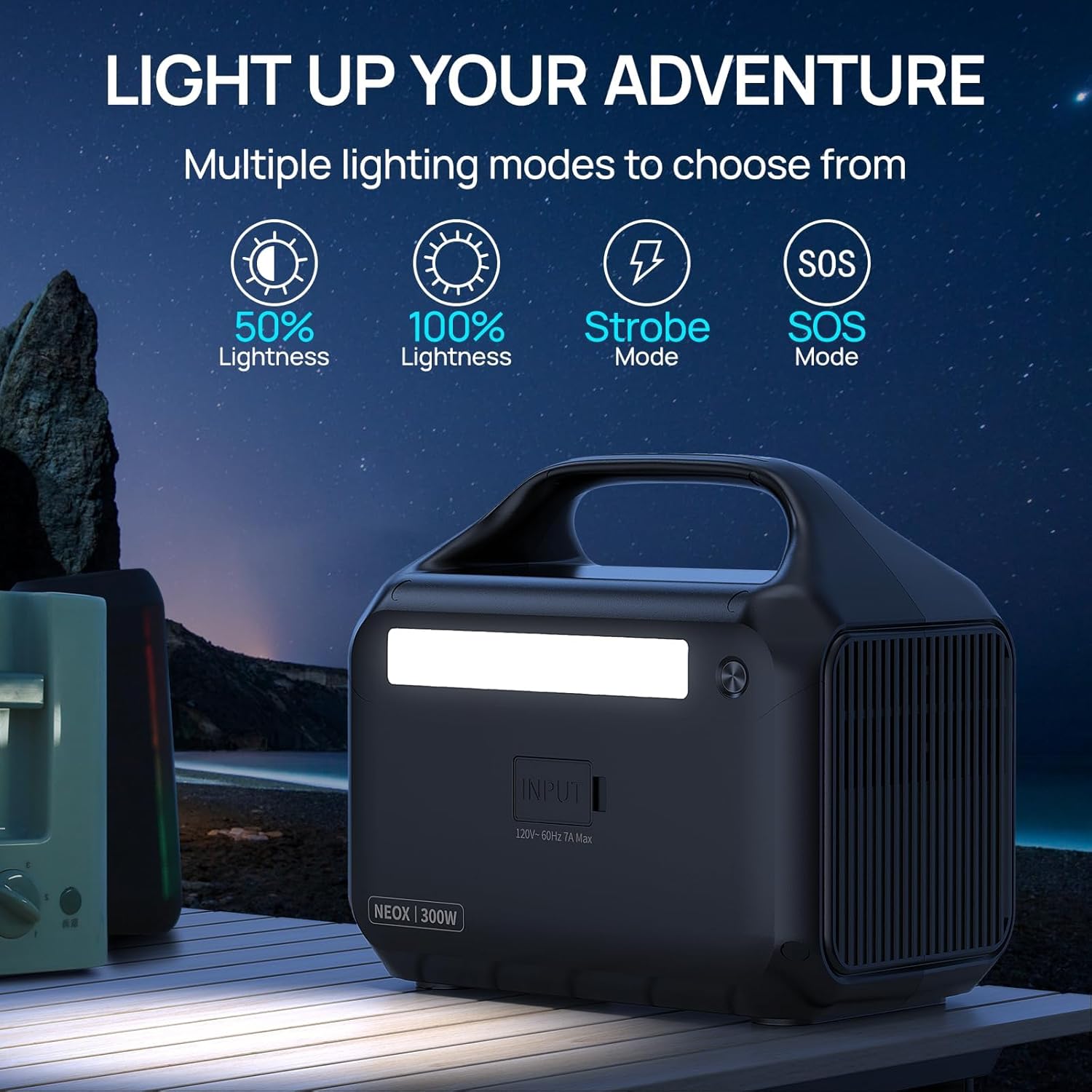
The NEO300 includes an integrated LED light with multiple modes:

The NEO300's LED light offers versatile illumination for various situations.
- Press the LED button to cycle through 50% brightness, 100% brightness, Strobe mode, and SOS mode.
- LED ආලෝකය නිවා දැමීමට නැවත ඔබන්න.
5.5. Hibernation මාදිලිය
The NEO300 features a default hibernation mode to conserve power. To disable it for continuous operation:
- Press and hold the AC button.
- While holding the AC button, press the LED button.
- This action will toggle the hibernation mode off, allowing for uninterrupted use. Repeat the process to re-enable hibernation mode.
5.6. බල ගැන්වීමේ උපාංග
The NEO300 can power a variety of devices. The actual runtime will vary based on the device's power consumption.

Examples of devices and their estimated usage times with the DARAN NEO300.

The NEO300 can power multiple devices simultaneously, from drones to laptops.

The NEO300 is suitable for various home and outdoor applications, providing power for essential devices.
This video demonstrates the DARAN NEO300 portable generator charging devices effectively.
6. නඩත්තු කිරීම
6.1. බැටරි රැකවරණය
The NEO300 uses a LiFePO4 battery, known for its long lifespan and safety. To maximize battery life:

The LiFePO4 battery in the NEO300 is designed for extended durability and a long operational life.
- Charge the unit fully at least once every 3-6 months, even if not in use.
- නැවත ආරෝපණය කිරීමට පෙර බැටරිය සම්පූර්ණයෙන්ම බැස යාමෙන් වළකින්න.
- සෘජු හිරු එළියෙන් සහ අධික උෂ්ණත්වයන්ගෙන් ඈත්ව සිසිල් වියළි ස්ථානයක ඒකකය ගබඩා කරන්න.
6.2. පිරිසිදු කිරීම සහ ගබඩා කිරීම
- මෘදු වියළි රෙද්දකින් බාහිර කොටස පිස දමන්න. උල්ෙල්ඛ පිරිසිදු කරන්නන් හෝ ද්රාවක භාවිතා නොකරන්න.
- සියලුම වරායන් දූවිලි හා සුන්බුන් වලින් තොර බවට වග බලා ගන්න.
- When storing for extended periods, ensure the battery is charged to about 50-80%.
7. දෝශ නිරාකරණය
If you encounter issues with your DARAN NEO300, refer to the following common problems and solutions:
| ගැටලුව | විය හැකි හේතුව | විසඳුම |
|---|---|---|
| ඒකකය සක්රිය නොවේ | Battery is completely drained; Power button not held long enough. | ඒකකය ආරෝපණය කරන්න; තත්පර 3-5ක් බල බොත්තම ඔබාගෙන සිටින්න. |
| AC ප්රතිදානය ක්රියා නොකරයි | AC output not activated; Device power consumption exceeds 300W; Overload protection triggered. | Press the AC button; Check device wattage; Disconnect device, restart unit. |
| ඒකකය ආරෝපණය නොවේ | Charging cable/adapter faulty; Input port blocked; Extreme temperature. | Try a different cable/adapter; Clear debris from port; Move unit to a suitable temperature range (0-40°C). |
| LED ආලෝකය ක්රියා නොකරයි | LED function not activated. | Press the LED button to cycle through modes. |
If the problem persists after attempting these solutions, please contact DARAN customer service for further assistance.
8. පිරිවිතර
| විශේෂාංගය | විස්තර |
|---|---|
| මාදිලියේ නම | NEOZL (NEO300) |
| බැටරි වර්ගය | LiFePO4 |
| ධාරිතාව | 268.8Wh |
| AC ප්රතිදානය | 300W (600W Surge), 110V, 60Hz Pure Sine Wave |
| DC ප්රතිදානය | 12V කාර් සොකට් |
| USB-A ප්රතිදානය | 2 Ports (3.0/5V-3A, MAX.18W) |
| Type-C ප්රතිදානය | PD60W |
| සූර්ය ආදානය | Up to 100W (MPPT Controller) |
| ආරෝපණ කාලය (AC) | ආසන්න වශයෙන්. පැය 4 යි |
| මානයන් (L x W x H) | 10.04" x 8.19" x 6.61" |
| බර | රාත්තල් 7.45 |
| විශේෂ ලක්ෂණ | Balance Management, Digital Display, Intelligent Temperature Control, Overload Protection, Short Circuit Protection |
9. වගකීම් සහ පාරිභෝගික සහාය
The DARAN NEO300 Portable Power Station comes with a වසර 3ක වගකීමක් සහ 5-year quality customer service. This ensures worry-free use and support for your product.
For any questions, technical assistance, or warranty claims, please contact DARAN customer support through the following channels:
- නිෂ්පාදන ඇසුරුම්කරණයේ සපයා ඇති සම්බන්ධතා තොරතුරු වෙත යොමු වන්න.
- Visit the official DARAN store on Amazon: DARAN Store
Please have your model number (NEO300 or NEOZL) and purchase details ready when contacting support.


