
GGSTOPWATER JM13
Open Ear Headphones Wireless Bluetooth 5.4 User Manual
Model: JM13 | Brand: GGSTOPWATER
1. හැඳින්වීම
Thank you for choosing the GGSTOPWATER Open Ear Headphones. These wireless earbuds are designed to provide a comfortable listening experience while maintaining awareness of your surroundings. Featuring advanced Bluetooth 5.4 technology and an IPX5 waterproof rating, they are ideal for various activities including sports, running, workouts, and driving.

The open-ear design ensures comfort and awareness of your environment.

Key features of the GGSTOPWATER Open Ear Headphones.
2. පෙට්ටියේ ඇති දේ
සියලුම අයිතම පවතින බව සහතික කර ගැනීමට කරුණාකර පැකේජයේ අන්තර්ගතය පරීක්ෂා කරන්න:
- True Wireless Bluetooth Headphones (2 units)
- Headset Charging Compartment (1 unit)
- Type-C Charging Cable (1 unit)
- පරිශීලක අත්පොත (ඒකක 1)
- Silicone Lanyard (1 unit)
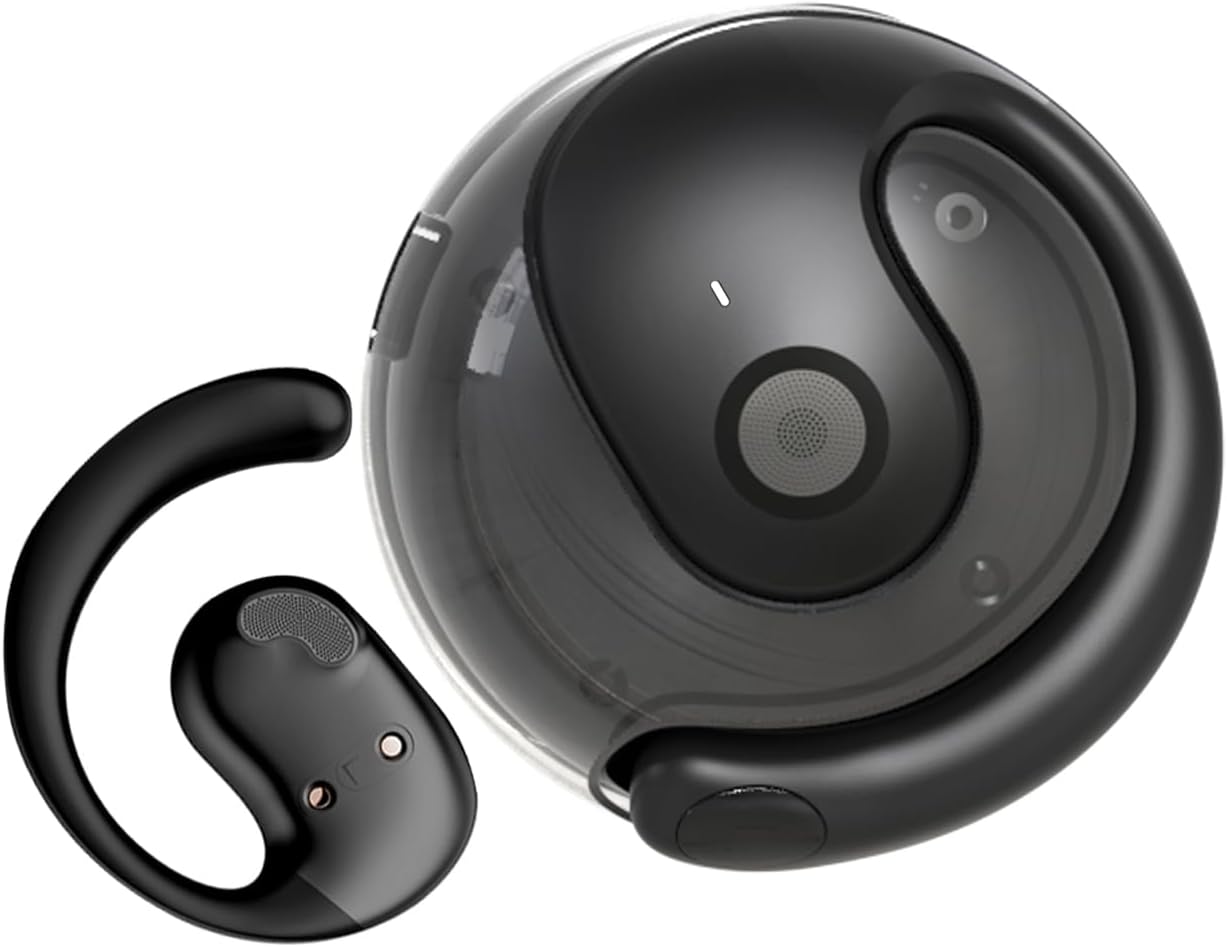
The GGSTOPWATER Open Ear Headphones and their compact charging case.
ඕවරයක් සඳහා මෙම වීඩියෝව බලන්නview නිෂ්පාදනයේ සහ එහි සංරචක.
3. සැකසුම සහ යුගලනය
3.1 මූලික යුගලනය
- Ensure the headphones are charged (refer to Section 4).
- ආරෝපණ පෙට්ටිය විවෘත කරන්න. හෙඩ්ෆෝන් ස්වයංක්රීයව ක්රියාත්මක වී යුගල කිරීමේ ප්රකාරයට ඇතුළු වේ.
- ඔබගේ උපාංගයේ (ස්මාර්ට්ෆෝන්, ටැබ්ලටය, ලැප්ටොප්) බ්ලූටූත් සක්රීය කරන්න.
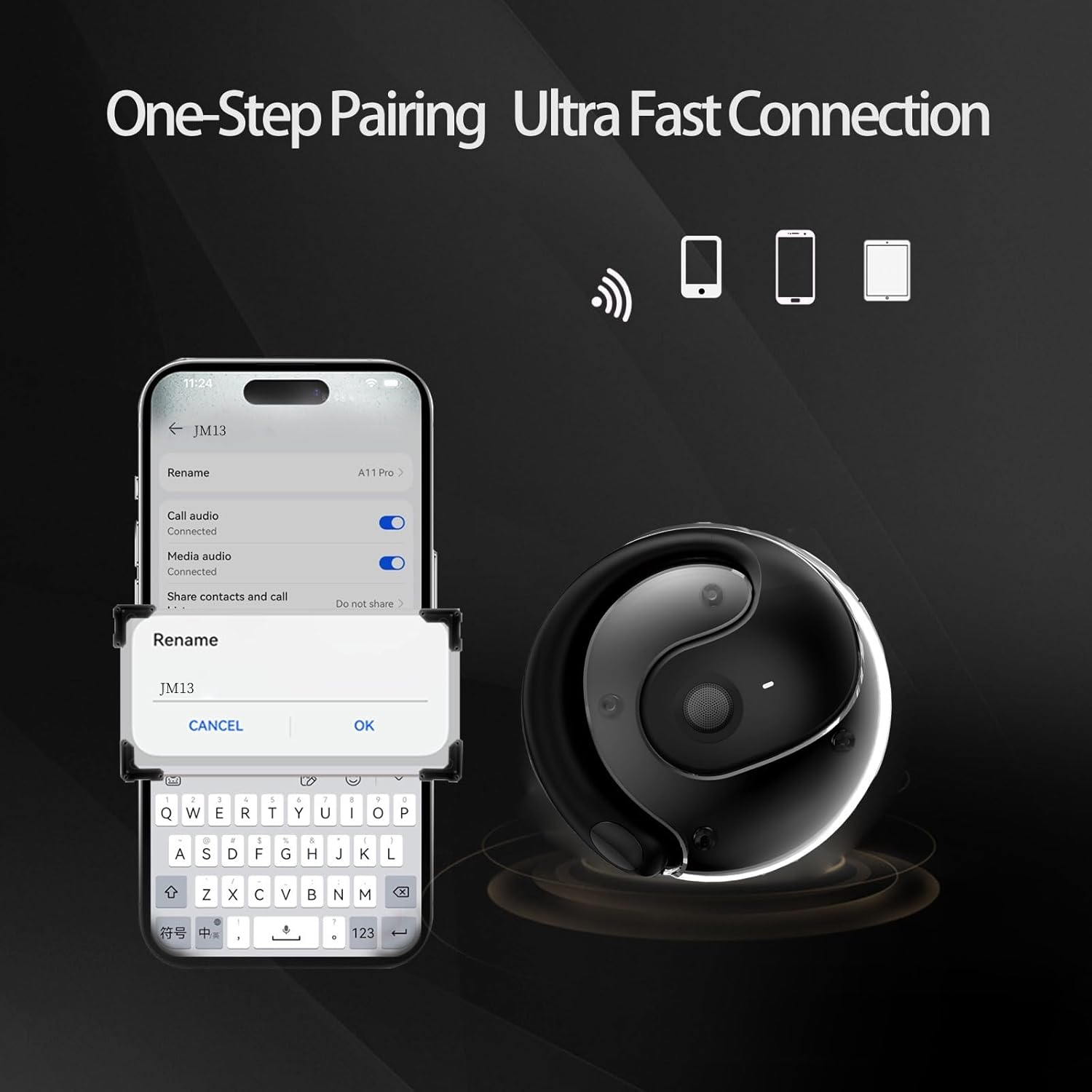
- ඒ සඳහා සොයන්න "JM13" in the list of available Bluetooth devices.
- Select "JM13" to connect. A voice prompt will confirm successful pairing.
3.2 හෙඩ්ෆෝන් පැළඳීම
For optimal comfort and sound, follow these steps to wear your headphones:

Ergonomic design for easy and comfortable wear.
4. මෙහෙයුම් උපදෙස්
The GGSTOPWATER Open Ear Headphones feature intuitive touch controls on each earbud. Refer to the diagram and descriptions below for common functions:

Detailed touch control commands for your headphones.
This video demonstrates the touch controls for music playback and call management.
4.1 Telephone Mode
- ඇමතුම ප්රතික්ෂේප කරන්න: තත්පර 2ක් සඳහා දිගු ඔබන්න.
- Incoming Call (Answer): Single click to answer.
- Incoming Call (Hang Up): Single click to hang up.
4.2 සංගීත මාදිලිය
- වාදනය/විරාමය: තනි ස්පර්ශය.
- පෙර ගීතය: Double touch (Left earbud).
- ඊළඟ ගීතය: Double touch (Right earbud).
4.3 Binaural Mode (General Controls)
- බල ගැන්වීම: තත්පර 3ක් සඳහා දිගු ඔබන්න.
- විදුලිය විසන්ධි කිරීම: තත්පර 5ක් සඳහා දිගු ඔබන්න.
- ශබ්දය පහළට: Three touches (Left earbud).
- පරිමාව: Three touches (Right earbud).
5. බැටරි සහ ආරෝපණය
The headphones and charging case are equipped with high-capacity batteries for extended use. The charging case has a 300mAh capacity.
- Headset Usage Time: ආසන්න වශයෙන් පැය 4 යි.
- ආරෝපණ කාලය: Approximately 1.5 hours for the case.
- පොරොත්තු කාලය: පැය 120 දක්වා.
To charge the case, connect the provided Type-C charging cable to the charging port on the case and a compatible USB power source.
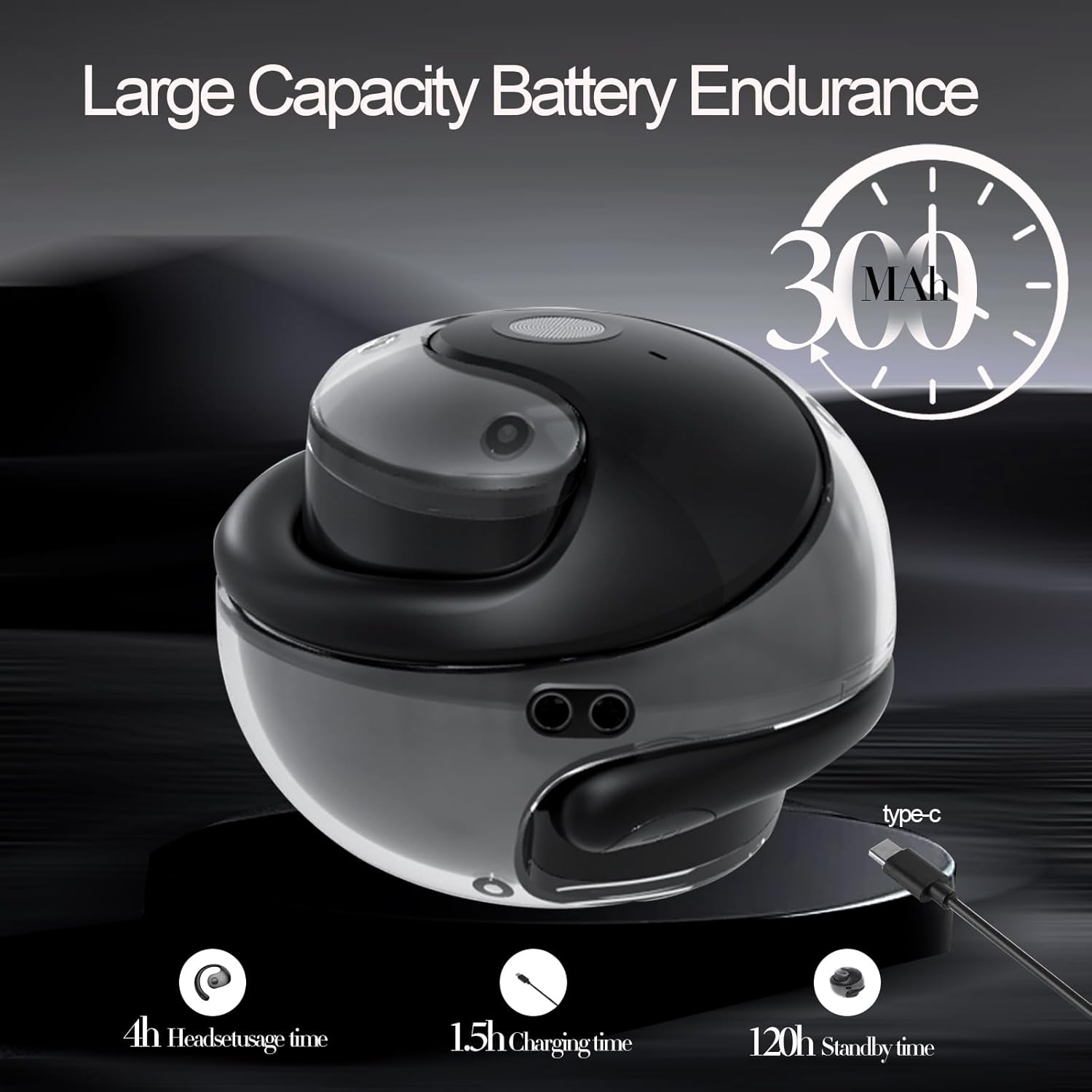
Battery life and charging indicators.
6. නඩත්තුව සහ රැකවරණය
To ensure the longevity and optimal performance of your GGSTOPWATER Open Ear Headphones, please follow these maintenance guidelines:
6.1 ජල ආරක්ෂණය (IPX5)
The headphones feature an IPX5 waterproof rating, meaning they are protected against low-pressure water jets from any direction. This makes them suitable for protection against daily sweat and light rain. However, they are not designed for submersion in water or use during heavy rainfall.
The IPX5 rating protects against sweat and light rain.
6.2 පිරිසිදු කිරීම
Wipe the headphones and charging case with a soft, dry, lint-free cloth. Do not use abrasive cleaners, alcohol, or chemical sprays.
6.3 ගබඩා කිරීම
Store the headphones in their charging case when not in use to protect them from dust and damage. Avoid extreme temperatures.
7. දෝශ නිරාකරණය
ඔබේ හෙඩ්ෆෝන් සමඟ ගැටළු ඇති වුවහොත්, පහත විසඳුම් උත්සාහ කරන්න:
- ශබ්ද/සම්බන්ධතා ගැටළු නොමැත:
- හෙඩ්ෆෝන් ආරෝපණය කර ඇති බවට සහතික වන්න.
- ඔබගේ උපාංගයේ බ්ලූටූත් අක්රිය කර ක්රියාත්මක කරන්න.
- Forget "JM13" in your device's Bluetooth settings and re-pair.
- ඔබගේ උපාංගය නැවත ආරම්භ කරන්න.
- එක් ඉයර්බඩ් එකක් ක්රියා නොකරයි:
- ඉයර්බඩ් දෙකම නැවත ආරෝපණ පෙට්ටියට දමන්න, පියන වසා, තත්පර කිහිපයක් රැඳී සිටින්න, පසුව ඒවා නැවත පිටතට ගන්න.
- ඉයර්බඩ් දෙකම ආරෝපණය කර ඇති බව සහතික කර ගන්න.
- අයකිරීමේ ගැටළු:
- හානි සඳහා ආරෝපණ කේබලය සහ ඇඩැප්ටරය පරීක්ෂා කරන්න.
- නඩුවේ ආරෝපණ වරාය පිරිසිදු හා සුන්බුන් වලින් තොර බව සහතික කර ගන්න.
8. පිරිවිතර
| විශේෂාංගය | පිරිවිතර |
|---|---|
| මාදිලියේ නම | JM13 |
| වෙළඳ නාමය | ජීජීඑස්ටොප්වෝටර් |
| සම්බන්ධතා තාක්ෂණය | රැහැන් රහිත (බ්ලූටූත්) |
| බ්ලූටූත් අනුවාදය | 5.4 |
| කන් ස්ථානගත කිරීම | කන් විවෘත කරන්න |
| ජල ප්රතිරෝධක මට්ටම | IPX5 (ජල ප්රතිරෝධී) |
| ශ්රව්ය ධාවක වර්ගය | ගතික ධාවකය (මි.මී. 16) |
| සංඛ්යාත පරාසය | 20Hz - 20,000Hz |
| සම්බාධනය | 32 ඕම් |
| පාලන ක්රමය | Remote (Touch) |
| ඇතුළත් සංරචක | රැහැන් රහිත ආරෝපණ නඩුව |
| අයිතමයේ බර | අවුන්ස 3.52 කි |
| නිෂ්පාදකයා | ජීජීඑස්ටොප්වෝටර් |
9 ආරක්ෂිත තොරතුරු
When using your GGSTOPWATER Open Ear Headphones, always prioritize your safety and the safety of others. The open-ear design enhances spatial awareness, allowing you to hear your surroundings, which is particularly beneficial for outdoor activities.
- Do not use at excessively high volumes for prolonged periods to prevent hearing damage.
- Be aware of your surroundings, especially when operating vehicles, cycling, or walking in traffic.
- Keep the headphones away from extreme temperatures, direct sunlight, and moisture.
- හෙඩ්ෆෝන් විසුරුවා හැරීමට හෝ වෙනස් කිරීමට උත්සාහ නොකරන්න.
10. වගකීම් සහ සහාය
GGSTOPWATER is committed to providing high-quality products. For warranty information, technical support, or any inquiries regarding your Open Ear Headphones, please refer to the contact details provided in your product packaging or visit the official GGSTOPWATER store on Amazon.
Note: Specific warranty terms and support contact information may vary by region and purchase location. Please retain your proof of purchase.
Ask a question about this manual
Ask about setup, troubleshooting, compatibility, parts, safety, or missing instructions. Manuals+ will review the question and use this page’s manual context to help answer it.