
SKIUDCT EV68
SKIUDCT රැහැන් රහිත ඉයර්බඩ් EV68 පරිශීලක අත්පොත
Model: EV68 | Brand: SKIUDCT
1. හැඳින්වීම
Thank you for choosing SKIUDCT Wireless Earbuds EV68. These earbuds are designed to provide a superior audio experience with advanced features such as Bluetooth 5.3 connectivity, HiFi stereo sound, extended playtime, intuitive touch controls, and IPX7 waterproofing. This manual will guide you through the setup, operation, and maintenance of your new earbuds to ensure optimal performance and longevity.
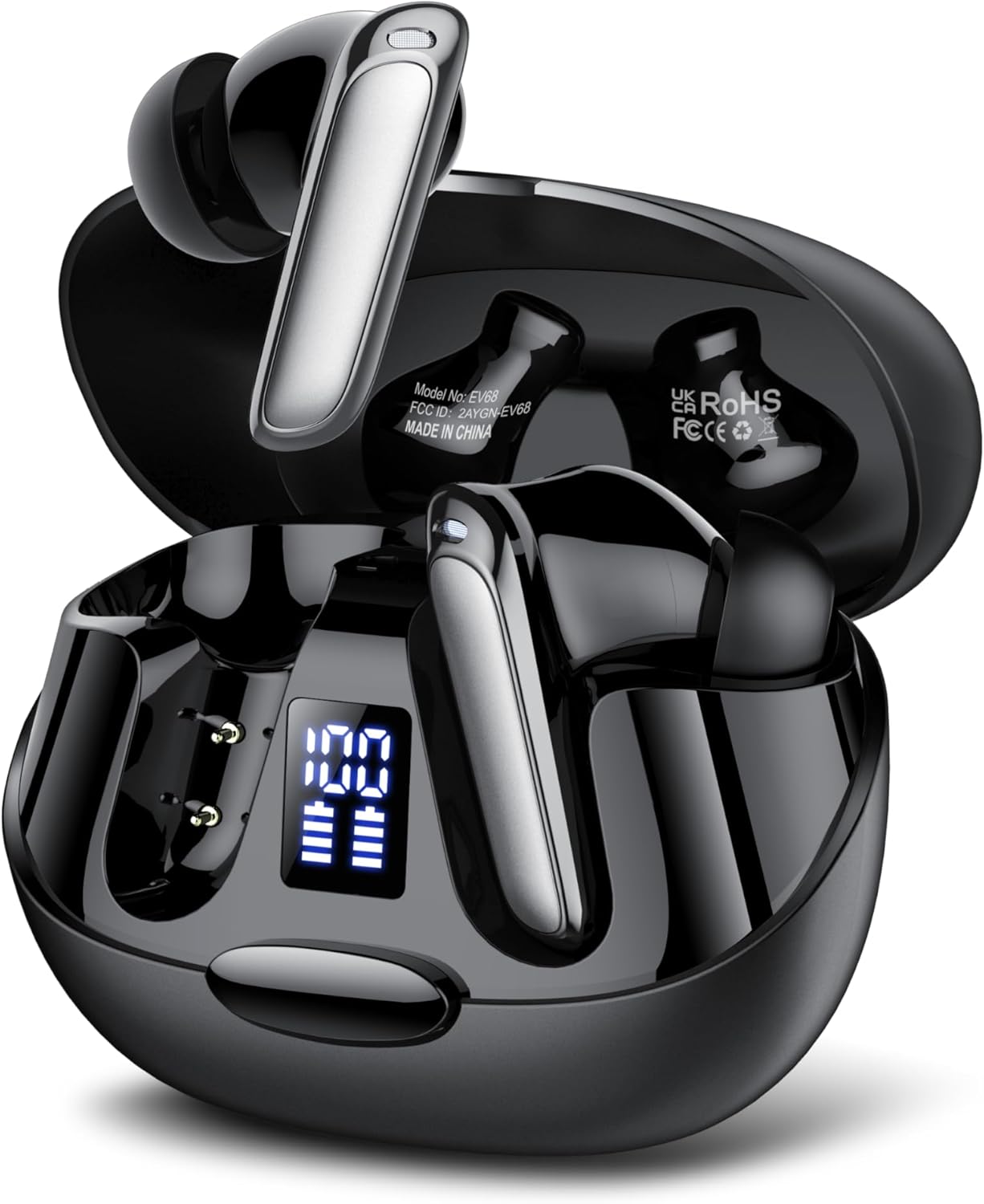
The SKIUDCT Wireless Earbuds EV68 in their open charging case, showcasing the earbuds and the LED battery display.

Illustration highlighting the unique design, comfortable fit, 3.5g ultra-lightweight earbud, in-ear form factor, and IPX7 waterproof rating of the earbuds.
2. පෙට්ටියේ ඇති දේ
Upon opening your SKIUDCT Wireless Earbuds EV68 package, you should find the following items:
- 2 x රැහැන් රහිත ඉයර්බඩ් (වම සහ දකුණ)
- 1 x වේගවත් ආරෝපණ නඩුව
- 1 x Type-C Charging Cable
- 3 x Pairs of Eartips (Small, Medium, Large)
- 1 x උපදෙස් අත්පොත

A visual representation of all items included in the SKIUDCT Wireless Earbuds EV68 package.
3. නිෂ්පාදන අවසන්view
ඉයර්බඩ් සංරචක
Each earbud features a sleek design with a touch control area, microphone, and charging contacts. The charging case includes a Type-C charging port and an LED display indicating battery levels for both the case and individual earbuds.

An exploded diagram showing the internal components of the SKIUDCT Wireless Earbud, including the speaker, circuit board, and touch sensor.
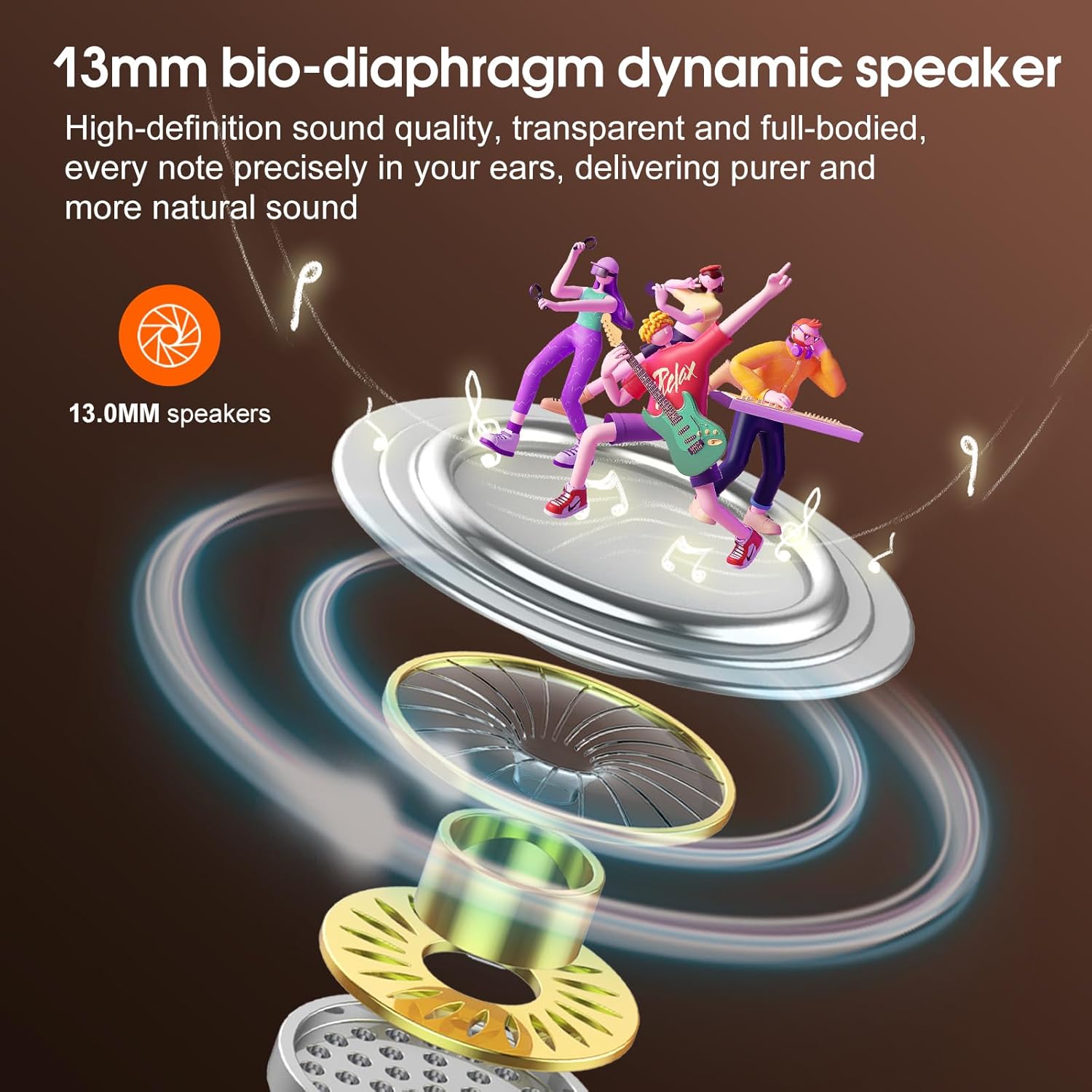
Detail of the 13mm bio-diaphragm dynamic speaker, engineered for high-definition sound quality and natural audio reproduction.
4. පිහිටුවීම
ඉයර්බඩ් සහ කේස් ආරෝපණය කිරීම
පළමු භාවිතයට පෙර, ඉයර්බඩ් සහ ආරෝපණ පෙට්ටිය දෙකම සම්පූර්ණයෙන්ම ආරෝපණය කරන්න.
- ඉයර්බඩ් නිසි ලෙස සවි කර ඇති බවට වග බලා ගනිමින්, ආරෝපණ පෙට්ටියට දමන්න.
- Type-C ආරෝපණ කේබලය නඩුවේ ආරෝපණ වරායට සම්බන්ධ කරන්න, අනෙක් කෙළවර USB බල ප්රභවයකට සම්බන්ධ කරන්න (උදා: බිත්ති ඇඩැප්ටරය, පරිගණක USB පෝට් එක).
- The LED display on the charging case will show the charging status. A full charge typically takes about 1.5 hours.
The earbuds offer up to 8 hours of playtime on a single charge, and the charging case provides multiple additional charges, extending total playtime to up to 42 hours.

Visual representation of the 42-hour total playtime with the charging case, 8 hours on a single charge, and 1.5-hour quick charge via Type-C.
බ්ලූටූත් යුගලනය
ස්ථාවර සහ වේගවත් සම්බන්ධතාවයක් සඳහා ඉයර්බඩ් බ්ලූටූත් 5.3 භාවිතා කරයි.
- ආරෝපණ පෙට්ටිය විවෘත කරන්න. ඉයර්බඩ් ස්වයංක්රීයව යුගල කිරීමේ ප්රකාරයට ඇතුළු වනු ඇත, එය ඉයර්බඩ් මත දැල්වෙන ආලෝකයක් මඟින් දැක්වේ.
- ඔබගේ උපාංගයේ (ස්මාර්ට්ෆෝන්, ටැබ්ලටය, ලැප්ටොප්), බ්ලූටූත් සැකසුම් වෙත ගොස් බ්ලූටූත් ක්රියාත්මක කරන්න.
- ඒ සඳහා සොයන්න available devices and select "EV68" from the list.
- Once connected, the earbud lights will stop flashing, and you will hear a confirmation tone.

The earbuds connected to a smartphone via Bluetooth 5.3, demonstrating wide compatibility with various devices.
5. මෙහෙයුම් උපදෙස්
ස්පර්ශ පාලන
The SKIUDCT EV68 earbuds feature intuitive touch controls for easy management of music and calls.
| ක්රියාව | කාර්යය |
|---|---|
| තනි ටැප් (වම්/ව) | සංගීතය වාදනය කරන්න/විරාම කරන්න, ඇමතුමට පිළිතුරු දෙන්න |
| දෙවරක් තට්ටු කරන්න (ව) | පෙර ගීතය |
| දෙවරක් තට්ටු කරන්න (ද) | ඊළඟ ගීතය |
| ත්රිත්ව තට්ටු කිරීම (ව) | Volume Down |
| ත්රිත්ව තට්ටු කිරීම (ද) | ශබ්දය වැඩි කරන්න |
| දිගු මුද්රණය (තත්පර 2) (L/R) | හඬ සහායක (සිරි/ගූගල් සහායක) සක්රිය කරන්න. |
| Long Press (2s) during call | ඇමතුම ප්රතික්ෂේප කරන්න/අවසන් කරන්න |

A user demonstrating the touch controls for music, volume, calls, and voice assistant on the SKIUDCT earbuds.

Detailed diagram illustrating the various touch control functions on the earbud, including play/pause, switch song, adjust volume, reject/end call, answer call, and voice assistant activation.
ඇමතුම් ලබා ගැනීම සහ ලබා ගැනීම
The earbuds are equipped with HD microphones and noise reduction technology to ensure crystal-clear calls.
- ඇමතුමකට පිළිතුරු දීම: ඉයර්බඩ් දෙකෙන් එකක් එකවර තට්ටු කරන්න.
- ඇමතුමක් අවසන් කිරීම: තත්පර 2ක් සඳහා ඉයර්බඩ් එකක් දිගු ඔබන්න.
- ඇමතුමක් ප්රතික්ෂේප කිරීම: Long press either earbud for 2 seconds when an incoming call rings.
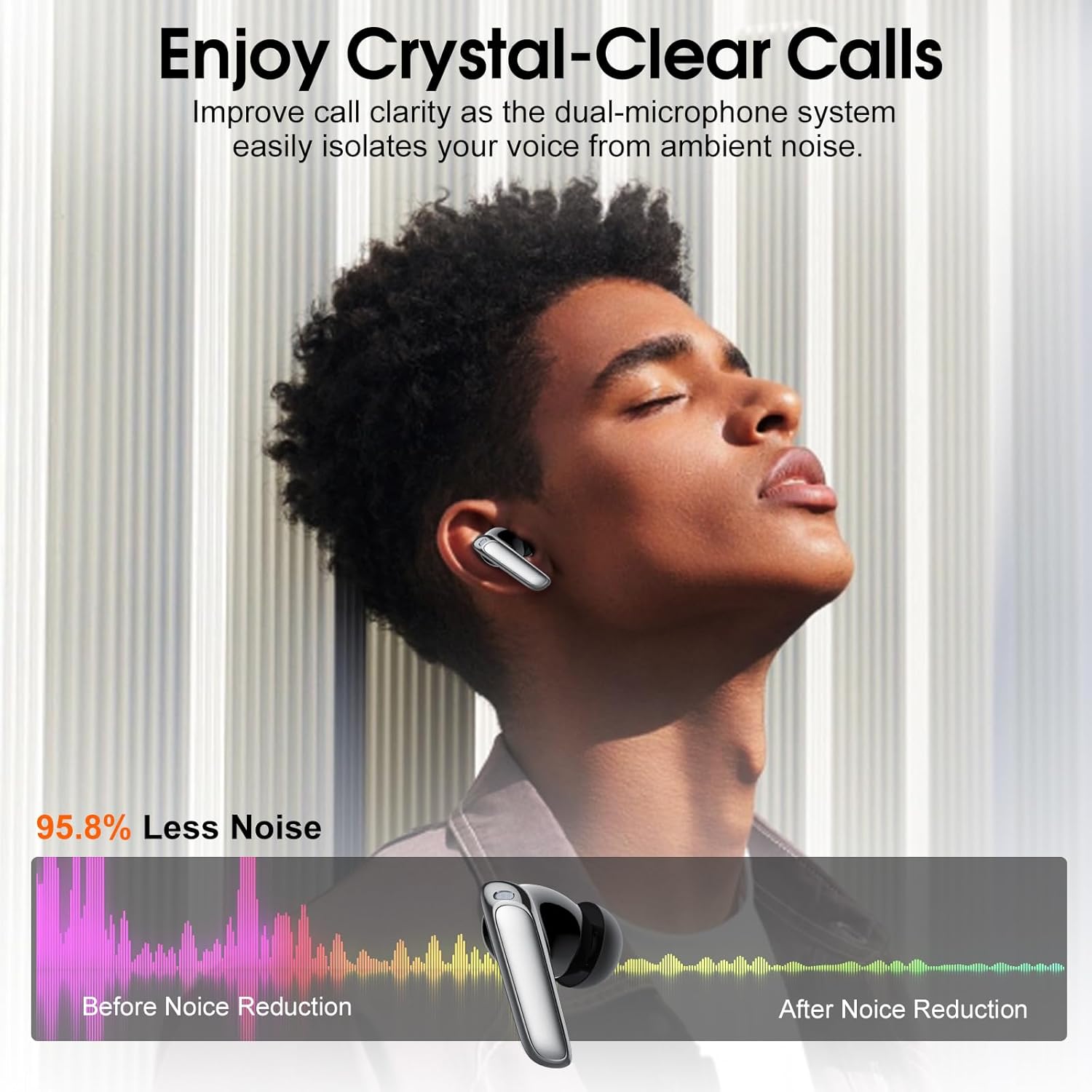
Illustration demonstrating improved call clarity with the dual-microphone system, effectively isolating voice from ambient noise.
6. නඩත්තු කිරීම
පිරිසිදු කිරීම
ප්රශස්ත ක්රියාකාරිත්වය සහ සනීපාරක්ෂාව පවත්වා ගැනීම සඳහා, ඔබේ ඉයර්බඩ් සහ ආරෝපණ පෙට්ටිය නිතිපතා පිරිසිදු කරන්න.
- ඉයර්බඩ් සහ ආරෝපණ පෙට්ටිය පිස දැමීමට මෘදු, වියලි, ලින්ට් රහිත රෙද්දක් භාවිතා කරන්න.
- මුරණ්ඩු අපිරිසිදුකම සඳහා, තරමක් dampජලය හෝ මෘදු, උල්ෙල්ඛ නොවන පිරිසිදුකාරකයක් සහිත රෙදි.
- ඉයර්බඩ් සහ කේස් දෙකෙහිම ආරෝපණ සම්බන්ධතා වියළි කපු පුළුන් කැබැල්ලකින් මෘදු ලෙස පිරිසිදු කරන්න.
- සැර රසායනික ද්රව්ය, එයරොසෝල් හෝ උල්ෙල්ඛ පිරිසිදු කරන්නන් භාවිතා නොකරන්න.
ගබඩා කිරීම
භාවිතයේ නොමැති විට, දූවිලි හා හානිවලින් ආරක්ෂා කර ගැනීමට සහ ආරෝපණය කර තබා ගැනීමට ඉයර්බඩ් ඒවායේ ආරෝපණ පෙට්ටියේ ගබඩා කරන්න.
ජල ප්රතිරෝධය (IPX7)
The SKIUDCT EV68 earbuds are IPX7 waterproof, meaning they can withstand immersion in water up to 1 meter for 30 minutes. This makes them suitable for workouts and light rain. However, they are not designed for swimming or prolonged submersion. Ensure the earbuds are dry before placing them back into the charging case to prevent damage.

Visual representation of the earbuds' IPX7 water resistance, showing them being splashed with water.
7. දෝශ නිරාකරණය
If you encounter any issues with your SKIUDCT Wireless Earbuds EV68, please refer to the following common solutions:
| ගැටලුව | විය හැකි හේතුව | විසඳුම |
|---|---|---|
| ඉයර්බඩ් යුගල නොවේ | Out of range, low battery, or pairing mode not active. | Ensure earbuds are charged. Place them back in the case and open the lid to re-enter pairing mode. Move closer to your device. Forget "EV68" in your device's Bluetooth settings and re-pair. |
| එක් ඉයර්බඩ් එකක් පමණක් ක්රියා කරයි | One earbud is not charged or not connected to the other. | Ensure both earbuds are charged. Place both earbuds back into the charging case, close the lid for 5 seconds, then open it again. This should re-sync them. |
| ශබ්දය හෝ අඩු පරිමාවක් නොමැත | Device volume too low, earbuds not properly connected, or dirty speaker mesh. | Increase volume on your device and earbuds. Reconnect the earbuds. Clean the speaker mesh gently with a dry cotton swab. |
| ආරෝපණ නඩුව ආරෝපණය නොවේ | දෝෂ සහිත කේබලයක් හෝ බල ප්රභවයක්. | Try a different Type-C cable and a different USB power adapter. Ensure the cable is fully inserted. |
| ස්පර්ශ පාලන ප්රතිචාර නොදක්වයි | Earbuds are wet, dirty, or firmware issue. | Ensure earbuds are dry and clean. Restart the earbuds by placing them in the case and taking them out. |
8. පිරිවිතර
| විශේෂාංගය | විස්තර |
|---|---|
| මාදිලියේ නම | EV68 |
| වෙළඳ නාමය | SKIUDCT |
| සම්බන්ධතා තාක්ෂණය | රැහැන් රහිත (බ්ලූටූත් 5.3) |
| රැහැන් රහිත සන්නිවේදන තාක්ෂණය | බ්ලූටූත් |
| කන් ස්ථානගත කිරීම | කනේ |
| ආකෘති සාධකය | කනේ |
| වර්ණය | කළු |
| ද්රව්ය | Plastic or TPE |
| ජල ආරක්ෂිත ශ්රේණිගත කිරීම | IPX7 |
| ක්රීඩා කාලය (තනි ගාස්තුව) | පැය 8 දක්වා |
| මුළු ක්රීඩා කාලය (නඩුව සමඟ) | පැය 42 දක්වා |
| ආරෝපණ වරාය | වර්ගය-C |
| පැකේජ මානයන් | 9.8 x 8.1 x 3.7 සෙ.මී |
| අයිතමයේ බර | 100 ග්රෑම් |
| නිෂ්පාදකයා | SKIUDCT |
9. වගකීම් සහ සහාය
SKIUDCT is committed to providing reliable product quality and excellent customer service. Your SKIUDCT Wireless Earbuds EV68 come with a වසර 2ක වගකීමක් from the date of purchase, covering manufacturing defects. Additionally, we offer a 30-day returns and refunds policy.
For any product inquiries, technical support, or warranty claims, please contact our customer service team through the platform where you purchased the product. Please have your order number and product model (EV68) ready for faster assistance.

The earbuds are suitable for various daily activities, including relaxing with a coffee.

Their secure fit and IPX7 rating make them ideal for sports and outdoor activities.

The earbuds provide clear audio for calls and media, suitable for work environments.
Ask a question about this manual
Ask about setup, troubleshooting, compatibility, parts, safety, or missing instructions. Manuals+ will review the question and use this page’s manual context to help answer it.