
හැඳින්වීම
This manual provides detailed instructions for the proper use and maintenance of your ACEFAST H2 Wireless Headset. Designed with advanced Active Noise Cancelling (ANC) technology and Bluetooth 5.3 connectivity, these headphones offer a high-quality audio experience. Please read this manual thoroughly before using the product to ensure optimal performance and longevity.
පැකේජයේ අන්තර්ගතය
- ACEFAST H2 Wireless Headset
- USB-C ආරෝපණ කේබලය
- 3.5mm Aux කේබලය
- පරිශීලක අත්පොත (මෙම ලේඛනය)
නිෂ්පාදනය අවසන්view
Familiarize yourself with the components and controls of your ACEFAST H2 headset.
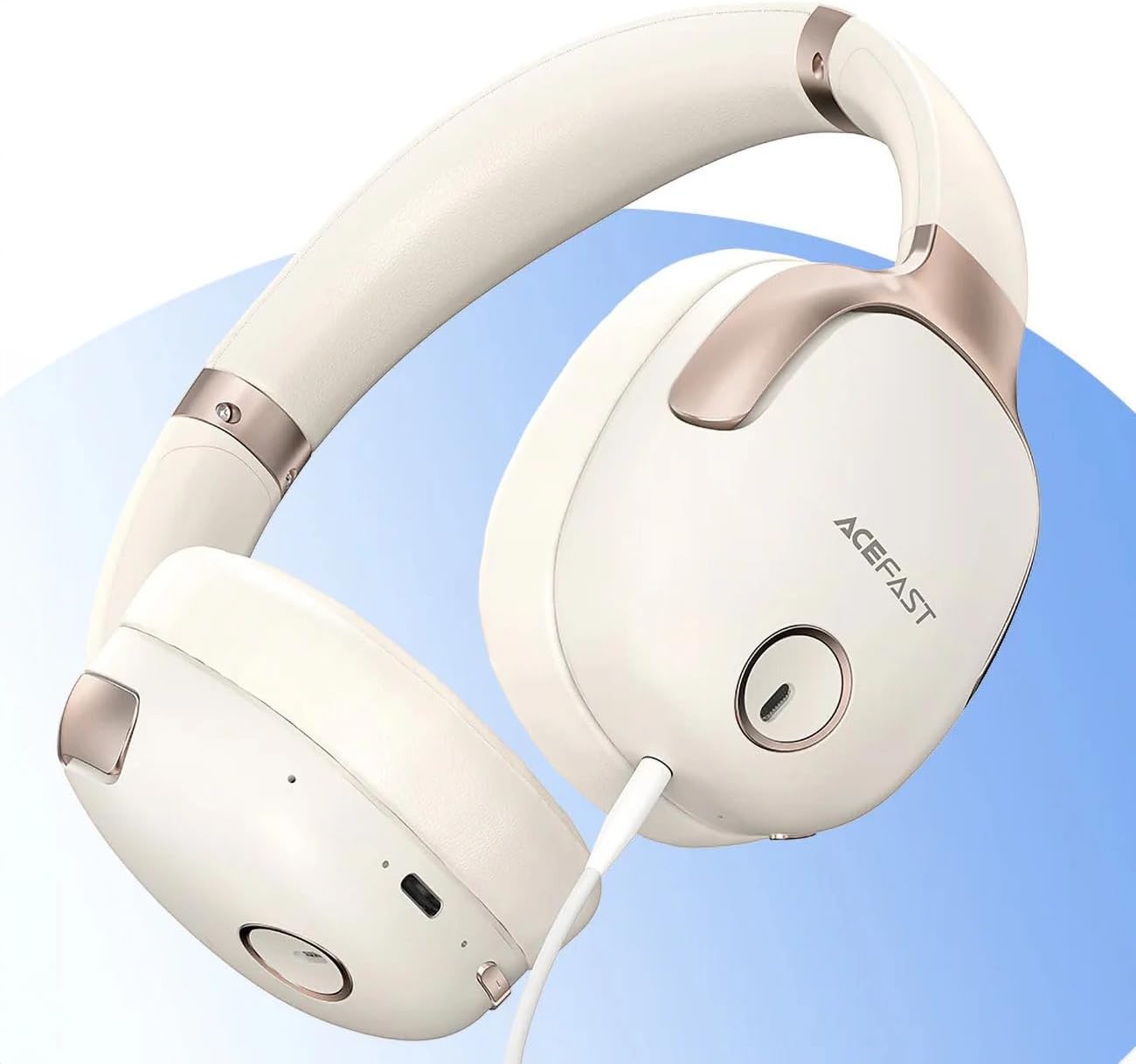
රූපය 1: ACEFAST H2 Headset showing USB-C charging port, 3.5mm audio jack, and control buttons.
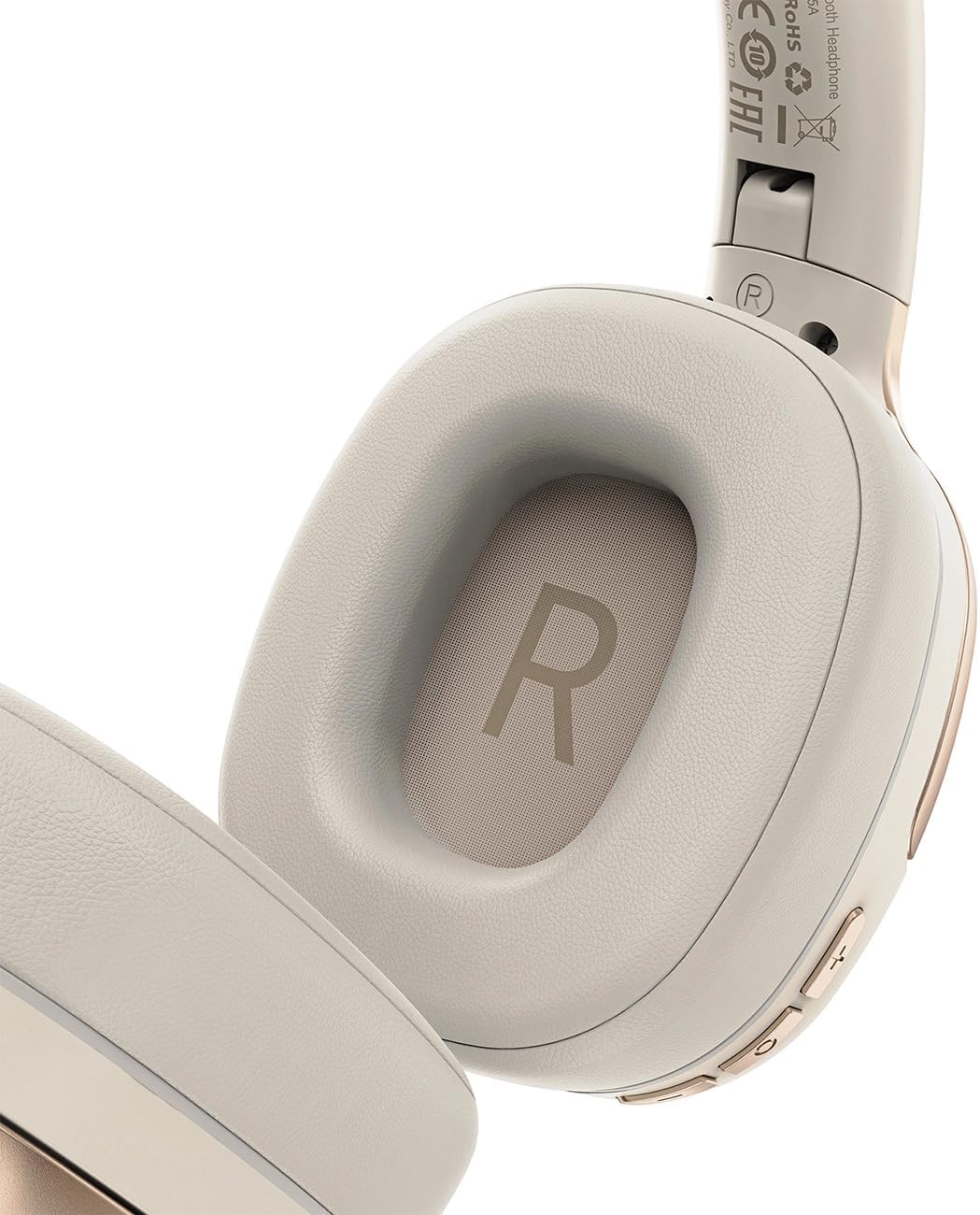
රූපය 2: Interior of the right earcup, indicating proper orientation for wearing.

රූපය 3: Headband adjustment mechanism and ear cup swivel for comfortable fit.

රූපය 4: The foldable design of the headset for easy storage and transport.
ප්රධාන සංරචක:
- බල/බහුකාර්ය බොත්තම: Used for power on/off, play/pause, answer/end calls.
- ශබ්දය වැඩි කිරීම/ඊළඟ ධාවන පථ බොත්තම: ශබ්දය වැඩි කිරීම සඳහා ඔබන්න, ඊළඟ ධාවන පථය සඳහා අල්ලාගෙන සිටින්න.
- ශබ්දය අඩු කිරීම/පෙර ධාවන පථ බොත්තම: ශබ්දය අඩු කිරීම සඳහා ඔබන්න, පෙර ධාවන පථය සඳහා අල්ලාගෙන සිටින්න.
- ANC බොත්තම: Activates or deactivates Active Noise Cancellation.
- USB-C ආරෝපණ වරාය: හෙඩ්සෙට් එක ආරෝපණය කිරීම සඳහා.
- 3.5mm ඕඩියෝ ජැක්: For wired connection using the Aux cable.
- මයික්රෆෝනය: ඇමතුම් සඳහා බිල්ට්-ඉන්.
- LED දර්ශකය: බලය, ආරෝපණය සහ යුගල කිරීමේ තත්ත්වය පෙන්වයි.
සැලසුම
1. හෙඩ්සෙට් එක ආරෝපණය කිරීම
- Connect the provided USB-C charging cable to the headset's USB-C port.
- කේබලයේ අනෙක් කෙළවර USB බල ඇඩැප්ටරයකට (ඇතුළත් කර නැත) හෝ පරිගණකයේ USB පෝට් එකකට සම්බන්ධ කරන්න.
- LED දර්ශකය ආරෝපණ තත්ත්වය පෙන්වනු ඇත (උදා: ආරෝපණය වන විට රතු, සම්පූර්ණයෙන්ම ආරෝපණය වූ විට නිල්).
- A full charge takes approximately 2 hours and provides up to 80 hours of music playback.
2. බල ගැන්වීම / අක්රිය කිරීම
- බල ගැන්වීමට: Press and hold the Power/Multi-function button for approximately 3 seconds until the LED indicator flashes.
- බලය අක්රිය කිරීමට: Press and hold the Power/Multi-function button for approximately 5 seconds until the LED indicator turns off.
3. බ්ලූටූත් යුගලනය
- හෙඩ්සෙට් එක ක්රියා විරහිත කර ඇති බවට සහතික වන්න.
- Press and hold the Power/Multi-function button for about 5-7 seconds until the LED indicator flashes red and blue alternately, indicating pairing mode.
- ඔබගේ උපාංගයේ (ස්මාර්ට්ෆෝන්, ටැබ්ලටය, පරිගණකය), බ්ලූටූත් සක්රීය කර පවතින උපාංග සොයන්න.
- Select "ACEFAST H2" from the list of found devices.
- යුගලනය වූ පසු, LED දර්ශකය සෙමෙන් නිල් පැහැයෙන් දැල්වෙයි.
- The headset will automatically connect to the last paired device when powered on, if within range.
4. රැහැන්ගත සම්බන්ධතාවය (Aux මාදිලිය)
- Connect one end of the 3.5mm Aux cable to the headset's 3.5mm audio jack.
- Connect the other end to your audio source's 3.5mm audio output.
- In wired mode, the headset functions passively, and Bluetooth features are disabled. ANC may still be active if powered on.
මෙහෙයුම් උපදෙස්
සංගීත වාදනය
- වාදනය/විරාමය: බල/බහුකාර්ය බොත්තම කෙටියෙන් ඔබන්න.
- පරිමාව: Volume Up බොත්තම කෙටියෙන් ඔබන්න.
- ශබ්දය පහළට: ශබ්දය අඩු කිරීමේ බොත්තම කෙටියෙන් ඔබන්න.
- ඊළඟ ධාවන පථය: ශබ්දය වැඩි කිරීමේ බොත්තම දිගු වේලාවක් ඔබන්න.
- පෙර ධාවන පථය: ශබ්දය අඩු කිරීමේ බොත්තම දිගු වේලාවක් ඔබන්න.
දුරකථන ඇමතුම්
- පිළිතුර/අවසන් ඇමතුම: බල/බහුකාර්ය බොත්තම කෙටියෙන් ඔබන්න.
- ඇමතුම ප්රතික්ෂේප කරන්න: බල/බහුකාර්ය බොත්තම දිගු වේලාවක් ඔබන්න.
- හ oice සහකාර: Double-press the Power/Multi-function button (if supported by your device).
සක්රීය ශබ්ද අවලංගු කිරීම (ANC)
- ANC සක්රිය/අක්රිය කරන්න: Press the dedicated ANC button. The LED indicator will change to confirm status.
- ANC reduces ambient noise up to -40dB, providing a quieter listening environment.
නඩත්තු කිරීම
- පිරිසිදු කිරීම: හෙඩ්සෙට් එක පිරිසිදු කිරීමට මෘදු වියළි රෙද්දක් භාවිතා කරන්න. උල්ෙල්ඛ පිරිසිදු කරන්නන් හෝ ද්රාවක භාවිතා නොකරන්න.
- ගබඩා: Store the headset in a cool, dry place away from direct sunlight and extreme temperatures. When not in use, it is recommended to fold the headset for compact storage.
- ජල ප්රතිරෝධය: The headset is IPX4 water-resistant, meaning it is protected against splashing water from any direction. It is not designed for submersion or exposure to heavy rain. Avoid exposing the charging port and audio jack to moisture.
- බැටරි සත්කාර: To preserve battery life, charge the headset fully before long periods of storage and recharge it at least once every three months.
දෝෂගවේෂණය
| ගැටලුව | විය හැකි හේතුව | විසඳුම |
|---|---|---|
| හෙඩ්සෙට් එක ක්රියාත්මක නොවේ. | අඩු බැටරි. | හෙඩ්සෙට් එක සම්පූර්ණයෙන්ම ආරෝපණය කරන්න. |
| උපාංගය සමඟ යුගල කළ නොහැක. | හෙඩ්සෙට් එක යුගල කිරීමේ ආකාරයෙන් නැත; උපාංගය බ්ලූටූත් අක්රියයි; උපාංගයෙන් බොහෝ දුරයි. | Ensure headset is in pairing mode (flashing red/blue). Turn on device Bluetooth. Move headset closer to device (within 10 meters). |
| ශබ්දයක් නැත හෝ දුර්වල ශ්රව්ය ගුණාත්මකභාවයක් ඇත. | Volume too low; headset not connected; interference; incorrect audio output selected. | Adjust volume on headset and device. Re-pair headset. Move away from sources of interference. Check device's audio output settings. |
| ANC ඵලදායී ලෙස ක්රියා නොකරයි. | ANC සක්රිය කර නැත; නුසුදුසු ගැළපීම. | Press the ANC button to activate. Adjust headset for a snug fit over your ears. |
පිරිවිතර
| මාදිලියේ නම | H2 |
| සම්බන්ධතා තාක්ෂණය | Wireless (Bluetooth 5.3) / Wired (3.5mm Aux) |
| බ්ලූටූත් පරාසය | මීටර් 10 දක්වා |
| ශබ්ද පාලනය | Active Noise Cancellation (ANC) up to -40dB, Environmental Noise Cancelling (ENC) for microphone |
| බැටරි ආයු කාලය | පැය 80ක් දක්වා (සංගීත වාදනය) |
| ආරෝපණ කාලය | Approximately 2 hours (via USB-C) |
| ජල ප්රතිරෝධය | IPX4 (ස්ප්ලෑෂ් ප්රතිරෝධී) |
| කන් ස්ථානගත කිරීම | කණ මත |
| ද්රව්ය | ඇක්රිලෝනයිට්රයිල් බියුඩඩීන් ස්ටයිරීන් (ABS) |
| වර්ණය | බීජ් |

රූපය 5: Illustration of the dynamic HiFi audio driver components.
වගකීම් තොරතුරු
The ACEFAST H2 Wireless Headset comes with a මාස 6ක නිෂ්පාදකයාගේ වගකීම මිලදී ගත් දින සිට. මෙම වගකීම් සහතිකය සාමාන්ය භාවිතය යටතේ නිෂ්පාදන දෝෂ සහ වැඩ කිරීමේ හැකියාව ආවරණය කරයි. අනිසි භාවිතය, අනතුරු, අනවසර වෙනස් කිරීම් හෝ සාමාන්ය ඇඳීම් සහ ඉරීම් නිසා සිදුවන හානිය එය ආවරණය නොකරයි. වගකීම් හිමිකම් සඳහා කරුණාකර ඔබේ මිලදී ගැනීමේ සාක්ෂි තබා ගන්න.
සහාය
For further assistance, technical support, or warranty inquiries, please refer to the contact information provided by your retailer or visit the official ACEFAST website. Ensure you have your product model number (H2) and proof of purchase ready when contacting support.