1. හැඳින්වීම
The Illustra Flex Gen4 2MP Mini-Dome Camera (IFS02-D12-OIA4) is designed for high-quality outdoor surveillance. This compact camera provides clear 1080p video and is built to withstand challenging environmental conditions, making it suitable for various security applications.
ප්රධාන ලක්ෂණ:
- 2MP විභේදනය: Delivers crystal-clear 1080p video at up to 30 frames per second.
- Motorized Varifocal Lens: Features an adjustable 2.7-13.5mm lens for flexible field-of-view විකල්ප.
- True Day/Night Operation: Ensures superior performance in low-light and nighttime conditions.
- Wide Dynamic Range (100dB): Enhances clarity in environments with both bright and dark areas.
- Weather and Vandal Resistant: IP66/IP67-rated for outdoor use and IK10-rated for impact protection.
- Edge-Ready VMS Software: Pre-loaded with exacqVision for streamlined video management.
- බල විකල්ප: Supports Power over Ethernet (PoE IEEE 802.3af Class 3) and 24VAC for installation flexibility.
2. පැකේජ අන්තර්ගතය
සියලුම අයිතම පැකේජයේ ඇති බව තහවුරු කරගන්න:
- Illustra Flex Gen4 2MP Mini-Dome Camera
- ස්ථාපන දෘඩාංග
3 ආරක්ෂිත තොරතුරු
Please read and understand all safety instructions before installing and operating the camera. Failure to follow these instructions may result in injury or damage to the device.
- ස්ථාපනය හෝ නඩත්තු කිරීමට පෙර විදුලිය විසන්ධි කර ඇති බවට සහතික වන්න.
- Use only approved power sources (PoE or 24VAC) as specified.
- දේශීය විදුලි කේතයන්ට අනුකූලව සුදුසුකම් ලත් පුද්ගලයින් විසින් ස්ථාපනය සිදු කළ යුතුය.
- කැමරාව එහි මෙහෙයුම් පරාසයෙන් පිටත අධික උෂ්ණත්වයකට නිරාවරණය නොකරන්න.
- රූප සංවේදකයට හානි විය හැකි බැවින්, ප්රබල ආලෝක ප්රභවයන්ට සෘජුවම නිරාවරණය වීමෙන් වළකින්න.
4. පිහිටුවීම
4.1 සවි කිරීම
The Illustra Flex Gen4 Mini-Dome Camera is designed for wall mount installation. Ensure the mounting surface is strong enough to support the camera's weight and withstand environmental factors.
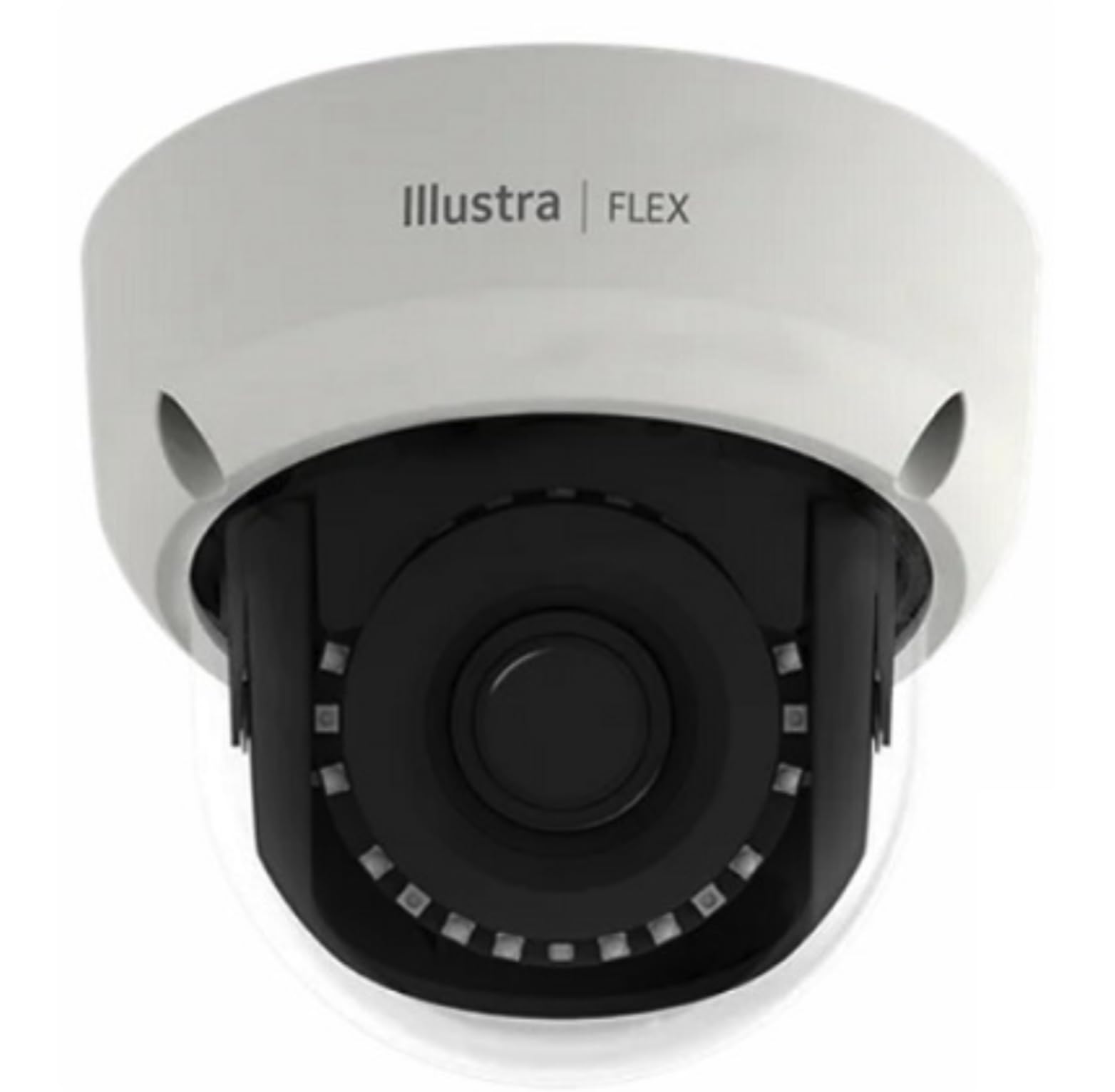
Figure 1: Illustra Flex Gen4 2MP Mini-Dome Camera, showcasing its compact design suitable for outdoor surveillance.
4.2 Power and Connectivity
The camera supports two power options:
- ඊතර්නෙට් හරහා බලය (PoE): Connect an Ethernet cable from a PoE-enabled switch or injector to the camera's network port. This provides both power and data connectivity.
- 24VAC: If PoE is not used, connect a 24VAC power supply to the camera's power input terminals.
For network connectivity, use a standard Ethernet cable to connect the camera to your network infrastructure. The camera is a wired device and requires an Ethernet connection for data transmission.
4.3 මූලික වින්යාසය
After physical installation and power-up, the camera can be accessed via your network. Refer to the exacqVision Edge Ready VMS software documentation for detailed instructions on discovering and configuring the camera on your surveillance system. The camera is compatible with Digital Video Recorders (DVRs).
5. මෙහෙයුම් උපදෙස්
5.1 වීඩියෝ නිරීක්ෂණ
The camera provides 1080p video resolution at up to 30 frames per second. Access the live feed and recorded footage through your exacqVision VMS software or compatible Digital Video Recorder.
5.2 කාච ගැලපීම
The motorized varifocal lens (2.7-13.5mm) allows for remote adjustment of the field of view. Use the VMS software interface to zoom in or out and focus the camera to achieve the desired coverage area.
5.3 Day/Night and WDR Functions
The camera automatically switches between day and night modes to optimize image quality in varying light conditions. Its True Day/Night operation ensures clear images even in very low light. The 100dB Wide Dynamic Range (WDR) feature helps to balance exposure in scenes with both very bright and very dark areas, preventing overexposure or underexposure.
5.4 විශේෂ ලක්ෂණ
The camera includes HD Resolution, Night Vision, and Tamper Detection capabilities. Configure these features within your VMS software to enhance your surveillance system's effectiveness.
6. නඩත්තු කිරීම
6.1 පිරිසිදු කිරීම
To maintain optimal image quality, periodically clean the camera's dome cover. Use a soft, clean cloth dampened with water. Avoid abrasive cleaners or solvents that could damage the lens or housing.
6.2 පාරිසරික ආරක්ෂාව
The camera is IP66/IP67-rated for weather resistance and IK10-rated for vandal protection. While designed for outdoor use, ensure proper installation to prevent water ingress and physical damage. Regularly inspect the mounting and cabling for any signs of wear or damage.
7. දෝශ නිරාකරණය
ඔබේ කැමරාව සමඟ ගැටළු ඇති වුවහොත්, පහත පොදු දෝශ නිරාකරණ පියවර වෙත යොමු වන්න:
- බලය නැත: Check power connections. If using PoE, ensure the PoE switch/injector is functioning. If using 24VAC, verify the power supply is connected and operational.
- වීඩියෝ නැත: Verify network connectivity. Ensure the Ethernet cable is securely connected. Check camera settings within the VMS software.
- දුර්වල රූපයේ ගුණාත්මකභාවය: Clean the camera lens. Adjust the motorized varifocal lens for focus. Check lighting conditions and ensure Day/Night and WDR settings are appropriate for the environment.
- Camera Not Accessible on Network: Confirm the camera has a valid IP address. Check network cable integrity. Ensure firewall settings are not blocking communication.
For further assistance, consult the exacqVision VMS documentation or contact technical support.
8. පිරිවිතර
| විශේෂාංගය | පිරිවිතර |
|---|---|
| ආදර්ශ අංකය | IFS02-D12-OIA4 |
| විභේදනය | 2MP (1080p) |
| වීඩියෝ ග්රහණ විභේදනය | 1080p |
| කාච වර්ගය | Motorized Varifocal (2.7-13.5mm) |
| ගතික පරාසය | 100dB WDR |
| දිවා/රාත්රී | සැබෑ දිවා/රාත්රිය |
| ගෘහස්ථ / එළිමහන් භාවිතය | ගෘහස්ථ, එළිමහන් |
| කාලගුණ ප්රතිරෝධය | IP66/IP67-rated |
| වැන්ඩල් ප්රතිරෝධය | IK10-rated |
| බලශක්ති ප්රභවය | PoE (IEEE 802.3af Class 3), 24VAC |
| සම්බන්ධතා තාක්ෂණය | රැහැන්ගත (ඊතර්නෙට්) |
| ගැළපෙන උපාංග | ඩිජිටල් වීඩියෝ රෙකෝඩරය |
| සවිකිරීමේ වර්ගය | වෝල් මවුන්ට් |
| නිෂ්පාදන මානයන් | අඟල් 5.31 x 5.31 x 6.3 |
| නිෂ්පාදකයා | ExacqVision |
9. වගකීම් සහ සහාය
This product comes with a standard manufacturer's warranty. Please refer to the warranty card included with your purchase or visit the manufacturer's webසවිස්තරාත්මක වගකීම් නියමයන් සහ කොන්දේසි සඳහා අඩවිය.
For technical support, product inquiries, or warranty claims, please contact your vendor or the manufacturer directly. Keep your purchase receipt and product model number (IFS02-D12-OIA4) readily available when seeking support.