
CHROX TX98 PRO+
CHROX TX98 PRO+ Android 14.0 TV Box User Manual
Model: TX98 PRO+
1. හැඳින්වීම
This manual provides detailed instructions for the setup, operation, and maintenance of your CHROX TX98 PRO+ Android 14.0 TV Box. Please read this guide thoroughly before using the device to ensure proper functionality and to maximize your viewing experience. The CHROX TX98 PRO+ is designed to transform your television into a smart entertainment hub, offering access to a wide range of applications, streaming services, and media content.
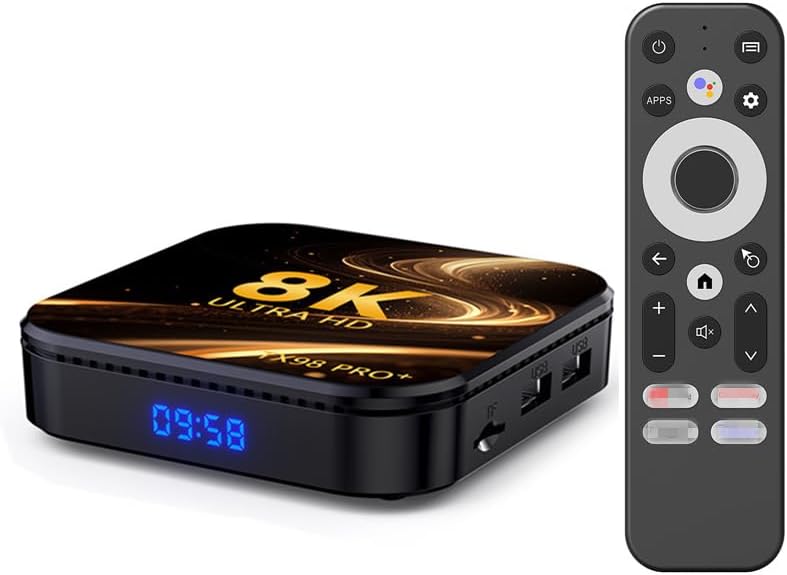
Image 1.1: The CHROX TX98 PRO+ Android TV Box and its accompanying remote control.
2. පැකේජ අන්තර්ගතය
Before proceeding with the setup, please verify that all items listed below are included in your package. If any items are missing or damaged, please contact customer support.
- 1 x CHROX TX98 PRO+ Android 14.0 TV Box
- 1 x දුරස්ථ පාලකය
- 1 x HD Cable (HDMI Cable)
- 1 x බල ඇඩැප්ටරය (DC 5V/2.5A)
- 1 x පරිශීලක අත්පොත (මෙම ලේඛනය)

රූපය 2.1: නිෂ්පාදන පැකේජයට ඇතුළත් කර ඇති අයිතමවල දෘශ්ය නිරූපණය.
3. නිෂ්පාදන අවසන්view
The CHROX TX98 PRO+ features a compact design with various ports for connectivity. Familiarize yourself with the device's layout and available interfaces.
3.1 උපාංග සංරචක
- ඉදිරිපස පුවරුව: Digital display (time/status).
- පැති පැනලය: USB ports, TF Card slot.
- පසුපස මණ්ඩලයක්: Power input, HDMI output, Ethernet port, AV port, SPDIF port.
3.2 Available Interfaces

Image 3.1: Illustration of the various input and output ports on the CHROX TX98 PRO+ TV Box.
- USB 3.0 වරාය: For high-speed data transfer with external storage devices.
- USB 2.0 වරාය: For connecting peripherals like keyboards, mice, or USB drives.
- TF කාඩ් පත: Supports Micro SD cards for expanded storage.
- HDMI 2.0a Output: Connects to your TV or display for video and audio output (supports up to 4K@60Hz).
- AV තොට: For connecting to older televisions using an AV cable (not included).
- LAN (ඊතර්නෙට්) වරාය: For wired network connection (10/1000M).
- DC 5V බල ආදානය: සපයන ලද බල ඇඩැප්ටරයට සම්බන්ධ වේ.
- SPDIF Port: For digital audio output to compatible audio systems.
4. සැකසුම් මාර්ගෝපදේශය
Follow these steps to set up your CHROX TX98 PRO+ Android TV Box.
- රූපවාහිනියට සම්බන්ධ වන්න: Connect one end of the provided HDMI cable to the HDMI port on the TV Box and the other end to an available HDMI input on your television.
- සම්බන්ධක බලය: රූපවාහිනී පෙට්ටියේ DC 5V පෝට් එකට බල ඇඩැප්ටරය සම්බන්ධ කරන්න, ඉන්පසු ඇඩැප්ටරය බිත්ති අලෙවිසැලකට සම්බන්ධ කරන්න.
- බල ගැන්වීම: The TV Box should automatically power on. If not, press the power button on the remote control or the device.
- ආදානය තෝරන්න: ඔබගේ රූපවාහිනියේ, ඔබගේ රූපවාහිනියේ දුරස්ථ පාලකය භාවිතයෙන් නිවැරදි HDMI ආදාන මූලාශ්රය තෝරන්න.
- මූලික පිහිටුවීම්: Follow the on-screen instructions to complete the initial setup, including language selection, network connection, and Google account login.
5. මෙහෙයුම් උපදෙස්
5.1 දුරස්ථ පාලන කාර්යයන්
The included remote control allows you to navigate the Android interface and control media playback.
- බල බොත්තම: උපාංගය සක්රිය හෝ අක්රිය කරයි.
- සංචලන පෑඩ්: Use the directional arrows to move through menus and select items.
- හරි බොත්තම: තේරීම් තහවුරු කරයි.
- පසුපස බොත්තම: පෙර තිරය වෙත නැවත පැමිණේ.
- මුල් පිටුව බොත්තම: ප්රධාන මුල් තිරයට නැවත පැමිණේ.
- වෙළුම් බොත්තම්: ශ්රව්ය පරිමාව සීරුමාරු කරයි.
- යෙදුම් බොත්තම: Accesses the installed applications list.
- සැකසුම් බොත්තම: Opens the system settings menu.
5.2 Android අතුරුමුහුණත සැරිසැරීම
The CHROX TX98 PRO+ runs on Android 14.0, providing a user-friendly interface.
- මුල් තිරය: Displays frequently used apps, recommended content, and system information.
- යෙදුම් ලාච්චුව: ස්ථාපිත සියලුම යෙදුම් වෙත ප්රවේශ වන්න.
- සැකසීම්: Customize network, display, sound, and other system preferences.
5.3 යෙදුම් ස්ථාපනය කිරීම
You can download and install applications from the Google Play Store or other compatible sources.
- Ensure the TV Box is connected to the internet.
- Navigate to the Google Play Store app on the home screen or app drawer.
- ඒ සඳහා සොයන්න your desired application.
- Select the app and choose "Install".
6. සම්බන්ධතාවය
6.1 Wi-Fi සම්බන්ධතාවය
The device supports dual-band 2.4G/5G Wi-Fi 6 for fast and stable wireless internet access.
- වෙත යන්න සැකසීම් > ජාලය සහ අන්තර්ජාලය > Wifi.
- Wi-Fi සක්රිය කරන්න On.
- ලැයිස්තුවෙන් ඔබට අවශ්ය Wi-Fi ජාලය තෝරන්න.
- Enter the network password if prompted and select සම්බන්ධ කරන්න.
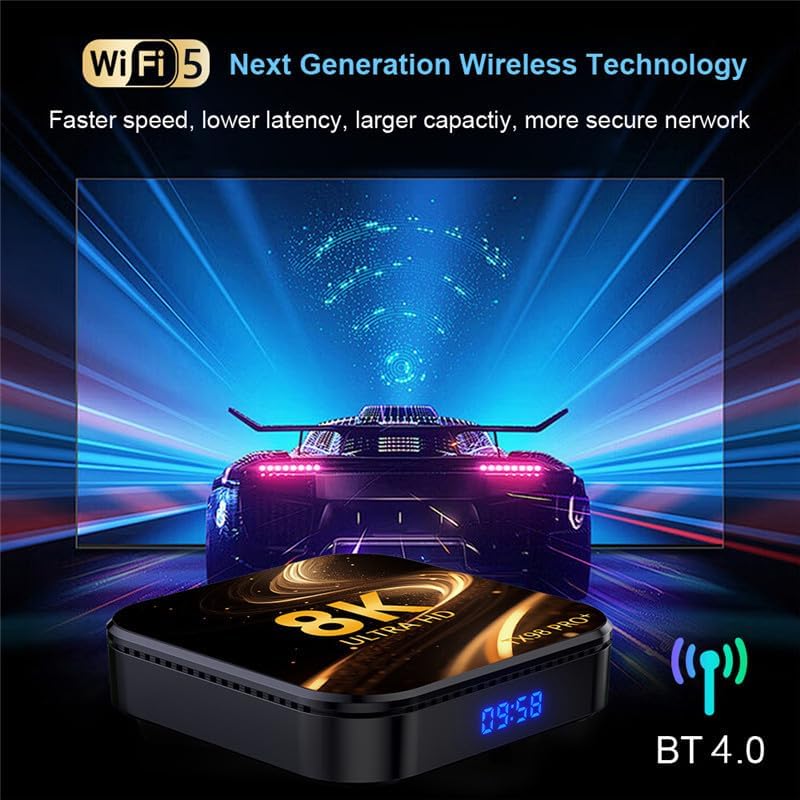
Image 6.1: The TV Box supports advanced wireless technologies for network connectivity. Note: While the image shows "Wi-Fi 5", the product supports Wi-Fi 6 for enhanced performance.
6.2 ඊතර්නෙට් සම්බන්ධතාවය
For a more stable internet connection, you can use a wired Ethernet connection.
- ඔබගේ රවුටරයෙන් හෝ මොඩමයෙන් ඊතර්නෙට් කේබලයක් රූපවාහිනී පෙට්ටියේ LAN වරායට සම්බන්ධ කරන්න.
- The device will automatically detect and connect to the wired network.
6.3 බ්ලූටූත් යුගල කිරීම
The TV Box features Bluetooth 4.0 for connecting wireless accessories like headphones, speakers, or game controllers.
- වෙත යන්න සැකසීම් > සම්බන්ධිත උපාංග > නව උපකරණය යුගල කරන්න.
- ඔබේ බ්ලූටූත් උපාංගය යුගල කිරීමේ ක්රමයට දමන්න.
- යුගල කිරීමට රූපවාහිනී තිරයේ ලැයිස්තුවෙන් ඔබගේ උපාංගය තෝරන්න.
6.4 Multi-Screen Interaction
The CHROX TX98 PRO+ supports multi-screen interaction technologies like DLNA and Miracast, allowing you to cast content from your mobile phone or tablet to your TV.
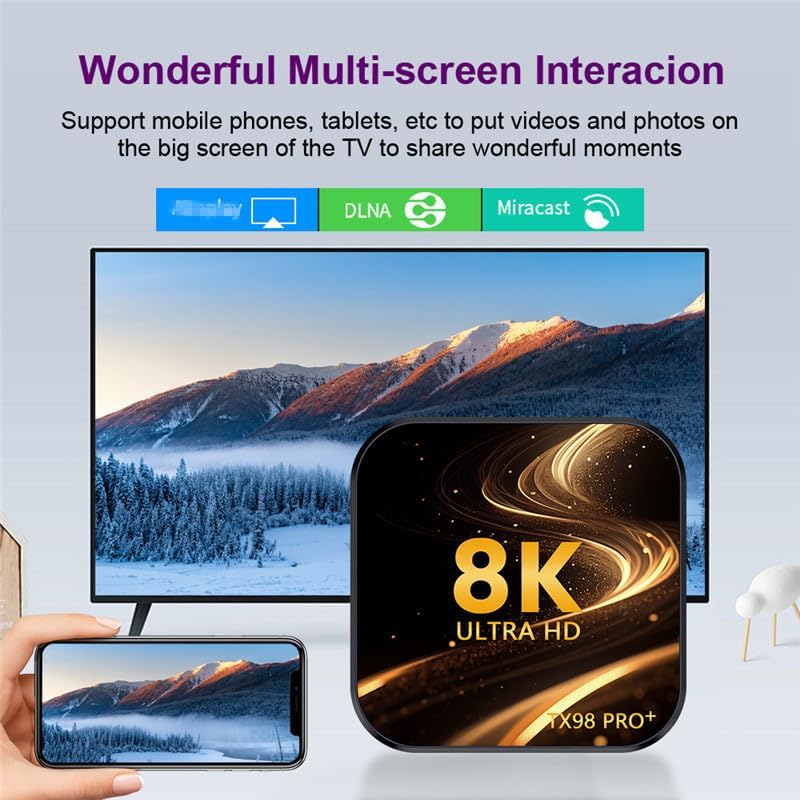
Image 6.2: Demonstrates the ability to share content from mobile devices to the TV via the TV Box.
7. මාධ්ය නැවත ධාවනය
The CHROX TX98 PRO+ supports a wide range of media formats and high-resolution video playback, including 8K and 4K content.
7.1 High-Resolution Video
Experience stunning visuals with support for 8K and 4K video decoding. The device utilizes H.265 technology for efficient playback, reducing bandwidth and storage requirements.
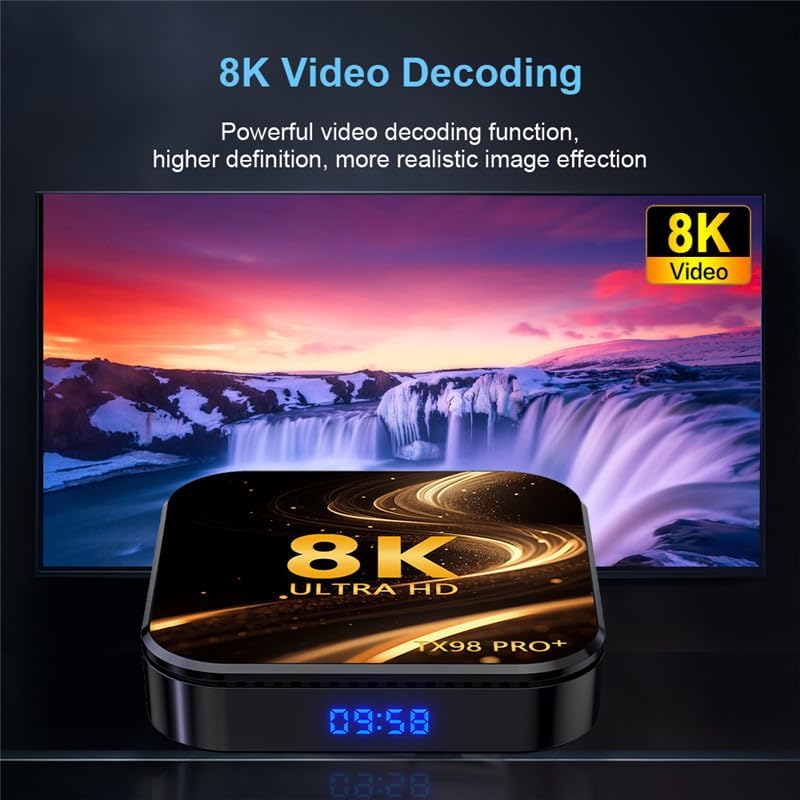
Image 7.1: The TV Box is capable of decoding and displaying 8K resolution video content.
7.2 HDR10 සහාය
With HDR10 support, the TV Box delivers a wider range of colors and deeper contrast, resulting in a more vivid and immersive viewඅත්දැකීමෙන්.

Image 7.2: Comparison illustrating the enhanced visual quality with HDR10 enabled.
7.3 සහාය දක්වන මාධ්ය ආකෘති
- Decoder Formats: 4K VP9, H.265/H.264, 1080P (VC-1, MPEG-1/2/4, VP6/8).
- මාධ්ය ආකෘති: Avi, Ts, Vob, Mkv, Mov, ISO, wmv, asf, flv, dat, mpg, mpeg.
- සංගීත ආකෘති: MP3, WMA, AAC, WAV, OGG, DDP, HD, FLAC, APE.
- ඡායාරූප ආකෘති: HD JPEG, BMP, GIF, PNG, TIFF.
8. නඩත්තු කිරීම
To ensure the longevity and optimal performance of your CHROX TX98 PRO+ TV Box, follow these maintenance guidelines:
- පිරිසිදු කිරීම: උපාංගය පිරිසිදු කිරීම සඳහා මෘදු වියළි රෙද්දක් භාවිතා කරන්න. දියර පිරිසිදු කරන්නන් හෝ උල්ෙල්ඛ ද්රව්ය භාවිතා කිරීමෙන් වළකින්න.
- වාතාශ්රය: අධික උනුසුම් වීම වැළැක්වීම සඳහා උපාංගය හොඳින් වාතාශ්රය ඇති ප්රදේශයක තබා ඇති බවට වග බලා ගන්න. වාතාශ්රය විවරයන් අවහිර නොකරන්න.
- විදුලිය විසන්ධි කිරීම: When not in use for extended periods, disconnect the power adapter from the wall outlet.
- මෘදුකාංග යාවත්කාලීන: Periodically check for and install system updates to ensure the latest features and security patches.
9. දෝශ නිරාකරණය
If you encounter issues with your CHROX TX98 PRO+ TV Box, refer to the following common problems and solutions.
| ගැටලුව | විය හැකි හේතුව | විසඳුම |
|---|---|---|
| බලය නැත | බල ඇඩැප්ටරය සම්බන්ධ වී නැත හෝ දෝෂ සහිතයි. | බල ඇඩැප්ටරය උපාංගයට සහ ක්රියාකාරී බල අලෙවිසැලකට ආරක්ෂිතව සම්බන්ධ කර ඇති බවට වග බලා ගන්න. වෙනත් අලෙවිසැලක් උත්සාහ කරන්න. |
| රූපවාහිනියේ සංඥා නැත | වැරදි HDMI ආදානය තෝරාගෙන ඇත හෝ ලිහිල් HDMI කේබලයක්. | Verify the TV is on the correct HDMI input. Check that the HDMI cable is securely connected to both the TV Box and the TV. |
| Wi-Fi සම්බන්ධතා ගැටළු | වැරදි මුරපදය, දුර්වල සංඥා හෝ රවුටරයේ ගැටලුවක්. | Re-enter the Wi-Fi password carefully. Move the TV Box closer to the router. Restart your router and the TV Box. |
| දුරස්ථ පාලකය ප්රතිචාර නොදක්වයි | අඩු බැටරි හෝ අවහිරතා. | Replace the batteries in the remote control. Ensure there are no obstructions between the remote and the TV Box. |
| යෙදුම් බිඳ වැටීම හෝ කැටි වීම | Insufficient memory or app compatibility issues. | Close background applications. Clear app cache (Settings > Apps > [App Name] > Clear Cache). Restart the TV Box. |
If the problem persists after trying these solutions, please contact CHROX customer support for further assistance.
10. පිරිවිතර
Detailed technical specifications for the CHROX TX98 PRO+ Android 14.0 TV Box.
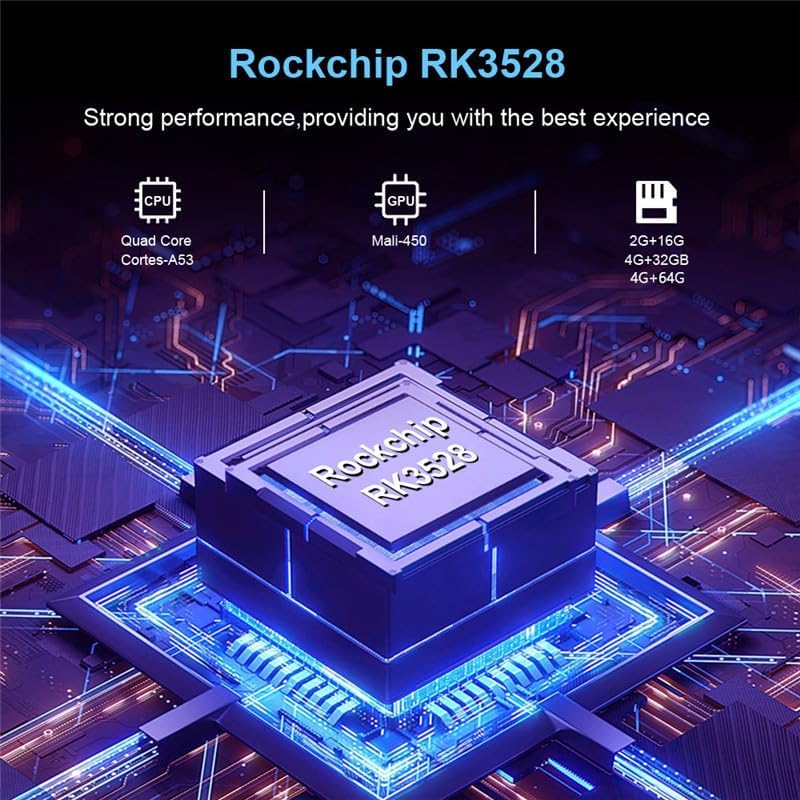
රූපය 10.1: ඉවරයිview of the Rockchip RK3528 processor, highlighting its CPU, GPU, and memory configurations.
| විශේෂාංගය | විස්තර |
|---|---|
| මෙහෙයුම් පද්ධතිය | Android 14.0 |
| CPU | RK3528 Quad-Core 64-bit ARM Cortex-A53 |
| GPU | Penta-Core Mali-450 |
| SDRAM | 4 GB |
| ROM ෆ්ලෑෂ් | 32 GB (available in 32GB/64GB variants) |
| Wifi | 2.4G/5G Dual-band Wi-Fi 6 (802.11 a/b/g/n/ac/ax) |
| බ්ලූටූත් | 4.0 |
| LAN ඊතර්නෙට් | 10/1000M Standard RJ-45 |
| USB Ports | 1x USB 3.0, 1x USB 2.0 |
| HDMI ප්රතිදානය | HDMI 2.0a for 4K@60Hz |
| වෙනත් වරායන් | 1 x AV, 1 x Micro SD Card Reader, 1 x Power DC 5V/2.5A, 1 x SPDIF |
| Video Decoder Support | 4K VP9, H.265/H.264, 1080P (VC-1, MPEG-1/2/4, VP6/8) |
| HDR සහාය | HDR10 |
| OSD භාෂා | ඉංග්රීසි, ප්රංශ, ජර්මන්, ස්පාඤ්ඤ, ඉතාලි, ආදිය. |
11 ආරක්ෂිත තොරතුරු
උපාංගයට හානි වීම හෝ පුද්ගලික තුවාල වළක්වා ගැනීමට කරුණාකර පහත ආරක්ෂක පියවරයන් නිරීක්ෂණය කරන්න:
- උපාංගය ජලය, තෙතමනය හෝ අධික උෂ්ණත්වයන්ට නිරාවරණය නොකරන්න.
- උපාංගය බිම හෙළීමෙන් හෝ දැඩි බලපෑමකට ලක් කිරීමෙන් වළකින්න.
- උපාංගය ඔබම විවෘත කිරීමට හෝ අලුත්වැඩියා කිරීමට උත්සාහ නොකරන්න. සියලුම සේවා සුදුසුකම් ලත් පුද්ගලයින් වෙත යොමු කරන්න.
- සපයා ඇති බල ඇඩැප්ටරය පමණක් භාවිතා කරන්න. අනවසර ඇඩැප්ටර භාවිතා කිරීමෙන් උපාංගයට හානි විය හැකි අතර වගකීම් අවලංගු විය හැකිය.
- සෘජු හිරු එළිය සහ තාප ප්රභවයන්ගෙන් උපාංගය ඈත් කරන්න.
12. වගකීම් සහ සහාය
Your CHROX TX98 PRO+ Android 14.0 TV Box comes with a standard manufacturer's warranty. For specific warranty terms and conditions, please refer to the documentation included with your purchase or contact your retailer.
For technical support, troubleshooting assistance beyond what is provided in this manual, or inquiries regarding your product, please contact CHROX customer service.
පාරිභෝගික සහාය: Please refer to your purchase receipt or the CHROX official webසම්බන්ධතා තොරතුරු සඳහා අඩවිය.
Ask a question about this manual
Ask about setup, troubleshooting, compatibility, parts, safety, or missing instructions. Manuals+ will review the question and use this page’s manual context to help answer it.