1. හැඳින්වීම
ස්තූතියි, උදව් කළාටasing the Portable Mini Projector. This device is designed to provide a versatile and immersive viewing experience, supporting high-definition decoding and various connectivity options for both indoor and outdoor use. Please read this manual thoroughly before operating the projector to ensure proper use and to maximize its performance and lifespan.
2 ආරක්ෂිත තොරතුරු
To prevent fire, electric shock, or damage to the projector, please observe the following safety precautions:
- වාතාශ්රය විවරයන් අවහිර නොකරන්න. ප්රොජෙක්ටරය වටා ප්රමාණවත් වායු ප්රවාහයක් සහතික කරන්න.
- Do not expose the projector to rain or moisture. Keep it away from water sources.
- ප්රොජෙක්ටරය සමඟ සපයා ඇති බල ඇඩැප්ටරය පමණක් භාවිතා කරන්න.
- l විට ප්රොජෙක්ටර් කාචය දෙස කෙලින්ම බැලීමෙන් වළකින්නamp is on, as the bright light can cause eye strain or damage.
- ප්රොජෙක්ටරය විසුරුවා හැරීමට හෝ වෙනස් කිරීමට උත්සාහ නොකරන්න. සියලුම සේවා සුදුසුකම් ලත් පුද්ගලයින් වෙත යොමු කරන්න.
- ප්රොජෙක්ටරය වැටීම වැළැක්වීම සඳහා ස්ථාවර, සමතලා මතුපිටක් මත තබන්න.
- Keep the projector away from direct sunlight, heat sources, and extreme temperatures.
3. පැකේජ අන්තර්ගතය
කරුණාකර ඇසුරුම් අන්තර්ගතය ඉවත් කිරීමේදී පරීක්ෂා කරන්න:
- අතේ ගෙන යා හැකි කුඩා ප්රොජෙක්ටරය
- බල ඇඩැප්ටරය
- දුරස්ථ පාලනය (බැටරි ඇතුළත් නොවේ)
- HDMI කේබලය
- පරිශීලක අත්පොත
4. නිෂ්පාදන විශේෂාංග සහ සංරචක
Familiarize yourself with the projector's key features and components:
- ප්රක්ෂේපණ කාච: Emits the image onto the screen or surface.
- නාද නාභිගත කිරීම: ප්රක්ෂේපිත රූපයේ පැහැදිලි බව සීරුමාරු කරයි.
- ආදාන වරාය: HDMI, USB, AV, Memory Card slot for various device connections.
- බිල්ට් ස්පීකර්: ශ්රව්ය ප්රතිදානය සපයයි.
- වාතාශ්රය ග්රිල්: තාපය විසුරුවා හැරීම සඳහා.
- බල බොත්තම: ප්රොජෙක්ටරය සක්රිය / අක්රිය කරයි.
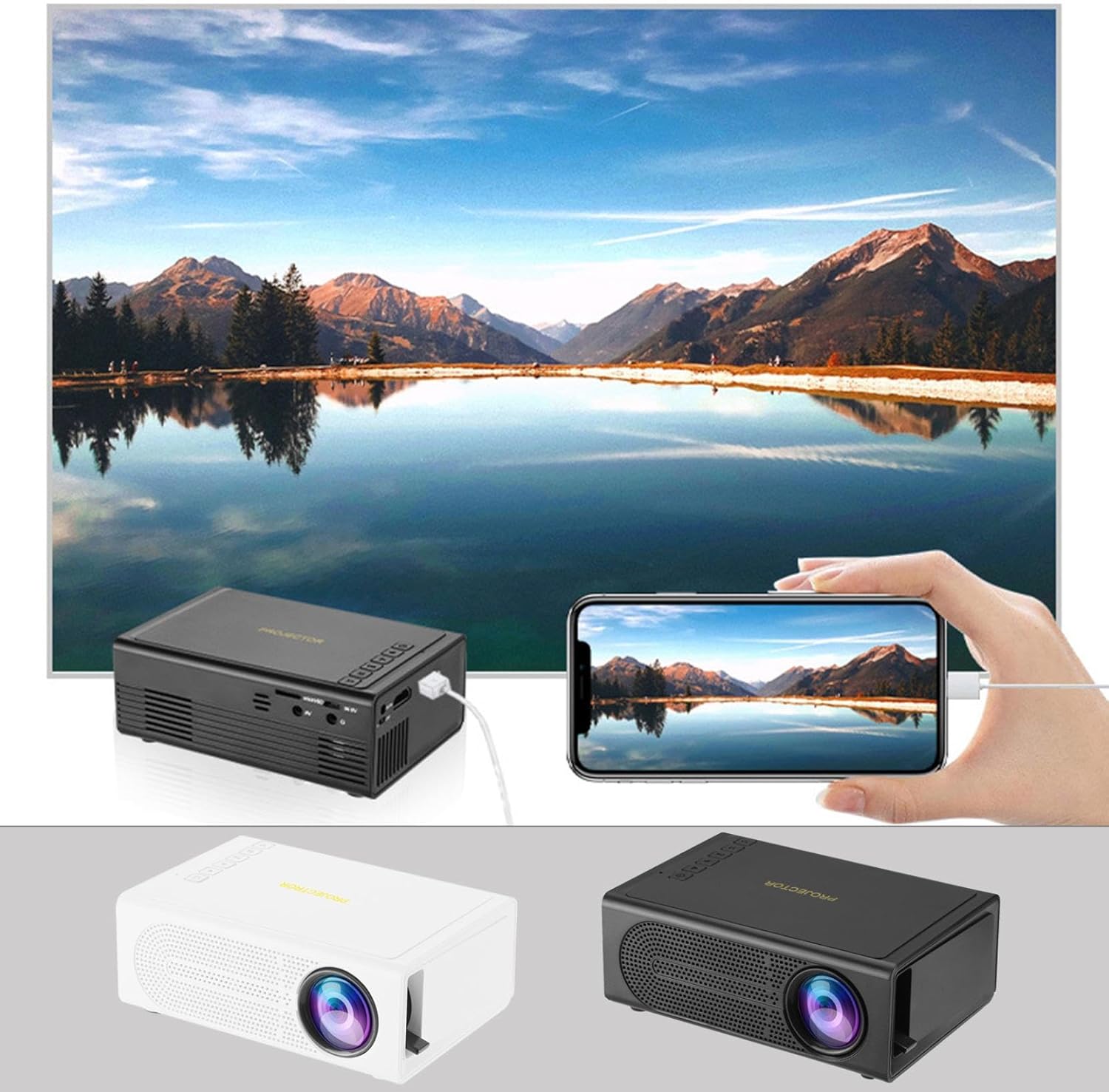
Image: The Portable Mini Projector in use, demonstrating its ability to mirror a smartphone screen onto a large display. Both black and white color options of the projector are shown.

Image: Physical dimensions of the projector, indicating its compact size.
5. පිහිටුවීම
- බල සම්බන්ධතාවය: Connect the supplied power adapter to the projector's power input port and then plug it into a power outlet.
- ස්ථානගත කිරීම: ප්රොජෙක්ටරය ස්ථාවර, පැතලි මතුපිටක් මත තබන්න. ප්රශස්ත සඳහා viewing, ප්රක්ෂේපණ මතුපිටට (බිත්තිය හෝ තිරය) ලම්බකව ප්රක්ෂේපකය ස්ථානගත කරන්න.
- බල ගැන්වීම: උපාංගය ක්රියාත්මක කිරීමට ප්රොජෙක්ටරයේ බල බොත්තම හෝ දුරස්ථ පාලකය ඔබන්න.
- අවධානය යොමු කිරීම: Once powered on, rotate the focus ring on the projector until the projected image appears clear and sharp.
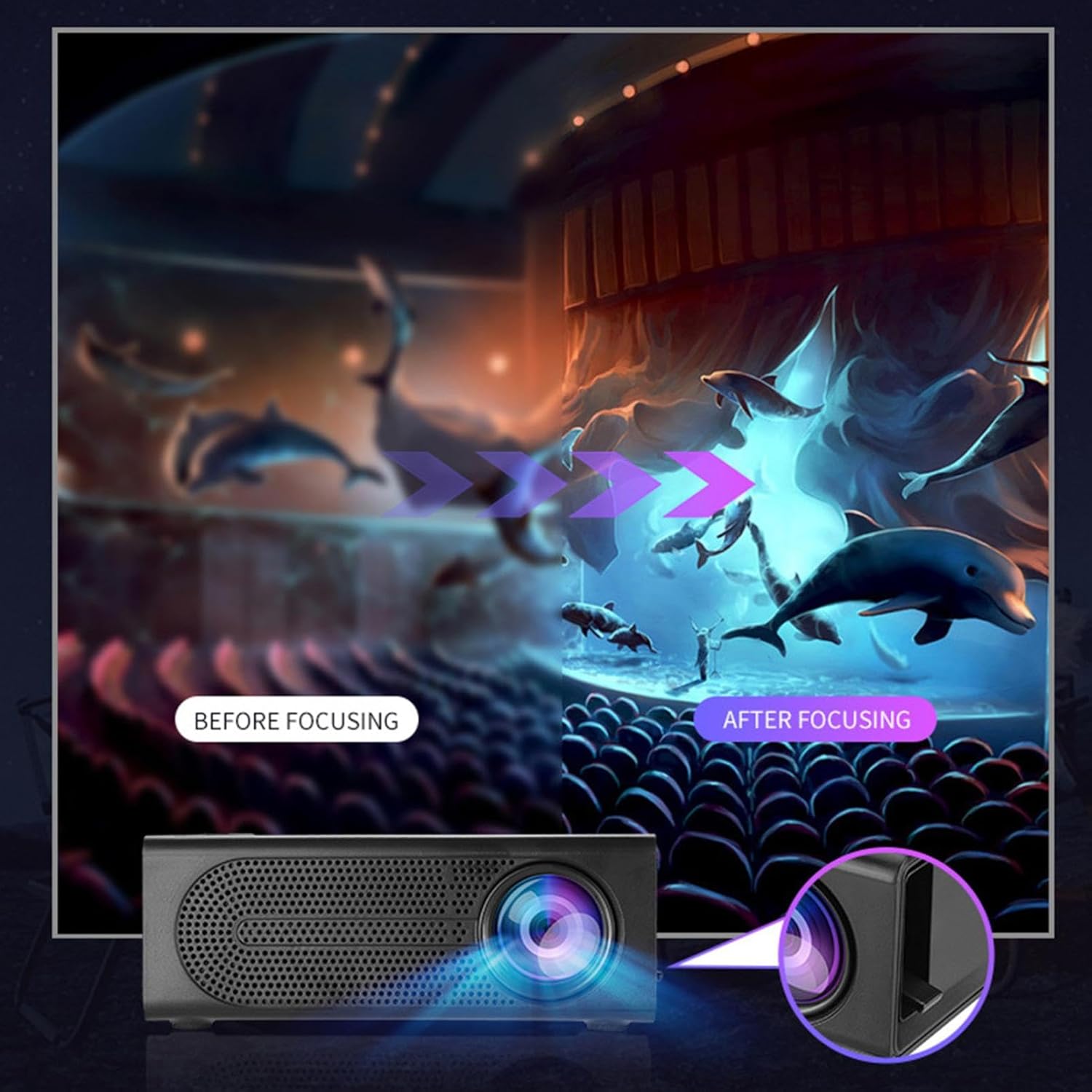
Image: Visual demonstration of focus adjustment, showing the difference between a blurry and a sharp image.
6. මෙහෙයුම් උපදෙස්
6.1 සම්බන්ධක උපාංග
The projector supports various input sources. Select the appropriate input mode from the projector's menu after connecting your device.
- HDMI: Connect laptops, gaming consoles, DVD players, or other HDMI-enabled devices using an HDMI cable.
- USB: Insert a USB flash drive to play media fileසෘජුවම.
- වල: Use an AV cable to connect older devices like VCRs or some set-top boxes.
- මතක කාඩ්පත: Insert a compatible memory card to view ඡායාරූප හෝ වීඩියෝ.
- ස්මාර්ට්ෆෝන්/ටැබ්ලට්: For wired phone same screen playback, connect your smartphone or tablet via a compatible cable (e.g., USB to Lightning/USB-C for screen mirroring, if supported by your device and the projector).

Image: Connectivity diagram illustrating the wide range of devices compatible with the projector.
6.2 Adjusting Projection Size
The projector can project images ranging from 32 to 100 inches. The projection size is determined by the distance between the projector and the projection surface. Move the projector closer to the surface for a smaller image, and further away for a larger image.
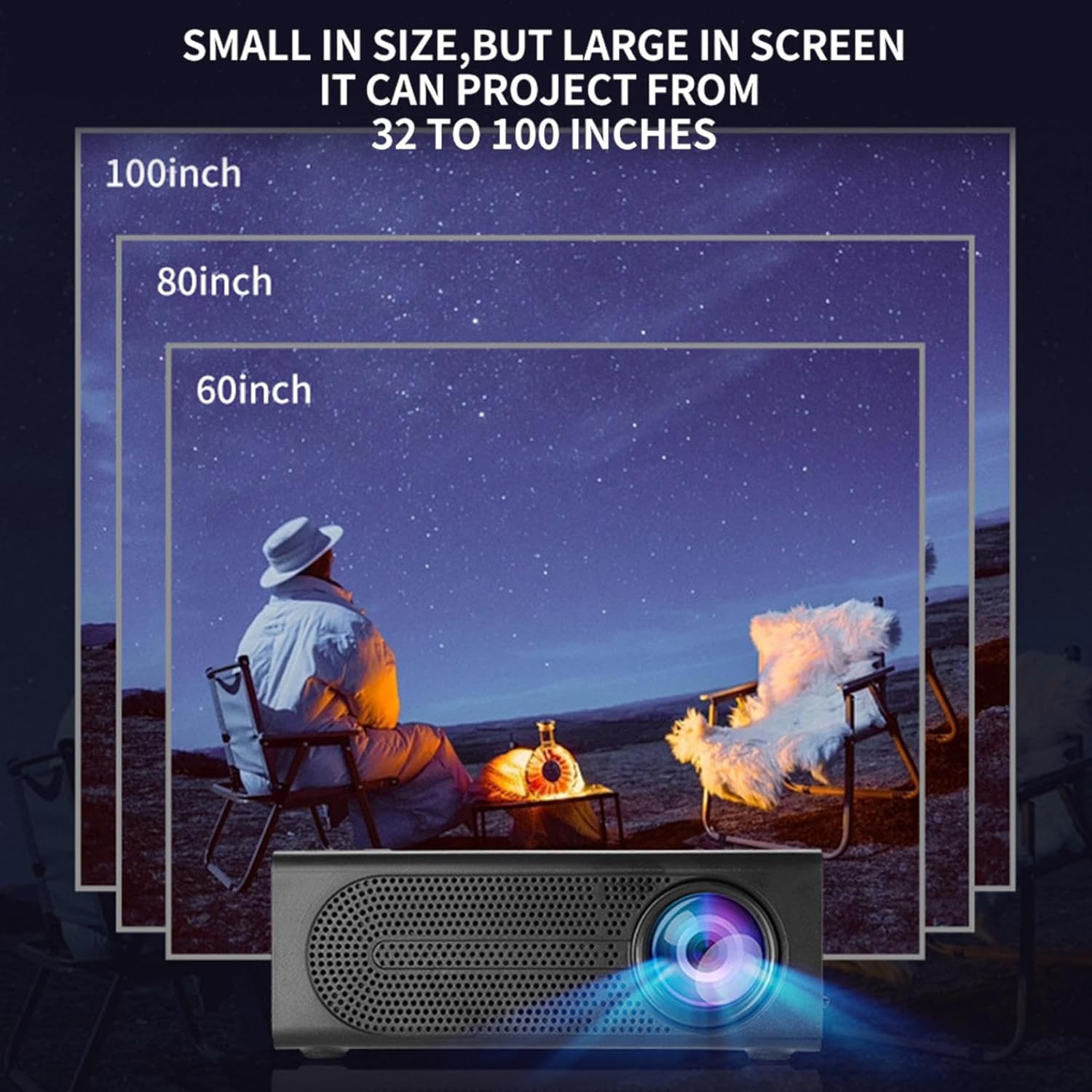
Image: Illustration of various projection sizes achievable with the projector, from 32 to 100 inches.
6.3 භාවිත අවස්ථා
This projector is suitable for a variety of environments and uses:
- Parent-child interaction: Enjoy movies or educational content with family.
- Outdoor cinema: Set up a movie night in your backyard.
- Bedroom projection: Watch content comfortably from your bed.
- Living room cinema: Transform your living space into a home theater.

රූපය: උදාamples of diverse usage scenarios for the projector, from indoor home theater to outdoor entertainment.

Image: Depiction of family entertainment using the projector, alongside a technical diagram explaining the benefit of diffuse reflection for eye comfort compared to direct-ray light from a TV.
7. නඩත්තු කිරීම
නිසි නඩත්තුව ඔබේ ප්රොජෙක්ටරයේ ආයු කාලය සහ ප්රශස්ත ක්රියාකාරිත්වය සහතික කරයි:
- කාච පිරිසිදු කිරීම: ප්රොජෙක්ටර් කාචය මෘදු ලෙස පිස දැමීම සඳහා දෘශ්ය කාච සඳහා විශේෂයෙන් නිර්මාණය කර ඇති මෘදු, ලින්ට් රහිත රෙද්දක් භාවිතා කරන්න. උල්ෙල්ඛ පිරිසිදු කරන්නන් හෝ අධික බලයක් භාවිතා නොකරන්න.
- දූවිලි ඉවත් කිරීම: Regularly clean the ventilation grilles with a soft brush or compressed air to prevent dust buildup, which can affect cooling and performance.
- ගබඩා: දිගු කාලයක් භාවිතයේ නොමැති විට, ප්රොජෙක්ටරය සෘජු හිරු එළියෙන් සහ අධික උෂ්ණත්වයන්ගෙන් ඈත්ව සිසිල්, වියළි ස්ථානයක ගබඩා කරන්න.
- නිසි ලෙස විදුලිය විසන්ධි කරන්න: Always turn off the projector using the power button and allow it to cool down before unplugging or moving it.
8. දෝශ නිරාකරණය
ඔබේ ප්රොජෙක්ටරය සමඟ ගැටළු ඇති වුවහොත්, පහත පොදු ගැටළු සහ විසඳුම් වෙත යොමු වන්න:
| ගැටලුව | විය හැකි හේතුව | විසඳුම |
|---|---|---|
| රූපයක් ප්රක්ෂේපණය කර නැත | Power not connected; Input source not selected; Lens cap on. | Ensure power is connected and unit is on; Select correct input source; Remove lens cap. |
| රූපය බොඳ වී ඇත | අවධානය සකස් කර නැත; ප්රොජෙක්ටරය තිරයට ඉතා ආසන්නව/දුරින් පිහිටා ඇත. | Adjust the focus ring; Adjust projection distance. |
| ශබ්දයක් නැත | Volume too low; Audio cable not connected; Muted. | Increase volume; Check audio connections; Unmute projector/source device. |
| දුරස්ථ පාලකය ක්රියා නොකරයි | බැටරි ක්රියා විරහිත වීම/වැරදි ලෙස ඇතුළු කර නොතිබීම; දුරස්ථ පාලකය සහ ප්රොජෙක්ටරය අතර අවහිරතාවයක්. | Replace batteries; Ensure clear line of sight to IR receiver. |
මෙම විසඳුම් උත්සාහ කිරීමෙන් පසුවත් ගැටලුව පවතින්නේ නම්, කරුණාකර පාරිභෝගික සහාය අමතන්න.
9. පිරිවිතර
- නිෂ්පාදන වර්ගය: අතේ ගෙන යා හැකි කුඩා ප්රොජෙක්ටරය
- වෙළඳ නාමය: සාමාන්ය
- ගැළපෙන උපාංග: Laptop, Gaming Console, Tablet, Camera, Smartphone
- රූප පරස්පර අනුපාතය: ඉහළ
- ප්රක්ෂේපණ ප්රමාණය: අඟල් 32 සිට 100 දක්වා
- වීඩියෝ විකේතනය: H.264, H.265
- සම්බන්ධතාවය: HDMI, USB, AV, Memory Card
- මානයන්: Approximately 5in (L) x 3.2in (W) x 1.9in (H) / 12.7cm (L) x 8.15cm (W) x 4.85cm (H)
10. වගකීම් සහ සහාය
This product comes with a standard manufacturer's warranty. Please refer to the warranty card included in your package for specific terms and conditions. For technical support, troubleshooting assistance, or warranty claims, please contact the retailer or manufacturer's customer service department.
පාරිභෝගික සහාය සම්බන්ධතා: Please refer to retailer or manufacturer webසම්බන්ධතා විස්තර සඳහා අඩවිය.