
1. නිෂ්පාදන අවසන්view
The XEAST XE-365 Digital Anemometer is a compact and robust device designed for precise measurement of wind speed, air temperature, and air flow. It features a large, easy-to-read LCD display and a user-friendly interface for straightforward operation. Equipped with an impeller sensor for reliable wind speed readings and a temperature sensor for real-time air temperature data, this anemometer is suitable for various applications requiring environmental data.
ප්රධාන ලක්ෂණ ඇතුළත් වේ:
- Multiple wind speed units: m/s, km/h, ft/min, knots, MPH, CFM.
- Temperature units: °C, °F.
- Max/Min/AVG/HOLD wind speed functions.
- බැටරි මට්ටමේ සංදර්ශකය.
- Automatic power-off function.
- Backlight for low-light conditions.
- ඇසෙන අනතුරු ඇඟවීම.
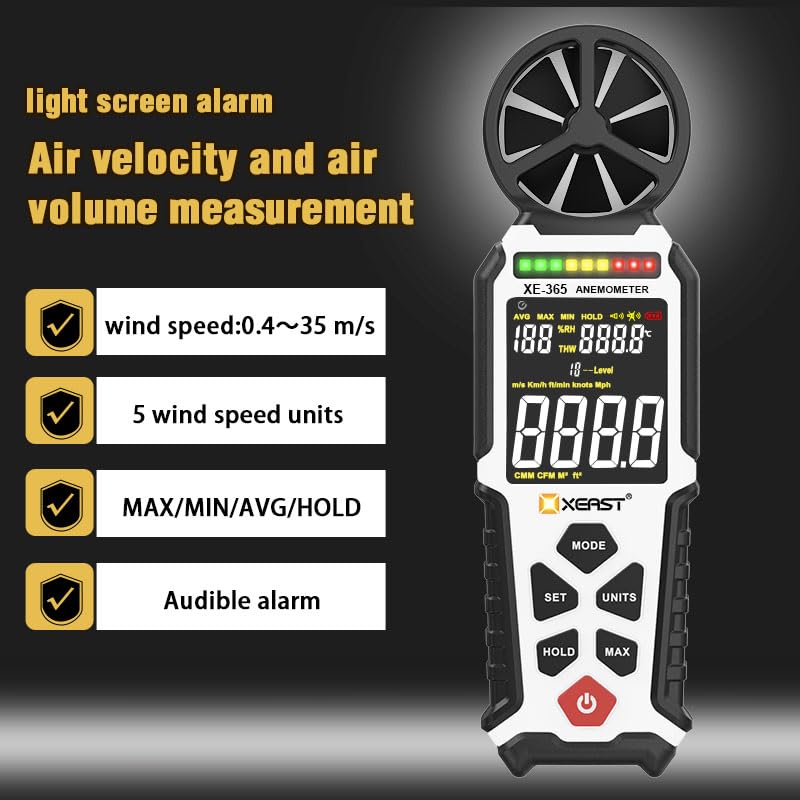
රූපය 1: අවසන්view of XEAST XE-365 Anemometer features, including wind speed range (0.4~35 m/s), 5 wind speed units, MAX/MIN/AVG/HOLD functions, and audible alarm.
2. සැකසුම සහ බැටරි ස්ථාපනය
The XEAST XE-365 Anemometer requires three AA batteries for operation. These batteries are included with the device.
2.1 බැටරි ස්ථාපනය
- උපාංගයේ පිටුපස බැටරි මැදිරිය සොයා ගන්න.
- බැටරි මැදිරි කවරය විවෘත කරන්න.
- Insert three AA batteries, ensuring correct polarity (+/-).
- බැටරි මැදිරි කවරය ආරක්ෂිතව වසා දමන්න.
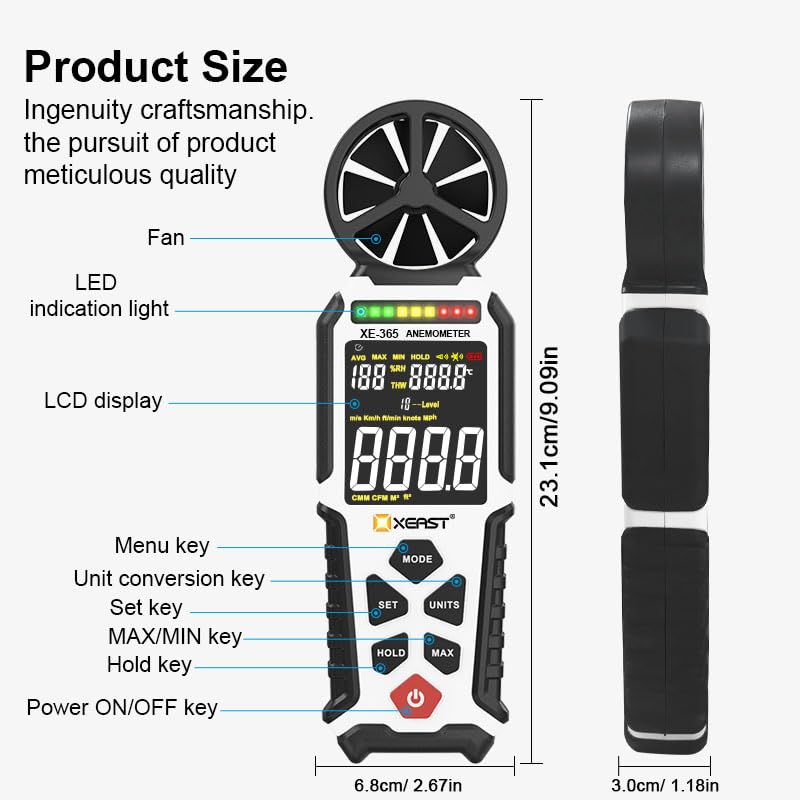
Figure 2: Product diagram illustrating the device components and controls, including the fan, LED indication light, LCD display, and various keys for menu, unit conversion, set, MAX/MIN, hold, and power.
3. මෙහෙයුම් උපදෙස්
3.1 උපාංග පිරිසැලසුම සහ පාලනයන්
Refer to Figure 2 for the location of the following controls:
- Power ON/OFF Key: උපාංගය සක්රිය හෝ අක්රිය කිරීමට භාවිතා කරයි.
- MODE යතුර: Accesses different measurement modes or settings.
- SET යතුර: Used to confirm selections or enter air area set mode.
- UNITS Key: Switches between different measurement units for wind speed and temperature.
- යතුර අල්ලාගෙන සිටින්න: සංදර්ශකයේ වත්මන් කියවීම කැටි කරයි.
- MAX Key: Displays the maximum recorded value.
3.2 බල ගැන්වීම සක්රිය / අක්රිය කිරීම
ඔබන්න බලය සක්රිය / අක්රිය key to turn the anemometer on. Press and hold the බලය සක්රිය / අක්රිය උපාංගය අක්රිය කිරීමට යතුර.
3.3 Measuring Wind Speed, Air Flow, and Temperature
Once powered on, the device will automatically begin measuring wind speed, air flow, and temperature. Ensure the fan impeller is exposed to the airflow for accurate readings.
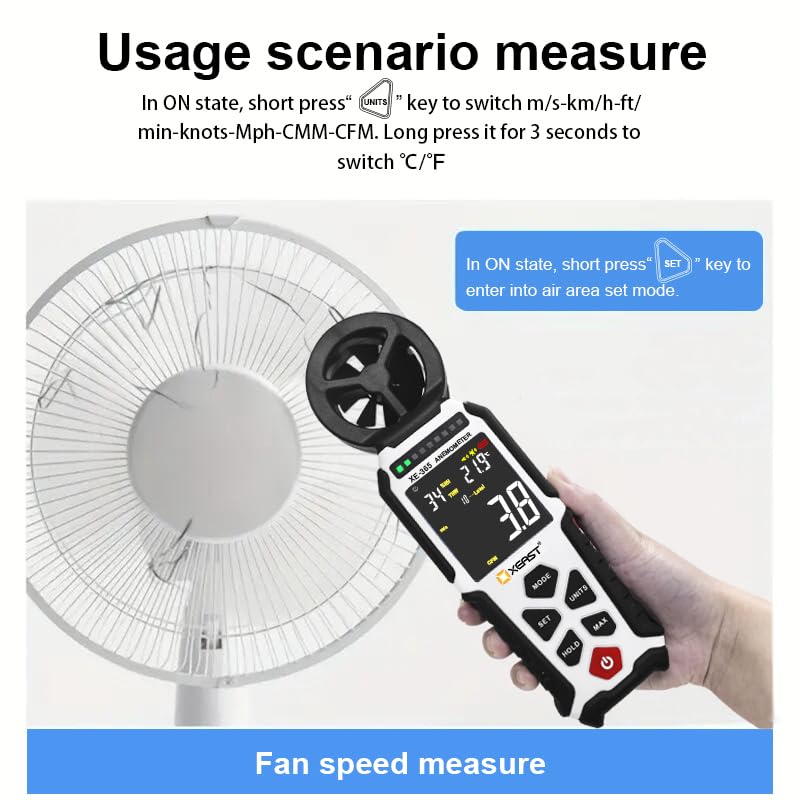
Figure 3: Anemometer in use for fan speed measurement. In ON state, short press the "UNITS" key to switch wind speed units (m/s, km/h, ft/min, knots, Mph, CMM, CFM). Long press for 3 seconds to switch temperature units (°C/°F). Short press "SET" key to enter air area set mode.
3.4 ඒකක මාරු කිරීම
- Wind Speed Units: In the ON state, short press the ඒකක key to cycle through wind speed units: m/s, km/h, ft/min, knots, MPH, CMM, CFM.
- උෂ්ණත්ව ඒකක: In the ON state, long press the ඒකක key for 3 seconds to switch between Celsius (°C) and Fahrenheit (°F).
3.5 Max/Min/AVG/HOLD Functions
- හෝල්ඩ්: ඔබන්න අල්ලා ගන්න key to freeze the current reading on the display. Press again to release.
- මැක්ස්: ඔබන්න උපරිම key to display the maximum wind speed recorded since the device was powered on or the MAX function was reset.
- අවම: (Functionality may be combined with MAX or accessed via MODE key, refer to specific device display for indication).
- AVG: (Functionality may be combined with MAX or accessed via MODE key, refer to specific device display for indication).
3.6 Backlight and Audible Alarm
The device features a backlight for improved visibility in low-light conditions. An audible alarm can be configured for specific wind speed thresholds (refer to the device's display and MODE settings for activation and adjustment).
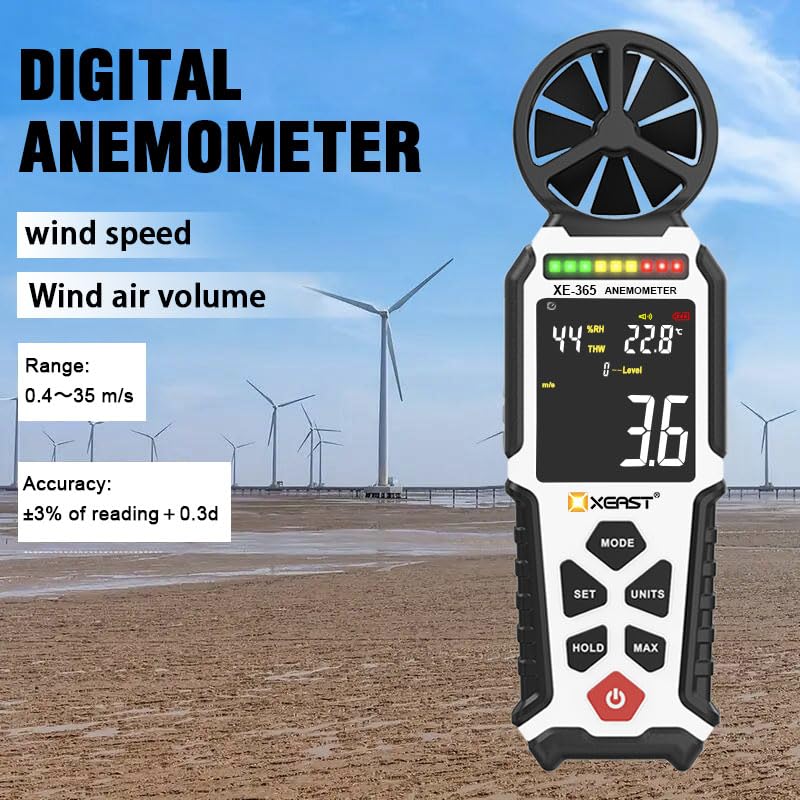
Figure 4: The digital anemometer displaying current readings. The device offers a wind speed range of 0.4~35 m/s with an accuracy of ±3% of reading + 0.3d.
4. යෙදුම්
The XEAST XE-365 Digital Anemometer is a versatile tool suitable for a wide range of applications, including:
- එළිමහන් ක්රියාකාරකම්: Surfing, drone flying, kite flying, boating, golf, fishing, and other sports where wind conditions are critical.
- HVAC පද්ධති: Measuring very low airflow in HVAC installations and duct vents.
- පාරිසරික නිරීක්ෂණ: General monitoring of wind conditions.
- Shooting and Archery: Assessing wind drift for accuracy.
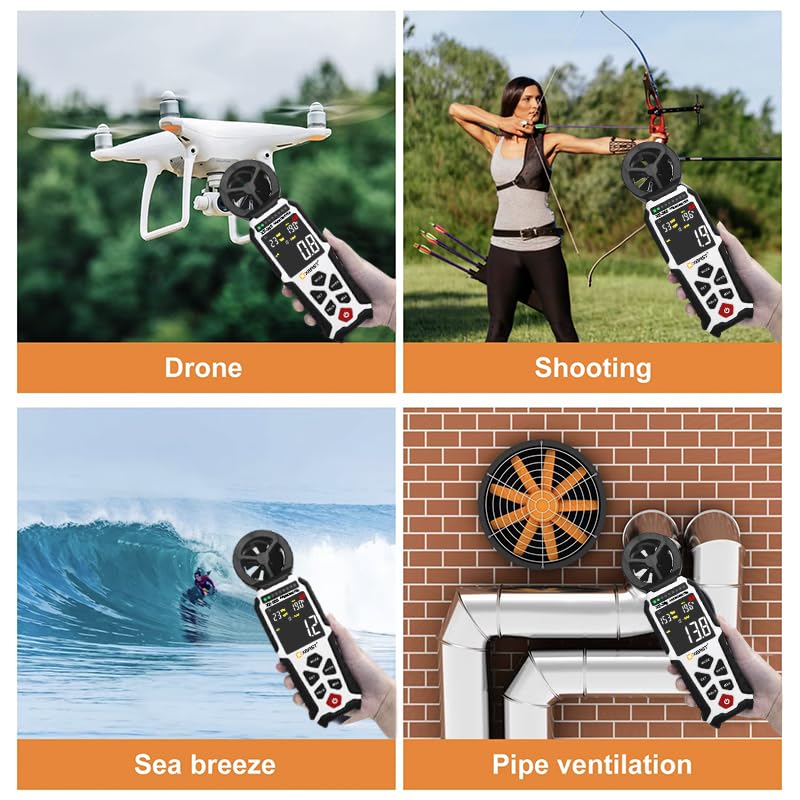
රූපය 5: උදාamples of the anemometer's wide applications, including drone operation, shooting, measuring sea breeze, and pipe ventilation checks.
5. නඩත්තු කිරීම
To ensure the longevity and accuracy of your XEAST XE-365 Digital Anemometer, follow these maintenance guidelines:
- පිරිසිදු කිරීම: Wipe the device with a soft, dry cloth. Do not use abrasive cleaners or solvents. Ensure the impeller is free from dust and debris.
- ගබඩා: Store the anemometer in a cool, dry place, away from direct sunlight and extreme temperatures. If storing for an extended period, remove the batteries to prevent leakage.
- බැටරි ආදේශනය: Replace batteries promptly when the low battery indicator appears on the display to maintain optimal performance.
- Impeller Care: Handle the impeller carefully to avoid damage. Ensure it spins freely.
6. දෝශ නිරාකරණය
If you encounter issues with your XEAST XE-365 Digital Anemometer, consider the following common troubleshooting steps:
- උපාංගය බලගන්වන්නේ නැත: බැටරි නිවැරදිව ස්ථාපනය කර ඇති අතර ප්රමාණවත් ආරෝපණයක් තිබේදැයි පරීක්ෂා කරන්න. අවශ්ය නම් බැටරි ප්රතිස්ථාපනය කරන්න.
- වැරදි කියවීම්: Ensure the impeller is spinning freely and is not obstructed. Verify that the device is exposed to the actual airflow being measured. Check for any physical damage to the impeller or sensors.
- සංදර්ශක ගැටළු: If the display is dim or flickering, replace the batteries. If the display is blank, ensure the device is powered on.
අඛණ්ඩ ගැටළු සඳහා, කරුණාකර පාරිභෝගික සහාය අමතන්න.
7. පිරිවිතර
| පිරිවිතර | වටිනාකම |
|---|---|
| අයිතම ආදර්ශ අංකය | XE-365 |
| වෙළඳ නාමය | XEAST |
| බැටරි | AA බැටරි 3ක් අවශ්යයි (ඇතුළත්) |
| නිෂ්පාදන මානයන් | 19.05 x 6.35 x 3.81 සෙ.මී |
| අයිතමයේ බර | ග්රෑම් 226.8 (රාත්තල් 0.5) |
| ද්රව්ය | ප්ලාස්ටික් |
| නිෂ්පාදකයා | XEAST |
| මුල් රට | චීනය |
| ඇතුළත් සංරචක | Digital Anemometer, 3* AA Batteries, Manual, Type-C Cable, Carry Pouch |
8. වගකීම් සහ සහාය
For warranty information and technical support, please refer to the documentation provided with your purchase or contact XEAST customer service directly. Keep your purchase receipt as proof of purchase for any warranty claims.