
1. හැඳින්වීම
The Cooler Master MasterFrame 600 is a versatile PC case designed for optimal performance and extensive customization. Constructed from high-quality aluminum, it offers a flexible space configuration to accommodate various hardware setups. This case supports the latest generation GPUs and features an optimized cooling layout to ensure efficient airflow and stable thermal performance. It is an ideal choice for users seeking both high functionality and personalized aesthetics for their computing needs.
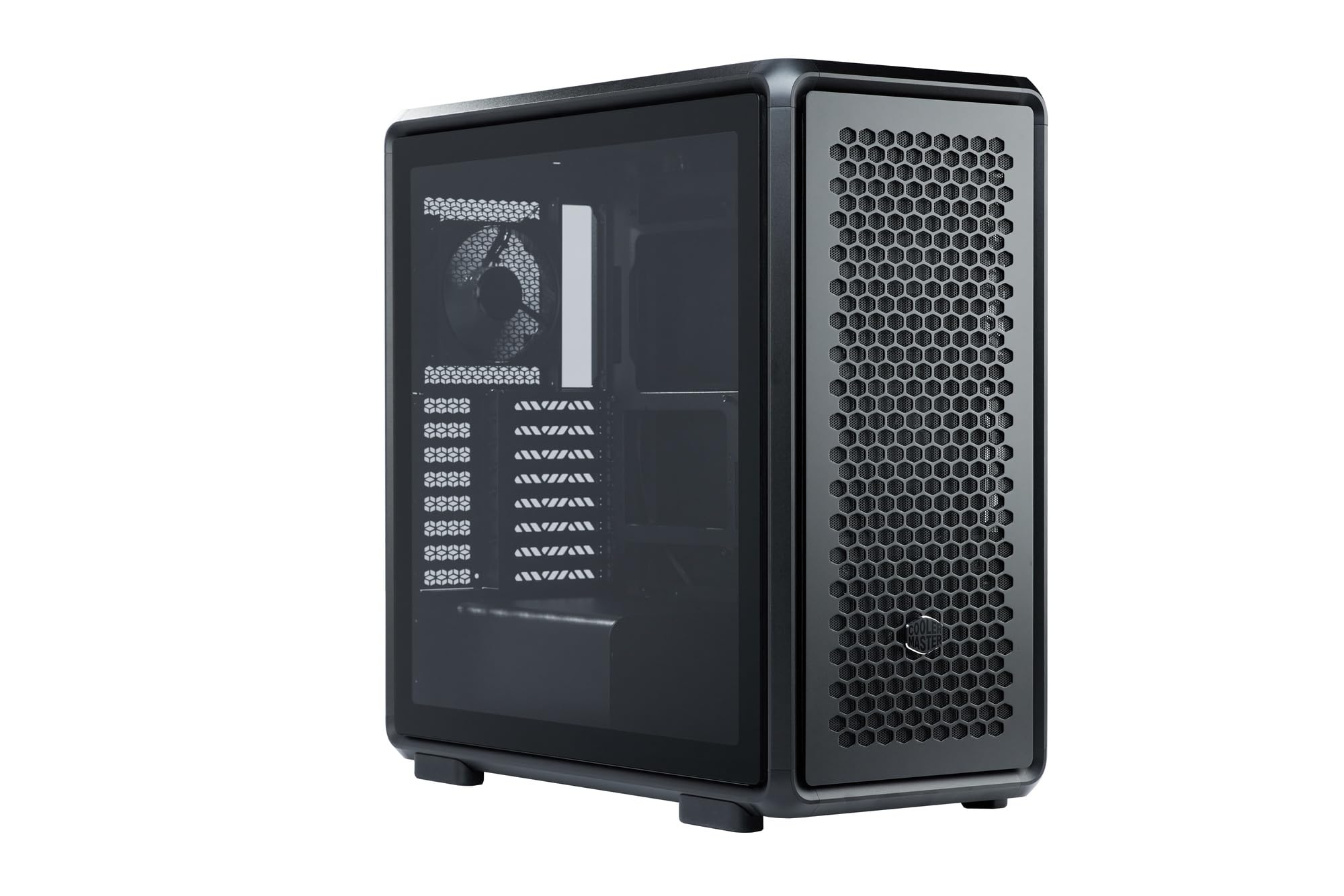
Figure 1: Cooler Master MasterFrame 600 PC Case, showcasing its sleek design and mesh panels.
වීඩියෝ 1: ඕවරයක්view of the MasterFrame 600's design, highlighting its EXO-STRUCTURE, adaptable frame, and versatile, maker-driven customization options. (Note: Video source is a placeholder as a specific m3u8 URL was not provided in the product data.)
2. පිහිටුවීම සහ ස්ථාපනය
This section provides general guidelines for assembling your PC components within the MasterFrame 600. Always refer to the specific manuals for your individual components (motherboard, GPU, PSU, etc.) for detailed instructions.
2.1 පෙට්ටි ඉවත් කිරීම සහ සංරචක හඳුනා ගැනීම
Carefully remove all components from the packaging. Verify that all parts listed in the packing list are present. Familiarize yourself with the case's internal layout and mounting points.

රූපය 2: පුපුරා ගියේය view of the MasterFrame 600, illustrating its modular components and assembly parts.
2.2 මවු පුවරුව සවි කිරීම
- Identify the correct standoff positions for your motherboard form factor (ITX, Micro-ATX, ATX, E-ATX).
- Install the necessary standoffs onto the motherboard tray.
- Place the I/O shield into the rear opening of the case.
- Carefully align your motherboard with the standoffs and I/O shield, then secure it with screws.
2.3 ධාවක ස්ථාපනය
The MasterFrame 600 supports 2x 3.5-inch drives and 5x 2.5-inch drives.
- Locate the designated drive bays or mounting points.
- Secure your 3.5-inch or 2.5-inch drives using the provided screws or tool-less mechanisms.
2.4 බල සැපයුම් ඒකකය (PSU) ස්ථාපනය
- Position your PSU in the bottom-mount location.
- Secure the PSU to the case using the appropriate screws.
- කේබල් කළමනාකරණ කටවුට් හරහා අවශ්ය විදුලි රැහැන් යොමු කරන්න.
2.5 ග්රැෆික් කාඩ් (GPU) ස්ථාපනය
The case supports GPUs up to 485mm in length (without front fan/radiator).
- නඩුවේ පිටුපසින් අවශ්ය PCIe තව් ආවරණ ඉවත් කරන්න.
- Insert your GPU into the appropriate PCIe slot on the motherboard.
- Secure the GPU with the retention clip and screws.
2.6 සිසිලන පද්ධති ස්ථාපනය
Install fans and/or radiators according to your cooling configuration. The case is designed for efficient airflow.
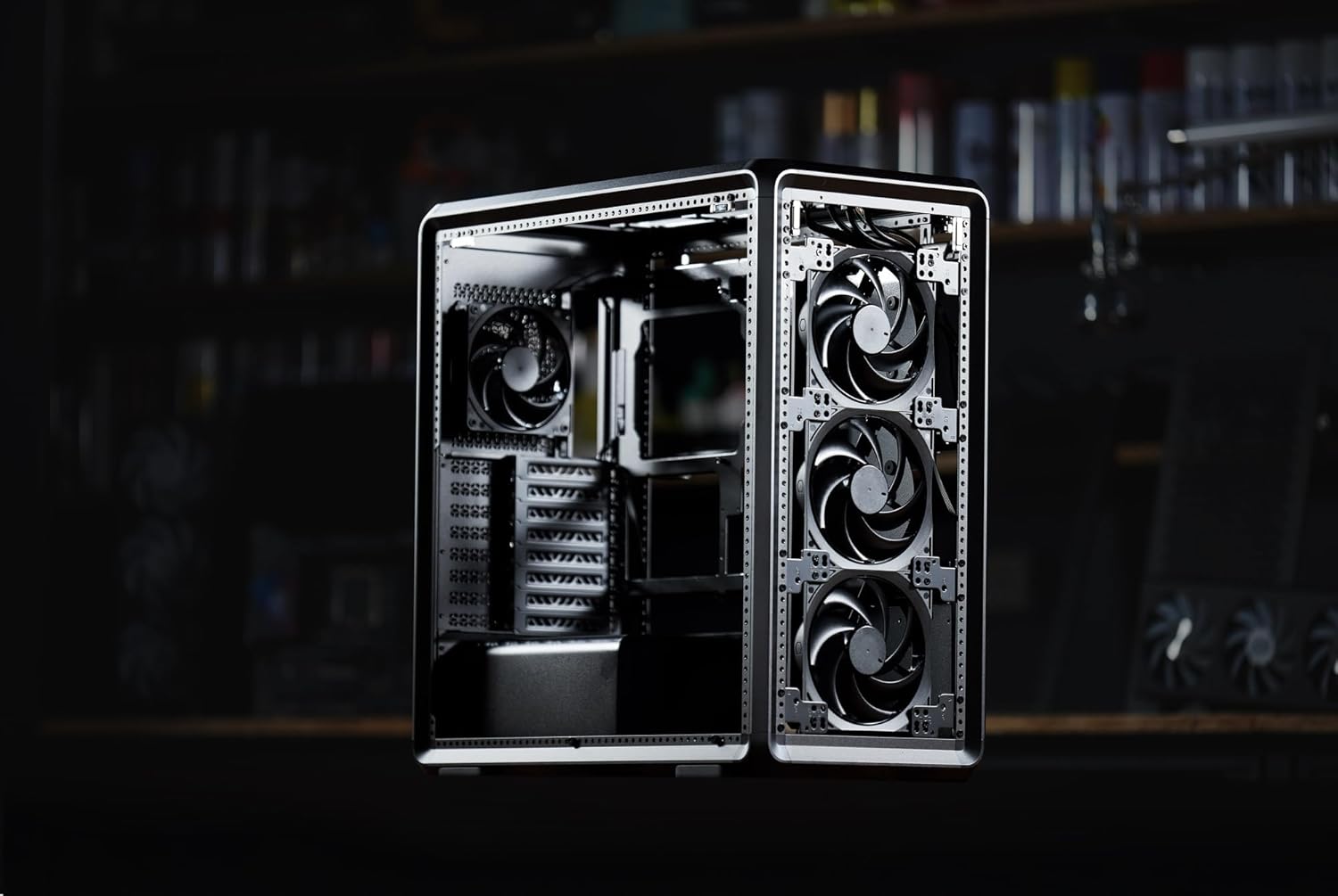
රූපය 3: අභ්යන්තර view of the MasterFrame 600, showing potential fan mounting locations for optimized airflow.
2.7 කේබල් කළමනාකරණය
Utilize the various cutouts and tie-down points behind the motherboard tray to route and secure cables. This improves airflow and aesthetics.
3. මෙහෙයුම් උපදෙස්
3.1 බලය ක්රියාත්මකයි
After all components are securely installed and connected, plug the power cable into your PSU and a wall outlet. Press the power button on the front panel to start your system.
3.2 ඉදිරිපස පැනල් සම්බන්ධතා
The front panel provides convenient access to USB 3.0 ports and audio jacks. Connect your peripherals as needed.
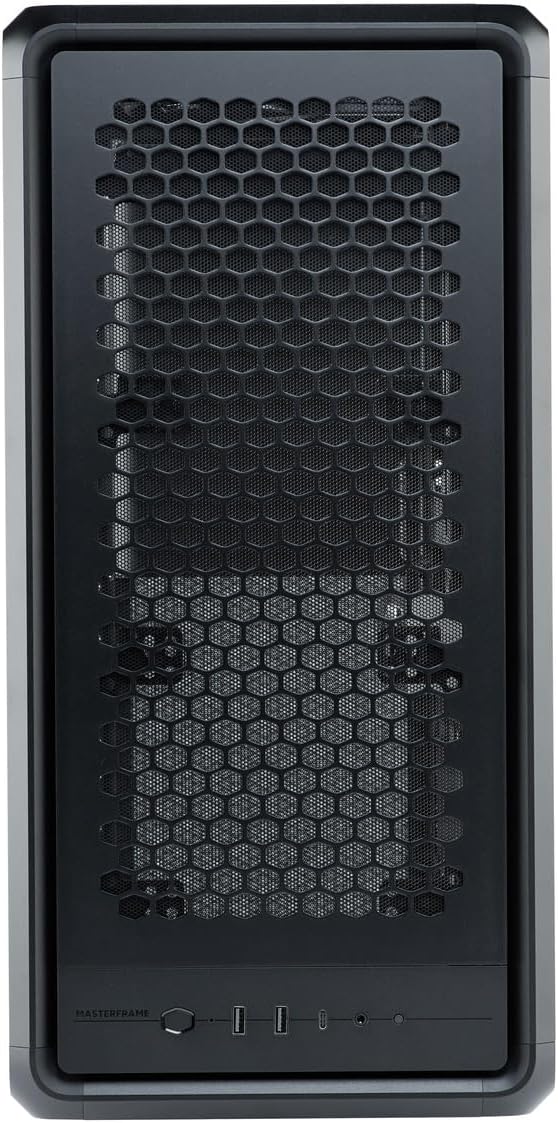
Figure 4: Close-up of the MasterFrame 600's front panel, detailing the power button and I/O ports.
3.3 වායු ප්රවාහ ප්රශස්තිකරණය
The MasterFrame 600's design promotes excellent airflow. Ensure that fans are oriented correctly for intake and exhaust to maintain optimal component temperatures.
4. නඩත්තු කිරීම
Regular maintenance helps ensure the longevity and performance of your PC components.
4.1 දූවිලි පෙරහන් පිරිසිදු කිරීම
The MasterFrame 600 features removable dust filters. Periodically remove and clean these filters to prevent dust buildup and maintain optimal airflow. Use compressed air or a soft brush.
4.2 සාමාන්ය නඩු පිරිසිදු කිරීම
Wipe down the exterior of the case with a soft, damp රෙදි. නිමාවට හානි කළ හැකි උල්ෙල්ඛ පිරිසිදු කරන්නන් හෝ ද්රාවක වලින් වළකින්න.
4.3 Fan Cleaning
If accessible, gently clean fan blades with compressed air or a soft brush to remove accumulated dust.
5. දෝශ නිරාකරණය
If you encounter issues with your PC build, consider the following common troubleshooting steps:
- බලය නැත: Ensure all power cables (PSU to wall, PSU to motherboard, CPU, GPU) are securely connected. Check the power switch on the PSU.
- සංදර්ශකය නැත: Verify that your monitor is connected to the graphics card (not the motherboard's integrated graphics, unless intended) and that the GPU is properly seated and powered.
- විදුලි පංකා ශබ්දය: Excessive fan noise can indicate dust buildup or loose fan mounts. Clean fans and ensure they are securely fastened.
- සංරචකය අනාවරණය වී නොමැත: Re-seat the component (e.g., RAM, GPU, storage drive) and check all associated power and data cables.
For specific component-related issues, consult the respective component manuals or Cooler Master's support resources.
6. පිරිවිතර
| විශේෂාංගය | විස්තර |
|---|---|
| වෙළඳ නාමය | කූලර් මාස්ටර් |
| මාදිලියේ නම | MasterFrame 600 |
| ආදර්ශ අංකය | MF600-KGNN-S00 |
| නඩු වර්ගය | මැද කුළුණ |
| වර්ණය | කළු |
| සහාය දක්වන මවු පුවරු | ITX / Micro-ATX / ATX / E-ATX |
| Product Dimensions (including protrusions) | 531 x 261 x 544 මි.මී |
| Product Dimensions (excluding protrusions) | 514 x 244 x 514 මි.මී |
| අයිතමයේ බර | ග්රෑම් 12000 කි |
| Drive Bays (3.5-inch) | 2 |
| Drive Bays (2.5-inch) | 5 |
| Supported Video Card Length | Max 485 mm (without front fan, radiator) |
| Power Supply Unit Length | 235 මි.මී |
| CPU සිසිලන උස | 190 මි.මී |
| බල සැපයුම් සවි කිරීමේ වර්ගය | පහළ කන්ද |
| USB 3.0 Ports | 3 |
| විශේෂාංග | Modular structure 'Freeform 2.0' |

Figure 5: Dimensional diagram of the MasterFrame 600, showing height, width, and depth measurements.
7. වගකීම් තොරතුරු
The Cooler Master MasterFrame 600 PC Case comes with a වසර 2ක වගකීමක් from the date of purchase. This warranty covers defects in materials and workmanship under normal use. Please retain your proof of purchase for warranty claims. For full warranty terms and conditions, please refer to the official Cooler Master webවෙබ් අඩවිය හෝ පාරිභෝගික සහාය අමතන්න.
8. සහාය
For technical assistance, troubleshooting, or general inquiries regarding your Cooler Master MasterFrame 600 PC Case, please visit the official Cooler Master support website. You can typically find FAQs, driver downloads, and contact information for customer service there.
Cooler Master Official Webඅඩවිය: www.coolermaster.com


