
හැඳින්වීම
Thank you for choosing the GOBOULT XO Pro Wired Earphones. This manual provides essential information for setting up, operating, maintaining, and troubleshooting your new earphones. Please read it carefully to ensure optimal performance and longevity of your device.
පැකේජයේ අන්තර්ගතය
ඔබගේ පැකේජයේ සියලුම අයිතම ඇති බව තහවුරු කරගන්න:
- GOBOULT XO Pro Earphones
- Extra Pair of Eartips (various sizes)
- වගකීම් කාඩ්පත
සැලසුම
1. ඔබගේ උපාංගයට සම්බන්ධ වීම
The GOBOULT XO Pro earphones feature a Type-C connector for direct digital audio transmission.
- Locate the Type-C port on your smartphone, tablet, laptop, or gaming device.
- Insert the Type-C connector of the earphones firmly into the device's Type-C port.
- Your device should automatically recognize the earphones. If not, check your device's audio output settings.
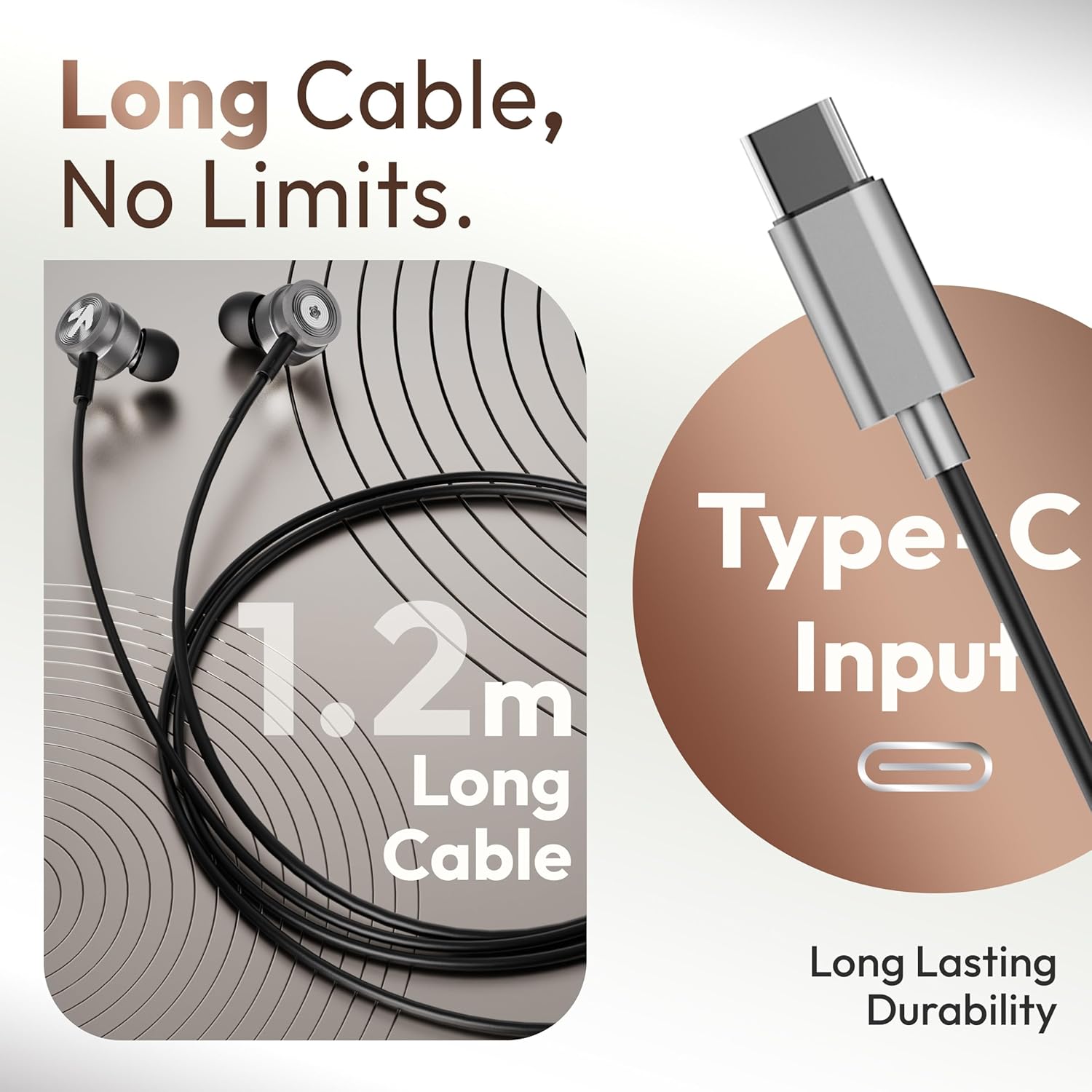
Image: The GOBOULT XO Pro earphones feature a 1.2m long Type-C cable for reliable connectivity.
2. නිවැරදි කන් ඉඟි තෝරා ගැනීම
Properly sized eartips are crucial for comfort, sound quality, and noise isolation.
- Experiment with the different sizes of eartips provided.
- Select the size that creates a snug seal in your ear canal without causing discomfort. A good seal enhances bass response and blocks external noise.
3. ඉයර්ෆෝන් පැළඳීම
Insert the earphones gently into your ears. The ergonomic design ensures a secure and comfortable fit for extended listening sessions.

Image: The earphones are designed for comfort with an ergonomic, feather-light, and snug fit.
මෙහෙයුම් උපදෙස්
The GOBOULT XO Pro earphones are equipped with an in-line remote for easy control of audio and calls.

Image: The in-line connector provides convenient access to music and call controls.
සංගීත වාදනය
- වාදනය/විරාමය: බහුකාර්ය බොත්තම එක් වරක් ඔබන්න.
- ඊළඟ ධාවන පථය: බහුකාර්ය බොත්තම ඉක්මනින් දෙවරක් ඔබන්න.
- පෙර ධාවන පථය: බහුකාර්ය බොත්තම තුන් වරක් ඉක්මනින් ඔබන්න.
- ශබ්ද පාලනය: Use the volume up (+) and volume down (-) buttons on the in-line remote.
ඇමතුම් කළමනාකරණය
- පිළිතුර/අවසන් ඇමතුම: Press the multi-function button once during an incoming call or an active call.
- ඇමතුම ප්රතික්ෂේප කරන්න: ලැබෙන ඇමතුමක් අතරතුර බහුකාර්ය බොත්තම ඔබාගෙන තත්පර 2ක් පමණ අල්ලාගෙන සිටින්න.
හඬ සහායක
- හ oice සහකාර සක්රිය කරන්න: Press and hold the multi-function button for approximately 2 seconds (when not on a call) to activate your device's voice assistant (e.g., Google Assistant, Siri).

Image: The earphones offer IPX5 water resistance and support voice assistant activation.
නඩත්තු කිරීම
පිරිසිදු කිරීම
- Gently wipe the earphones and cable with a soft, dry, lint-free cloth.
- Remove eartips and clean them separately with mild soap and water if necessary. Ensure they are completely dry before reattaching.
- දරුණු රසායනික ද්රව්ය, පිරිසිදු කිරීමේ ද්රාවණ හෝ ශක්තිමත් ඩිටර්ජන්ට් භාවිතා නොකරන්න.
ගබඩා කිරීම
- Store the earphones in a clean, dry place when not in use.
- අධික උෂ්ණත්වය සහ සෘජු හිරු එළියෙන් වළකින්න.
- Do not wrap the cable too tightly to prevent damage. The tangle-free cable design helps maintain its integrity.
ජල ප්රතිරෝධය (IPX5)
The GOBOULT XO Pro earphones are IPX5 water resistant, meaning they can withstand splashes and sweat. This makes them suitable for workouts and light rain exposure.
- ඉයර්ෆෝන් වතුරේ ගිල්වන්න එපා.
- Avoid exposing them to pressurized water or high-velocity water streams.
- Ensure the Type-C port is dry before connecting to a device.
දෝෂගවේෂණය
| ගැටලුව | විය හැකි හේතුව | විසඳුම |
|---|---|---|
| ශබ්දය හෝ අඩු පරිමාවක් නොමැත |
|
|
| මයික්රෆෝනය ක්රියා නොකරයි |
|
|
| Sound quality is poor (e.g., weak bass, tinny sound) |
|
|
| In-line controls not responding |
|
|
පිරිවිතර

Image: The GOBOULT XO Pro features 10mm dynamic drivers for enhanced bass and high-fidelity sound.
| විශේෂාංගය | විස්තර |
|---|---|
| මාදිලියේ නම | XO Pro |
| සම්බන්ධතා තාක්ෂණය | Wired (Type-C) |
| ශ්රව්ය ධාවක වර්ගය | ගතික ධාවකය |
| ශ්රව්ය ධාවක ප්රමාණය | මිලිමීටර 10 යි |
| සංඛ්යාත ප්රතිචාරය | 20 Hz |
| සංවේදීතාව | 102 dB |
| ජල ප්රතිරෝධක මට්ටම | IPX5 ජල ප්රතිරෝධක |
| පාලන වර්ගය | තල්ලු බොත්තම, හඬ |
| ශබ්ද පාලන විශේෂාංග | ශබ්ද හුදකලා කිරීම |
| කේබල් දිග | ආසන්න වශයෙන් මීටර් 1.2 කි |
| ද්රව්ය | ලෝහ, සිලිකොන් |
| අයිතමයේ බර | ග්රෑම් 13 යි |
| ගැළපෙන උපාංග | Cellphones, Desktops, Laptops, Tablets (with Type-C audio output) |
වගකීම් සහ සහාය
Your GOBOULT XO Pro earphones come with a warranty. Please refer to the included Warranty Card for detailed information regarding warranty terms, conditions, and duration.
For technical support, service, or further inquiries, please contact GOBOULT customer service through the contact information provided on your Warranty Card or the official GOBOULT webඅඩවිය.