
1. හැඳින්වීම
Thank you for choosing the Inwa MZ-320 Outdoor Bluetooth Speakers. This manual provides essential information for the safe and efficient use of your speakers. Please read it thoroughly before operation and retain it for future reference.
The Inwa MZ-320 speakers are designed for outdoor use, featuring IPX5 waterproofing, beat-driven light shows, and the ability to link up to 100 speakers wirelessly for an immersive audio experience.

Image 1.1: Two Inwa MZ-320 Outdoor Bluetooth Speakers.
2. පැකේජ අන්තර්ගතය
කරුණාකර පහත අයිතම සඳහා පැකේජය පරීක්ෂා කරන්න:
- Inwa MZ-320 Outdoor Bluetooth Speaker (2 units)
- Power Cable (2 units)
- පරිශීලක අත්පොත (මෙම ලේඛනය)
3. නිෂ්පාදන අවසන්view
The Inwa MZ-320 features a robust design suitable for various environments. Key components include:
- Full-range Drivers: Two 3-inch drivers for clear audio output.
- Bass Radiators: Two passive bass radiators for enhanced low-frequency sound.
- පාලන පුවරුව: Located at the base for power, Bluetooth, light, and volume adjustments.
- AUX IN තොට: රැහැන්ගත ශ්රව්ය සම්බන්ධතා සඳහා.
- ඒකාබද්ධ හසුරුව: අතේ ගෙන යා හැකි බව සඳහා.

Image 3.1: Internal speaker components, including drivers and bass radiators.

Image 3.2: Sound output and bass radiation plate design.
පාලන පැනල් කාර්යයන්

රූපය 3.3: විස්තරාත්මක view බොත්තම් විස්තර සහිත පාලක පැනලයේ.
- බල බොත්තම: ස්පීකරය සක්රිය හෝ අක්රිය කිරීමට ඔබා අල්ලාගෙන සිටින්න.
- Bluetooth/Connect Button: Press to enter Bluetooth pairing mode. Press and hold to disconnect current Bluetooth device.
- ආලෝක බොත්තම: ආලෝක මාදිලි හරහා චක්රීය කිරීමට ඔබන්න.
- Color Timer Button: Press to set light duration (2H, 4H, 6H, 8H).
- Set Up the Host (TWS Pairing) Button: Used for linking multiple speakers.
- ශබ්ද බොත්තම් (+/-): ශබ්දය සකස් කිරීමට ඔබන්න.
4. පිහිටුවීම
4.1 කථිකයා ආරෝපණය කිරීම
Before first use, fully charge the speaker. Connect the provided power cable to the speaker's charging port and a suitable power source. The charging indicator will show the charging status.
4.2 බලය සක්රිය / අක්රිය
- බල ගැන්වීමට: දර්ශක ආලෝකය දැල්වෙන තුරු බල බොත්තම ඔබාගෙන සිටින්න.
- බලය අක්රිය කිරීමට: දර්ශක ආලෝකය නිවී යන තුරු බල බොත්තම ඔබාගෙන සිටින්න.
4.3 බ්ලූටූත් යුගල කිරීම
- ස්පීකරය ක්රියාත්මක කර ඇති බව සහතික කර ගන්න.
- Press the Bluetooth/Connect button to enter pairing mode. The Bluetooth indicator will flash.
- ඔබගේ උපාංගයේ (ස්මාර්ට්ෆෝන්, ටැබ්ලටය, ආදිය), බ්ලූටූත් සක්රීය කර පවතින උපාංග සොයන්න.
- Select "Inwa MZ-320" from the list.
- Once connected, the Bluetooth indicator will stop flashing and remain solid.
4.4 Linking Multiple Speakers (TWS Function)
The Inwa MZ-320 speakers support wireless linking for a stereo or multi-speaker setup.

Image 4.1: Multiple speakers linked for an outdoor audio system.
- Power on all speakers you wish to link.
- Pair one speaker to your Bluetooth device as described in section 4.3. This will be the primary speaker.
- On the primary speaker, press the "Set Up the Host" button.
- On the secondary speakers, press the "Set Up the Host" button. They will automatically search for and connect to the primary speaker.
- Once connected, all linked speakers will play audio from your device.
5. මෙහෙයුම
5.1 ශ්රව්ය නැවත ධාවනය
After successful Bluetooth pairing, play audio from your connected device. Use the volume buttons on the speaker or your device to adjust the sound level.
5.2 Light Show Functions
The speakers feature a beat-driven light show.
- ඔබන්න ආලෝකමත් කරන්න button to cycle through various light modes and colors.
- ඔබන්න Color Timer button to set a timer for the lights (e.g., 2 hours, 4 hours).

Image 5.1: Speaker displaying dynamic light effects during use.
5.3 AUX ආදානය
For devices without Bluetooth, use the AUX IN port.

Image 5.2: Connecting an audio device via AUX IN port.
- Connect one end of a 3.5mm audio cable (not included) to the speaker's AUX IN port.
- Connect the other end to the audio output of your device.
- ස්පීකරය ස්වයංක්රීයව AUX ආදාන ප්රකාරයට මාරු වේ.
6. නඩත්තු කිරීම
6.1 ජල ආරක්ෂණය
The Inwa MZ-320 speakers are IPX5 waterproof, meaning they are protected against low-pressure water jets from any direction. They are suitable for outdoor use in light rain or splash environments.
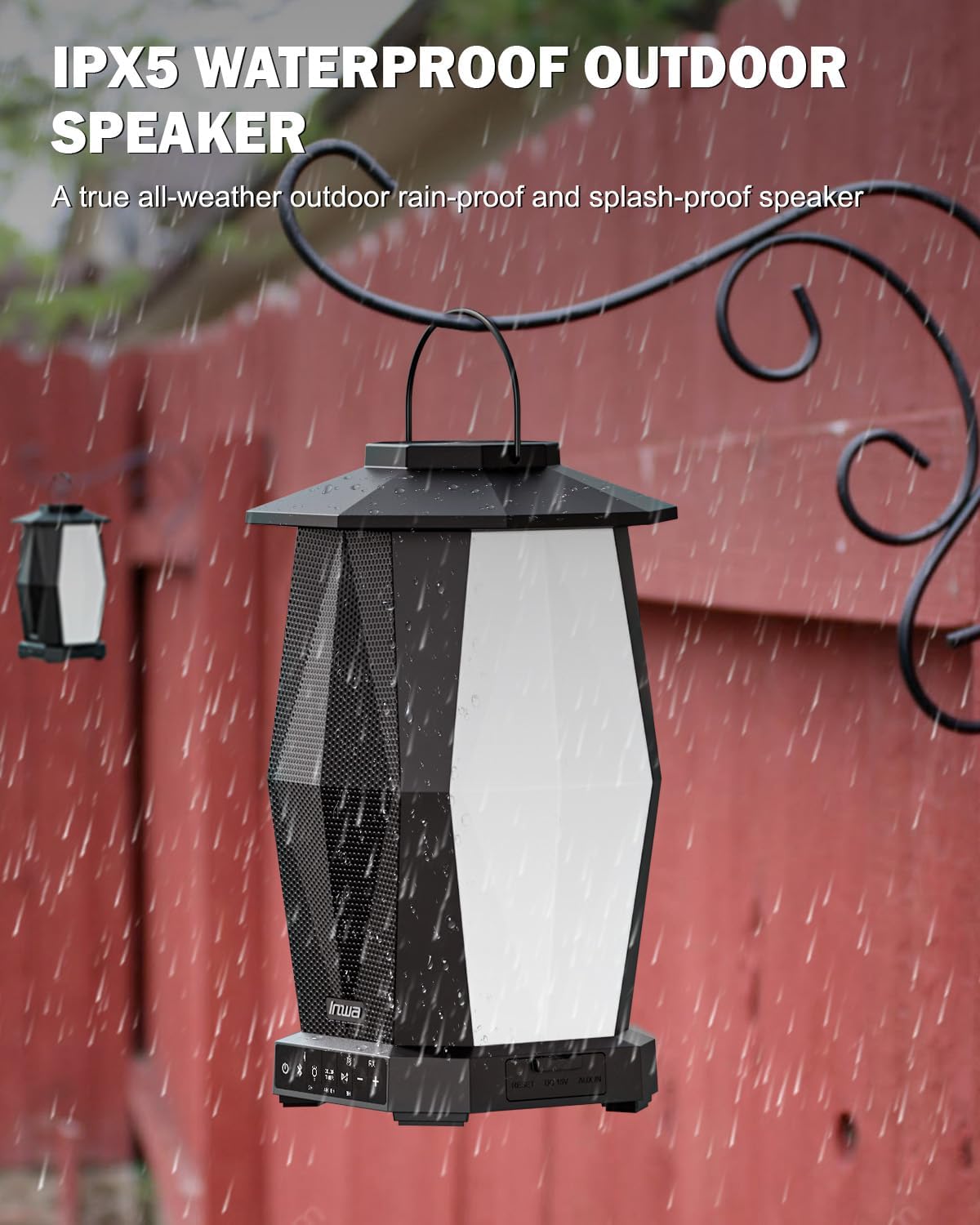
Image 6.1: Speaker in a rain environment, highlighting its waterproof feature.
වැදගත්:
- ස්පීකරය වතුරේ ගිල්වන්න එපා.
- Ensure the charging port and AUX IN port covers are securely closed when exposed to water.
6.2 පිරිසිදු කිරීම
ශබ්ද විකාශන යන්ත්රය මෘදු ලෙස පිස දමන්න, ඩීamp රෙදි. උල්ෙල්ඛ පිරිසිදු කරන්නන් හෝ ද්රාවණ භාවිතා නොකරන්න.
6.3 ගබඩා කිරීම
දීර්ඝ කාලයක් තිස්සේ භාවිතයේ නොමැති විට සෘජු හිරු එළියෙන් සහ අධික උෂ්ණත්වයන්ගෙන් ඈත්ව සිසිල් වියළි ස්ථානයක ස්පීකරය ගබඩා කරන්න.
7. දෝශ නිරාකරණය
| ගැටලුව | විය හැකි හේතුව | විසඳුම |
|---|---|---|
| ස්පීකරය ක්රියාත්මක නොවේ. | අඩු බැටරි. | සපයා ඇති බල කේබලය භාවිතයෙන් ස්පීකරය ආරෝපණය කරන්න. |
| බ්ලූටූත් හරහා යුගල කළ නොහැක. | ස්පීකරය යුගල කිරීමේ ආකාරයෙන් නොමැත; උපාංගයේ බ්ලූටූත් ක්රියා විරහිතයි; ස්පීකරයෙන් ඉතා දුරින්. | Ensure speaker is in pairing mode (flashing indicator). Turn on device Bluetooth. Move device closer to speaker (within 33 feet/10 meters). |
| ශබ්දයක් නැත. | ශබ්දය ඉතා අඩුයි; වැරදි ආදාන ප්රකාරය; උපාංගය ශ්රව්ය වාදනය නොකරයි. | Increase speaker and device volume. Ensure correct input (Bluetooth or AUX). Verify audio is playing on the connected device. |
| Multiple speakers not linking. | Incorrect TWS pairing procedure. | Follow the TWS linking steps in section 4.4 carefully. Ensure only one speaker is paired to your device initially. |
8. පිරිවිතර
| විශේෂාංගය | පිරිවිතර |
|---|---|
| මාදිලියේ නම | MZ320 |
| ස්පීකර් වර්ගය | එළිමහන් බ්ලූටූත් ස්පීකර් |
| සම්බන්ධතා තාක්ෂණය | බ්ලූටූත් |
| රැහැන් රහිත සන්නිවේදන තාක්ෂණය | රැහැන් රහිත බ්ලූටූත් |
| ජල ප්රතිරෝධක මට්ටම | IPX5 (ජල ආරක්ෂිත) |
| බලශක්ති ප්රභවය | බැටරි බලයෙන් |
| බැටරි වර්ගය | 1 Lithium Ion බැටරි (ඇතුළත්) |
| බැටරි ධාරිතාව | 6600 මිලිamp පැය |
| ස්පීකර් උපරිම නිමැවුම් බලය | වොට් 25 |
| ශ්රව්ය ධාවක වර්ගය | ගතික ධාවකය |
| නිෂ්පාදන මානයන් | 7.1"D x 7.1"W x 11.4"H |
| අයිතමයේ බර | රාත්තල් 12 (යුගලයකට) |
| පාලන ක්රමය | තල්ලු බොත්තම |
| ඇතුළත් සංරචක | Manual, Power Cable |
9. වගකීම් සහ සහාය
9.1 වගකීම් තොරතුරු
The Inwa MZ-320 speakers come with a වසර 1ක වගකීමක් මිලදී ගත් දින සිට. මෙම වගකීම් සහතිකය සාමාන්ය භාවිතය යටතේ නිෂ්පාදන දෝෂ ආවරණය කරයි. අනිසි භාවිතය, අනතුරු, අනවසර වෙනස් කිරීම් හෝ සාමාන්ය ගෙවී යාම සහ ඉරීම හේතුවෙන් සිදුවන හානිය එය ආවරණය නොකරයි.
9.2 පාරිභෝගික සහාය
For technical assistance, warranty claims, or any questions regarding your Inwa MZ-320 speakers, please contact Inwa customer support through the retailer's platform or the official Inwa webඅඩවිය.