
1. හැඳින්වීම
Thank you for choosing SUNJOM Freepods Over-Ear Headphones. These headphones are designed to provide a high-quality audio experience with advanced features such as Active Noise Cancellation (ANC), Bluetooth 5.4 connectivity, and extended battery life. This manual will guide you through the setup, operation, and maintenance of your new headphones.

Image: SUNJOM Freepods Over-Ear Headphones in Silver.
2. පෙට්ටියේ ඇති දේ
සියලුම අයිතම පවතින බව සහතික කර ගැනීමට කරුණාකර පැකේජයේ අන්තර්ගතය පරීක්ෂා කරන්න:
- SUNJOM Freepods Over-Ear Headphones
- ආරෝපණ කේබල් (Type-C)
- 3.5mm ශ්රව්ය කේබල්
- පරිශීලක අත්පොත
3. නිෂ්පාදන අවසන්view
The SUNJOM Freepods headphones feature an ergonomic design for comfortable wear and intuitive controls for easy operation. Familiarize yourself with the main components and controls:

Image: Detailed diagram of headphone controls for playback, volume, and ANC.
වීඩියෝ: නිල නිෂ්පාදනය අවසන්view of SUNJOM Freepods 120H Playtime Wireless Over-Ear Headphones, highlighting key features and design.
ප්රධාන ලක්ෂණ:
- ක්රියාකාරී ශබ්ද අවලංගු කිරීම (ANC): Reduces external environmental noise for an immersive listening experience.
- විනිවිදභාවය ප්රකාරය: ශ්රව්ය රස විඳින අතරතුර ඔබේ වටපිටාවට සවන් දීමට ඔබට ඉඩ සලසයි.
- බ්ලූටූත් 5.4: Ensures stable and seamless wireless connection with a range of up to 33 feet (10 meters).
- පැය 120 ක්රීඩා කාලය: Extended battery life for long listening sessions (ANC off, 50% volume).
- බිල්ට් මයික්රෆෝනය: Provides clear audio for hands-free calls and video conferences.
- බහු ලක්ෂ්ය සම්බන්ධතාවය: Connects to two devices simultaneously, allowing seamless switching between them.
- 40mm ගතික ධාවක: Delivers hi-fi stereo audio with rich bass and clear sound.
4. පිහිටුවීම
4.1 හෙඩ්ෆෝන් ආරෝපණය කිරීම
Before first use, fully charge your headphones. A full charge takes approximately 4 hours and provides up to 120 hours of playtime (with ANC off at 50% volume).
- සපයා ඇති Type-C ආරෝපණ කේබලය හෙඩ්ෆෝන්වල ආරෝපණ වරායට සම්බන්ධ කරන්න.
- කේබලයේ අනෙක් කෙළවර USB බල ප්රභවයකට සම්බන්ධ කරන්න (උදා: පරිගණකය, බිත්ති ඇඩැප්ටරය).
- The LED indicator will show the charging status and turn off when fully charged.

Image: Graphic illustrating the 120-hour battery life of SUNJOM Freepods headphones.
4.2 බ්ලූටූත් යුගල කිරීම
Pair your headphones with your device using Bluetooth 5.4 technology for a stable connection.
- හෙඩ්ෆෝන් ආරෝපණය කර ක්රියා විරහිත කර ඇති බවට වග බලා ගන්න.
- Press and hold the power button (refer to Product Overview for button location) until the LED indicator flashes, indicating pairing mode.
- ඔබගේ උපාංගයේ (ස්මාර්ට්ෆෝන්, ටැබ්ලටය, ලැප්ටොප්), බ්ලූටූත් සක්රීය කර පවතින උපාංග සොයන්න.
- Select "Freepods" from the list of devices.
- සම්බන්ධ වූ පසු, LED දර්ශකය ස්ථාවර ආලෝකයකට හෝ සෙමින් දැල්වෙනු ඇත.

Image: The SUNJOM Freepods headphones connected wirelessly to a smartphone, demonstrating Bluetooth 5.4 technology.
5. මෙහෙයුම් උපදෙස්
5.1 බලය සක්රිය / අක්රිය
- බල ගැන්වීම: LED දර්ශකය දැල්වෙන තුරු බල බොත්තම තත්පර 3ක් පමණ ඔබාගෙන සිටින්න.
- විදුලිය විසන්ධි කිරීම: LED දර්ශකය ක්රියා විරහිත වන තෙක් බල බොත්තම තත්පර 5ක් පමණ ඔබාගෙන සිටින්න.
5.2 සංගීත වාදනය
- වාදනය/විරාමය: බහුකාර්ය බොත්තම එක් වරක් ඔබන්න.
- ඊළඟ ධාවන පථය: බහුකාර්ය බොත්තම දෙවරක් ඔබන්න.
- පෙර ධාවන පථය: බහුකාර්ය බොත්තම තුන් වරක් ඔබන්න.
- ශබ්දය වැඩි/පහළ: Use the volume dial (refer to Product Overview ස්ථානය සඳහා).
5.3 ක්රියාකාරී ශබ්ද අවලංගු කිරීම (ANC) සහ විනිවිදභාවය ප්රකාරය
The headphones offer two distinct listening modes:
- ANC සක්රිය කරන්න: Press the ANC button once to enable Active Noise Cancellation. This mode reduces ambient noise.
- විනිවිදභාවය ප්රකාරය සක්රිය කරන්න: Press the ANC button again to switch to Transparency Mode, allowing you to hear your surroundings.
- Deactivate ANC/Transparency: Press the ANC button a third time to turn off both modes.
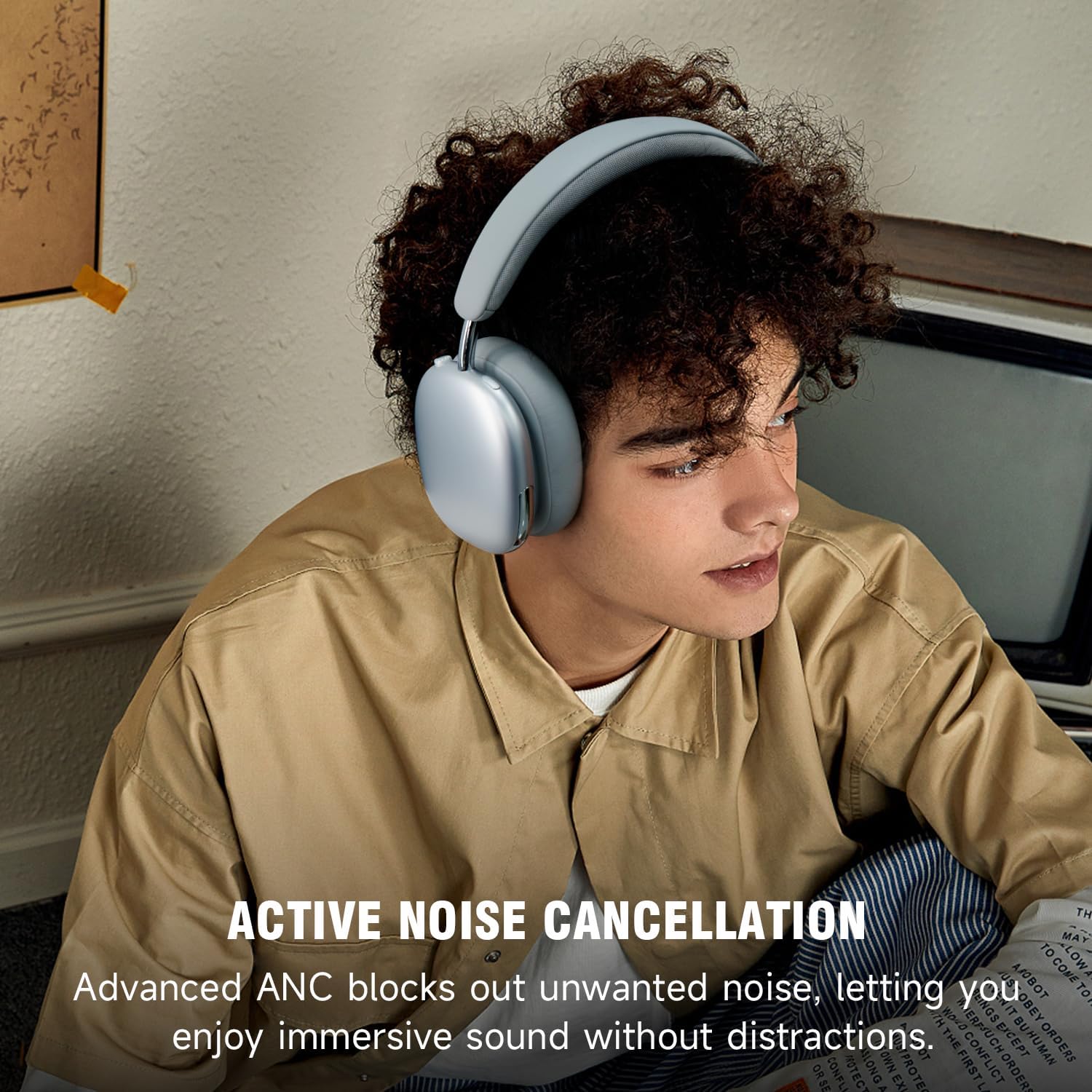
Image: A person wearing SUNJOM Freepods headphones, illustrating the active noise cancellation feature.
5.4 ඇමතුම් කළමනාකරණය
- පිළිතුර/අවසන් ඇමතුම: බහුකාර්ය බොත්තම එක් වරක් ඔබන්න.
- ඇමතුම ප්රතික්ෂේප කරන්න: බහුකාර්ය බොත්තම තත්පර 2 ක් ඔබාගෙන සිටින්න.
5.5 බහු ලක්ෂ්ය සම්බන්ධතාවය
The headphones can connect to two Bluetooth devices simultaneously, allowing you to seamlessly switch between them.
- Pair the headphones with the first device (e.g., smartphone) as described in Section 4.2.
- පළමු උපාංගයේ බ්ලූටූත් විසන්ධි කරන්න.
- Pair the headphones with the second device (e.g., laptop).
- Reconnect Bluetooth on the first device. The headphones will now be connected to both devices.
- Audio will automatically switch to the device that is actively playing sound or receiving a call.

Image: SUNJOM Freepods headphones connected to a smartphone and a laptop, demonstrating multipoint connection.
5.6 රැහැන්ගත මාදිලිය
If the battery runs out or for wired connection, use the included 3.5mm audio cable.
- Connect one end of the 3.5mm audio cable to the headphone's audio jack.
- Connect the other end to your audio source's 3.5mm port.
6. නඩත්තු කිරීම
- පිරිසිදු කිරීම: හෙඩ්ෆෝන් පිරිසිදු කිරීම සඳහා මෘදු වියළි රෙද්දක් භාවිතා කරන්න. උල්ෙල්ඛ පිරිසිදු කරන්නන් හෝ ද්රාවක භාවිතා නොකරන්න.
- ගබඩා: හෙඩ්ෆෝන් සෘජු හිරු එළියෙන් සහ අධික උෂ්ණත්වයන්ගෙන් ඈත්ව සිසිල් වියළි ස්ථානයක ගබඩා කරන්න.
- ජලයෙන් වළකින්න: හෙඩ්ෆෝන් ජලයට හෝ අධික තෙතමනයට නිරාවරණය නොකරන්න.
7. දෝශ නිරාකරණය
| ගැටලුව | විසඳුම |
|---|---|
| හෙඩ්ෆෝන් ක්රියාත්මක නොවේ. | හෙඩ්ෆෝන් සම්පූර්ණයෙන්ම ආරෝපණය වී ඇති බව සහතික කර ගන්න. බල ප්රභවයකට සම්බන්ධ කර නැවත උත්සාහ කරන්න. |
| උපාංගයක් සමඟ යුගල කළ නොහැක. |
|
| ශබ්දයක් නැත හෝ අඩු පරිමාවක් නැත. |
|
| ANC is not working effectively. | Ensure the ANC mode is activated. Check that the earcups form a good seal around your ears. |
8. පිරිවිතර
| විශේෂාංගය | විස්තර |
|---|---|
| මාදිලියේ නම | Freepods |
| ශබ්ද පාලනය | ක්රියාකාරී ශබ්ද අවලංගු කිරීම, විනිවිදභාවය ප්රකාරය |
| සම්බන්ධතා තාක්ෂණය | රැහැන්ගත, රැහැන් රහිත (බ්ලූටූත්) |
| රැහැන් රහිත සන්නිවේදන තාක්ෂණය | බ්ලූටූත් 5.4 |
| බ්ලූටූත් පරාසය | මීටර් 10 (අඩි 33) |
| ශ්රව්ය ධාවක වර්ගය | ගතික ධාවකය |
| ශ්රව්ය ධාවක ප්රමාණය | මිලිමීටර් 40 යි |
| සංඛ්යාත ප්රතිචාරය | 2.48 GHz |
| සංවේදීතාව | 120 dB |
| සම්බාධනය | 32 ඕම් |
| බැටරි ආයු කාලය | Up to 120 Hours (ANC off, 50% volume) |
| ආරෝපණ කාලය | පැය 4 යි |
| හෙඩ්ෆෝන් ජැක් | 3.5 mm ජැක් |
| පාලන වර්ගය | බොත්තම් පාලනය |
| ද්රව්ය | සම්, ලෝහ, ප්ලාස්ටික් |
| අයිතමයේ බර | අවුන්ස 8.5 (රාත්තල් 0.53) |
| නිෂ්පාදන මානයන් | අඟල් 8.27 x 7.48 x 1.97 |
9. වගකීම් සහ සහාය
SUNJOM products are designed and manufactured to the highest quality standards. For detailed warranty information and customer support, please refer to the warranty card included in your package or visit the official SUNJOM webඅඩවිය.
If you encounter any issues or have questions regarding your Freepods headphones, please contact SUNJOM customer service for assistance.