
1. නිෂ්පාදන අවසන්view
The VCOROS VR1 Motorcycle Helmet Bluetooth Headset is designed to provide clear audio communication, music playback, and voice assistant functionality for motorcyclists. It features a slim design, robust connectivity, and durable construction suitable for various riding conditions.

Figure 1: VCOROS VR1 Main Unit and Speaker/Microphone Assembly

රූපය 2: නිෂ්පාදනය අවසන්view ලේබල් කළ සංරචක සමඟ
- "+" බොත්තම: ශබ්දය වැඩි කිරීම / ඊළඟ ගීතය
- "-" බොත්තම: ශබ්දය අඩු කිරීම / පෙර ගීතය
- වාදනය/විරාම බොත්තම: Answer/Hangup/Call Back/Reject, Play/Pause Music
- AI Assistant Button: හඬ සහායක සක්රිය කරන්න
- බල බොත්තම: බලය සක්රිය / අක්රිය
- ආරෝපණ දර්ශකය: රතු LED
- Bluetooth Working Indicator: නිල් LED
- Speaker/Microphone Interface: Connects headset components
- Type-C Charging Port: උපාංගය ආරෝපණය කිරීම සඳහා
2. පැකේජ අන්තර්ගතය
පහත ලැයිස්තුගත කර ඇති සියලුම අයිතම ඔබේ පැකේජයට ඇතුළත් කර ඇති බව කරුණාකර සත්යාපනය කරන්න:

රූපය 3: ඇතුළත් උපාංග
- 1 x Bluetooth Headset Unit
- 1 x Set of Earphones with Soft Microphone
- 1 x පරිශීලක අත්පොත
- 1 x Installation Clip Base
- 5 x Velcro Pads for Installation
- 1 x Type-C Charging Cable
3. ස්ථාපනය
The VCOROS VR1 headset offers two primary installation methods: clip-on and velcro. For enhanced stability, it is recommended to use both the clip base and velcro pads together.
3.1. Preparing Your Helmet
Ensure the inner lining of your helmet is clean and dry where the headset and speakers will be mounted.
3.2 ස්පීකර් ස්ථාපනය
- Identify suitable locations inside your helmet for the speakers, typically within the ear pockets.
- Attach the velcro pads to the back of the speakers.
- Securely press the speakers into the helmet's ear pockets.
- Route the speaker wires discreetly under the helmet's padding to the desired location for the main unit.
3.3. මයික්රෆෝන ස්ථාපනය
The VR1 comes with a soft microphone, suitable for most full-face helmets. Position the microphone close to your mouth for optimal voice clarity, typically along the cheek pad or chin bar.
3.4. ප්රධාන ඒකක ස්ථාපනය
- Clip-on Method: Slide the clip base between the helmet shell and the inner padding on the left side of the helmet. Ensure it is firmly secured.
- Velcro Method: Attach the adhesive velcro pad to the exterior of the helmet where you wish to mount the main unit.
- Slide the main unit onto the clip base or press it firmly onto the velcro pad until it is securely attached.
- Connect the speaker/microphone cable to the interface port on the main unit.
රූපය 4: ස්ථාපන රූප සටහන
Note: For optimal stability, it is recommended to use both the clip base and the velcro pads together for mounting the main unit.
4. මෙහෙයුම
4.1. බලය සක්රිය / අක්රිය කරන්න
- බල ගැන්වීම: Press and hold the Power button until the blue indicator light flashes and you hear a "Power On" voice prompt.
- විදුලිය විසන්ධි කිරීම: Press and hold the Power button until the red indicator light flashes and you hear a "Power Off" voice prompt.
4.2. බ්ලූටූත් යුගලනය
- හෙඩ්සෙට් එක ක්රියා විරහිත කර ඇති බවට සහතික වන්න.
- Press and hold the Power button for approximately 5-7 seconds until the blue and red indicator lights flash alternately, indicating pairing mode. You will hear a "Pairing" voice prompt.
- On your mobile device, enable Bluetooth and search for "VR1".
- Select "VR1" to connect. Once connected, the blue indicator light will flash slowly, and you will hear a "Connected" voice prompt.
4.3. සංගීත පාලනය
- වාදනය/විරාමය: Play/Pause බොත්තම කෙටි ඔබන්න.
- ඊළඟ ගීතය: "+" බොත්තම කෙටියෙන් ඔබන්න.
- පෙර ගීතය: "-" බොත්තම කෙටියෙන් ඔබන්න.
- පරිමාව: "+" බොත්තම දිගු වේලාවක් ඔබන්න.
- ශබ්දය පහළට: "-" බොත්තම දිගු වේලාවක් ඔබන්න.
4.4. ඇමතුම් කළමනාකරණය
- පිළිතුරු ඇමතුම: එන ඇමතුමක් නාද වන විට Play/Pause බොත්තම කෙටියෙන් ඔබන්න.
- ඇමතුම අවසන් කරන්න: ඇමතුමක් අතරතුර Play/Pause බොත්තම කෙටියෙන් ඔබන්න.
- ඇමතුම ප්රතික්ෂේප කරන්න: එන ඇමතුමක් නාද වන විට Play/Pause බොත්තම දිගු වේලාවක් ඔබන්න.
- අවසාන අංකය නැවත අමතන්න: Play/Pause බොත්තම දෙවරක් ඔබන්න.
4.5. AI හඬ සහායක
The VR1 supports AI voice control for both Android and Apple systems.
- හ oice සහකාර සක්රිය කරන්න: Short press the AI Assistant button (microphone icon) to wake up your device's voice assistant (e.g., Siri, Google Assistant).

Figure 5: AI Voice Assistant in Use
5. ආරෝපණය සහ බැටරි ආයු කාලය
The VCOROS VR1 headset is equipped with a rechargeable lithium-ion battery, providing extended usage times.
- ආරෝපණ කාලය: සම්පූර්ණ ආරෝපණය සඳහා ආසන්න වශයෙන් පැය 2.5 ක්.
- අඛණ්ඩ වැඩ කරන කාලය: Up to 25 hours (music playback).
- Continuous Call Time: පැය 20 දක්වා.
- පොරොත්තු කාලය: පැය 270 දක්වා.
5.1. අයකිරීම් උපදෙස්
- සපයා ඇති Type-C ආරෝපණ කේබලය හෙඩ්සෙට් එකේ ආරෝපණ තොටට සම්බන්ධ කරන්න.
- කේබලයේ අනෙක් කෙළවර USB බල ප්රභවයකට සම්බන්ධ කරන්න (උදා: පරිගණකය, බිත්ති ඇඩැප්ටරය).
- The charging indicator (red LED) will illuminate during charging and turn off once fully charged.

රූපය 6: බැටරි ආයු කාලය අවසන්view
6. Waterproof and Dustproof Features
The VCOROS VR1 headset boasts an IPX6 waterproof rating, ensuring reliable performance even in challenging weather conditions.
- IPX6 ශ්රේණිගත කිරීම: Protected against powerful water jets. This means the device can withstand heavy rain and splashes, making it suitable for use during motorcycle rides in various weather.
- The tightly structured and solid waterproof design effectively blocks dust and rain from invading the internal components, allowing for worry-free travel.

Figure 7: IPX6 Waterproof Demonstration
7. Audio Quality and Noise Cancellation
Experience high-definition sound with the VCOROS VR1, featuring advanced audio technologies for clear communication and immersive music.
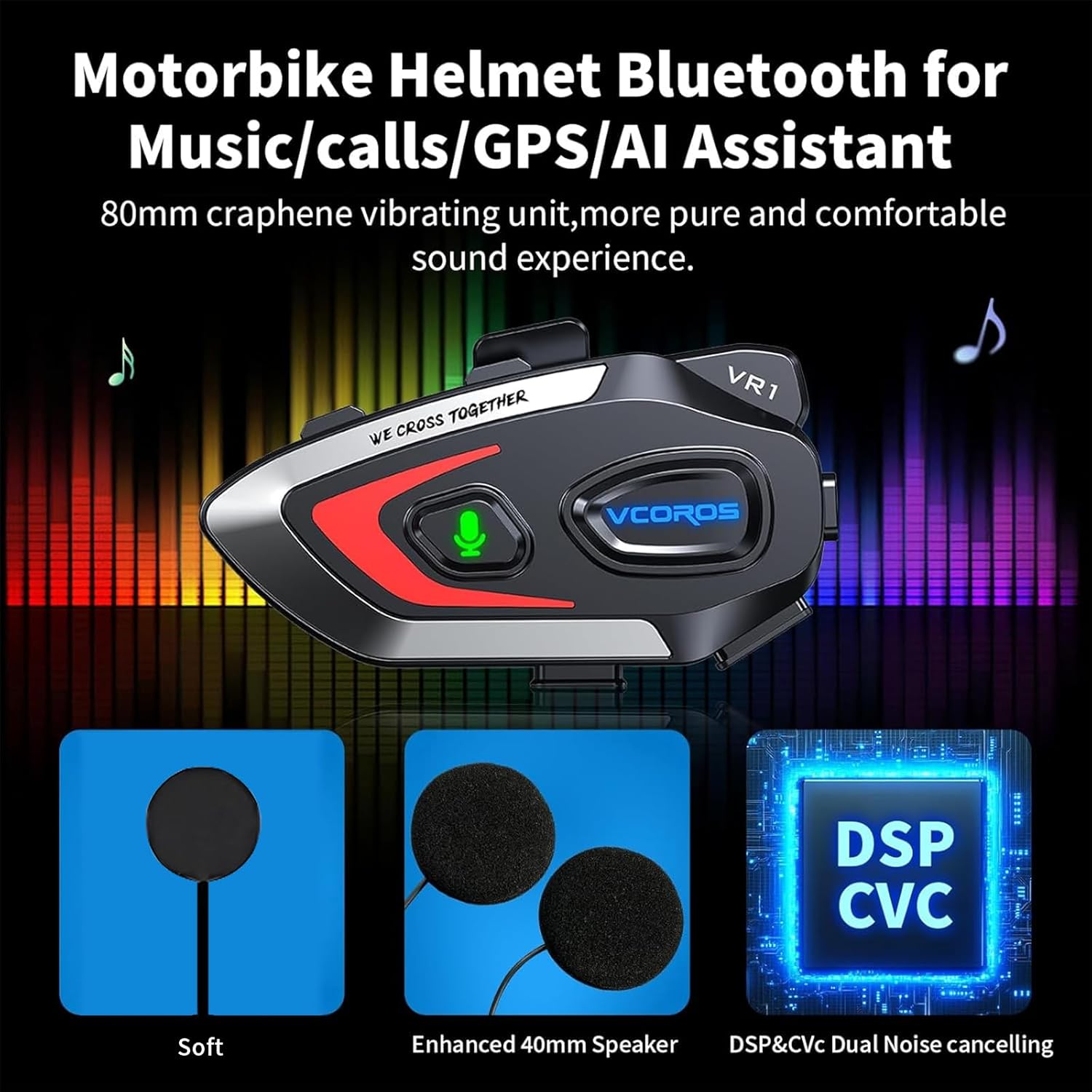
- High-Definition Sound Quality: Equipped with an 80mm graphene vibrating unit for a pure and comfortable sound experience.
- Dual Noise Reduction: Adopts intelligent CVC and DSP dual filter noise reduction technology, effectively reducing ambient noise for clear audio transmission and reception, even at high speeds.
- Enhanced 40mm Speakers: Provides robust and clear audio output.

Figure 8: Audio Technology Details
8. ගැළපුම
The VCOROS VR1 headset is designed for broad compatibility with various helmet types and smart devices.
- හිස්වැසුම් අනුකූලතාව: Suitable for all types of helmets, including Full-face, Modular, Off-road, Retro, and 3/4 helmets. The slim 0.3-inch thick headphones ensure a comfortable fit without pressing against the ears.
- උපාංග ගැළපුම: Connects wirelessly via Bluetooth 5.3 to smartphones, tablets, and other Bluetooth-enabled devices.

Figure 9: Helmet Compatibility
9. පිරිවිතර
| විශේෂාංගය | විස්තර |
|---|---|
| වෙළඳ නාමය | VCOROS |
| ආකෘතිය | VR1 (Soft Mic) |
| සම්බන්ධතා තාක්ෂණය | රැහැන් රහිත (බ්ලූටූත් 5.3) |
| ජල ආරක්ෂිත ශ්රේණිගත කිරීම | IPX6 |
| ශබ්දය අවලංගු කිරීම | CVC and DSP Dual Filter |
| බැටරි වර්ගය | නැවත ආරෝපණය කළ හැකි ලිතියම්-අයන |
| ආරෝපණ කාලය | ආසන්න වශයෙන්. පැය 2.5 යි |
| Working Time (Music) | පැය 25 දක්වා |
| පොරොත්තු කාලය | පැය 270 දක්වා |
| ස්පීකර් විෂ්කම්භය | 40 මි.මී |
| Headphone Thickness | අඟල් 0.3 (ආසන්න වශයෙන් 7.6mm) |
| බර | ග්රෑම් 180 කි |
| ගැළපෙන උපාංග | ස්මාර්ට්ෆෝන්, ටැබ්ලට් |
10 ආරක්ෂිත තොරතුරු
Warning: Use with caution while riding. Do not distract yourself from driving.
- Always prioritize road safety. Using the headset should not impair your ability to hear ambient sounds or focus on driving.
- Adjust volume to a level that allows you to hear emergency vehicles and other important sounds.
- Do not attempt to install or adjust the headset while riding.
- උපාංගය අධික උෂ්ණත්වයන්, සෘජු හිරු එළිය සහ විඛාදන ද්රව්ය වලින් ඈත් කර තබන්න.
- උපාංගය විසුරුවා හැරීම හෝ වෙනස් කිරීම නොකරන්න. මෙය වගකීම් සහතිකය අවලංගු කළ හැකි අතර ආරක්ෂක අවදානම් ඇති කළ හැකිය.
11. දෝශ නිරාකරණය
If you encounter any issues with your VCOROS VR1 headset, please refer to the following common solutions:
11.1. උපාංගය ක්රියාත්මක නොවේ
- Ensure the battery is charged. Connect the headset to a power source using the provided Type-C cable and allow it to charge for at least 30 minutes.
- Press and hold the Power button for a few seconds to confirm it's not just a short press.
11.2. උපාංගය සමඟ යුගල කළ නොහැක.
- හෙඩ්සෙට් එක යුගල කිරීමේ මාදිලියේ ඇති බවට වග බලා ගන්න (රතු සහ නිල් ලයිට් මාරුවෙන් මාරුවට දැල්වෙයි).
- Ensure Bluetooth is enabled on your mobile device and it is within range (typically 10 meters).
- Forget "VR1" from your device's Bluetooth settings and try pairing again.
- Restart both the headset and your mobile device.
11.3. ශබ්දයක් නැත හෝ අඩු ශබ්දයක්
- හෙඩ්සෙට් එකේ සහ ඔබේ සම්බන්ධිත උපාංගයේ ශබ්ද මට්ටම් පරීක්ෂා කරන්න.
- Ensure the speaker wires are securely connected to the main unit.
- Verify that the speakers are correctly positioned within the helmet's ear pockets.
11.4. Poor Microphone Quality
- Ensure the microphone is positioned close to your mouth and not obstructed.
- Check for any damage to the microphone cable or connector.
11.5. අයකිරීම් ගැටළු
- Type-C කේබලය ආරෝපණ තොටට සම්පූර්ණයෙන්ම ඇතුළු කර ඇති බවට වග බලා ගන්න.
- වෙනත් USB බල ඇඩැප්ටරයක් හෝ තොටක් උත්සාහ කරන්න.
- ආරෝපණ කේබලයට හානි සිදුවී නොමැති බව තහවුරු කරගන්න.
12. වගකීම් සහ සහාය
VCOROS products are manufactured to high quality standards. For warranty information, technical support, or service inquiries, please contact VCOROS customer support through the retailer where you purchased the product or visit the official VCOROS webඅඩවිය.
වගකීම් හිමිකම් සඳහා කරුණාකර ඔබගේ මිලදී ගැනීමේ සාක්ෂි තබා ගන්න.