
හැඳින්වීම
Thank you for choosing the JUNJIEUNVO BT1638 Over-Ear Wireless Headphones. This manual provides detailed instructions for the proper use, setup, and maintenance of your headphones. Please read this manual thoroughly before using the product to ensure optimal performance and longevity.

Image: The JUNJIEUNVO BT1638 Over-Ear Wireless Headphones in blue, showcasing their design and padded headband.
පැකේජයේ අන්තර්ගතය
කරුණාකර පහත අයිතම සඳහා පැකේජය පරීක්ෂා කරන්න:
- JUNJIEUNVO BT1638 Over-Ear Wireless Headphones
- USB-C ආරෝපණ කේබලය
- 3.5mm AUX ශ්රව්ය කේබලය
- පරිශීලක අත්පොත (මෙම ලේඛනය)
සැලසුම
1. හෙඩ්ෆෝන් ආරෝපණය කිරීම
පළමු භාවිතයට පෙර, ඔබේ හෙඩ්ෆෝන් සම්පූර්ණයෙන්ම ආරෝපණය කරන්න. සම්පූර්ණ ආරෝපණයක් සඳහා ආසන්න වශයෙන් පැය 2 ක් ගතවේ.
- USB-C ආරෝපණ කේබලය හෙඩ්ෆෝන්වල ආරෝපණ තොටට සම්බන්ධ කරන්න.
- Connect the other end of the USB-C cable to a compatible USB power source (e.g., computer USB port, wall adapter).
- The indicator light will show charging status (e.g., red for charging, blue/off for fully charged). Refer to the LED indicator section for details.
2. බල ගැන්වීම / අක්රිය කිරීම
- බල ගැන්වීම: දර්ශක ආලෝකය දැල්වෙන තුරු බල බොත්තම තත්පර 3ක් පමණ ඔබාගෙන සිටින්න.
- විදුලිය විසන්ධි කිරීම: දර්ශක ආලෝකය නිවී යන තෙක් බල බොත්තම තත්පර 3ක් පමණ ඔබාගෙන සිටින්න.
3. බ්ලූටූත් යුගලනය
The headphones use Bluetooth 5.0 for wireless connectivity, offering a range of up to 33 feet (10 meters).
- හෙඩ්ෆෝන් ක්රියා විරහිත කර ඇති බවට සහතික වන්න.
- Press and hold the Power button for about 5-7 seconds until the indicator light flashes red and blue alternately, indicating pairing mode.
- ඔබගේ උපාංගයේ (ස්මාර්ට්ෆෝන්, ටැබ්ලටය, ලැප්ටොප්), බ්ලූටූත් සක්රීය කර පවතින උපාංග සොයන්න.
- Select "BT1638" or "JUNJIEUNVO BT1638" from the list of found devices.
- Once connected, the indicator light will typically flash blue slowly or remain solid blue.
- මුරපදයක් ඉල්ලා සිටියහොත්, "0000" ඇතුළත් කරන්න.
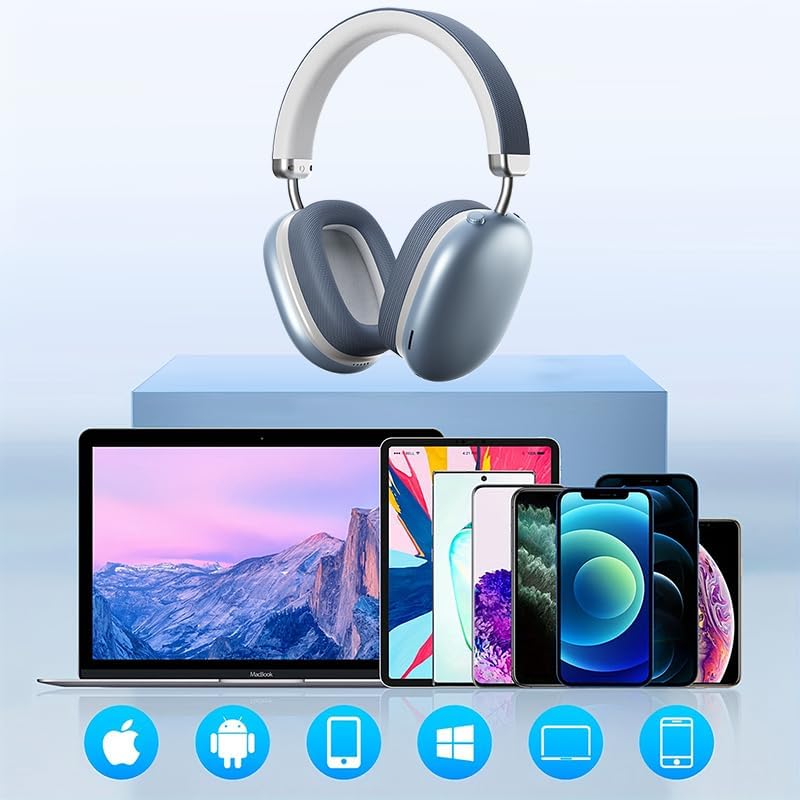
Image: The BT1638 headphones shown with a variety of compatible devices including laptops, smartphones, and tablets, illustrating broad connectivity.
මෙහෙයුම් උපදෙස්
1. මූලික පාලනයන්
The headphones feature button and touch controls for various functions.
- බල බොත්තම: බලය සක්රිය/අක්රිය කරන්න, යුගල කිරීමේ ප්රකාරයට ඇතුළු වන්න.
- ශබ්දය වැඩි කිරීම/ඊළඟ ඛණ්ඩය: ශබ්දය වැඩි කිරීමට කෙටි ඔබන්න, ඊළඟ ධාවන පථය සඳහා දිගු ඔබන්න.
- වෙළුම පහළට/පෙර ඛණ්ඩය: ශබ්දය අඩු කිරීමට කෙටි ඔබන්න, පෙර ධාවන පථය සඳහා දිගු ඔබන්න.
- Multi-function Button (MFB) / Touch Control:
- වාදනය/විරාමය: තනි මුද්රණාලය.
- පිළිතුර/අවසන් ඇමතුම: Single press during an incoming call.
- ඇමතුම ප්රතික්ෂේප කරන්න: ලැබෙන ඇමතුමක් අතරතුර තත්පර 2ක් ඔබාගෙන සිටින්න.
- හ oice සහකාර සක්රිය කරන්න: දෙවරක් ඔබන්න.
2. ශ්රව්ය ප්ලේබැක්
Enjoy high-fidelity (HIFI) sound quality and immersive surround sound with your BT1638 headphones.

Image: The BT1638 headphones, emphasizing their HIFI sound quality and extended battery life of up to 40 hours.
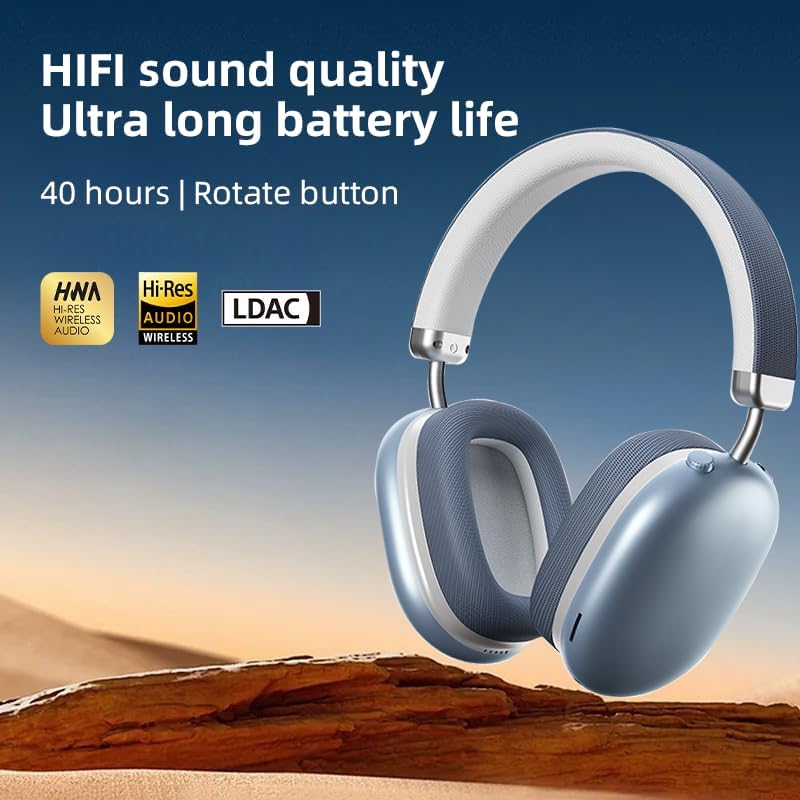
Image: The BT1638 headphones displaying Hi-Res Wireless Audio and LDAC compatibility, indicating advanced audio capabilities.
3. Passive Noise Cancellation
The over-ear design and cushioned ear cups provide passive noise cancellation, reducing ambient sounds for a more focused listening experience.

Image: A visual representation comparing sound waveforms before and after noise reduction, demonstrating the effectiveness of the headphones' passive noise cancellation.
4. රැහැන්ගත සම්බන්ධතාවය (AUX)
For situations where Bluetooth is not available or preferred, you can connect the headphones using an AUX cable.
- Plug one end of the 3.5mm AUX cable into the headphone's AUX port.
- Plug the other end into your audio source's 3.5mm audio jack.
- හෙඩ්ෆෝන් ස්වයංක්රීයව රැහැන්ගත ප්රකාරයට මාරු වේ.
5. සුවපහසුව සහ යෝග්යතාවය
The BT1638 headphones feature an adjustable headband and rotatable earcups for a comfortable and secure fit.

රූපය: සමීප රූපය view illustrating the adjustable telescopic headband and earcups that can rotate 90 degrees, allowing for a customized and comfortable fit.

Image: The soft earmuffs of the BT1638 headphones, designed for comfortable and smooth listening experiences.
නඩත්තු කිරීම
Proper care will extend the life and performance of your headphones.
- පිරිසිදු කිරීම: Use a soft, dry, lint-free cloth to clean the surfaces of the headphones. Do not use harsh chemicals, cleaning solvents, or strong detergents.
- කන් කුෂන්: The memory foam and fabric ear cushions can be gently wiped with a slightly damp cloth if necessary, then allowed to air dry completely.
- ගබඩා: භාවිතයේ නොමැති විට, හෙඩ්ෆෝන් සෘජු හිරු එළියෙන් සහ අධික උෂ්ණත්වයන්ගෙන් ඈත්ව සිසිල් වියළි ස්ථානයක ගබඩා කරන්න.
- තෙතමනය වළක්වා ගන්න: These headphones are not water-resistant. Avoid exposure to water, rain, or excessive humidity.
- පරිස්සමින් හැසිරවීම: හෙඩ්ෆෝන් බිම හෙළීමෙන් හෝ දැඩි බලපෑම්වලට ලක් කිරීමෙන් වළකින්න.
දෝෂගවේෂණය
| ගැටලුව | විය හැකි හේතුව | විසඳුම |
|---|---|---|
| හෙඩ්ෆෝන් ක්රියාත්මක නොවේ. | අඩු බැටරි. | Charge the headphones for at least 30 minutes. |
| උපාංගය සමඟ යුගල කළ නොහැක. | හෙඩ්ෆෝන් යුගල කිරීමේ මාදිලියේ නැත; උපාංගයේ බ්ලූටූත් ක්රියා විරහිතයි; උපාංගය බොහෝ දුරයි. | Ensure headphones are in pairing mode (flashing red/blue). Turn on Bluetooth on your device. Move device closer to headphones (within 33 feet). |
| ශබ්දයක් නැත හෝ අඩු පරිමාවක් නැත. | ශබ්දය ඉතා අඩුයි; වැරදි ශ්රව්ය මූලාශ්රය; හෙඩ්ෆෝන් සම්බන්ධ කර නැත. | Increase volume on both headphones and connected device. Ensure headphones are properly paired or AUX cable is fully inserted. |
| අතරමැදි සම්බන්ධතාවය. | බාධාව; උපාංගය ඕනෑවට වඩා දුරයි; බැටරිය අඩුයි. | Move closer to the connected device. Avoid strong electromagnetic interference. Ensure headphones are sufficiently charged. |
පිරිවිතර
| විශේෂාංගය | විස්තර |
|---|---|
| මාදිලියේ නම | SY-BT1638 |
| සම්බන්ධතා තාක්ෂණය | බ්ලූටූත්, AUX |
| රැහැන් රහිත සන්නිවේදන තාක්ෂණය | බ්ලූටූත්, රැහැන් රහිත |
| බ්ලූටූත් අනුවාදය | 5.0 |
| බ්ලූටූත් පරාසය | අඩි 33 (මීටර් 10) |
| ශ්රව්ය ධාවක වර්ගය | ගතික ධාවකය |
| ශ්රව්ය ධාවක ප්රමාණය | මිලිමීටර් 40 යි |
| සංඛ්යාත ප්රතිචාරය | 20 Hz (පහළ සීමාව) |
| සංවේදීතාව | 102 dB |
| සම්බාධනය | 32 ඕම් |
| ශබ්ද පාලනය | උදාසීන ශබ්දය අවලංගු කිරීම |
| පාලන වර්ගය | රැහැන් රහිත |
| පාලන ක්රමය | ස්පර්ශ කරන්න, බොත්තම |
| ආරෝපණ කාලය | පැය 2 යි |
| බැටරි ආයු කාලය | Up to 40 Hours (playback) |
| ද්රව්ය | Fabric, Memory Foam, Metal |
| අයිතමයේ බර | අවුන්ස 12 (දළ වශයෙන් ග්රෑම් 340) |
| ජල ප්රතිරෝධක මට්ටම | ජලයට ඔරොත්තු නොදෙන |
| ගැළපෙන උපාංග | ලැප්ටොප්, ස්මාර්ට්ෆෝන්, ටැබ්ලට් |
වගකීම් තොරතුරු
Specific warranty details for the JUNJIEUNVO BT1638 headphones are typically provided with your purchase documentation or on the manufacturer's official webවෙබ් අඩවිය. ඕනෑම වගකීම් හිමිකම් පෑමක් සඳහා කරුණාකර ඔබේ මිලදී ගැනීමේ සාක්ෂි තබා ගන්න.
Generally, products are covered against defects in materials and workmanship for a specified period from the date of purchase. This warranty usually does not cover damage caused by misuse, accidents, unauthorized modifications, or normal wear and tear.
පාරිභෝගික සහාය
If you encounter any issues or have questions not covered in this manual, please contact JUNJIEUNVO customer support. You can typically find contact information on the product packaging, the official JUNJIEUNVO webඅඩවිය, හෝ ඔබේ සිල්ලර වෙළෙන්දා හරහා.
When contacting support, please have your product model (SY-BT1638) and proof of purchase readily available.