
හැඳින්වීම
The 1MORE P20 USB-C Wired Earphones are designed to provide a high-quality audio experience with powerful sound, clear call quality, and ergonomic comfort. This manual provides essential information for setting up, operating, maintaining, and troubleshooting your earphones.

Image: The 1MORE P20 USB-C Wired Earphones, showcasing their sleek black design and the Hi-Res Audio certification.
සැලසුම
1. Ear Tip Selection and Fit
For optimal sound quality and comfort, select the ear tips that best fit your ears. The earphones come with various sizes of silicone ear tips. Gently insert the earphones into your ear canals at a 45° angle until they feel secure and comfortable. A proper seal is crucial for effective acoustic isolation and bass response.
2. ඔබගේ උපාංගයට සම්බන්ධ වීම
The 1MORE P20 earphones feature a USB-C connector for direct plug-and-play compatibility. Simply plug the USB-C connector into the USB-C port of your smartphone, tablet, iPad, or other compatible digital device. No additional drivers or software are typically required.
මෙහෙයුම් උපදෙස්
1. ශ්රව්ය ප්ලේබැක්
Once connected, your device should automatically recognize the earphones. Begin playing audio from your preferred application. The earphones support Hi-Res Stereo Audio for a detailed and immersive listening experience.
2. වෙළුම් පාලනය
The in-line remote control allows you to adjust the volume. Use the '+' button to increase volume and the '-' button to decrease volume. Short press the center button to play/pause music or answer/end calls.
3. ඇමතුම් කළමනාකරණය
The earphones are equipped with an advanced MEMS microphone and AI ENC noise suppression technology for clear voice capture during calls. To answer an incoming call, short press the center button. To end a call, short press the center button again. To reject a call, long press the center button.
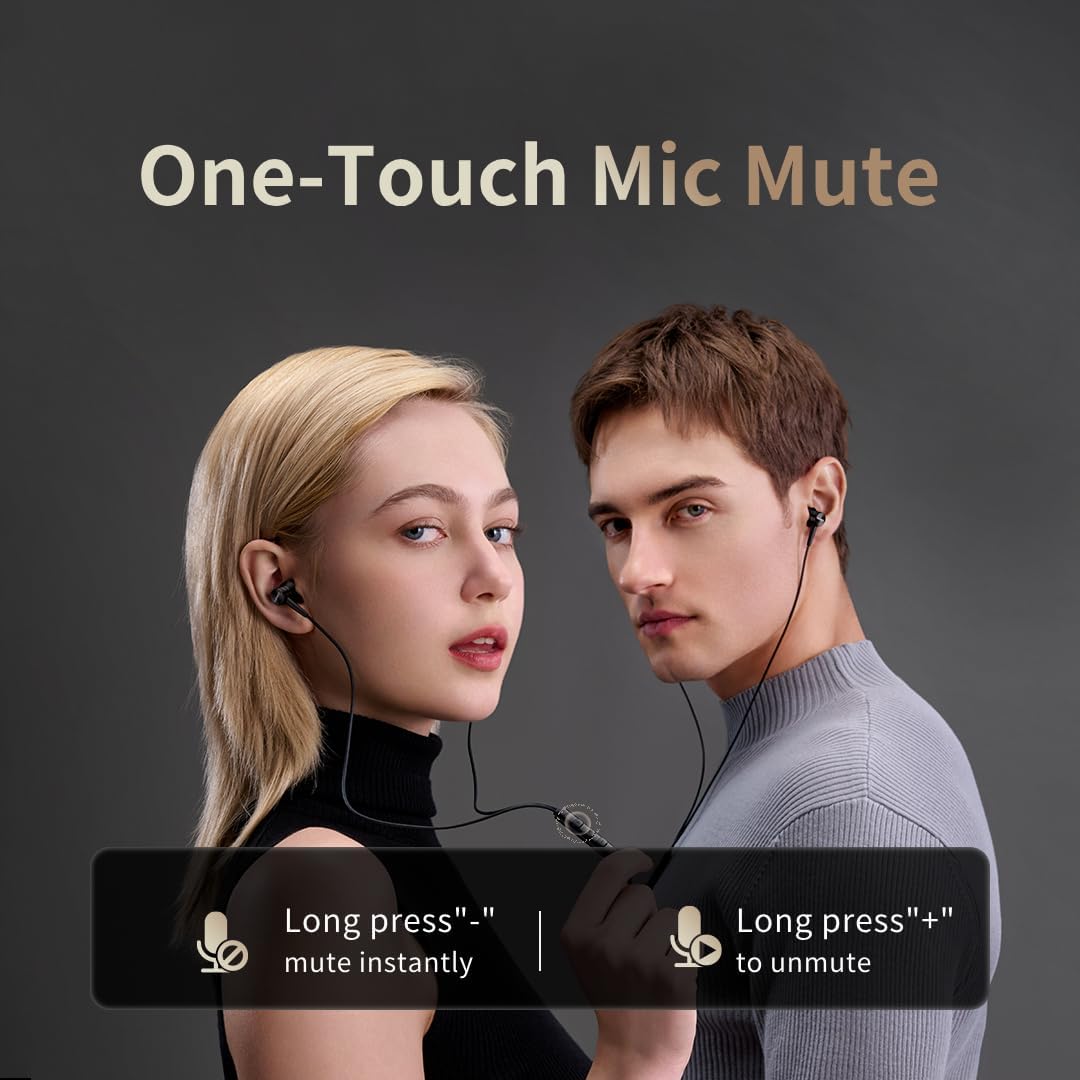
Image: Illustration of the one-touch microphone mute function. Long press '-' to mute instantly, long press '+' to unmute.
4. මයික්රෆෝනය නිශ්ශබ්ද කිරීමේ කාර්යය
To instantly mute the microphone during a call, long press the '-' button on the in-line remote. To unmute, long press the '+' button.
නඩත්තු කිරීම
1 පිරිසිදු කිරීම
- කන් ඉටි සහ සුන්බුන් ඉවත් කිරීම සඳහා මෘදු වියළි රෙද්දකින් කන් ඉඟි නිතිපතා පිරිසිදු කරන්න.
- Wipe the earphone bodies and cable with a slightly damp රෙදි, පසුව හොඳින් වියළන්න.
- පිරිසිදු කිරීම සඳහා දැඩි රසායනික ද්රව්ය හෝ උල්ෙල්ඛ ද්රව්ය භාවිතා නොකරන්න.
2. ගබඩා කිරීම
When not in use, store the earphones in a clean, dry place, preferably in a protective pouch, to prevent tangling and damage to the cable or drivers.
දෝෂගවේෂණය
- ශබ්දයක් නැත:
- Ensure the USB-C connector is fully inserted into your device.
- Check the volume level on both your device and the earphone remote.
- උපාංග-විශේෂිත ගැටළු බැහැර කිරීම සඳහා වෙනත් උපාංගයකින් ඉයර්ෆෝන් පරීක්ෂා කරන්න.
- දුර්වල ශබ්ද තත්ත්වය:
- Ensure ear tips provide a proper seal in your ear canal. Try different sized ear tips.
- Clean any debris from the earphone nozzles.
- ශ්රව්ය ප්රභවයේ ගුණාත්මකභාවය ඉහළ දැයි පරීක්ෂා කරන්න.
- මයික්රෆෝනය ක්රියා නොකරයි:
- Ensure the microphone is not muted (check the mute function using the in-line remote).
- ඔබගේ සම්බන්ධිත උපාංගයේ මයික්රෆෝන සැකසුම් සත්යාපනය කරන්න.
- USB-C සම්බන්ධතාවය ආරක්ෂිත බව සහතික කර ගන්න.
පිරිවිතර

රූපය: පුපුරා ගිය එකක් view illustrating the 10mm Diamond-Like Carbon (DLC) dynamic driver, responsible for the powerful and compact sound.
| විශේෂාංගය | පිරිවිතර |
|---|---|
| මාදිලියේ නම | P20 Black EU |
| සම්බන්ධතා තාක්ෂණය | රැහැන්ගත |
| හෙඩ්ෆෝන් ජැක් | USB-C |
| කන් ස්ථානගත කිරීම | In-ear |
| ආකෘති සාධකය | In-ear |
| සම්බාධනය | 32 ඕම් |
| සංඛ්යාත පරාසය | හර්ට්ස් 20 - හර්ට්ස් 40,000 |
| ශ්රව්ය ධාවක වර්ගය | Dynamic (10mm DLC Diaphragm) |
| ශබ්ද පාලනය | Active Noise Suppression (AI ENC for microphone) |
| පාලන ක්රමය | තල්ලු බොත්තම |
| ගැළපෙන උපාංග | Phone, Tablet, iPad |
| ජල ප්රතිරෝධක මට්ටම | ජලයට ඔරොත්තු නොදෙන |
| අභ්යන්තර ද්රව්ය | ඇලුමිනියම් |

Image: A woman enjoying music with the 1MORE P20 earphones, highlighting the Hi-Res Audio capability and immersive sound.
වගකීම් සහ සහාය
For warranty information or technical support, please refer to the official 1MORE webවෙබ් අඩවියට හෝ ඔවුන්ගේ පාරිභෝගික සේවයට සෘජුවම සම්බන්ධ වන්න. වගකීම් හිමිකම් සඳහා ඔබේ මිලදී ගැනීමේ රිසිට්පත තබා ගන්න.