
1. හැඳින්වීම
Thank you for choosing the PEJE ZW01 Pro Smartwatch. This manual provides essential information for setting up, operating, and maintaining your device. Please read it carefully to ensure optimal performance and longevity of your smartwatch.
2. පෙට්ටියේ ඇති දේ
Upon opening your PEJE ZW01 Pro Smartwatch package, you should find the following items:

Image: Contents of the PEJE ZW01 Pro Smartwatch package.
- PEJE ZW01 Pro Smartwatch
- One (1) Spare Watch Band
- One (1) USB Magnetic Fast Charging Cable
- පරිශීලක අත්පොත (මෙම ලේඛනය)
3. පිහිටුවීම
3.1. ස්මාර්ට් ඔරලෝසුව ආරෝපණය කිරීම
Before initial use, fully charge your smartwatch. Connect the provided USB magnetic fast charging cable to the charging contacts on the back of the watch and to a standard USB power adapter (not included). A full charge typically takes approximately 2 hours.

Image: Smartwatch connected to its magnetic charging cable, showing charging status and battery life.
3.2. යෙදුම් ස්ථාපනය සහ යුගල කිරීම
To unlock the full functionality of your PEJE ZW01 Pro Smartwatch, you need to install the companion 'PEJE' app on your smartphone. The watch is compatible with both Android and iOS devices.
- යෙදුම බාගන්න: ඒ සඳහා සොයන්න 'PEJE' in your smartphone's app store (Google Play Store for Android or Apple App Store for iOS) and download the official application.
- ගිණුමක් තනන්න: යෙදුම විවෘත කර තිරයේ ඇති උපදෙස් අනුගමනය කර නව පරිශීලක ගිණුමක් සාදන්න හෝ ඔබට දැනටමත් එකක් තිබේ නම් ලොග් වන්න.
- බ්ලූටූත් සබල කරන්න: ඔබගේ ස්මාර්ට් ජංගම දුරකතනයේ බ්ලූටූත් සබල කර ඇති බව සහතික කර ගන්න.
- උපාංගය යුගල කරන්න: Within the PEJE app, navigate to the device pairing section. Select your ZW01 Pro Smartwatch from the list of available devices. Follow any prompts on both your phone and watch to complete the pairing process.
4. මෙහෙයුම් උපදෙස්
4.1. මූලික සංචාලනය
The PEJE ZW01 Pro Smartwatch features a 1.83-inch full-color touchscreen for intuitive navigation.

Image: Smartwatch displaying various watch faces and customization options.
- ඉහළට/පහළට ස්වයිප් කරන්න: මෙනු සහ දැනුම්දීම් හරහා අනුචලනය කරන්න.
- වමට/දකුණට ස්වයිප් කරන්න: ඉක්මන් කාර්යයන් හෝ විවිධ විජට් වෙත ප්රවේශ වන්න.
- තට්ටු කරන්න: අයිතමයක් තෝරන්න හෝ යෙදුමක් විවෘත කරන්න.
- පැති බොත්තම ඔබන්න: මුල් තිරය වෙත ආපසු යන්න හෝ උපාංගය සක්රිය/අක්රිය කරන්න.
4.2. බ්ලූටූත් ඇමතුම්
Once paired with your smartphone via the PEJE app, you can make and receive calls directly from your smartwatch.
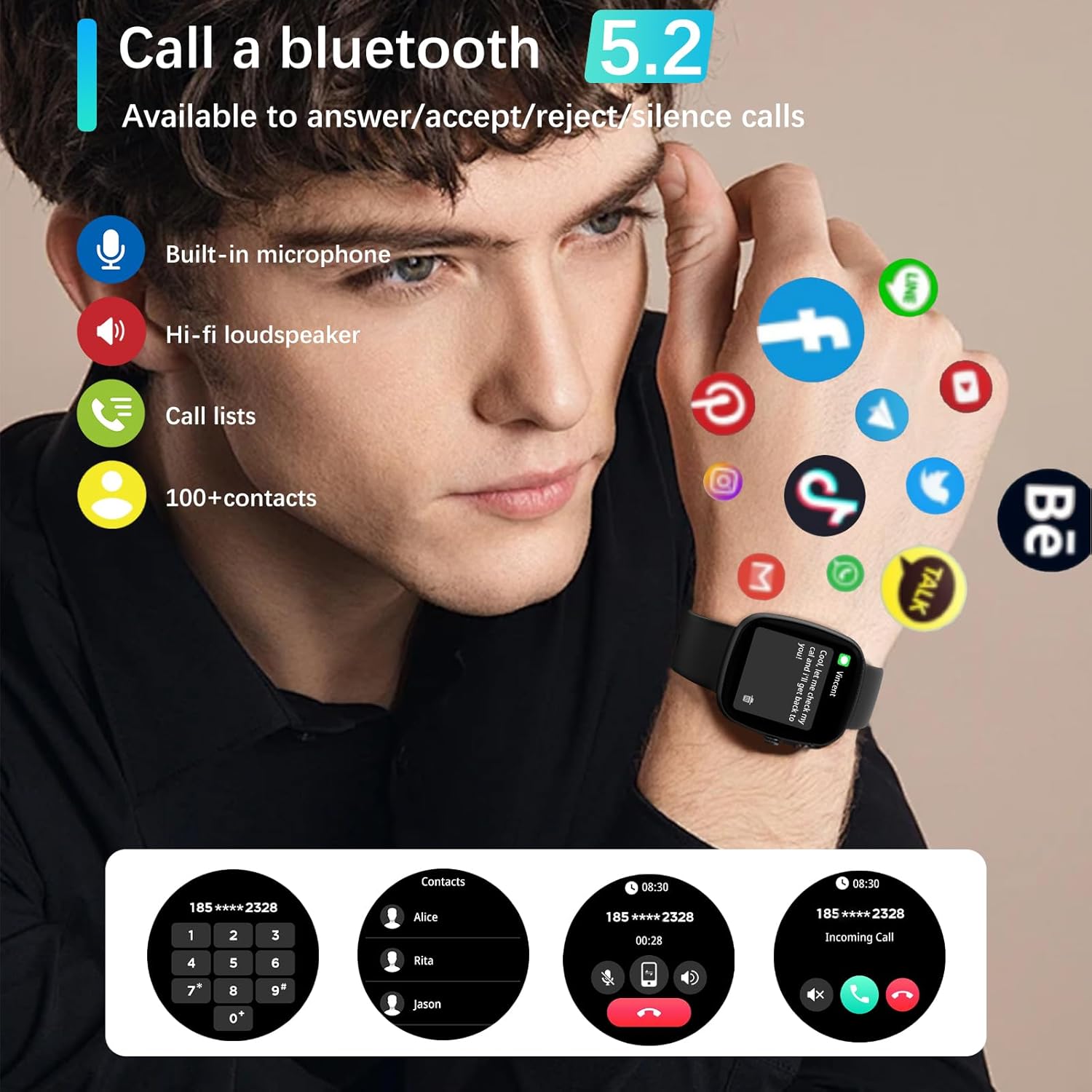
Image: Smartwatch demonstrating Bluetooth call functionality and app notifications.
- ඇමතුම් ලබා ගැනීම: ඇමතුමක් ආරම්භ කිරීමට ඔබගේ ඔරලෝසුවේ ඩයලර් හෝ සම්බන්ධතා ලැයිස්තුවට ප්රවේශ වන්න.
- ඇමතුම් ලැබීම: When a call comes in, you can answer, reject, or silence it directly from your watch.
4.3. දැනුම්දීම්
The smartwatch can display notifications from various apps on your smartphone, including text messages, Skype, WhatsApp, Facebook, Messenger, Twitter, Line, and Instagram. Ensure app notifications are enabled in the PEJE app settings.
4.4. සෞඛ්ය නිරීක්ෂණය
The ZW01 Pro Smartwatch offers comprehensive health tracking features:
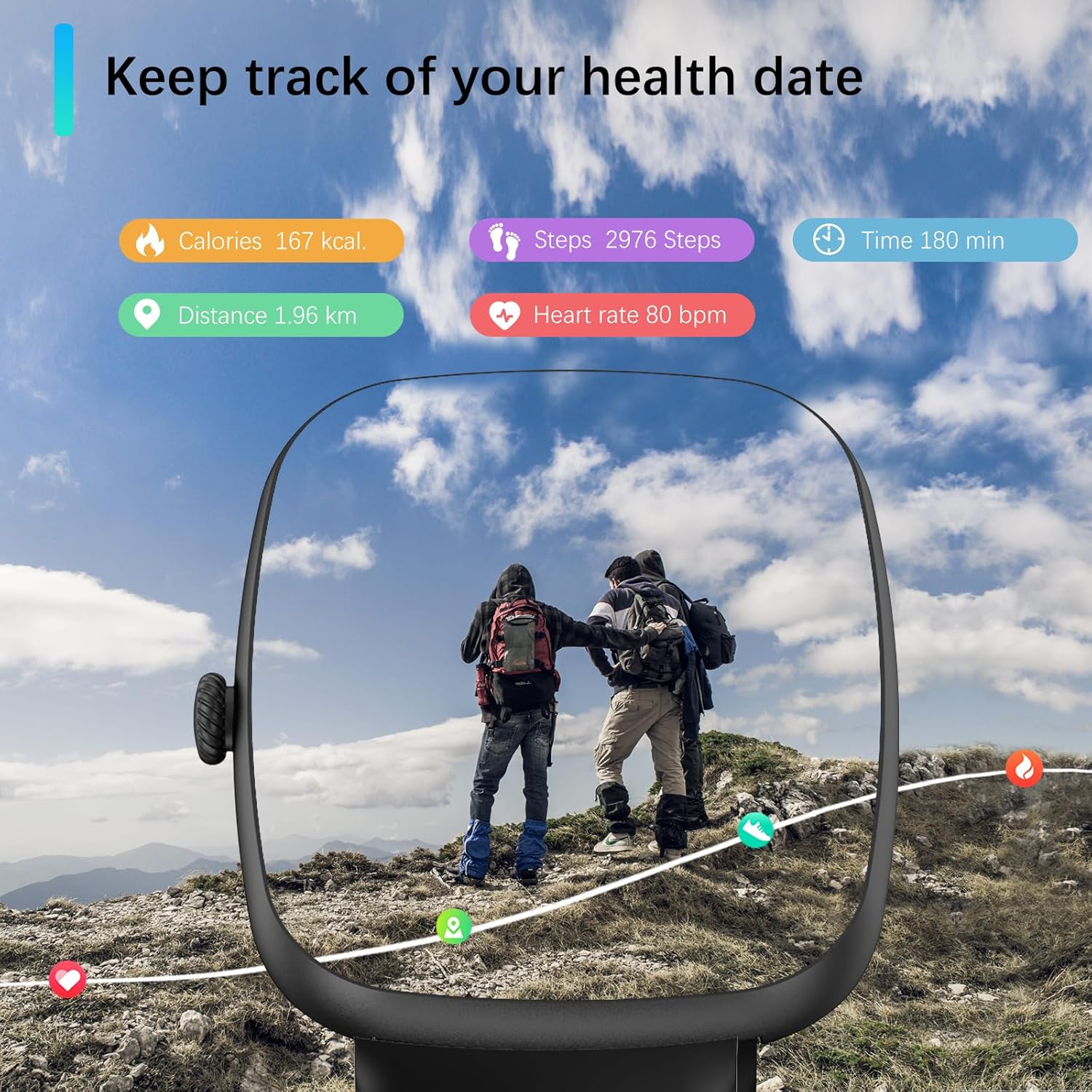
Image: Smartwatch displaying various health metrics during an outdoor activity.
- හෘද ස්පන්දන වේගය නිරීක්ෂණය කිරීම: 24/7 හෘද ස්පන්දන වේගය නිරීක්ෂණය කිරීම සපයයි.
- රුධිර ඔක්සිජන් (SpO2) නිරීක්ෂණය: Helps you understand your blood oxygen levels.
- නින්ද ලුහුබැඳීම: Analyzes your sleep quality, including light sleep, deep sleep, and REM cycles.
- ආතතිය නිරීක්ෂණය: දවස පුරා ඔබේ ආතති මට්ටම් නිරීක්ෂණය කරන්න.
- මතක් කිරීම්: Includes sedentary reminders, water intake reminders, and menstrual cycle reminders for females.

Image: Smartwatch displaying detailed sleep tracking data.
සටහන: Measurement data from this device is for reference only and should not be used for medical purposes.
4.5. ක්රීඩා ක්රම
The smartwatch supports over 120 sports modes, allowing you to track various activities. During exercise, it automatically records daily steps, heart rate, and calories burned.
- සහාය දක්වන ක්රියාකාරකම්: Running, walking, badminton, tennis, basketball, table tennis, cycling, yoga, rope skipping, rock climbing, elliptical machine, rowing machine, stationary bike, and many more.
- දත්ත ලුහුබැඳීම: View your exercise data directly on the watch or in the PEJE app for a visual understanding of your performance.
සටහන: This device is intended for sports use or aviation environments only, not for medical use.
4.6. Islamic Features
The PEJE ZW01 Pro Smartwatch includes unique Islamic features:
- Prayer Time Alarm: Set alarms for daily prayer times.
- Automatic Prayer Notifications: Receive automatic notifications for Fajr, Sunrise, Dhuhr, Asr, Maghrib, and Isha.
- Adhan Reminder: Includes an Adhan reminder with the '99 Names of Allah'.
- කිබ්ලා දිශාව: Provides Qibla direction functionality.
4.7. අනෙකුත් ස්මාර්ට් විශේෂාංග
The smartwatch offers additional features to enhance your daily life:
- කාලගුණ අනාවැකි
- NFC Access Control (if supported by your region/system)
- සංගීත පාලනය
- පෙඩෝමීටරය
- මගේ දුරකථනය සොයන්න
- ටයිමර්
- නැවතුම් ඔරලෝසුව
- Siri Personal Voice Assistant (requires connected iOS device)
- දුරස්ථ ඡායාරූපකරණය
5. නඩත්තු කිරීම
5.1. ජල ප්රතිරෝධය
The PEJE ZW01 Pro Smartwatch is rated IP68 for water and dust resistance. This means it can withstand splashes, rain, and brief immersion in shallow water. You can wash your hands and dishes while wearing the watch.

Image: Smartwatch demonstrating water resistance.
වැදගත් සටහන: While IP68 rated, it is නිර්දේශ කර නැත for diving, sauna use, hot showers, or exposure to high-pressure water jets, as this may compromise the water seal over time.
5.2 පිරිසිදු කිරීම
To maintain your smartwatch, regularly clean the screen and strap with a soft, dry cloth. If necessary, use a slightly damp cloth for the strap, then dry thoroughly. Avoid using harsh chemicals or abrasive materials.
6. දෝශ නිරාකරණය
If you encounter issues with your PEJE ZW01 Pro Smartwatch, try the following common troubleshooting steps:
- ඔරලෝසුව ක්රියාත්මක නොවීම: Ensure the watch is fully charged. Connect it to the charging cable and allow it to charge for at least 30 minutes before attempting to power it on again.
- දුරකථනය සමඟ යුගල කළ නොහැක:
- ඔබගේ දුරකථනයේ සහ ඔරලෝසුවේ බ්ලූටූත් සක්රීය කර ඇති බව සහතික කර ගන්න.
- ඔරලෝසුව ඔබගේ දුරකථනයේ පරාසය තුළ ඇති බවට වග බලා ගන්න.
- ඔබගේ දුරකථනය සහ ස්මාර්ට් ඔරලෝසුව නැවත ආරම්භ කරන්න.
- Try unpairing and re-pairing the device through the PEJE app.
- නොපෙන්වන දැනුම්දීම්:
- Check the notification settings within the PEJE app to ensure they are enabled for the desired applications.
- Verify that your phone's operating system allows the PEJE app to send notifications.
- ඔරලෝසුව බ්ලූටූත් හරහා නිසි ලෙස සම්බන්ධ කර ඇති බවට වග බලා ගන්න.
- වැරදි සෞඛ්ය දත්ත:
- ඔරලෝසුව ඔබේ මැණික් කටුවෙහි හොඳින් පැළඳ සිටින බවටත්, නමුත් ඕනෑවට වඩා තද නොවන බවටත් සහතික වන්න.
- ඔරලෝසුවේ පිටුපස ඇති සංවේදකය පිරිසිදු කරන්න.
- Note that environmental factors and movement can affect accuracy.
- කෙටි බැටරි ආයු කාලය:
- තිරයේ දීප්තිය අඩු කරන්න.
- Disable unnecessary features or frequent heart rate monitoring if not needed.
- Ensure background app usage on your phone is optimized.
If these steps do not resolve your issue, please contact customer support for further assistance.
7. පිරිවිතර
| විශේෂාංගය | පිරිවිතර |
|---|---|
| ආකෘතිය | ZW01 Pro |
| තිර ප්රමාණය | අඟල් 1.83 |
| සංදර්ශක වර්ගය | LCD, ස්පර්ශ තිරය |
| මෙහෙයුම් පද්ධතිය | AndroidOS |
| මතක ගබඩා ධාරිතාව | 128 MB |
| සම්බන්ධතා තාක්ෂණය | බ්ලූටූත් |
| රැහැන් රහිත සන්නිවේදන ප්රමිතිය | බ්ලූටූත් |
| බැටරි ධාරිතාව | 230 mAh ලිතියම් පොලිමර් |
| බැටරි ආරෝපණ කාලය | ආසන්න වශයෙන්. පැය 2 යි |
| සාමාන්ය භාවිතය බැටරි ආයු කාලය | 5-7 දින |
| පොරොත්තු බැටරි ආයු කාලය | 7-15 දින |
| ජල ප්රතිරෝධක ශ්රේණිගත කිරීම | IP68 |
| GPS | ස්මාර්ට් ජංගම දුරකථනය හරහා GPS |
| සෞඛ්ය නිරීක්ෂණ | Heart Rate, SpO2, Sleep Duration, Stress |
| ක්රීඩා මාතයන් | 120+ මාතයන් |
| ගැළපෙන උපාංග | iOS and Android Smartphones |
| මානව අතුරු මුහුණත් ආදානය | ටච්ස්ක්රීන්, මයික්රෆෝනය |
| බෑන්ඩ් ද්රව්ය වර්ගය | සිලිකන් |
| ගාංචු වර්ගය | බකල් |
| අයිතම මානයන් | 16 x 10 x 3 සෙ.මී |
| වර්ණය | කළු |
8. වගකීම් සහ සහාය
For warranty information, please refer to the warranty card included with your product or visit the official PEJE website. If you require technical support or have questions not covered in this manual, please contact PEJE customer service through the contact information provided on the product packaging or the official webඅඩවිය.