
1. හැඳින්වීම
This manual provides detailed instructions for the MCHOSE A5 Ultra V2 Wireless Gaming Mouse. Designed for high-performance gaming, this mouse combines a lightweight, symmetrical design with advanced connectivity and sensor technology. Please read this manual thoroughly to ensure proper setup and optimal use of your device.
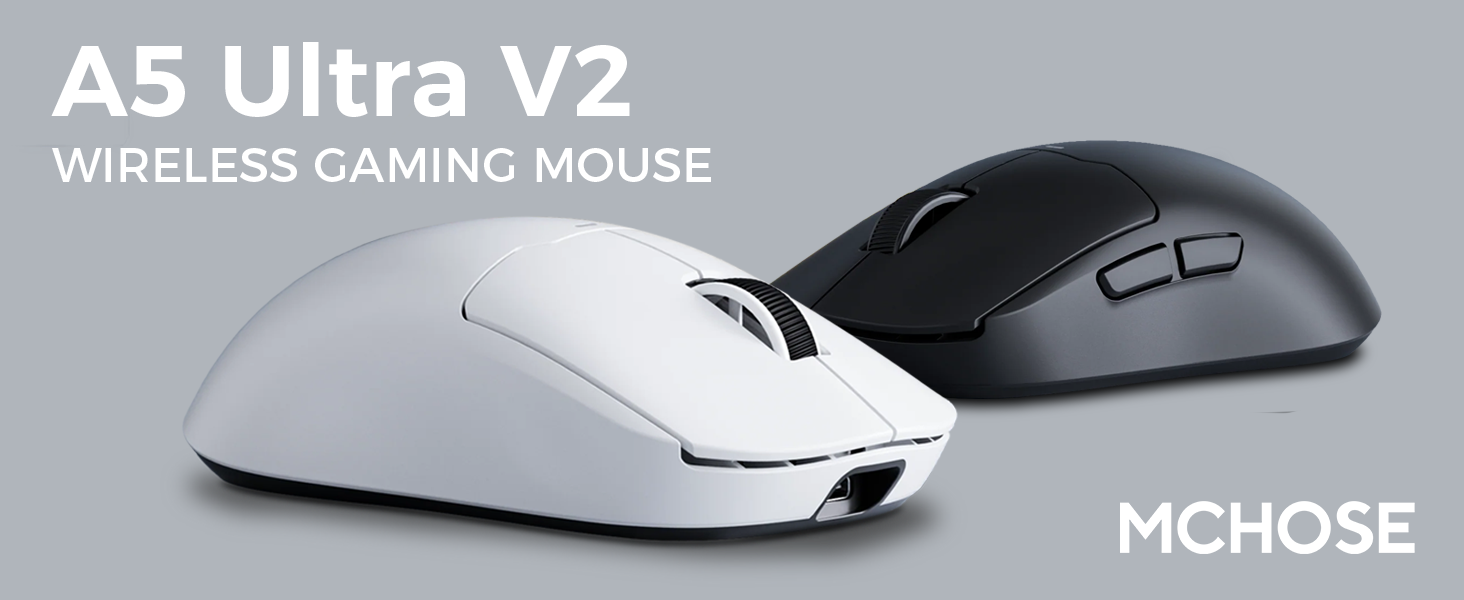
Figure 1: MCHOSE A5 Ultra V2 Wireless Gaming Mouse Overview
2 ප්රධාන ලක්ෂණ
- සැහැල්ලු නිර්මාණය: Weighing only 54g, the mouse offers optimal control and comfort for extended gaming sessions.

Figure 2: Lightweight design for enhanced comfort.
- High Precision PAW3395 Optical Sensor: Achieve maximum accuracy with up to 26,000 DPI for precise tracking.

Figure 3: PAW3395 optical sensor for high precision.
- Wired 8K/Wireless 4K Polling Rate: Experience ultra-low-latency and lightning-fast response times with up to 8000Hz wired and 4000Hz wireless polling rates.

Figure 4: Illustrating the 4K wireless polling rate capability.
- ත්රි-ප්රකාර සම්බන්ධතාවය: Connect via ultra-low-latency 2.4GHz wireless, Bluetooth, or wired USB for versatile use across various devices.

Figure 5: Tri-mode connectivity options.
- අභිරුචි මෘදුකාංග: Utilize the dedicated software to store custom settings for buttons, DPI adjustments, polling rates, and gaming modes directly on the mouse's onboard memory.

Figure 6: Custom software for personalized settings.
- දිගු කල් පවතින බැටරි: Enjoy up to 130 hours of battery life on a single charge, minimizing interruptions during gameplay.
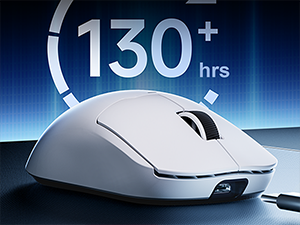
රූපය 7: දිගුකාලීන භාවිතය සඳහා දීර්ඝ කළ බැටරි ආයු කාලය.
3. සැකසුම් උපදෙස්
The MCHOSE A5 Ultra V2 offers three connection modes: 2.4GHz wireless, Bluetooth, and wired USB.
3.1. 2.4GHz රැහැන් රහිත සම්බන්ධතාවය
- Locate the 2.4GHz USB receiver (dongle) inside the mouse's bottom compartment.
- USB ග්රාහකය ඔබේ පරිගණකයේ තිබෙන USB පෝට් එකකට සම්බන්ධ කරන්න.
- Turn on the mouse using the switch located on the bottom. Ensure it is set to the 2.4GHz wireless mode (usually indicated by a specific position or LED color).
- Your computer should automatically detect the mouse. If not, try restarting your computer or replugging the receiver.

Figure 8: USB receiver stored in the mouse compartment.
3.2. බ්ලූටූත් සම්බන්ධතාවය
- Turn on the mouse and set the switch on the bottom to Bluetooth mode.
- ඔබේ පරිගණකයේ හෝ උපාංගයේ, බ්ලූටූත් සැකසුම් වෙත සංචාලනය කරන්න.
- Initiate the pairing process on your device. The mouse should appear as "MCHOSE A5 Ultra V2" or similar.
- යුගල කිරීමට මූසිකය තෝරන්න. තිරයේ ඇති ඕනෑම විමසීමක් අනුගමනය කරන්න.
3.3. Wired USB Connection
- Connect the provided USB-C cable to the front port of the mouse.
- කේබලයේ අනෙක් කෙළවර ඔබේ පරිගණකයේ තිබෙන USB පෝට් එකකට සම්බන්ධ කරන්න.
- මූසිකය ස්වයංක්රීයව රැහැන්ගත ප්රකාරයට මාරු වී ආරෝපණය වීමට පටන් ගනී.
4. මෙහෙයුම් උපදෙස්
4.1. මූලික කාර්යයන්
- වම් ක්ලික් කරන්න: ප්රාථමික ක්රියාව.
- දකුණු ක්ලික් කරන්න: ද්විතීයික ක්රියා/සන්දර්භ මෙනුව.
- අනුචලන රෝදය: ඉහළට/පහළට අනුචලනය කරන්න, මැද ක්ලික් කරන්න.
- පැති බොත්තම්: Typically configured for forward/backward navigation in web browsers. Customizable via software.
4.2. DPI ගැලපීම
The mouse features a dedicated DPI button (often located on the bottom or top, near the scroll wheel) to cycle through preset DPI levels. For fine-tuning and custom DPI settings, use the MCHOSE custom software.
4.3. Custom Software Usage
Download the MCHOSE custom software from the official MCHOSE webඅඩවිය. මෙම මෘදුකාංගය ඔබට ඉඩ දෙන්නේ:
- Remap buttons.
- Adjust DPI levels and create custom profiles.
- ඡන්ද ප්රතිශතයන් වෙනස් කරන්න.
- මැක්රෝ වින්යාස කරන්න.
- Manage gaming modes.
Settings are stored on the mouse's onboard memory, allowing you to use your custom configurations on any computer without the software installed.
5. නඩත්තු කිරීම
- පිරිසිදු කිරීම: Use a soft, dry cloth to clean the mouse surface. For stubborn dirt, a slightly damp cloth can be used, ensuring no moisture enters the device. Avoid harsh chemicals or abrasive materials.
- සංවේදක පිරිසිදු කිරීම: Periodically clean the optical sensor on the bottom of the mouse with a cotton swab to ensure optimal tracking performance.
- බැටරි සත්කාර: To prolong battery life, avoid fully discharging the mouse frequently. Charge the mouse when the battery indicator is low.
- ගබඩා: දිගු කාලයක් භාවිතයේ නොමැති විට, මූසිකය සිසිල් වියළි ස්ථානයක ගබඩා කරන්න.
6. දෝශ නිරාකරණය
| ගැටලුව | විය හැකි හේතුව | විසඳුම |
|---|---|---|
| මූසිකය ප්රතිචාර නොදක්වයි (රැහැන් රහිත) | Low battery; USB receiver disconnected; Incorrect mode selected. | Charge the mouse; Re-plug the USB receiver; Ensure the mouse is in 2.4GHz or Bluetooth mode. |
| මූසිකය ප්රතිචාර නොදක්වයි (බ්ලූටූත්) | Not paired; Bluetooth off on device; Low battery. | Re-pair the mouse; Enable Bluetooth on your device; Charge the mouse. |
| Inaccurate tracking | අපිරිසිදු සංවේදකය; නුසුදුසු මතුපිට; වැරදි DPI සැකසුම. | Clean the optical sensor; Use a mouse pad or suitable surface; Adjust DPI settings. |
| බොත්තම් ක්රියා නොකරයි | Software conflict; Physical damage. | Restart computer; Check custom software settings; Contact support if physical damage is suspected. |
| කෙටි බැටරි ආයු කාලය | Frequent high polling rate use; Battery degradation. | Reduce polling rate if not critical; Ensure full charges; Contact support if battery life significantly degrades. |
7. නිෂ්පාදන පිරිවිතර
| විශේෂාංගය | විස්තර |
|---|---|
| ආකෘතිය | A5 Ultra V2 |
| වෙළඳ නාමය | Mchose |
| සම්බන්ධතා තාක්ෂණය | 2.4GHz රැහැන් රහිත, බ්ලූටූත්, USB රැහැන් සහිත |
| චලන හඳුනාගැනීමේ තාක්ෂණය | Optical (PAW3395) |
| උපරිම DPI | 26,000 DPI |
| ඡන්ද අනුපාතය | Wired 8000Hz, Wireless 4000Hz |
| අයිතමයේ බර | ග්රෑම් 54 (අවුන්ස 2.12) |
| බැටරි ආයු කාලය | පැය 130 දක්වා |
| බැටරි | 1 Lithium Ion බැටරි (ඇතුළත්) |
| වර්ණය | Black (as per current variant) |
| පැකේජ මානයන් | අඟල් 7.36 x 4.53 x 3.31 |
| මෙහෙයුම් පද්ධති අනුකූලතාව | ලිනක්ස්, වින්ඩෝස් |
8. වගකීම් සහ සහාය
This MCHOSE product is covered by a standard manufacturer's warranty. For specific warranty details, please refer to the warranty card included in your product packaging or visit the official MCHOSE webඅඩවිය.
For technical support, troubleshooting assistance, or warranty claims, please contact MCHOSE customer service through their official webවෙබ් අඩවිය හෝ ඔබේ නිෂ්පාදන ලියකියවිලිවල සපයා ඇති සම්බන්ධතා තොරතුරු.
Note: Protection plans may be available for purchase separately through retailers. These plans are not directly provided by MCHOSE.