
හැඳින්වීම
Thank you for choosing the Earbay Wireless Headset with Microphone. This headset is designed to provide clear audio and communication for various applications, including office work, online classes, call centers, and remote work. Featuring Bluetooth connectivity, noise cancellation, and comfortable on-ear design, this manual will guide you through its features and operation.
පෙට්ටියේ ඇති දේ
- 1 × Earbay Wireless Headset
- 1 × USB Dongle
- 1 × USB-C ආරෝපණ කේබලය
- 1 × පරිශීලක අත්පොත
නිෂ්පාදනය අවසන්view & විශේෂාංග
The Earbay Wireless Headset is engineered for comfort and performance, integrating several features to enhance your audio experience.

රූපය: The headset features an advanced AI Noise Cancellation microphone, designed to block out ambient noise for clearer calls.
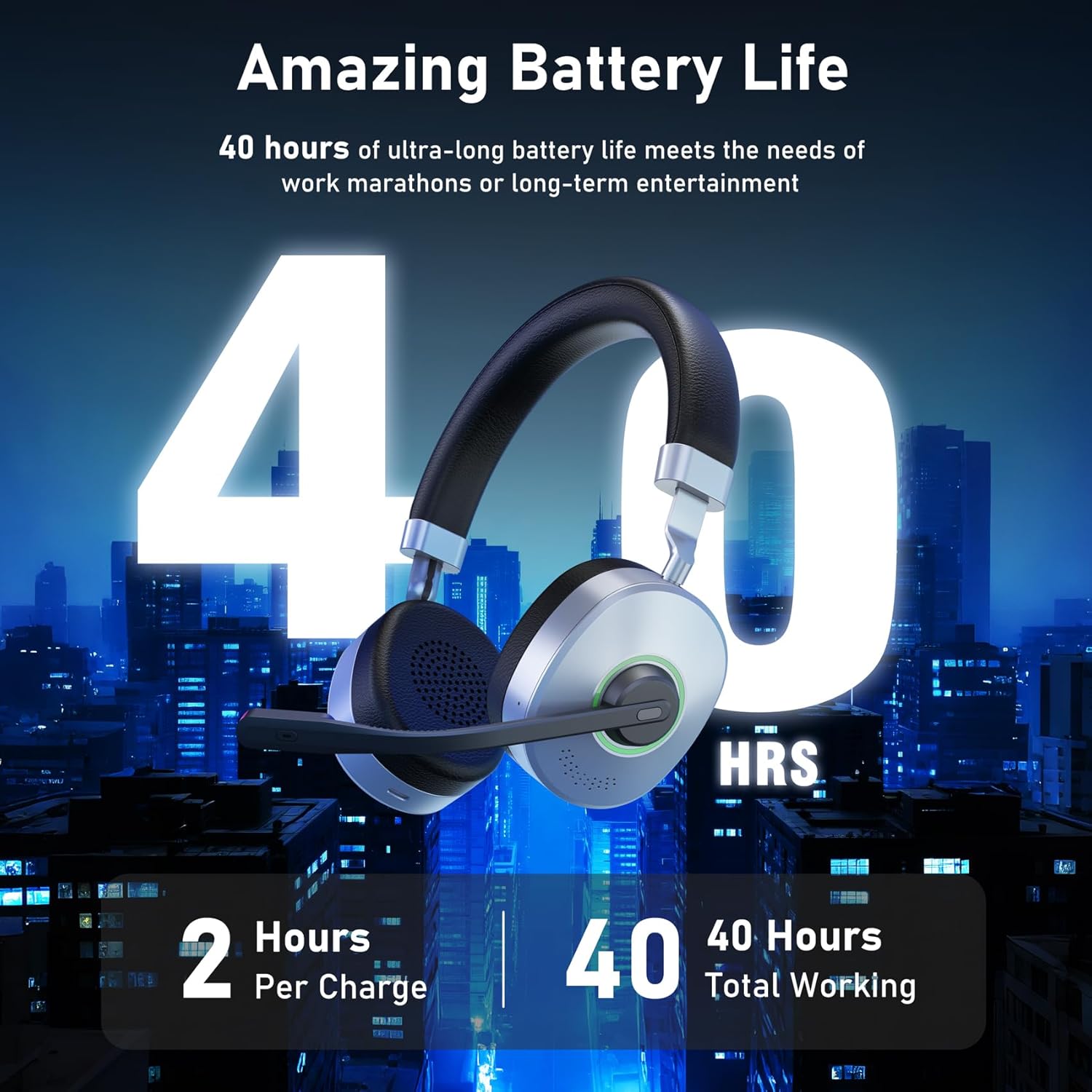
රූපය: Enjoy up to 40 hours of talk and music time on a single 2-hour charge, providing extended use for work or entertainment.

රූපය: The headset supports multiple connection methods, including wireless Bluetooth via USB dongle and direct wired connection via TYPE-C.

රූපය: A seamless mute function allows for private moments during calls or meetings, indicated by a visible light.

රූපය: Experience superior stereo sound with 40mm speaker drivers, delivering rich and clear audio.

රූපය: Designed for all-day comfort, the headset features light and soft memory foam ear cushions.
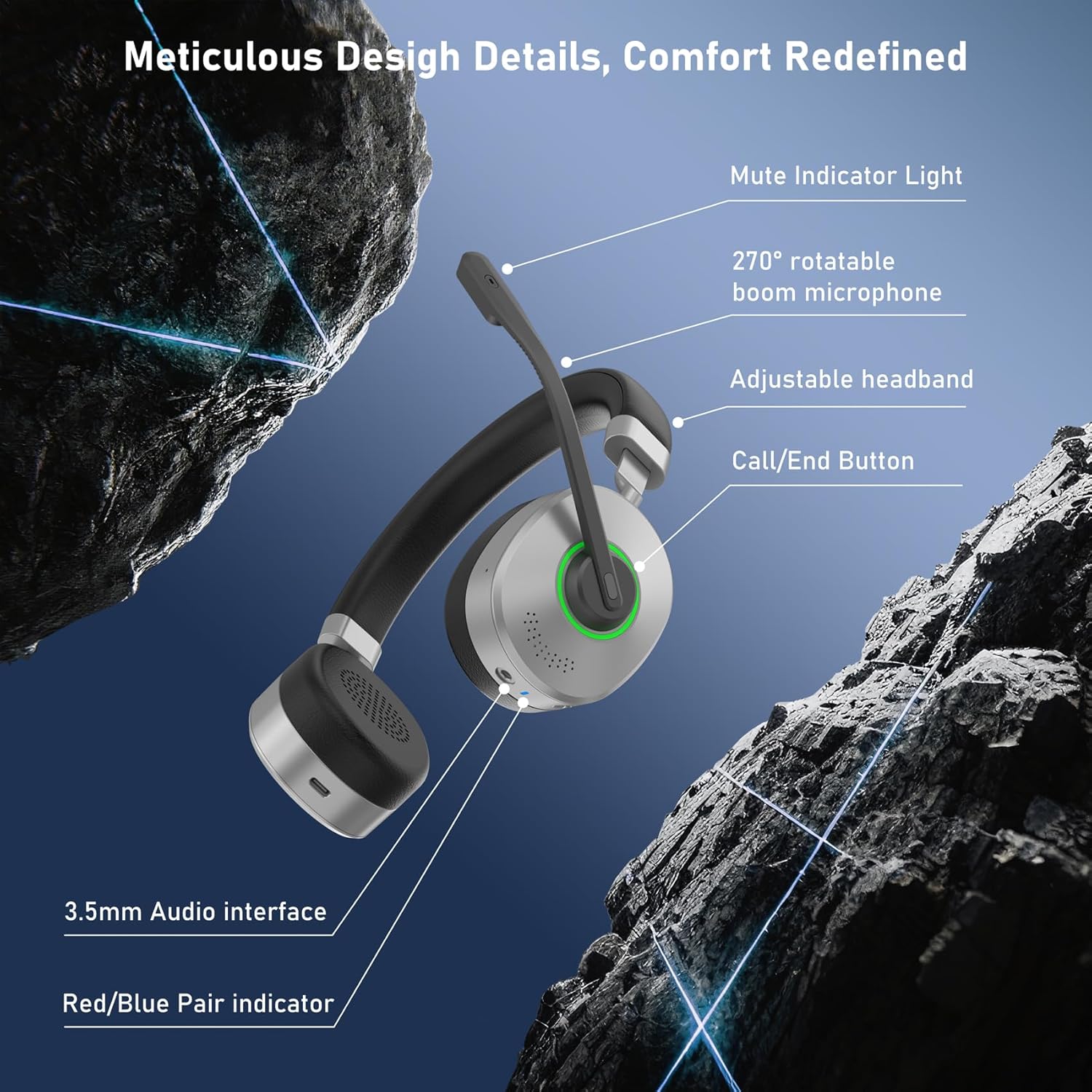
රූපය: Key design details include a mute indicator light, 270° rotatable boom microphone, adjustable headband, call/end button, 3.5mm audio interface, and red/blue pair indicator.

රූපය: The headset offers extensive compatibility, working with PC, Laptop, Computer, Mobile Phone, Tablet, VoIP, and Desktop platforms.
සැලසුම
- බල ගැන්වීම: Locate the ON/OFF switch on the headset. Slide the switch to the "ON" position. A blue indicator light will illuminate, indicating the headset is powered on.
- Pairing (Wireless):
- Using USB Dongle: Insert the provided USB dongle into an available USB port on your PC/Laptop. The headset should automatically pair with the dongle. The indicator light will show a steady blue when connected.
- Using Bluetooth (Direct): If your device has built-in Bluetooth, slide the ON/OFF switch to the pairing position (usually indicated by a Bluetooth symbol or a flashing blue/red light). Go to your device's Bluetooth settings and select "Earbay KSG-CA-BT162S-H-D-2025" from the list of available devices.
- රැහැන්ගත සම්බන්ධතාවය: For a wired connection, use a compatible TYPE-C cable to connect the headset directly to your device.
- Adjust Microphone: The boom microphone is 270° rotatable. Adjust it to your preferred angle for optimal voice pickup.
- හෙඩ්බෑන්ඩ් සීරුමාරු කරන්න: ඔබේ හිසට සුවපහසු සහ ආරක්ෂිත ගැළපීමක් සහතික කිරීම සඳහා වෙනස් කළ හැකි හෙඩ්බෑන්ඩ් එක දිගු කරන්න හෝ ආපසු ගන්න.
මෙහෙයුම් උපදෙස්
- ශබ්ද පාලනය: Use the volume buttons located on the headset to increase or decrease the audio volume.
- මයික්රෆෝනය නිශ්ශබ්ද කරන්න: Press the dedicated mute button on the microphone boom to mute or unmute your voice. A mute indicator light will show the microphone status.
- Call/End Button: Use the Call/End button to answer incoming calls or end active calls.
- වාදනය/විරාමය: Press the multi-function button (often the main button on the earcup) to play or pause audio playback.
- ධාවන පථ සංචාලනය: Depending on the model, holding the volume up/down buttons may allow you to skip to the next/previous track.
අයකිරීම
The Earbay Wireless Headset is equipped with a Lithium Ion battery, providing up to 40 hours of average battery life on a 2-hour charge.
- Connect the provided USB-C charging cable to the headset's TYPE-C port and plug the other end into a USB power source (e.g., computer USB port, wall adapter).
- දර්ශක ආලෝකය ආරෝපණ තත්ත්වය පෙන්වයි (උදා: ආරෝපණය කිරීම සඳහා රතු, සම්පූර්ණයෙන්ම ආරෝපණය කිරීම සඳහා නිල්).
නඩත්තු කිරීම
- මෘදු, වියළි රෙද්දකින් හෙඩ්සෙට් එක නිතිපතා පිරිසිදු කරන්න.
- හෙඩ්සෙට් එක අධික උෂ්ණත්වයන්ට, තෙතමනයට හෝ සෘජු හිරු එළියට නිරාවරණය වීමෙන් වළකින්න.
- Do not attempt to disassemble or repair the headset yourself.
- Store the headset in a safe place when not in use to prevent damage.
දෝෂගවේෂණය
- ශබ්දයක් නැත:
- Ensure the headset is powered on and properly paired/connected to your device.
- හෙඩ්සෙට් එකේ සහ ඔබේ සම්බන්ධිත උපාංගයේ ශබ්ද මට්ටම් පරීක්ෂා කරන්න.
- Verify that the correct audio output device is selected in your device's sound settings.
- මයික්රෆෝනය ක්රියා නොකරයි:
- Ensure the microphone is not muted (check the mute indicator light).
- Confirm that the headset microphone is selected as the input device in your application's audio settings.
- Check the microphone's physical connection if it's detachable.
- යුගල කළ නොහැක:
- හෙඩ්සෙට් එක යුගල කිරීමේ මාදිලියේ ඇති බව සහතික කර ගන්න (දැල්වෙන දර්ශක ආලෝකය).
- Turn off and on your device's Bluetooth, then try pairing again.
- හෙඩ්සෙට් එක ඔබගේ උපාංගයට සමීපව ගෙන යන්න (මීටර් 15ක් ඇතුළත).
පිරිවිතර
| විශේෂාංගය | පිරිවිතර |
|---|---|
| මාදිලියේ නම | KSG-CA-BT162S-H-D-2025 |
| වෙළඳ නාමය | Earbay |
| සම්බන්ධතා තාක්ෂණය | බ්ලූටූත් |
| රැහැන් රහිත සන්නිවේදන තාක්ෂණය | බ්ලූටූත් |
| ශබ්ද පාලනය | පාරිසරික ශබ්ද අවලංගු කිරීම |
| සංඛ්යාත ප්රතිචාරය | 2.48 GHz |
| සංවේදීතාව | 113 dB |
| හෙඩ්ෆෝන් ජැක් | TYPE-C |
| ඇතුළත් සංරචක | 1 × Wireless Headset |
| ද්රව්ය | ෆෝක්ස් හම් |
| නිෂ්පාදන සඳහා විශේෂිත භාවිතයන් | Office, Driving, Calling |
| ආරෝපණ කාලය | පැය 2 යි |
| නිර්දේශිත භාවිතයන් | Online Class, Call Center, Calling, Remote Workers |
| ගැළපෙන උපාංග | PC/Laptop/Computer/Mobile Phone/Tablet/VoIP/Desktop |
| පාලන වර්ගය | Button Control, Push Button |
| කේබල් විශේෂාංගය | කේබල් නොමැතිව |
| අයිතමයේ බර | කිලෝ ග්රෑම් 0.3 යි |
| ජල ප්රතිරෝධක මට්ටම | ජලයට ඔරොත්තු නොදෙන |
| බැටරි සාමාන්ය ආයු කාලය | පැය 40 යි |
| බැටරි ඇතුළත් | ඔව් |
| අවශ්ය බැටරි | ඔව් |
| බැටරි සෛල සංයුතිය | ලිතියම් අයන |
| උපරිම මෙහෙයුම් දුර | මීටර් 15 |
| බ්ලූටූත් තාක්ෂණයට සහය දක්වයි | ඔව් |
| කන් ස්ථානගත කිරීම | කණ මත |
| ආකෘති සාධකය | කණ මත |
| සම්බාධනය | 32 ඕම් |
වගකීම් සහ සහාය
For warranty information and customer support, please refer to the contact details provided on the product packaging or visit the official Earbay webවෙබ් අඩවිය. මිලදී ගැනීම පිළිබඳ සාක්ෂියක් ලෙස ඔබේ මිලදී ගැනීමේ රිසිට්පත තබා ගන්න.