
හැඳින්වීම
Thank you for choosing the INGA HKDR631M Computer Speakers. This device provides high-quality stereo sound and clear voice communication through its detachable microphone. Designed for versatility, it easily connects to various devices and offers multiple mounting options to optimize your workspace. Please read this manual carefully to ensure proper setup and operation.
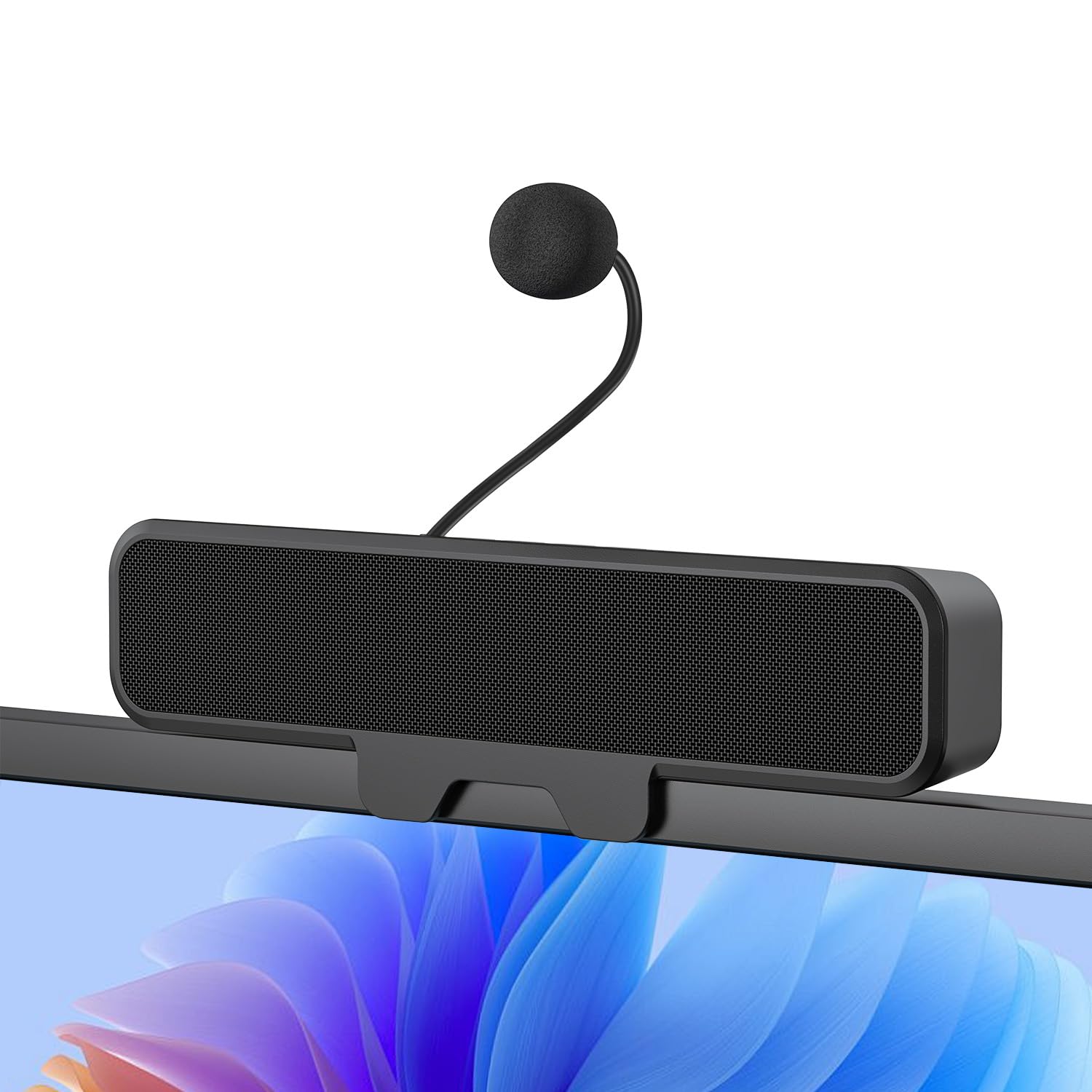
Figure 1: INGA HKDR631M Computer Speakers
A black soundbar-style speaker with a detachable microphone attached, positioned on a desk in front of a computer monitor displaying a video conference.
පෙට්ටියේ ඇති දේ
- 1 x INGA Computer Speaker
- 1 x ඉවත් කළ හැකි මයික්රෆෝනය
- 1 x පරිශීලක අත්පොත
- USB-A to USB-C Adapter (included with the cable)
සැකසුම් උපදෙස්
1. ස්පීකර් සවි කිරීම
The INGA HKDR631M speakers offer versatile mounting options. You can use the built-in clip to attach it to your monitor or place it directly on your desk.
- ක්ලිප්-ඔන් ස්ථාපනය: The sturdy clip is designed to attach to monitors up to 1 inch (2.54 cm) thick. Gently open the clip and position the speaker on the top edge of your monitor. Ensure it is securely fastened.
- ඩෙස්ක්ටොප් ස්ථානගත කිරීම: For monitors with curved backs or if you prefer a desktop setup, the speaker can stand independently on its base.

Figure 2: Multiple Mounting Options
This image illustrates how the speaker can be securely clipped to the top of a monitor (up to 1 inch thick) or placed on a desk using its integrated stand. Note: Not compatible with curved-back monitors for clip-on mounting.
2. Attaching the Detachable Microphone
Locate the detachable microphone. Insert the microphone's connector into the designated port on the speaker unit. Ensure it is firmly connected.
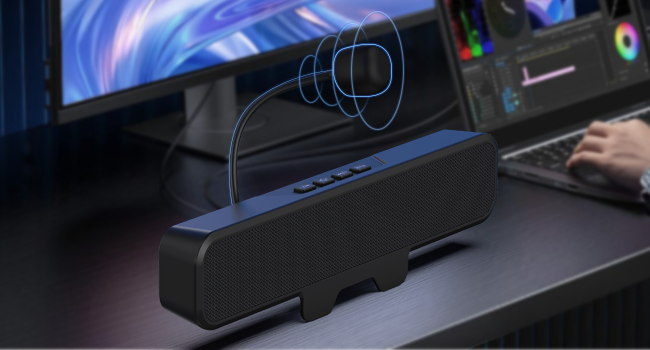
Figure 3: Attaching the Detachable Microphone
සමීප රූපයක් view of the speaker unit, highlighting the port where the flexible, unidirectional microphone is inserted.
3. ඔබගේ උපාංගයට සම්බන්ධ වීම
The INGA HKDR631M speakers are plug-and-play, requiring no additional drivers. Connect the speaker to your computer or device using the integrated USB cable.
- The speaker comes with a USB-A connector and an included USB-C adapter for broad compatibility.
- Plug the USB connector into an available USB port on your PC, Mac, laptop, or gaming console.
- The device will be automatically recognized, and audio output will be routed through the speakers.

Figure 4: USB Connectivity with Adapters
This image displays the speaker's integrated USB cable with a USB-A connector, alongside a separate USB-C adapter, demonstrating its broad compatibility with different computer ports.
Video 1: Usage Methods and Effects of the INGA HKDR631M Speaker
This video demonstrates the setup and functionality of the INGA HKDR631M speakers, including connection and basic operation.
මෙහෙයුම් උපදෙස්
1. Power and Volume Control
The speakers are powered via the USB connection. Once connected, they are ready for use. Volume can be adjusted using the dedicated buttons on the speaker unit or through your device's operating system.
- පරිමාව: '+' බොත්තම ඔබන්න.
- ශබ්දය පහළට: '-' බොත්තම ඔබන්න.
2. මයික්රෆෝනය නිශ්ශබ්ද කිරීමේ කාර්යය
The speaker features a convenient one-touch mute button for the microphone, allowing for instant privacy control.
- මයික්රෆෝනය නිශ්ශබ්ද කරන්න/නිශ්ශබ්ද කරන්න: Press the microphone mute button (often indicated by a microphone icon with a slash) on the speaker unit. An indicator light may show the microphone's status.

Figure 5: One-Touch Microphone Mute
ඉහළ සිට පහළට view of the speaker, emphasizing the control panel with the microphone mute button, which allows for quick and easy privacy control.
3. ශ්රව්ය විශේෂාංග
Experience immersive stereo sound with enhanced bass, ideal for gaming, meetings, and multimedia consumption.
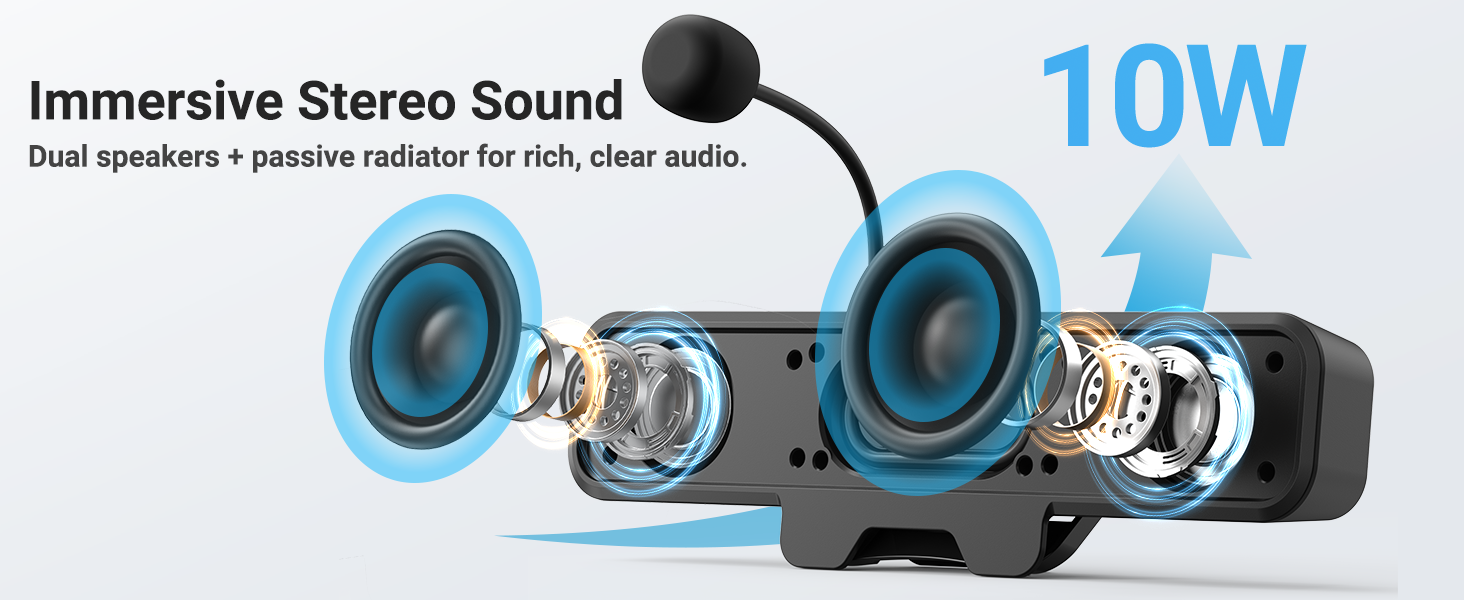
Figure 6: Immersive Stereo Sound
An internal diagram of the speaker, showing the dual high-performance drivers and a passive bass radiator, which work together to produce rich, clear audio with enhanced bass.
නඩත්තු කිරීම
To ensure the longevity and optimal performance of your INGA HKDR631M speakers, follow these maintenance guidelines:
- පිරිසිදු කිරීම: Use a soft, dry cloth to wipe the speaker's surface. Do not use liquid cleaners or abrasive materials.
- ගබඩා: දිගු කාලයක් භාවිතයේ නොමැති විට, සෘජු හිරු එළියෙන් සහ අධික උෂ්ණත්වයන්ගෙන් ඈත්ව සිසිල් වියළි ස්ථානයක ස්පීකර් ගබඩා කරන්න.
- හැසිරවීම: Avoid dropping the speakers or subjecting them to strong impacts. Do not attempt to disassemble the unit.
දෝෂගවේෂණය
If you encounter issues with your INGA HKDR631M speakers, refer to the following common problems and solutions:
Sound Output නැත
- USB සම්බන්ධතාවය පරීක්ෂා කරන්න: Ensure the USB cable is securely plugged into both the speaker and your device. Try a different USB port.
- Verify Device Settings: Confirm that the INGA HKDR631M is selected as the default audio output device in your computer's sound settings.
- පරිමාව සකසන්න: Increase the volume using the speaker's controls and your device's system volume. Ensure the speaker is not muted.
- උපාංගය නැවත ආරම්භ කරන්න: Sometimes, a simple restart of your computer can resolve audio recognition issues.
මයික්රෆෝනය ක්රියා නොකරයි
- Check Microphone Connection: Ensure the detachable microphone is fully inserted into its port on the speaker.
- Check Mute Button: Press the microphone mute button on the speaker to ensure it is not muted.
- Verify Device Settings: In your computer's sound settings, ensure the INGA HKDR631M microphone is selected as the default input device. Check microphone privacy settings in your operating system.
- යෙදුම් සැකසීම්: If using a specific application (e.g., Zoom, Discord), check its internal audio settings to ensure the correct microphone is selected.
Poor Sound Quality or Static
- USB Port Interference: Try connecting the speaker to a different USB port, preferably a direct port on your computer rather than a hub.
- කේබල් අඛණ්ඩතාව: Ensure the USB cable is not damaged or kinked.
- පාරිසරික සාධක: Keep the speakers away from other electronic devices that might cause interference.
- මෘදුකාංග යාවත්කාලීන: Ensure your operating system and audio drivers are up to date.
Speaker Does Not Clip Securely to Monitor
- Monitor Thickness: The clip is designed for monitors up to 1 inch thick. Ensure your monitor falls within this specification.
- Curved Monitors: The clip-on design is not compatible with monitors that have a curved back. In such cases, use the desktop placement option.
පිරිවිතර
| වෙළඳ නාමය | INGA |
| ආදර්ශ අංකය | HKDR631M |
| ස්පීකර් උපරිම නිමැවුම් බලය | වොට් 10 |
| සංඛ්යාත ප්රතිචාරය | 20 KHz |
| සම්බන්ධතා තාක්ෂණය | USB |
| ශ්රව්ය ප්රතිදාන ප්රකාරය | ස්ටීරියෝ |
| සවිකිරීමේ වර්ගය | ක්ලිප් |
| සංවෘත ද්රව්ය | ලෝහ, ප්ලාස්ටික් |
| ස්පීකර් වර්ගය | නිරීක්ෂණය කරන්න |
| අමතර විශේෂාංග | Bass Boost, Clamp Installation, Detachable Microphone, Plug and Play, USB Port |
| වර්ණය | කළු |
| පාලන ක්රමය | ස්පර්ශ කරන්න |
| ස්පීකර් ප්රමාණය | මිලිමීටර් 248 යි |
| නිෂ්පාදනය සඳහා විශේෂිත භාවිතයන් | Desktop multimedia, Communication, Gaming |
| ශ්රව්ය නාලිකා ගණන | 2.0 |
| සම්බන්ධතා ප්රොටෝකෝලය | USB |
| බලශක්ති ප්රභවය | රැහැන්ගත විදුලි (USB) |
| ආදාන වෙළුමtage | 5 Volts (DC) |
| අයිතම මානයන් (D x W x H) | 9"D x 1.85"W x 1.26"H |
| ගැළපෙන උපාංග | Laptop, MAC, PC, Gaming Consoles |
| ශ්රව්ය ධාවක වර්ගය | ගතික ධාවකය |
වගකීම් තොරතුරු
The INGA HKDR631M Computer Speakers come with a වසර 1ක නිෂ්පාදක වගකීම. This warranty covers parts and labor for defects in materials and workmanship under normal use. Please retain your proof of purchase for warranty claims.
For detailed warranty terms and conditions, please refer to the official INGA webවෙබ් අඩවිය හෝ පාරිභෝගික සහාය අමතන්න.
පාරිභෝගික සහාය
Should you require assistance, have questions, or need to report an issue, please contact INGA customer service. We are committed to providing excellent support across various channels.
For the most up-to-date contact information, please visit the official INGA webවෙබ් අඩවියට පිවිසෙන්න හෝ ඔබේ නිෂ්පාදන ඇසුරුම් සමඟ සපයා ඇති සම්බන්ධතා තොරතුරු වෙත යොමු වන්න.