
1. හැඳින්වීම
The Monster S380 Bluetooth Speaker delivers powerful 40W stereo sound with deep bass and clear highs. Featuring advanced Bluetooth 6.0 for stable connections, it offers up to 20 hours of playtime on a single charge. Its IPX6 waterproof rating makes it suitable for various environments, from poolside to outdoor adventures. The speaker supports TWS (True Wireless Stereo) pairing for an immersive stereo experience, and includes versatile connectivity options such as AUX and TF card input. A built-in microphone allows for convenient hands-free calling.
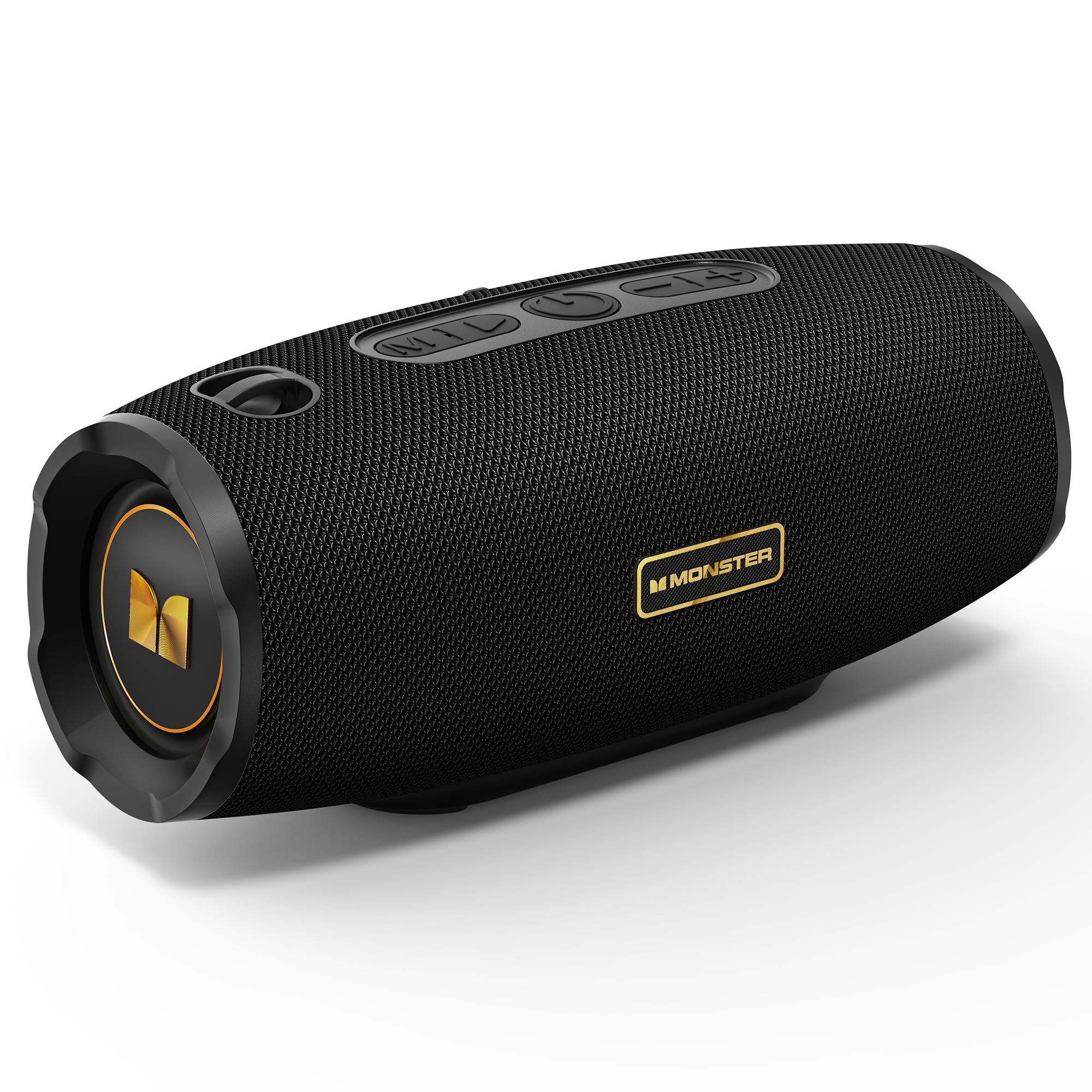
Figure 1: Monster S380 Bluetooth Speaker
2. පෙට්ටියේ ඇති දේ
සියලුම අයිතම පවතින බව සහතික කර ගැනීම සඳහා කරුණාකර පෙට්ටියෙන් ඉවත් කිරීමේදී පැකේජයේ අන්තර්ගතය පරීක්ෂා කරන්න:
- Monster S380 Speaker x 1
- USB-C ආරෝපණ කේබල් x 1
- AUX-in Cable x 1
- ඉක්මන් ආරම්භක මාර්ගෝපදේශය x 1
- Portable Rope x 1

රූපය 2: පැකේජයේ අන්තර්ගතය
3. නිෂ්පාදන අවසන්view
3.1. බොත්තම් සහ පාලන

Figure 3: Speaker Buttons Overview
- මාදිලි බොත්තම: Switches between Bluetooth, AUX, and TF Card modes.
- වාදනය/විරාම බොත්තම: Plays or pauses audio. Answers/ends phone calls.
- බල බොත්තම: ස්පීකරය සක්රිය හෝ අක්රිය කරයි.
- ශබ්දය අඩු කරන්න / පෙර ගීත බොත්තම: Decreases volume (short press) or skips to the previous song (long press).
- ශබ්දය වැඩි කරන්න / ඊළඟ ගීතය බොත්තම: Increases volume (short press) or skips to the next song (long press).
3.2. Input Ports

Figure 4: Speaker Input Ports
- USB Port: USB ධාවක නැවත ධාවනය සඳහා.
- TF කාඩ් පත: TF (microSD) කාඩ්පත් නැවත ධාවනය සඳහා.
- AUX-in port: For wired audio connection via 3.5mm AUX cable.
- ආරෝපණ වරාය: ස්පීකරය ආරෝපණය කිරීම සඳහා USB-C පෝට් එක.
4. පිහිටුවීම
4.1. කථානායකවරයාට චෝදනා කිරීම
Before first use, fully charge the speaker. Connect the provided USB-C charging cable to the speaker's charging port and the other end to a compatible USB power adapter (e.g., phone charger, computer USB port). The charging indicator light will show the charging status and turn off once fully charged.
4.2. බලය සක්රිය / අක්රිය කරන්න
ස්පීකරය ක්රියාත්මක කිරීමට, ඔබාගෙන සිටින්න බල බොත්තම for approximately 2-3 seconds until you hear an audible prompt or see the indicator light illuminate. To power off, press and hold the බල බොත්තම again for 2-3 seconds.
5. මෙහෙයුම් උපදෙස්
5.1. බ්ලූටූත් යුගලනය

රූපය 5: බ්ලූටූත් 6.0 සම්බන්ධතාවය
- Turn on the Monster S380 speaker. It will automatically enter Bluetooth pairing mode, indicated by a flashing LED light.
- ඔබගේ ජංගම උපාංගයේ (ස්මාර්ට්ෆෝන්, ටැබ්ලටය, ආදිය), බ්ලූටූත් සක්රීය කර පවතින උපාංග සොයන්න.
- "තෝරන්න"මොන්ස්ටර් එස් 380"උපාංග ලැයිස්තුවෙන්."
- Once connected, the speaker will emit a confirmation sound, and the LED light will become solid.
5.2. TWS (සත්ය රැහැන් රහිත ස්ටීරියෝ) යුගලනය

Figure 6: TWS Connection Setup
To achieve a true wireless stereo experience with two Monster S380 speakers:
- Ensure both Monster S380 speakers are powered on and are not connected to any Bluetooth device.
- එක් කථිකයෙකු මත (මෙය ඔබේ ප්රාථමික කථිකයා වනු ඇත), ඔබා අල්ලාගෙන සිටින්න Play/Pause බොත්තම for 3 seconds. The speaker will indicate it is searching for another speaker.
- The two speakers will automatically connect to each other. A confirmation sound will be heard once TWS pairing is successful.
- Now, connect your mobile device via Bluetooth to the primary speaker (the one you initiated TWS pairing on) as described in section 5.1.
5.3. AUX ප්රකාරය
Insert the 3.5mm AUX cable into the speaker's AUX-in port and connect the other end to your audio device. The speaker will automatically switch to AUX mode. Use your connected device to control playback and volume, or the speaker's volume buttons.
5.4. TF කාඩ්පත් මාදිලිය
ශ්රව්ය සහිත TF (microSD) කාඩ්පතක් ඇතුළු කරන්න files into the TF card slot. The speaker will automatically switch to TF card mode and begin playback. Use the speaker's control buttons to manage playback and volume.
5.5. හෑන්ඩ්ස්-ෆ්රී ඇමතුම්
When your speaker is connected to your smartphone via Bluetooth, you can use it for hands-free calls:
- පිළිතුරු ඇමතුම: ඔබන්න Play/Pause බොත්තම වරක්.
- ඇමතුම අවසන් කරන්න: ඔබන්න Play/Pause බොත්තම ඇමතුමක් අතරතුර වරක්.
- ඇමතුම ප්රතික්ෂේප කරන්න: ඔබා අල්ලාගෙන සිටින්න Play/Pause බොත්තම තත්පර 2 ක් සඳහා.
5.6. Volume and Track Control
Use the dedicated buttons on the speaker for audio control:
- පරිමාව වැඩි කරන්න: කෙටි ඔබන්න ශබ්දය ඉහළට (+) බොත්තම.
- ශබ්දය අඩු කරන්න: කෙටි ඔබන්න ශබ්දය අඩු කිරීමේ (-) බොත්තම.
- ඊළඟ ගීතය: දිගු ඔබන්න ශබ්දය ඉහළට (+) බොත්තම.
- පෙර ගීතය: දිගු ඔබන්න ශබ්දය අඩු කිරීමේ (-) බොත්තම.
6. නඩත්තු කිරීම
6.1 පිරිසිදු කිරීම
ශබ්ද විකාශන යන්ත්රය මෘදු ලෙස පිස දමන්න, ඩීamp cloth. Do not use harsh chemicals, abrasive cleaners, or solvents, as these may damage the surface or internal components.
6.2. ජල ප්රතිරෝධය (IPX6)

රූපය 7: IPX6 ජල ආරක්ෂිත විශේෂාංගය
The Monster S380 speaker is rated IPX6 waterproof, meaning it can withstand powerful water jets. It is resistant to splashes, rain, and spills. ස්පීකරය වතුරේ ගිල්වන්න එපා. Always ensure the rubber flap covering the input ports is securely closed to maintain its water resistance.
6.3. ගබඩා කිරීම
Store the speaker in a cool, dry place away from direct sunlight, extreme temperatures, and excessive humidity. If storing for an extended period, charge the battery periodically to maintain its lifespan.
7. දෝශ නිරාකරණය
| ගැටලුව | විය හැකි හේතුව | විසඳුම |
|---|---|---|
| ස්පීකරය ක්රියාත්මක නොවේ | බැටරිය අඩුයි; බල බොත්තම නිවැරදිව ඔබා නැත. | Charge the speaker fully. Press and hold the Power button for 2-3 seconds. |
| ශබ්දයක් නැත | Volume too low; Incorrect mode; Not paired/connected | Increase volume on speaker and device. Press Mode button to select correct input. Re-pair Bluetooth or check AUX/TF card connection. |
| බ්ලූටූත් යුගල කිරීම අසාර්ථකයි | Speaker not in pairing mode; Device too far; Interference; Already connected to another device | Ensure speaker LED is flashing. Move device closer. Turn off other Bluetooth devices. Forget "Monster S380" on your device and try again. |
| TWS යුගල කිරීම අසාර්ථකයි | Speakers already connected to other devices; Incorrect pairing steps | Ensure both speakers are disconnected from all devices. Repeat TWS pairing steps carefully (Section 5.2). |
| දුර්වල ශබ්ද ගුණාත්මකභාවය | Weak Bluetooth signal; Low-quality audio source | Move device closer to the speaker. Use high-quality audio files/streaming services. |
8. පිරිවිතර
- වෙළඳ නාමය: රකුසා
- ආදර්ශ අංකය: MS62153 (S380)
- සම්බන්ධතාවය: Bluetooth 6.0, AUX, TF Card, USB
- ශ්රව්ය ප්රතිදානය: 40W Stereo Sound (up to 80W with TWS pairing)
- බැටරි ආයු කාලය: පැය 20 දක්වා
- ජල ප්රතිරෝධය: IPX6
- නිෂ්පාදන මානයන්: 8.5 x 21 x 8.8 සෙ.මී
- නිෂ්පාදන බර: 880 ග්රෑම්
- පාලන ක්රමය: ස්පර්ශ කරන්න (බොත්තම්)
- ශ්රව්ය ධාවක වර්ගය: ගතික ධාවකය
9. වගකීම් සහ සහාය
The Monster S380 Bluetooth Speaker comes with a standard manufacturer's warranty. For detailed warranty information, technical support, or service inquiries, please refer to the Quick Start Guide included in your product package or visit the official Monster webවඩාත්ම යාවත්කාලීන සහාය සම්පත් සඳහා අඩවිය.