
1. හැඳින්වීම
Thank you for choosing the INGA Computer Speakers MZ-102M. This manual provides essential information for setting up, operating, and maintaining your new speakers. Please read it thoroughly before use to ensure optimal performance and longevity of your device.
2. පෙට්ටියේ ඇති දේ
- Wired USB Speaker Bar x 1
- පරිශීලක අත්පොත x 1
3. නිෂ්පාදන ලක්ෂණ
- Detachable AEC Microphone: Features a unidirectional AEC mic for clear audio during calls, reducing echo and background noise.
- Stereo Sound with Deep Bass: Dual-speaker design delivers rich 3D stereo sound with deep bass, full mids, and clear highs.
- Dual Sound Modes: Easily switch between Music Mode (clear vocals, rich instrumentals) and Gaming Mode (deep bass, dynamic effects).
- One-Touch Mute Controls: Independent buttons for volume, play/pause, mode switching, and a dedicated microphone mute function for privacy.
- ප්ලග්-ඇන්ඩ්-ප්ලේ USB සම්බන්ධතාවය: Simple USB connection for wide compatibility with PC, Laptop, PS5, and Mac.
- ගතික ආලෝකකරණය: Enhance your experience with various LED lighting effects.
4. සැකසුම් මාර්ගෝපදේශය
4.1 Connecting the Speaker
- Connect the USB-A or USB-C plug from the speaker to an available USB port on your computer (PC, Laptop, Mac) or gaming console (PS5).
- The speaker is plug-and-play and should be automatically recognized by your system.
4.2 Attaching the Detachable Microphone
Gently insert the detachable microphone into the designated port on the speaker bar until it clicks into place. Ensure it is firmly connected for optimal voice capture.
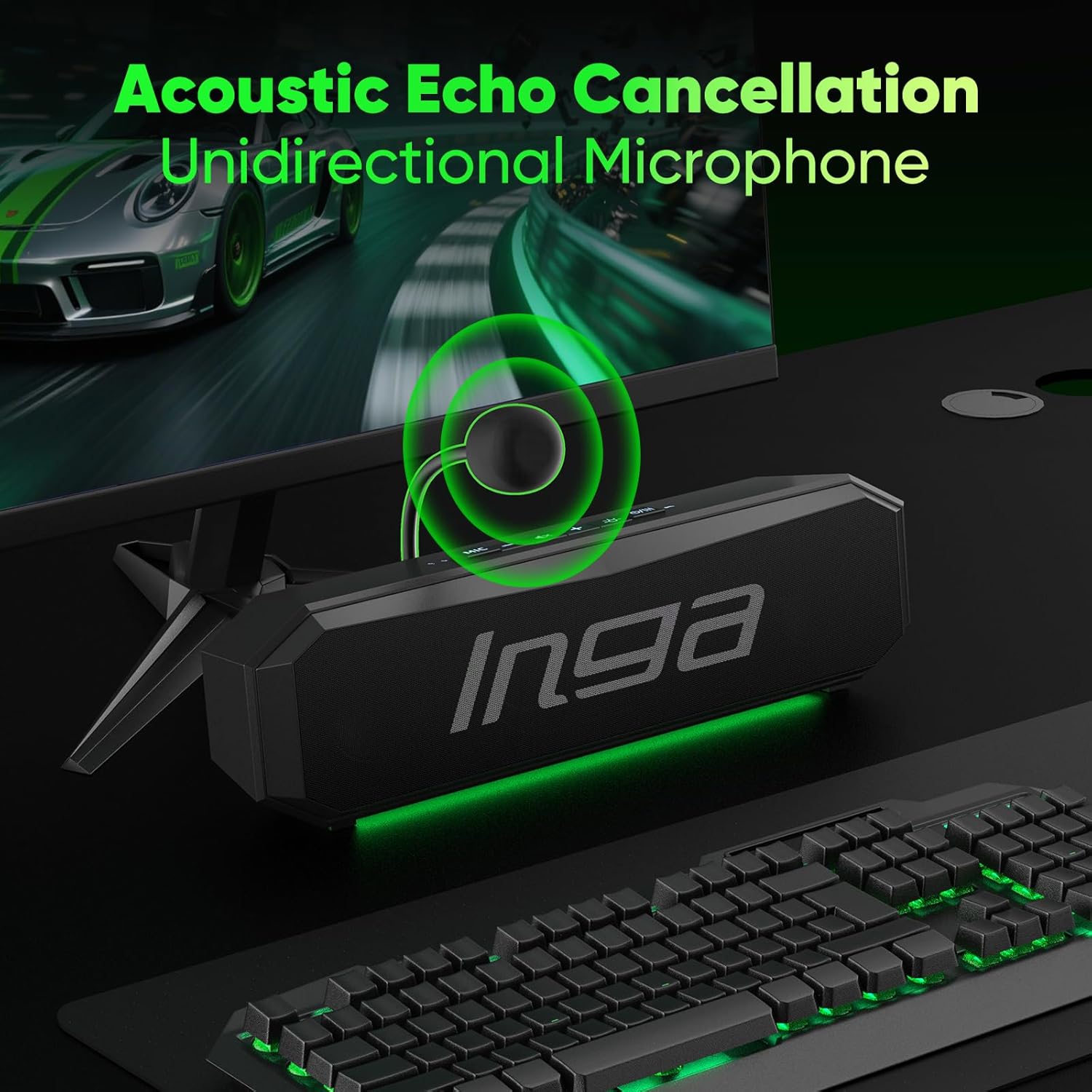
Image: INGA Computer Speaker with its detachable unidirectional microphone attached. The microphone is designed to capture clear audio while reducing background noise.
5. මෙහෙයුම් උපදෙස්
5.1 වෙළුම් පාලනය
- Use the '+' and '-' buttons on the speaker to adjust the volume up or down.
- Press the mute button (speaker icon) to quickly mute or unmute the audio output.
5.2 මයික්රෆෝනය නිශ්ශබ්ද කරන්න
- Press the 'MIC' button to mute or unmute the microphone. The button will illuminate to indicate its status.
5.3 Dual Sound Modes
The speaker offers optimized audio for different scenarios:
- සංගීත මාදිලිය: Provides clear vocals and rich instrumentals.
- සූදු ප්රකාරය: Delivers deep bass and dynamic effects for an immersive gaming experience.
Use the mode switching button (often indicated by a music note or game controller icon) to toggle between these modes.

රූපය: ඉහළට view of the INGA Computer Speaker showing the control panel with buttons for volume, mute, and mode switching between Game and Music.
5.4 Dynamic Lighting Effects
The speaker features dynamic LED lighting to enhance your setup. You can cycle through various lighting modes and colors using the dedicated light button (sun icon).
- Monochrome Fixed
- Colorful Cycling Lighting
- Single-Color Cycling Lighting
- Slow Breathing Lighting

Image: The INGA Computer Speaker showcasing its dynamic LED lighting effects, including Flow, Breathing, and Rhythm modes, adding visual flair to your desktop.
6. නඩත්තු කිරීම
To ensure the longevity and optimal performance of your INGA Computer Speakers, follow these maintenance guidelines:
- පිරිසිදු කිරීම: Use a soft, dry cloth to wipe the speaker's surface. Avoid using harsh chemicals or abrasive materials.
- ගබඩා: දිගු කාලයක් භාවිතයේ නොමැති විට, සෘජු හිරු එළියෙන් සහ අධික උෂ්ණත්වයන්ගෙන් ඈත්ව සිසිල් වියළි ස්ථානයක ස්පීකරය ගබඩා කරන්න.
- කේබල් රැකවරණය: හානි වළක්වා ගැනීම සඳහා USB කේබලය අධික ලෙස නැමීමෙන් හෝ ඇඹරීමෙන් වළකින්න.
7. දෝශ නිරාකරණය
7.1 Speaker No Sound: Quick Fixes
- Plug the USB connector into USB side ports on your computer.
- Fix the setting:
- Speaker icon - choose "MZ-102M" as audio output.
- Control panel/system preference - sound setting - choose "MZ-102M" as audio output - save changes.

Image: A screenshot illustrating the process of selecting the "MZ-102M" as the default audio output device within a computer's sound settings.
8. පිරිවිතර
| විශේෂාංගය | විස්තර |
|---|---|
| වෙළඳ නාමය | INGA |
| ආදර්ශ අංකය | MZ-102M |
| ස්පීකර් උපරිම නිමැවුම් බලය | වොට් 10 |
| සංඛ්යාත ප්රතිචාරය | 20 KHz |
| සම්බන්ධතා තාක්ෂණය | USB |
| ආදාන වෙළුමtage | 5 Volts (DC) |
| සවිකිරීමේ වර්ගය | tabletop Mount |
| ස්පීකර් වර්ගය | අතේ ගෙන යා හැකි කථානායක |
| වර්ණය | කළු |
| පාලන ක්රමය | ස්පර්ශ කරන්න |
| ස්පීකර් ප්රමාණය | මිලිමීටර් 248 යි |
| අයිතම මානයන් D x W x H | 9.7"D x 1.2"W x 1.8"H |
| අයිතමයේ බර | කිලෝ ග්රෑම් 0.32 යි |
| ගැළපෙන උපාංග | Desktop, Laptop, PC, Mac |
| ශ්රව්ය ධාවක වර්ගය | ගතික ධාවකය |
| ශ්රව්ය නාලිකා ගණන | 2.0 |
| සම්බන්ධතා ප්රොටෝකෝලය | USB |
| බලශක්ති ප්රභවය | රැහැන්ගත විදුලි |
9. වගකීම් සහ සහාය
9.1 වගකීම් තොරතුරු
The INGA Computer Speakers MZ-102M come with a 1-Year Manufacturer Limited Warranty. Please retain your proof of purchase for warranty claims.
9.2 පාරිභෝගික සහාය
If you have any questions or encounter issues with your INGA computer speakers, please feel free to contact our customer service team. We are committed to resolving your issue within 24 hours.