
1. හැඳින්වීම
The ACECONN Pi2 Linux 4K HD Super Box TV Box is a versatile streaming device designed for high-definition media consumption. It operates on a Linux system, offering a customizable, stable, and secure platform for your entertainment needs. This device supports 4K UHD resolution and a wide array of video formats, ensuring a premium viewඅත්දැකීමෙන්.
ප්රධාන ලක්ෂණ ඇතුළත් වේ:
- Linux system for high customization, stability, and security.
- Supports 4K UHD resolution and multiple video formats for high-definition quality.
- Compatible with various connection methods such as HDMI and RCA.
- Multiple USB ports for media playback and software updates.
- Supports network and USB dual upgrades for convenient software maintenance.

Image: The ACECONN Pi2 Linux 4K HD Super Box TV Box and its remote control.
2. සැකසුම් මාර්ගෝපදේශය
2.1 පැකේජයේ අන්තර්ගතය
ඔබ ආරම්භ කිරීමට පෙර, කරුණාකර සියලුම අයිතම පැකේජයේ ඇති බව තහවුරු කරගන්න:
- ACECONN Pi2 රූපවාහිනී පෙට්ටිය
- දුරස්ථ පාලන ඒකකය (RCU)
- Power Adapter (US type)
- HDMI කේබලය
- IR Extender
- පරිශීලක අත්පොත

Image: All components included in the ACECONN Pi2 package.
2.2 උපාංගය සම්බන්ධ කිරීම
- බල සම්බන්ධතාවය: සපයා ඇති බල ඇඩැප්ටරය රූපවාහිනී පෙට්ටියේ DC IN තොටට සම්බන්ධ කර පසුව එය බල අලෙවිසැලකට සම්බන්ධ කරන්න.
- HDMI සම්බන්ධතාවය: Use the HDMI cable to connect the HDMI OUT port on the TV Box to an HDMI IN port on your television or display. Note the HDMI input number on your TV.
- ජාල සම්බන්ධතාවය (විකල්ප):
- ඊතර්නෙට්: For a wired connection, connect an Ethernet cable from your router to the LAN port on the TV Box.
- Wifi: For a wireless connection, you will configure Wi-Fi settings after the initial power-on.
- USB උපාංග (විකල්ප): You can connect USB storage devices or other peripherals to the available USB ports.
2.3 පළමු බලය
After connecting all necessary cables, turn on your television and select the correct HDMI input. The ACECONN Pi2 TV Box should power on automatically or can be powered on using the remote control. Follow any on-screen prompts for initial setup, such as language selection and network configuration.
3. මෙහෙයුම් උපදෙස්
3.1 පරිශීලක අතුරුමුහුණත අවසන්view
Upon startup, you will see the main user interface, which provides access to various applications and settings. The interface is designed for easy navigation using the provided remote control.
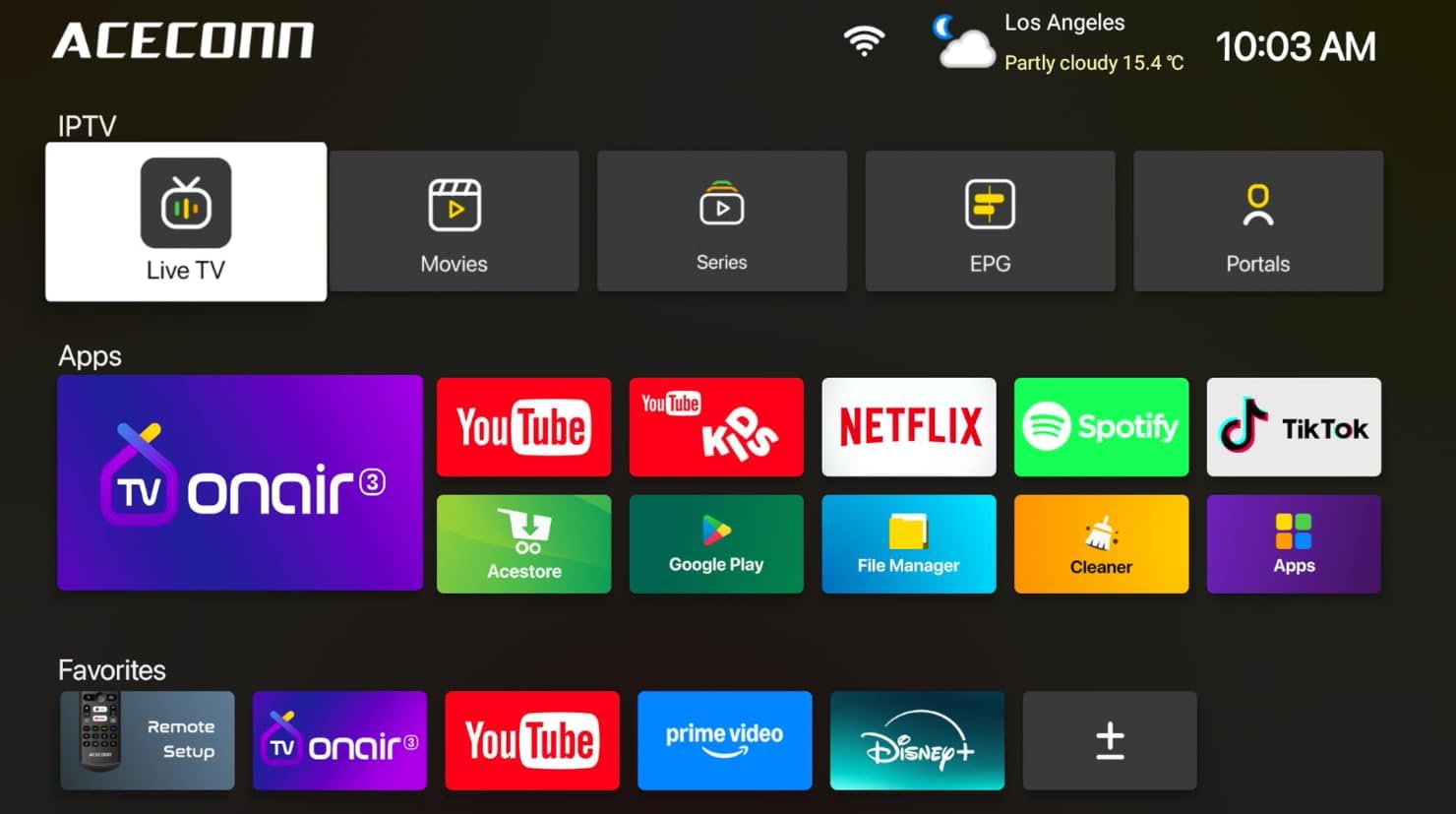
Image: Main user interface of the ACECONN Pi2, displaying various content categories and applications.
3.2 සංචාලනය සහ දුරස්ථ පාලකය
Use the directional buttons on the remote control to navigate through menus and select items. The 'OK' button confirms selections, and the 'Back' button returns to the previous screen. Familiarize yourself with the remote's layout for optimal control.
3.3 මාධ්ය නැවත ධාවනය
The Pi2 supports various media playback options:
- ප්රවාහය: Access pre-installed or downloaded streaming applications for online content.
- දේශීය පසුධාවනය: Connect a USB hard drive or flash drive to play downloaded 4K content directly. The device supports full format compatibility including MKV, MP4, and AVI.
- Personal Media Library: Utilize applications like Kodi to organize and play your media collection.

Image: The ACECONN Pi2 supports various media consumption scenarios, including family streaming, personal media organization, and local file නැවත ධාවනය.
3.4 ජාල සැකසුම්
ජාලයකට සම්බන්ධ වීමට:
- Navigate to the 'Settings' menu from the home screen.
- Select 'Network' or 'Wi-Fi' settings.
- For Wi-Fi, select your network from the list and enter the password. For Ethernet, ensure the cable is connected; the device should automatically connect.
3.5 පද්ධති සැකසුම්
The 'Settings' menu allows you to customize various aspects of your device:
- සංදර්ශකය: Adjust resolution, screen scaling, and HDR settings. The device supports 4K@60fps with HDR 10+ for an enhanced visual experience.
- ශ්රව්ය: Configure audio output options.
- භාෂාව සහ ආදානය: පද්ධති භාෂාව සහ යතුරුපුවරු සැකසුම් වෙනස් කරන්න.
- මාපිය පාලන: Utilize the built-in parental control features to manage content access.
- ගැන: View device information, including the Linux 4.9 kernel version.

Image: The ACECONN Pi2 offers advanced 4K decoding, HDR 10+ dynamic color, and broad media format compatibility.
4. නඩත්තු කිරීම
4.1 පිරිසිදු කිරීම
To maintain the device's appearance and performance, gently wipe the exterior with a soft, dry cloth. Avoid using liquid cleaners or abrasive materials.
4.2 Software Updates (OTA Updates)
The ACECONN Pi2 supports Over-The-Air (OTA) updates, as well as updates via USB. Regularly checking for and installing updates ensures you have the latest features, drivers, and security enhancements. This contributes to the device's rugged 24/7 stability.
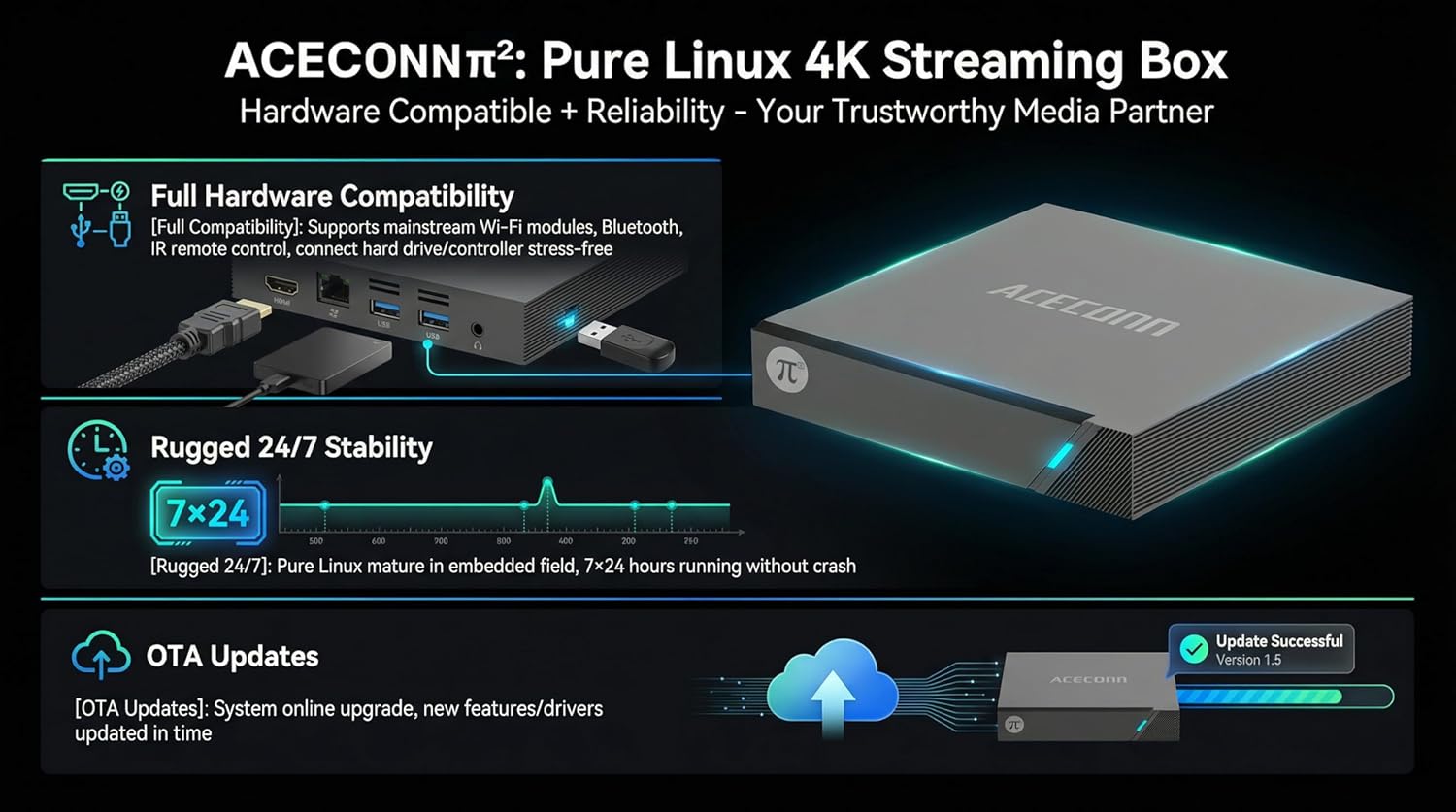
Image: The ACECONN Pi2 features full hardware compatibility, robust stability, and convenient OTA updates.
5. දෝශ නිරාකරණය
If you encounter issues with your ACECONN Pi2, refer to the following common problems and solutions:
- බලය නැත:
- බල ඇඩැප්ටරය උපාංගයට සහ ක්රියාකාරී බල අලෙවිසැලකට ආරක්ෂිතව සම්බන්ධ කර ඇති බවට වග බලා ගන්න.
- වෙනස් බල සැපයුමක් උත්සාහ කරන්න.
- රූපවාහිනියේ සංඥා නැත:
- Verify the HDMI cable is firmly connected to both the TV Box and the TV.
- Check that your TV is set to the correct HDMI input source.
- ඔබේ රූපවාහිනියේ වෙනස් HDMI කේබලයක් හෝ HDMI පෝට් එකක් උත්සාහ කරන්න.
- දුරස්ථ පාලකය ප්රතිචාර නොදක්වයි:
- Ensure the batteries in the remote control are correctly inserted and not depleted. Replace if necessary.
- Point the remote directly at the TV Box's IR receiver.
- ජාල සම්බන්ධතා ගැටළු:
- For Wi-Fi, re-enter the password in network settings. Ensure your router is working correctly.
- For Ethernet, check the cable connection to both the TV Box and the router.
- ඔබේ රවුටරය සහ රූපවාහිනී පෙට්ටිය නැවත ආරම්භ කරන්න.
- System Lag or Freezing:
- රූපවාහිනී පෙට්ටිය නැවත ආරම්භ කරන්න.
- උපාංගයට ප්රමාණවත් වාතාශ්රයක් ඇති බවට වග බලා ගන්න.
- පවතින ඕනෑම මෘදුකාංග යාවත්කාලීනයක් පරීක්ෂා කර ස්ථාපනය කරන්න.
6. පිරිවිතර
| විශේෂාංගය | පිරිවිතර |
|---|---|
| ආදර්ශ අංකය | Pi2 |
| වෙළඳ නාමය | ඇසෙකොන් |
| නිෂ්පාදන මානයන් | 11 x 11 x 2 සෙ.මී |
| අයිතමයේ බර | කිලෝ ග්රෑම් 0.5 යි |
| සම්බන්ධතා තාක්ෂණය | බ්ලූටූත්, ඊතර්නෙට්, HDMI, USB, Wi-Fi |
| සම්බන්ධක වර්ගය | HDMI |
| විභේදනය | 4K |
| වීඩියෝ ප්රතිදාන විභේදනය | පික්සල 3840 |
| පාලක වර්ගය | යෙදුම් පාලනය, දුරස්ථ පාලකය |
| මතක ගබඩා ධාරිතාව | 8 GB |
| විශේෂ ලක්ෂණය | මාපිය පාලන |
| මෙහෙයුම් පද්ධතිය | Linux 4.9 Kernel |
7. වගකීම් සහ සහාය
7.1 වගකීම් තොරතුරු
This ACECONN Pi2 Linux 4K HD Super Box TV Box comes with a වසර 1ක නිෂ්පාදක වගකීම මිලදී ගත් දින සිට. වගකීම් හිමිකම් සඳහා කරුණාකර ඔබේ මිලදී ගැනීමේ සාක්ෂි තබා ගන්න.
7.2 පාරිභෝගික සහාය
For technical assistance or warranty inquiries, please contact the manufacturer:
- නිෂ්පාදකයා: shenzhenshiniulinkejiyouxiangongsi
- විද්යුත් තැපෑල: zengkkoo@gmail.com