
හැඳින්වීම
This manual provides detailed instructions for the installation, operation, maintenance, and troubleshooting of your Blackspider BSDD1460A 7-inch Android multimedia radio. Please read this manual thoroughly before using the device to ensure proper functionality and safety.
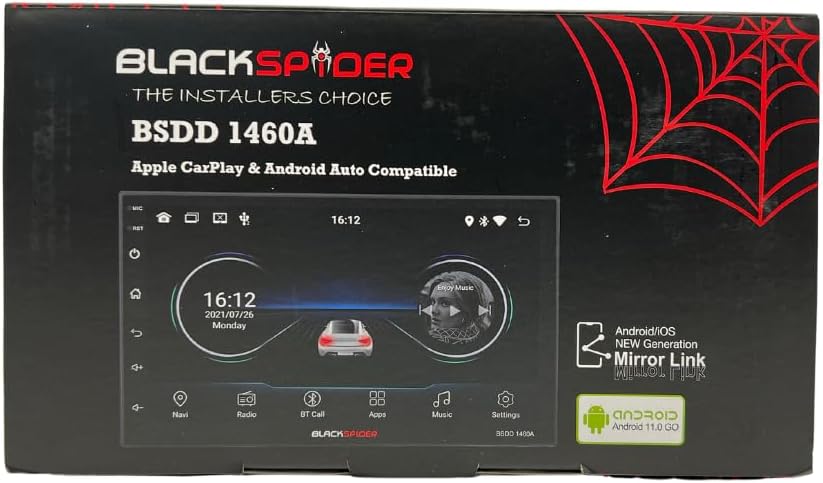
Figure 1: Blackspider BSDD1460A Product Packaging
The Blackspider BSDD1460A is a double-DIN head unit featuring a 7-inch Android 11 touchscreen. It supports Wireless Apple CarPlay, Wired Android Auto, built-in GPS navigation, and offers robust multimedia control and audio output. It is designed for seamless integration with various car systems, including rear cameras and steering wheel controls.
සැකසුම සහ ස්ථාපනය
පැකේජයේ අන්තර්ගතය
ස්ථාපනය කිරීමට පෙර, සියලුම සංරචක පැකේජයේ ඇති බව තහවුරු කර ගන්න:
- 1 x BSDD1460A Radio Unit
- 1 x කැමරා කේබලය
- 1 x RCA Cables Set
- 2 x USB කේබල්
- 1 x GPS Receiver
- 1 x රැහැන් සටහන
- 2 x සවි කිරීමේ වරහන්
- 4 x ඉස්කුරුප්පු
- 1 x බාහිර මයික්රෝෆෝනය
- 1 x බල කේබලය

Figure 2: Unboxed Components

රූපය 3: සවිස්තරාත්මක View of Cables and Wiring Diagram
ස්ථාපන මාර්ගෝපදේශ
Installation of the BSDD1460A unit should ideally be performed by a qualified professional. Incorrect wiring can damage the unit or your vehicle's electrical system. Refer to the included wiring diagram for specific connections.
Key connection points include:
- බල සැපයුම: Connect the power cable to the vehicle's electrical system, ensuring correct polarity and fuse protection.
- කථික නිමැවුම්: Connect to your vehicle's speakers. The unit provides 60W x 4 max output.
- ජීපීඑස් ඇන්ටෙනාව: Connect the GPS receiver to the dedicated input and mount the antenna in a location with clear sky visibility.
- පසුපස කැමරා ආදානය: Connect your rear-view camera to the designated input for automatic display when reversing.
- USB Ports: Utilize the dual rear USB ports for media playback or charging devices.
- බාහිර මයික්රෆෝනය: Connect the external microphone for improved hands-free calling audio quality.
- සුක්කානම් රෝද පාලන: Connect to your vehicle's resistive steering wheel controls for integrated functionality.
- RCA නිමැවුම්: Use the RCA audio outputs (Front/Rear) and dedicated Subwoofer output for external ampජීවිතාරක්ෂක.

රූපය 4: පසුපස පැනල් සම්බන්ධතා
මෙහෙයුම් උපදෙස්
බලය සක්රිය / අක්රිය
Press and hold the power button on the front panel or use the vehicle's ignition to turn the unit on or off. The unit will display the Blackspider logo upon startup.

Figure 5: Startup Screen
ස්පර්ශ තිර අතුරුමුහුණත
The 7-inch touchscreen provides intuitive control over all functions. Tap icons to open applications, swipe to navigate menus, and use pinch-to-zoom gestures where applicable (e.g., in navigation apps).
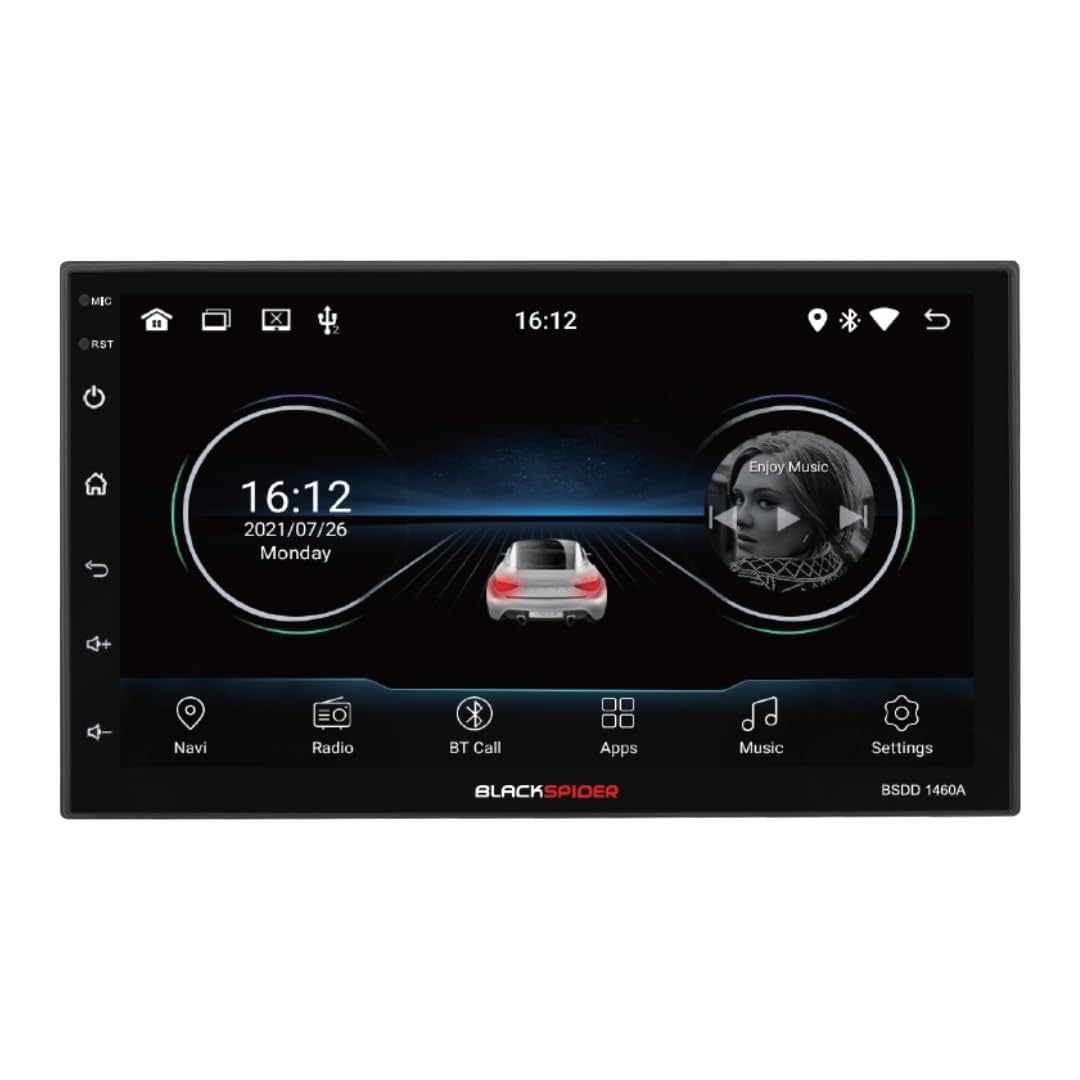
Figure 6: Main Home Screen

Figure 7: Applications Screen
ප්රධාන ලක්ෂණ
- රැහැන් රහිත Apple CarPlay: Connect your iPhone wirelessly for access to navigation, music, messages, and more directly on the unit's screen. Ensure Bluetooth and Wi-Fi are enabled on your iPhone.
- රැහැන්ගත Android Auto: Connect your Android smartphone via a USB cable to use Android Auto features, including Google Maps, Spotify, and voice commands.
- Built-in GPS Navigation: The unit comes with built-in GPS capabilities. You can download and use various navigation applications from the Android system's app store.
- Bluetooth Hands-Free Calling & Music Streaming: Pair your smartphone via Bluetooth for hands-free calls and wireless audio streaming. The included external microphone enhances call clarity.
- බහුමාධ්ය නැවත ධාවනය: ශ්රව්ය සහ දෘශ්ය වාදනය කරන්න files from USB drives connected to the dual rear USB ports.
- පසුපස කැමරා සහාය: When a rear camera is connected, the display automatically switches to the camera view වාහනය ප්රතිලෝම ගියරයේ ඇති විට.
- ශ්රව්ය පාලනය: Adjust volume, balance, fader, and utilize the built-in equalizer presets to customize your audio experience.
නඩත්තු කිරීම
To ensure the longevity and optimal performance of your Blackspider BSDD1460A, follow these maintenance guidelines:
- පිරිසිදු කිරීම: Use a soft, dry cloth to clean the screen and unit exterior. For stubborn marks on the screen, use a screen cleaner specifically designed for electronic displays. Avoid abrasive cleaners or solvents.
- මෘදුකාංග යාවත්කාලීන: Periodically check for software updates through the unit's settings menu or the manufacturer's website. Keeping the software updated can improve performance and add new features.
- පාරිසරික තත්ත්වයන්: ඒකකය අධික උෂ්ණත්වයන්ට, දිගු කාලයක් සෘජු හිරු එළියට හෝ අධික තෙතමනයට නිරාවරණය වීමෙන් වළකින්න.
දෝෂගවේෂණය
If you encounter issues with your Blackspider BSDD1460A, refer to the following common problems and solutions:
| ගැටලුව | විය හැකි හේතුව | විසඳුම |
|---|---|---|
| ඒකකය බලය සක්රිය නොවේ | වැරදි රැහැන් ඇදීම, පිපිරුණු ෆියුස්, වාහන බැටරි ගැටළුව | Check power connections and fuses. Ensure vehicle battery is charged. Consult an installer. |
| ශබ්ද ප්රතිදානයක් නොමැත | Speaker wires disconnected, volume too low, mute activated | ස්පීකර් සම්බන්ධතා පරීක්ෂා කරන්න. ශබ්දය වැඩි කරන්න. නිහඬ කිරීමේ කාර්යය අක්රිය කරන්න. |
| GPS සංඥාව නැති වී හෝ සාවද්ය වී ඇත. | GPS antenna obstructed or improperly placed | GPS ඇන්ටෙනාව පැහැදිලි බව සහතික කර ගන්න view අහසේ. ඇන්ටෙනා සම්බන්ධතාවය පරීක්ෂා කරන්න. |
| Apple CarPlay/Android Auto සම්බන්ධ නොවේ | Incorrect settings, cable issue (for Android Auto), phone compatibility | For CarPlay, ensure Wi-Fi and Bluetooth are on. For Android Auto, try a different USB cable. Check phone compatibility and settings. |
| ස්පර්ශ තිරය ප්රතිචාර නොදක්වයි | තාවකාලික මෘදුකාංග දෝෂයක් | Restart the unit. If issue persists, perform a factory reset (note: this will erase all user data). |
පිරිවිතර
Technical specifications for the Blackspider BSDD1460A multimedia radio:
- ආකෘතිය: BSDD1460A
- සංදර්ශකය: 7-inch Android 11 Touchscreen
- මතකය: 2GB RAM + 32GB ROM
- සම්බන්ධතාවය: Wireless Apple CarPlay, Wired Android Auto, Bluetooth, GPS, Dual Rear USB, AV Input & Video Output, RCA Audio Outputs (Front/Rear), Dedicated Subwoofer Output
- ශ්රව්ය ප්රතිදානය: 60W × 4 max speaker output, Built-in Equalizer Presets
- විශේෂ ලක්ෂණ: පසුපස-view camera input, Resistive steering wheel control support, External microphone support
- මානයන් (D x W x H): 14D x 17.8W x 10H සෙන්ටිමීටර
- අයිතමයේ බර: කිලෝ ග්රෑම් 1.35 යි
- වර්ණය: කළු
වගකීම් තොරතුරු
The Blackspider BSDD1460A comes with a වසර 1ක වගකීමක් from the date of purchase. This warranty covers manufacturing defects under normal use. It does not cover damage caused by improper installation, misuse, accidents, unauthorized repairs, or normal wear and tear. Please retain your proof of purchase for warranty claims.
සහාය
For further assistance, technical support, or warranty claims, please contact your retailer or the Blackspider customer service department. Refer to the contact information provided with your purchase or visit the official Blackspider webආධාරක සම්පත් සඳහා අඩවිය.