1. හැඳින්වීම
The Mastercool Infrared Thermometer with Circular Laser is a non-contact temperature measurement device designed for accuracy and ease of use. It features laser targeting, an enhanced backlit color LCD display, and an expanded temperature range for various applications. This manual provides essential information for the proper setup, operation, and maintenance of your device.
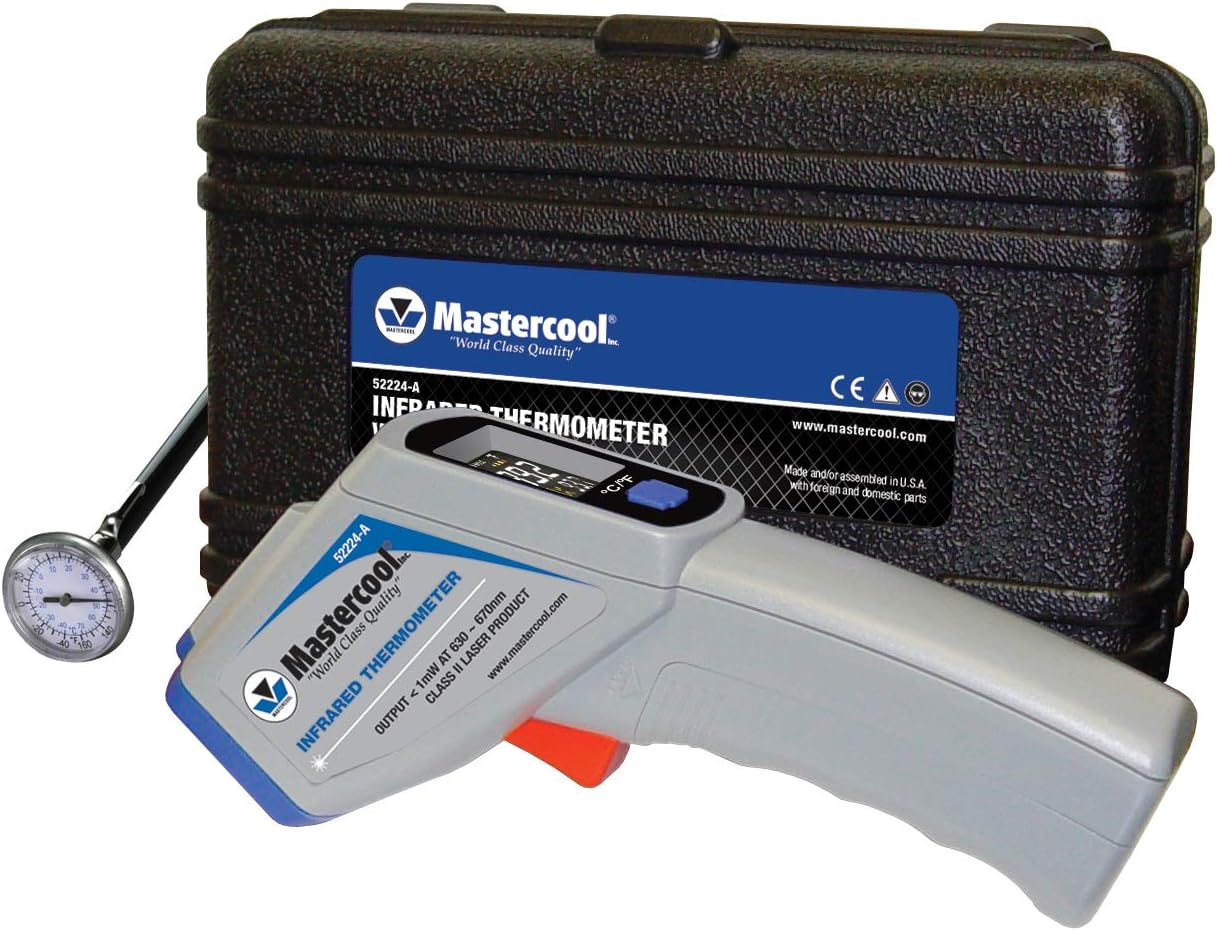
Figure 1: Mastercool Infrared Thermometer with included accessories.
2. නිෂ්පාදන අවසන්view
The Mastercool Infrared Thermometer allows for quick and accurate temperature readings without direct contact, making it ideal for measuring acute surface temperatures. Its compact design ensures portability and simple operation.
ප්රධාන ලක්ෂණ:
- සම්බන්ධතා නොවන මිනුම්: දුර සිට ආරක්ෂිතව උෂ්ණත්වය මැන බලන්න.
- Circular Laser Targeting: Precisely indicates the measurement area.
- Backlit Color LCD Display: Provides clear visibility of readings in various lighting conditions.
- Expanded Temperature Range: Measures from -58 to 932°F (-50 to 500°C).
- 12:1 Distance-to-Spot Ratio: Allows accurate measurement of targets at greater distances.
- ස්වයංක්රීය බලය අක්රිය: Conserves battery life after 15 seconds of inactivity.

Figure 2: Labeled components of the infrared thermometer.
3. පැකේජ අන්තර්ගතය
ඔබගේ පැකේජයේ සියලුම අයිතම ඇති බව තහවුරු කරගන්න:
- Mastercool Infrared Thermometer
- 1" Dial Thermometer (0-220°F)
- Plastic Molded Carrying Case
- 2 AAA බැටරි
- උපදෙස් අත්පොත
4. පිහිටුවීම
4.1 බැටරි ස්ථාපනය
The thermometer requires 2 AAA batteries for operation. To install or replace batteries:
- උෂ්ණත්වමානයේ හසුරුවෙහි බැටරි මැදිරිය සොයා ගන්න.
- ස්ලයිඩයෙන් බැටරි මැදිරියේ කවරය විවෘත කරන්න.
- නිවැරදි ධ්රැවීයතාව (+/-) සහතික කරමින් AAA බැටරි 2ක් ඇතුළු කරන්න.
- බැටරි මැදිරි කවරය ආරක්ෂිතව වසා දමන්න.

Figure 3: Battery compartment showing 2 AAA batteries.
5. මෙහෙයුම් උපදෙස්
5.1 මිනුමක් ගැනීම
උෂ්ණත්ව කියවීමක් ලබා ගැනීමට:
- Point the thermometer at the desired surface.
- Press and hold the measurement trigger. The circular laser will activate, indicating the measurement area.
- The temperature reading will appear instantly on the backlit LCD display.
- Release the trigger to hold the reading on the display. The device will automatically power off after 15 seconds of inactivity.

Figure 4: Circular laser targeting for precise measurement.
5.2 තොරතුරු පෙන්වන්න
The backlit color LCD displays the following information:
- මතුපිට උෂ්ණත්වය: The current temperature reading.
- උපරිම උෂ්ණත්වය: The highest temperature recorded during the measurement session.
- බැටරි දර්ශකය: ඉතිරි බැටරි ආයු කාලය පෙන්වයි.
- Temperature Unit Indicator: Displays °F or °C.
- දර්ශකය රඳවා තබා ගන්න: Appears when the trigger is released, holding the last reading.

රූපය 5: සවිස්තරාත්මක view of the LCD display.
5.3 වෙනස්වන උෂ්ණත්ව ඒකක
To switch between Fahrenheit (°F) and Celsius (°C), press the dedicated °C/°F button located below the display.
5.4 විමෝචනය
This thermometer has a fixed emissivity setting of 0.95. Emissivity is a measure of an object's ability to emit infrared energy. A setting of 0.95 is suitable for most organic materials, painted surfaces, and many common materials. For highly reflective surfaces, readings may be less accurate.
6. Understanding Distance-to-Spot Ratio (D:S)
The Mastercool Infrared Thermometer features a 12:1 distance-to-spot ratio. This means that for every 12 units of distance the thermometer is from the target, the diameter of the area being measured is 1 unit. For example, if the thermometer is 12 inches away from the target, it will measure a 1-inch diameter spot. To ensure the most accurate reading, position the thermometer as close to the target as safely possible, especially when measuring small areas.

Figure 6: Measuring temperature of a ceiling vent.

Figure 7: Measuring temperature of a car brake rotor.
7. නඩත්තු කිරීම
7.1 පිරිසිදු කිරීම
To clean the thermometer, wipe it with a clean, damp රෙදි. උල්ෙල්ඛ පිරිසිදු කරන්නන් භාවිතා නොකරන්න හෝ උපාංගය ජලයේ ගිල්වන්න එපා.
7.2 ගබඩා කිරීම
Store the thermometer in its convenient plastic molded carrying case when not in use to protect it from dust and damage. Remove batteries if storing for extended periods.
8. දෝශ නිරාකරණය
If the thermometer is not functioning correctly, consider the following:
- සංදර්ශකයක් නැත/අඩු බැටරිය: Check if the batteries are correctly installed or replace them with new AAA batteries.
- වැරදි කියවීම්: Ensure the thermometer is within the recommended distance-to-spot ratio for the target size. Avoid measuring highly reflective surfaces directly.
- දෝෂ පණිවිඩය: If an error message appears, allow the device to return to ambient temperature if it has been exposed to extreme heat or cold.
9. පිරිවිතර
| විශේෂාංගය | පිරිවිතර |
|---|---|
| වෙළඳ නාමය | Mastercool |
| මාදිලියේ නම | 52224-A-SP |
| Non-Contact Temperature Range | -58 සිට 932°F (-50 සිට 500°C) |
| ක්ෂේත්ර View (D:S Ratio) | 12 : 1 |
| ඩිස්ප්ලේ ආලෝකකරණය | Backlit LCD Color display |
| ඉලක්ක දර්ශකය | Circular Laser Spot |
| විමෝචනය | 0.95 (ස්ථාවර) |
| විභේදනය | 0.5°F / 0.5°C |
| නිරවද්යතාව | +/-2°C (4°F) or +/-2% of reading |
| ප්රතිචාර කාලය | තත්පර 0.5 යි |
| බලය අක්රියයි | Automatic after 15 seconds |
| බැටරි | 2 AAA |
| බැටරි ආයු කාලය | ආසන්න වශයෙන් පැය 14 කි |
| අයිතමයේ බර | අවුන්ස 6.3 කි |
| බාහිර ද්රව්ය | ප්ලාස්ටික් |
10. වගකීම් සහ සහාය
For warranty information or technical support, please contact Mastercool customer service. Refer to the product packaging or the official Mastercool webවඩාත්ම යාවත්කාලීන සම්බන්ධතා තොරතුරු සඳහා අඩවිය.


