1. හැඳින්වීම
This instruction manual provides comprehensive guidance for the proper use and maintenance of your Vivitar DVR545 5.0 Megapixel Digital Camcorder. Please read this manual thoroughly before operating the device to ensure optimal performance and longevity. Keep this manual for future reference.
2. නිෂ්පාදන අවසන්view
2.1 සංරචක
The Vivitar DVR545 is a compact digital camcorder designed for capturing videos and still images. It features an 8x digital zoom, a 2.4-inch LCD screen, and supports SD memory cards for expanded storage.

Figure 1: The Vivitar DVR545 Digital Camcorder shown alongside its protective carrying case.
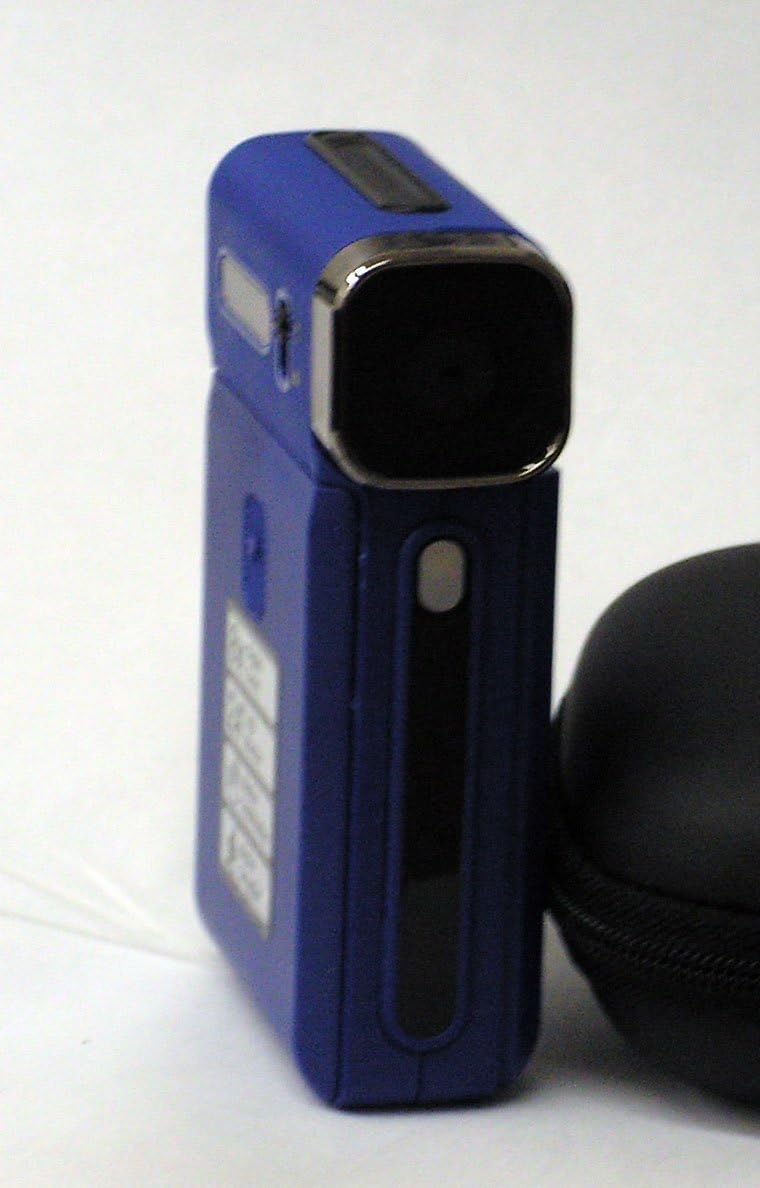
රූපය 2: සමීප එකක් view of the Vivitar DVR545 Digital Camcorder, highlighting its front panel and lens.
3. පිහිටුවීම
3.1 බැටරි ස්ථාපනය සහ ආරෝපණය කිරීම
- Locate the battery compartment on the camcorder.
- මැදිරි කවරය විවෘත කරන්න.
- Insert the provided rechargeable Li-ion battery, ensuring correct polarity as indicated inside the compartment.
- බැටරි මැදිරි කවරය ආරක්ෂිතව වසා දමන්න.
- Connect the camcorder to a power source using the supplied USB cable to charge the battery. The charging indicator light will illuminate.
- පළමු භාවිතයට පෙර බැටරිය සම්පූර්ණයෙන්ම ආරෝපණය කිරීමට ඉඩ දෙන්න.
3.2 මතක කාඩ්පත් ස්ථාපනය
The camcorder has 64MB of internal memory. For extended recording and storage, an SD card is recommended.
- Locate the SD card slot on the camcorder.
- Insert an SD card into the slot with the metal contacts facing down, until it clicks into place.
- To remove the SD card, gently push it inward until it springs out.
3.3 ආරම්භක බලය සක්රීය කිරීම
Press and hold the power button (usually located on the side or top of the device) for a few seconds until the 2.4-inch LCD screen illuminates.
4. මෙහෙයුම් උපදෙස්
4.1 මූලික මෙහෙයුම
- බලය සක්රිය / අක්රිය: බල බොත්තම ඔබාගෙන සිටින්න.
- LCD තිරය: The 2.4-inch LCD screen displays the live view, මෙනු විකල්ප, සහ නැවත ධාවනය.
- සංචාලනය: Use the directional buttons to navigate through menus and settings.
4.2 වීඩියෝ පටිගත කිරීම
- කැමරාව ක්රියාත්මක කරන්න.
- Ensure the camcorder is in video recording mode (indicated by an icon on the LCD).
- LCD තිරය භාවිතයෙන් ඔබේ විෂය රාමු කරන්න.
- Press the Record button (usually a red circle) to start recording. The recording indicator will flash.
- Press the Record button again to stop recording. Videos are captured at 1080p resolution.
4.3 ඡායාරූප ගැනීම
- කැමරාව ක්රියාත්මක කරන්න.
- Switch to still photo mode (indicated by a camera icon on the LCD).
- ඔබේ ඡායාරූපය රාමු කරන්න.
- Press the Shutter button (often separate from the Record button) to capture a 5.0 megapixel image.
4.4 විශාලනය කිරීමේ කාර්යය
Use the zoom controls (often labeled 'W' for Wide and 'T' for Telephoto) to adjust the 8x digital zoom. Press 'T' to zoom in and 'W' to zoom out.
4.5 පරිගණකයකට (USB) සම්බන්ධ වීම
- කැම්කෝඩරය බලගන්වා ඇති බව සහතික කර ගන්න.
- Connect the camcorder to your computer using the supplied USB cable.
- කැමරාව ඔබේ පරිගණකයේ ඉවත් කළ හැකි තැටි ධාවකයක් ලෙස දිස්විය යුතුය.
- You can now access and transfer your video and photo files.
5. නඩත්තු කිරීම
5.1 වීඩියෝ කැමරා පිරිසිදු කිරීම
- Use a soft, lint-free cloth to clean the camcorder body.
- කාචය සඳහා, විශේෂිත කාච පිරිසිදු කිරීමේ රෙදි සහ ද්රාවණයක් භාවිතා කරන්න. ඔබේ ඇඟිලිවලින් කාච මතුපිට ස්පර්ශ කිරීමෙන් වළකින්න.
- සැර රසායනික ද්රව්ය හෝ උල්ෙල්ඛ පිරිසිදුකාරක භාවිතා නොකරන්න.
5.2 බැටරි සත්කාර
- Charge the battery regularly, even if not in use, to maintain its capacity.
- බැටරිය අධික උෂ්ණත්වයකට නිරාවරණය කිරීමෙන් වළකින්න.
- If the camcorder will not be used for an extended period, remove the battery.
5.3 ගබඩා කිරීම
Store the camcorder in a cool, dry place, away from direct sunlight and excessive dust. Use the provided carrying case for protection during transport.
6. දෝශ නිරාකරණය
6.1 පොදු ගැටළු සහ විසඳුම්
- උපාංගය ක්රියාත්මක නොවේ: බැටරිය නිවැරදිව ස්ථාපනය කර සම්පූර්ණයෙන්ම ආරෝපණය කර ඇති බවට සහතික වන්න.
- මාරු කළ නොහැක files පරිගණකයට: Verify the USB cable is securely connected to both the camcorder and the computer. Ensure the camcorder is powered on. Try a different USB port.
- දුර්වල රූප/වීඩියෝ ගුණාත්මකභාවය: Check if the lens is clean and free from smudges. Ensure adequate lighting in your recording environment.
- "Memory Full" error: අනවශ්ය මකන්න files from the internal memory or insert an SD card with sufficient free space.
- LCD තිරය නොපෙන්වයි: Check if the camcorder is powered on. Adjust the screen angle if it's a swivel screen.
7. පිරිවිතර
7.1 තාක්ෂණික විස්තර
| වෙළඳ නාමය | සජීවීව |
| මාදිලියේ නම | DVR545 |
| මෙගාපික්සල් | 5.0 |
| වීඩියෝ ග්රහණ විභේදනය | 1080p |
| ඩිජිටල් විශාලනය | 8x |
| තිර ප්රමාණය | අඟල් 2.4 |
| අභ්යන්තර මතකය | 64MB |
| ෆ්ලෑෂ් මතක වර්ගය | SD |
| සම්බන්ධතා තාක්ෂණය | USB |
| රූප ස්ථායීකරණය | ඩිජිටල්, ඔප්ටිකල් |
| ඇතුළත් සංරචක | බැටරි |
| නාභිගත පරාසය | 150cm to infinite |
8. වගකීම් සහ සහාය
For information regarding warranty coverage and customer support, please refer to the warranty card included with your product or visit the official Vivitar webවෙබ් අඩවිය. මිලදී ගැනීම පිළිබඳ සාක්ෂියක් ලෙස ඔබේ මිලදී ගැනීමේ රිසිට්පත තබා ගන්න.


