1. හැඳින්වීම
Thank you for choosing the LogiLink PX0014 7-inch Digital Photo Frame. This device allows you to display your digital photos in a convenient and stylish manner. This manual provides essential information for setting up, operating, and maintaining your digital photo frame to ensure optimal performance and longevity.
2. නිෂ්පාදන අවසන්view
2.1 ප්රධාන ලක්ෂණ
- 7-inch LCD display with a resolution of 480 x 234 pixels.
- 16:10 aspect ratio for wide-screen viewing.
- Supports JPEG image format.
- Equipped with a USB port for external storage.
- Supports SD/SDHC and Multimedia Card (MMC) memory cards.
- Includes Calendar and Clock functions.
2.2 පැකේජයේ අන්තර්ගතය
කරුණාකර පහත අයිතම සඳහා පැකේජය පරීක්ෂා කරන්න:
- LogiLink PX0014 Digital Photo Frame
- බල ඇඩැප්ටරය
- පරිශීලක අත්පොත (මෙම ලේඛනය)
- දුරස්ථ පාලකය (ඇතුළත් කර ඇත්නම්)
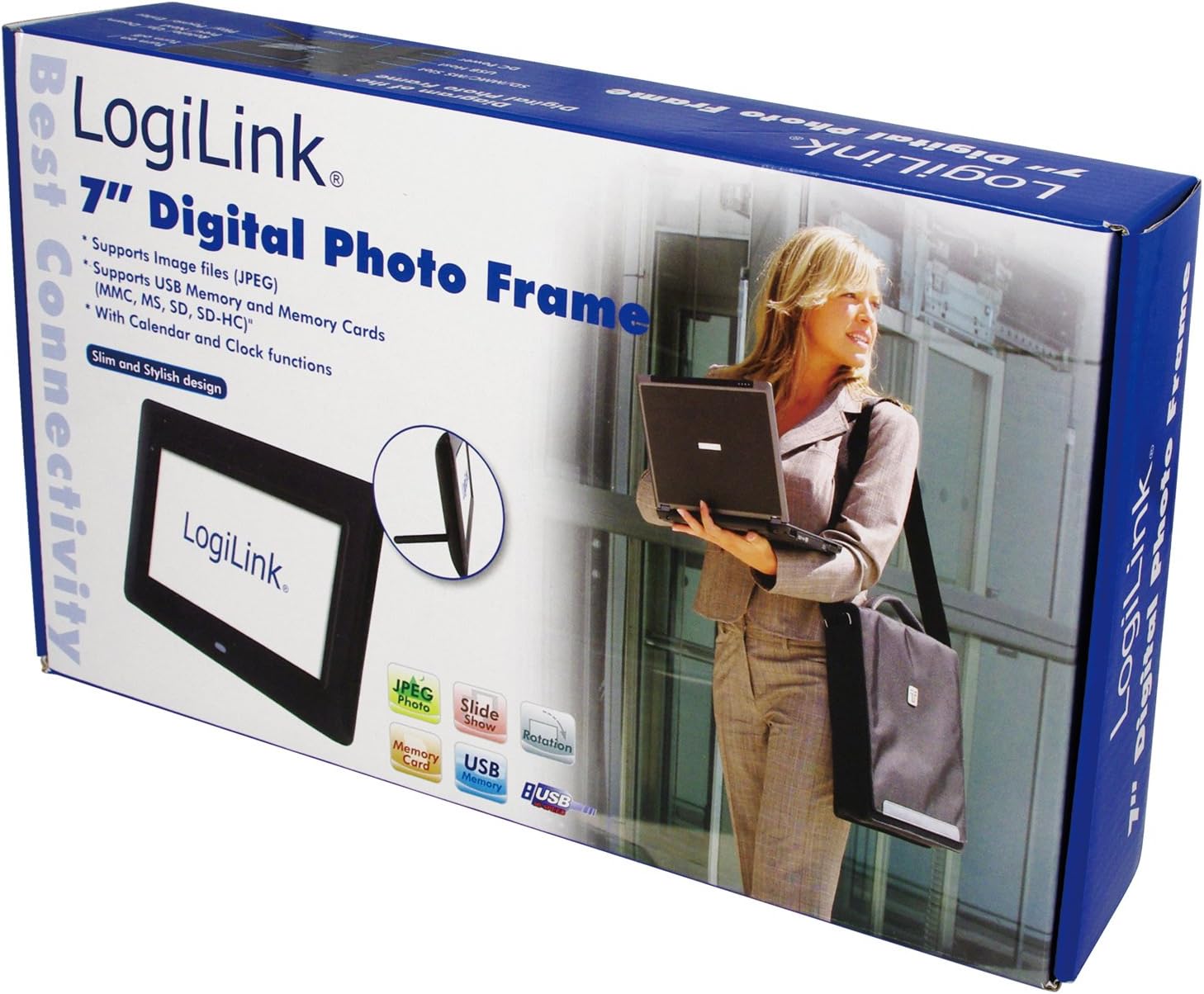
Image 1: The LogiLink PX0014 Digital Photo Frame packaging, showing the product box with a woman holding a laptop and an inset image of the frame itself.
2.3 උපාංග පිරිසැලසුම
Familiarize yourself with the various parts of your digital photo frame:

Image 2: The LogiLink PX0014 Digital Photo Frame, a black rectangular frame with a white screen displaying the LogiLink logo, positioned in front of its product packaging.
Refer to the diagram in the included quick start guide for specific button and port locations, typically including:
- බල බොත්තම: උපාංගය සක්රිය / අක්රිය කිරීමට.
- සංචාලන බොත්තම්: For menu navigation and photo selection.
- මතක කාඩ්පත් තව්: For SD/SDHC and MMC cards.
- USB Port: USB ෆ්ලෑෂ් ධාවක සම්බන්ධ කිරීම සඳහා.
- වරායේ DC: බල ඇඩැප්ටරය සම්බන්ධ කිරීම සඳහා.
- Stand Slot: For attaching the included stand.
3. පිහිටුවීම
3.1 බල සම්බන්ධතාවය
- Insert the small end of the power adapter into the DC IN port on the back or side of the photo frame.
- බල ඇඩැප්ටරයේ අනෙක් කෙළවර සම්මත විදුලි අලෙවිසැලකට සම්බන්ධ කරන්න.
- The frame should power on automatically or can be turned on using the power button.
3.2 Inserting Memory Cards or USB Drives
The LogiLink PX0014 supports SD/SDHC, MMC memory cards, and USB flash drives.
- Ensure the photo frame is powered off or in standby mode before inserting or removing storage devices.
- For Memory Cards: Locate the appropriate memory card slot. Insert the card with the metal contacts facing down (or as indicated by the slot diagram) until it clicks into place.
- For USB Drives: USB ෆ්ලෑෂ් ධාවකය USB පෝට් එකට ඇතුල් කරන්න.
- Once inserted, power on the frame. The frame should automatically detect the storage device and display its contents or prompt you to select a source.
4. මෙහෙයුම් උපදෙස්
4.1 මූලික සංචාලනය
Use the buttons on the back/side of the frame or the remote control (if included) to navigate the menus. Typically, there are buttons for:
- මෙනු: ප්රධාන මෙනුවට ප්රවේශ වේ.
- EXIT/RETURN: Goes back to the previous screen or exits the menu.
- ARROW Keys (Up/Down/Left/Right): විකල්ප හරහා සංචාලනය කරන්න.
- ඇතුල් කරන්න/හරි: තේරීමක් තහවුරු කරයි.
4.2 Viewඡායාරූප
- From the main menu, select 'Photo' or 'Browse'.
- Choose the desired storage source (e.g., 'SD Card', 'USB Drive').
- Navigate to the folder containing your JPEG images.
- රූපයක් තෝරන්න view it individually, or select 'Slideshow' to start an automatic presentation of all images in the folder.
- You can typically adjust slideshow intervals and transition effects in the settings menu.
4.3 Calendar and Clock Functions
The LogiLink PX0014 includes a built-in calendar and clock. To access and set these functions:
- Go to the main menu and select 'Settings' or 'System'.
- Look for options like 'Date & Time' or 'Calendar'.
- Adjust the current date, time, and time format as needed using the navigation buttons.
- Some models allow displaying the clock or calendar alongside photos during a slideshow. Check the settings for these display options.
5. නඩත්තු කිරීම
5.1 තිරය පිරිසිදු කිරීම
LCD තිරය පිරිසිදු කිරීම සඳහා, මෘදු, ලින්ට් රහිත රෙද්දකින් මෘදු ලෙස පිස දමන්න. මුරණ්ඩු පැල්ලම් සඳහා, තරමක් dampen the cloth with water or a non-abrasive screen cleaner. Avoid using harsh chemicals or abrasive materials, as these can damage the screen surface.
5.2 සාමාන්ය සත්කාර සහ ගබඩා කිරීම
- Keep the digital photo frame away from direct sunlight, high temperatures, and excessive humidity.
- උපාංගය අතහැර දැමීමෙන් හෝ එය දැඩි බලපෑම්වලට ලක් කිරීමෙන් වළකින්න.
- When not in use for extended periods, unplug the power adapter and store the frame in a cool, dry place.
6. දෝශ නිරාකරණය
If you encounter issues with your LogiLink PX0014, refer to the following common problems and solutions:
| ගැටලුව | විය හැකි හේතුව | විසඳුම |
|---|---|---|
| රාමුව ක්රියාත්මක නොවේ. | බල ඇඩැප්ටරය සම්බන්ධ වී නැත හෝ දෝෂ සහිතයි; බල සැපයුම ක්රියා නොකරයි. | බල ඇඩැප්ටරය රාමුවට සහ ක්රියාකාරී විදුලි අලෙවිසැලකට ආරක්ෂිතව සම්බන්ධ කර ඇති බවට වග බලා ගන්න. වෙනත් අලෙවිසැලක් උත්සාහ කරන්න. |
| No images displayed. | No memory card/USB drive inserted; unsupported file ආකෘතිය; දූෂිතයි files. | Insert a memory card or USB drive with JPEG images. Ensure images are in JPEG format. Try different images or reformat the storage device (backup data first). |
| මතක කාඩ්පත/USB ධාවකය කියවිය නොහැක. | Improper insertion; incompatible format; faulty card/drive. | Reinsert the card/drive correctly. Ensure it is formatted to FAT32. Try a different card/drive. |
| දුරස්ථ පාලකය ක්රියා නොකරයි. | Battery depleted; obstruction; remote not pointed at sensor. | Replace the battery. Ensure there are no obstructions between the remote and the frame's IR sensor. Point the remote directly at the sensor. |
7. පිරිවිතර
| විශේෂාංගය | විස්තර |
|---|---|
| වෙළඳ නාමය | LogiLink |
| ආදර්ශ අංකය | PX0014 |
| නිෂ්පාදන මානයන් | 24.99 x 24.99 x 15.01 සෙ.මී |
| අයිතමයේ බර | 300 ග්රෑම් |
| තිර ප්රමාණය | අඟල් 7 |
| විභේදනය | 480 x 234 පික්සල |
| දර්ශන අනුපාතය | 16:10 |
| සම්බන්ධතා තාක්ෂණය | USB |
| කාඩ්පත් කියවනය | Multimedia Card, Memory Card (SD/SDHC) |
| බලශක්ති ප්රභවය | රැහැන්ගත විදුලි |
| පාලන ක්රමය | දුරස්ථ පාලකය |
8. වගකීම් තොරතුරු
LogiLink products are designed and manufactured to the highest quality standards. This product is covered by a limited warranty from the date of purchase. Please refer to the warranty card included in your package or visit the official LogiLink webඔබේ කලාපයට විශේෂිත වූ සවිස්තරාත්මක වගකීම් නියමයන් සහ කොන්දේසි සඳහා අඩවිය.
9. සහාය
For technical assistance, product inquiries, or to report any issues not covered in this manual, please contact LogiLink customer support. You can typically find contact information, including phone numbers, email addresses, and online support portals, on the official LogiLink webඅඩවිය (www.logilink.eu).


